Close Menu
  • Gaming
    • Platforms
      • Nintendo
      • PC
      • PlayStation
      • Xbox
  • Entertainment
    • Movies
    • TV
    • Royals
  • Celebrity
    • Hollywood
  • Human Interest
  • Astrology
  • More
    • Anime
    • Reviews
Facebook X (Twitter) Instagram LinkedIn YouTube
  • About Us
  • Join Our Team
  • Meet the Team
  • Privacy Policy
  • DMCA Policy
  • Contact Us
  • Terms of Use
  • Sitemap
  • Editorial Guidelines
  • Advertising Policy
The Nerd Stash
  • Gaming
  • Celebrity
  • Hollywood
  • Human Interest
The Nerd Stash
Home»Gaming»Wild Hearts: How to Dye Armor

Wild Hearts: How to Dye Armor

There are many trends in the gaming world right now. Some involve games as a live service, such as the upcoming Suicide Squad game, which…

Giovanna De ItaBy Giovanna De ItaFebruary 25, 20232 Mins Read
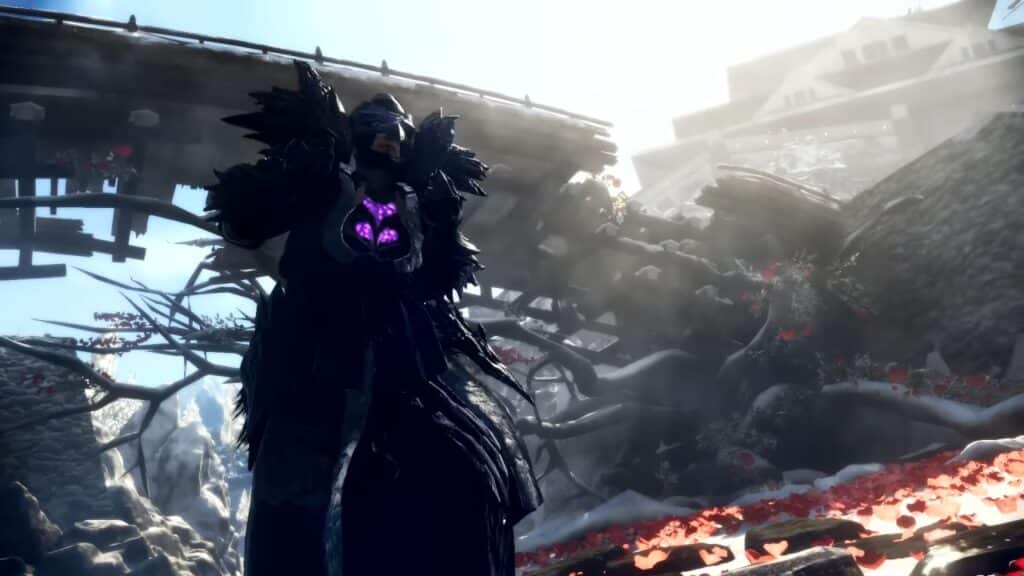
Armor dye in Wild Hearts
Image: Wild Hearts
This article is over 3 years old and may contain outdated information.

There are many trends in the gaming world right now. Some involve games as a live service, such as the upcoming Suicide Squad game, which is a trend that many gamers hate. However, there is another feature that people love to see in games, and some companies have made a note of it. Changing the color of your outfit is fantastic, as it lets you customize your character to your heart’s content. This is great because every single character feels more personal, and people are all for it. While the latest Wild Hearts game had a rough launch, it still brings some nice stuff to do and customize when playing. If you like customizing aspects of the game, today we’ll tell you how to dye armor in Wild Hearts.

How to dye armor in Wild Hearts

While changing the color of an outfit in the game is easy, the bad news about it is that not all armor is dyable. This saddens some players, but at least the option exists for some armor sets. To dye your armor in Wild Hearts, this is what you’ll have to do:

  • Head to the equipment menu and find the piece of armor you want to dye
  • Check if it has a white square on the bottom left (This means you can dye it)
  • If it does, head to the Forge Menu and select Change Equipment
  • The Dye option will activate letting you change the color

Related:

How to Get Serpent Flotation Cutis in Wild Hearts

Another limitation is that there aren’t a lot of colors available if you want to dye a specific piece of armor. While you can play around with the saturation and brightness, the option is a bit limited. Still, we are happy to see that the developers added this feature. So, now that you’ve found a way to dye armor in Wild Hearts make sure to keep an eye out for the equipment that lets you do it. While looking cool won’t give you any gameplay advantage, it is always nice to see players wearing some nice and original outfits.

Wild Hearts is available now on PS5, Xbox Series X|S, and PC.

Related Topics
Guide Wild Hearts
Share. Facebook Twitter LinkedIn Reddit Email
Giovanna De Ita
  • Website

Giovanna is a fan of every single game HoYoverse has launched. When she's not covering videogames, she writes her daily horoscopes and tarot readings for the astrology vertical in The Nerd Stash.

SUGGESTED READS

Diablo 4 Season 13 Tier List
Gaming

Class Tier List for Diablo 4 Season 13 (Best Classes for Endgame & Leveling)

Take-Two Boss Finally Explains Why GTA 6 Is Skipping PC at Launch: 'We'll See How It Works Out'
Gaming

Take-Two Boss Finally Explains Why GTA 6 Is Skipping PC at Launch: ‘We’ll See How It Works Out’

Rockstar Employee Review Claims 'Unrealistic' Crunch as GTA 6 Development Intensifies: 'Had to Work Till 3AM'
Gaming

Rockstar Employee Review Claims ‘Unrealistic’ Crunch as GTA 6 Development Intensifies: ‘Had to Work Till 3AM’

All Rewards from Admin Abuse Eggs & Box in Roblox Adopt Me
Gaming

All Rewards from Admin Abuse Eggs & Box in Roblox Adopt Me

Gaming

World Heroes Perfect Reminds Me of the Golden Age of Fighting Games

Fatal Fury City of the Wolves Mr Karate Reveal
Gaming

Fatal Fury: City of the Wolves Unveils Its Next Season 2 Fighter, and It’s a Classic

The Nerd Stash
Facebook X (Twitter) Instagram YouTube LinkedIn
  • About Us
  • Join Our Team
  • Meet the Team
  • Privacy Policy
  • DMCA Policy
  • Contact Us
  • Terms of Use
  • Sitemap
  • Editorial Guidelines
  • Advertising Policy
© 2026 The Nerd Stash. All Rights Reserved.

Type above and press Enter to search. Press Esc to cancel.