


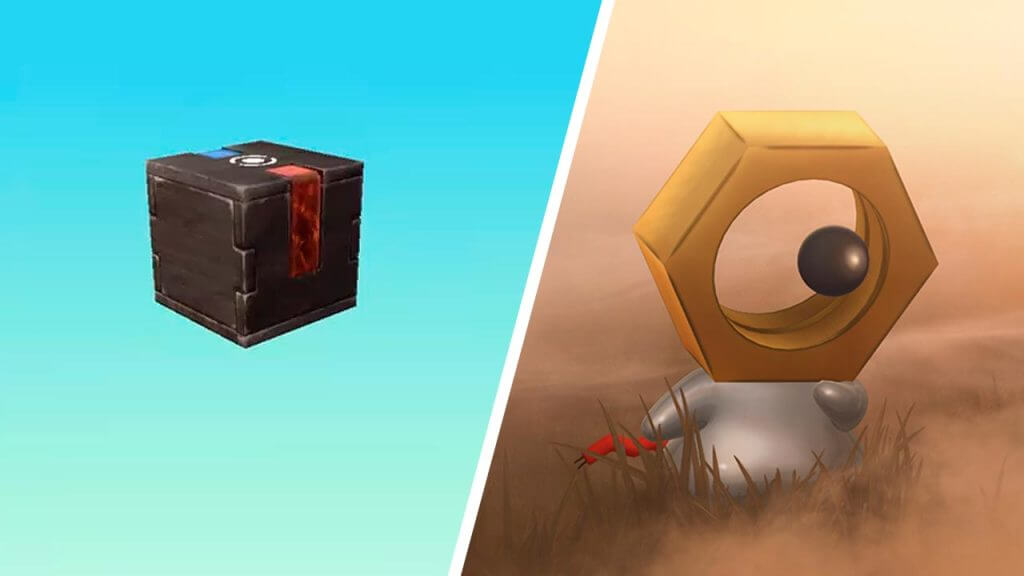
There are tons of creatures and mysteries to uncover in the most popular creature-catching game in the world, Pokemon GO. One such enigma is the appropriately named Mystery Box item, which we will explain the function and how you can get one in this Pokemon GO guide.
The Explanation for Mystery Box in Pokemon Go
(Updated on August 8, 2024 – updated links and formatting)

In Pokemon GO, the Mystery Box is a special item that will force the mythical Pokemon Meltan to show up around your area. Back then, you could only get a Mystery Box if you have a Nintendo Switch with Pokemon: Let’s Go Pikachu or Eevee. But thanks to the release of the Pokemon Home app, now anyone can easily find their own Meltans and its evolution, Melmetals.
“You can obtain the Mystery Box by sending a Pokemon from Pokemon GO to Pokemon: Let’s Go, Pikachu!, Pokemon: Let’s Go, Eevee!, or Pokemon Home. Once you’ve activated the Mystery Box, you’ll have to wait three days and send another Pokemon to Pokemon: Let’s Go, Pikachu!, Pokemon: Let’s Go, Eevee!, or Pokemon Home before you can activate it again.”
Here’s the step by step guide to pairing your Pokemon GO and Pokemon Home accounts:
- Download the Pokemon Home app through Play Store (Android) or App Store (iOS) on the same device you use to play Pokemon GO.
- Launch the Pokemon Home app and complete the first-time setup.
- The date of birth cannot be changed, so make that you enter it correctly.
- Some features may only be available to players age 16 and older.
- You should select link your account to link the same Nintendo Account that you are using on Switch to ensure that you don’t have issues later with syncing or transferring between the mobile and Switch versions of Pokemon Home.
- After the first-time setup is completed, go back to Pokemon GO.
- Open the menu by pressing the Poke Ball icon.
- Go to the Settings by pressing the gear icon on the top right corner of your screen.
- Scroll down until you find Pokemon Home. Press it.
- Sign in with your previously used Nintendo Account to pair both apps.
Now that the apps accounts have been linked, it’s time to bag yourself a Mystery Box and spawn a bunch of Meltans:
- In the Pokemon Home menu of the Pokemon GO app, tap the Send Pokemon option.
- If you’re just aiming for a Mystery Box, you can send one of your useless Pokemon.
- After the transfer is complete, a Mystery Box should show up in your Bag.
- You can also check the Pokemon Home app to see if the Pokemon was safely moved.
Open the Mystery Box in your bag to cause Meltans to spawn frequently for 30 minutes. However, you’ll have to wait 7 days or 1 week to be able to use the Mystery Box again and repeat the process of transferring a Pokemon. Once obtained, the Mystery Box will be permanently available in your Bag.
Keep in mind a few things before you start farming Meltans. A bunch of players have confirmed that you will encounter more Meltans when you’re walking, with up to 10 Meltan spawns per Mystery Box usage. Usually, you’ll get 6 Meltan Candies if you capture one after you give it a Pinap Berry, and you’ll need 400 Meltan Candies to evolve one into a Melmetal. To obtain even more Candies, you can transfer a Meltan to get 1 Candy, or you can trade it (at least in the maximum trade distance of 100 meters) to get 3 more Candies instead!






