
Close Menu
  • Gaming
    • Game Guides
    • Codes
    • Game News
    • Game Previews
    • Game Reviews
    • Game Features
    • Game Lists
    • Platforms
      • Nintendo
      • PC
      • PlayStation
      • Xbox
      • Mobile
  • Entertainment
    • Movies
    • Movie Features
    • Movie Reviews
    • TV
    • Reality TV
    • Royals
  • Celebrity
    • Hollywood
  • Human Interest
  • Astrology
  • More
    • Anime
    • Lists
    • Podcasts
    • Reviews
Facebook X (Twitter) Instagram LinkedIn YouTube
  • About Us
  • Join Our Team
  • Meet the Team
  • Privacy Policy
  • DMCA Policy
  • Contact Us
  • Terms of Use
  • Sitemap
  • Editorial Guidelines
  • Advertising Policy
The Nerd Stash
  • Gaming
  • Celebrity
  • Hollywood
  • Human Interest
The Nerd Stash
Home»Game Guides»Tower of Fantasy: How to Fix Login Failed Error

Tower of Fantasy: How to Fix Login Failed Error

While attempting to log into the exciting new world of Tower of Fantasy, many fans are encountering an error known as “Login Failed.” Similar to “Login…

AugustBy AugustAugust 11, 20222 Mins Read
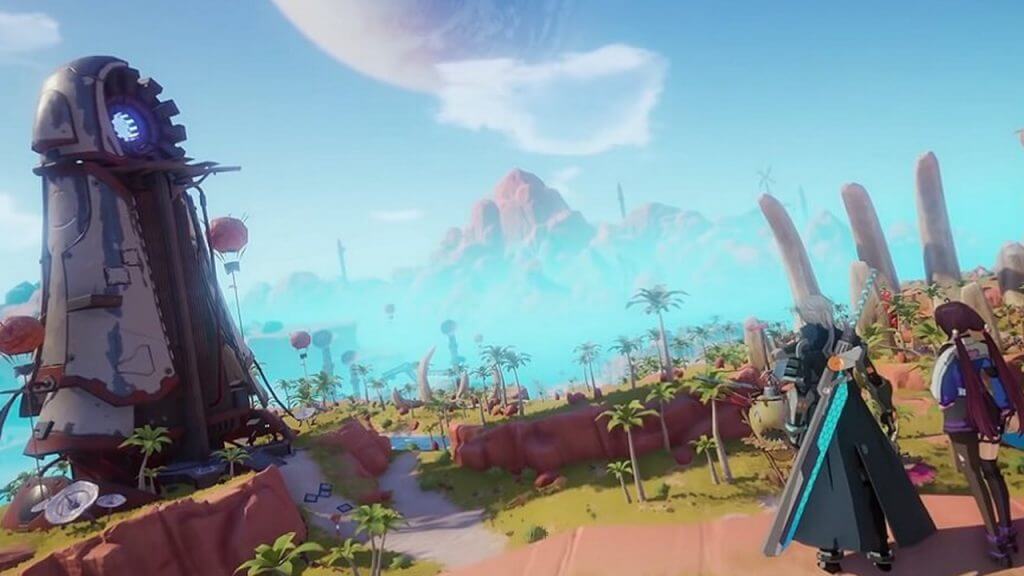
Tower of Fantasy How to Fix Login Failed Error
This article is over 3 years old and may contain outdated information.

While attempting to log into the exciting new world of Tower of Fantasy, many fans are encountering an error known as “Login Failed.” Similar to “Login Status Exception,” this is an issue that is preventing players from entering their server and playing the game. Naturally, such a predicament is causing quite a commotion among those affected. Some have doubtless waited months for this anticipated anime gacha MMORPG to be globally released. Therefore, to encounter this login error is certainly not an enjoyable experience. Continue reading to learn how to fix this “Login Failed” error in Tower of Fantasy.

Fixing Login Failed In Tower of Fantasy

Fixing Login Failed Error In Tower of Fantasy

The most common way to fix the “Login Failed” error in Tower of Fantasy is by completely rebooting the game. PC users will also need to log out and restart their clients. After completing the reset and logging back into one’s account, the problem should be resolved. 

Nevertheless, there will likely be many Tower of Fantasy players who are still unable to enter the game due to “Login Failed.” According to Attack of the Fanboy, this error is a server-side issue, meaning that resolving the problem is primarily out of the player’s control. Of course, the rebooting method can potentially solve the error, or restarting multiple times might help as well. Yet, in the end, fans who’ve encountered the “Login Failed” error in Tower of Fantasy will need to wait for the developers to fix their servers. 

Inherently, many will be upset or even angered by this problem, as no one wants to be locked out playing an exciting new release. Still, keep in mind that Tower of Fantasy is a new MMORPG, and server issues are prevalent in new and even existing massively multiplayer online games. For example, New World had abysmal queue wait times, and many Warriors of Light were not able to play during the initial days of Final Fantasy XIV: Endwalker‘s release due to server congestion. Similarly, Tower of Fantasy will need some time for its bugs and errors to be ironed out. After all, it is impossible for a developer to know every possible predicament before their game goes live to the public. Accordingly, players are encouraged to attempt a reboot to fix the “Login Failed” error in Tower of Fantasy, and if this solution does not work, patiently waiting is the optimal option.

Related Topics
Guide Tower of Fantasy
Share. Facebook Twitter LinkedIn Reddit Email
August

August Webb is TNS's Lead Guide Editor who additionally helps in covering celebrity and pop culture news. She provides assistance to other freelancers and staff on trendy topics to write about. When not working, she's playing a visual novel, fanning over an indie gem, or lost in the world of VR. Residing in Daegu, South Korea, August has a Bachelor's, double-majoring in Media and Communication and Business Administration. She graduated in Yeungnam University of Gyeongsan, South Korea. August's areas of expertise include Game Strategy Guides, Video Game Features, and Celebrity News and Gossip. August has worked in online media for over four years since 2021. Starting out as a freelancer, she's written for TNS, ScreenRant of Valnet, and Gamepur of GAMURS GROUP. She has experience publishing short and long-form video game guides, game features, and game reviews. Currently serving as the Lead Guide Editor for the Guide Writing department at The Nerd Stash, she edits a variety of articles while also helping with providing topics to write about via tools like Google Trends or SemRush. She works alongside TNS's Editorial Team, discussing and executing strategies to better improve the site's traffic and experience for users.

SUGGESTED READS

April Fools Gaming Jokes 2026
Game Features

The Best Gaming Jokes of April Fools’ Day 2026

How to Subscribe & Cancel Adopt Me Pet Plus Subscription
Game Guides

How to Subscribe & Cancel Adopt Me Pet Plus Subscription

Saros Outlets Previews
Game Features

Saros Previews Round-Up: Refining What Was Already Flawless

Crimson Desert Community Tips and Tricks
Game Guides

I Played Crimson Desert for 90 Hours and STILL Learned These 10 Tricks From Social Media

Doom Co-creator and Wife Say The Current Game Industry Is 'Crashier' Than the '80s Crash: 'It Can't Stay Like This Forever'
Game News

Doom Co-Creator and Wife Say the Current Game Industry Is ‘Crashier’ Than the ’80s Crash: ‘It Can’t Stay Like This Forever’

Marathon PC Review
9.5
Game Features

Marathon Review – Bungie’s Finest

The Nerd Stash
Facebook X (Twitter) Instagram YouTube LinkedIn
  • About Us
  • Join Our Team
  • Meet the Team
  • Privacy Policy
  • DMCA Policy
  • Contact Us
  • Terms of Use
  • Sitemap
  • Editorial Guidelines
  • Advertising Policy
© 2026 The Nerd Stash. All Rights Reserved.

Type above and press Enter to search. Press Esc to cancel.