Close Menu
  • Gaming
    • Game Guides
    • Codes
    • Game News
    • Game Previews
    • Game Reviews
    • Game Features
    • Game Lists
    • Platforms
      • Nintendo
      • PC
      • PlayStation
      • Xbox
      • Mobile
  • Entertainment
    • Movies
    • Movie Features
    • Movie Reviews
    • TV
    • Reality TV
    • Royals
  • Celebrity
    • Hollywood
  • Human Interest
  • Astrology
  • Videos
  • More
    • Anime
    • Lists
    • Podcasts
    • Reviews
Facebook X (Twitter) Instagram LinkedIn YouTube
  • About Us
  • Join Our Team
  • Meet the Team
  • Privacy Policy
  • DMCA Policy
  • Contact Us
  • Terms of Use
  • Sitemap
  • Editorial Guidelines
  • Advertising Policy
The Nerd Stash
  • Gaming
  • Celebrity
    • Hollywood
  • Human Interest
  • Videos
The Nerd Stash
Home»Features»Phasmophobia: How to Fix Game Does Not Exist Error

Phasmophobia: How to Fix Game Does Not Exist Error

Do you want to know how to fix the “Phasmophobia Game Does Not Exist” error? The Phasmophobia game is a first-person horror game developed by…

Asanga WijeratneBy Asanga WijeratneDecember 15, 20222 Mins Read
Game Does Not Exist Error in Phasmophobia

Skip To...

  • What is The Game Not Exist Mean?
  • How to Fix The Phasmophobia Game Does Not Exist Error?
This article is over 3 years old and may contain outdated information.

Do you want to know how to fix the “Phasmophobia Game Does Not Exist” error? The Phasmophobia game is a first-person horror game developed by Kinetic Games. Unfortunately, some players have reported various Errors with the game, including the “Phasmophobia Game Does Not Exist” error. It has become a standard error for many players and real trouble. This guide will tell you how to fix the “Phasmophobia Game Does Not Exist” error.

What is The Game Not Exist Mean?

If you’re a big fan of horror games, chances are you’ve tried the ever-popular Phasmophobia. But if you’ve been met with the dreaded “game does not exist” error, fear not! This error typically indicates an issue either with your internet connection or due to outages with the game itself. Thankfully, these outages and disruptions are usually fixed quite quickly, so you should be able to get back to solving mysteries and scaring yourself silly in no time.

How to Fix The Phasmophobia Game Does Not Exist Error?
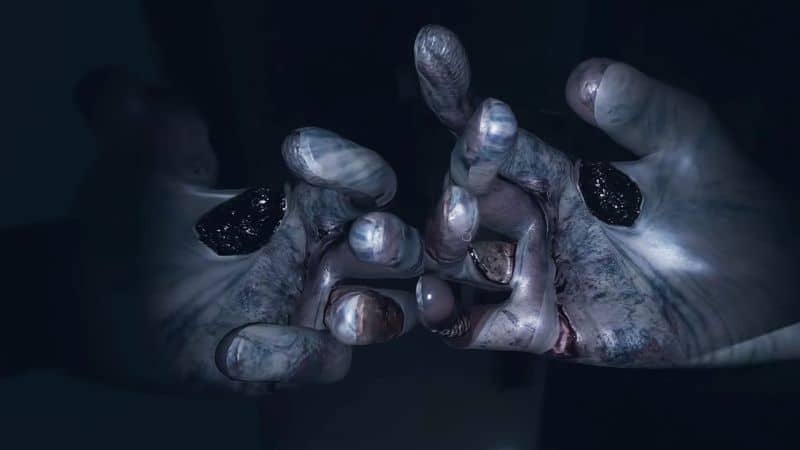
Game Does Not Exist Error in Phasmophobia

You can fix the “Phasmophobia Game Does Not Exist” error by updating the game, joining Random lobbies, setting the correct region, or verifying the game cache.

  1. Updating the game:  You can restart the game or restart Steam. Restart Steam will update the game to the latest version and fix the issue.
  2. Joining Random Lobbies: One Redditor has claimed that he has solved the “Phasmophobia Game Does Not Exist” by entering a random public Lobby, leaving it, and entering again into a private lobby.
  3. Setting the Correct Region:   You can select the correct region by visiting the Steam settings. Go to “Steam > Settings > Downloads” and then click on “Download Region.” Set the right part for your country and restart the game to see if it fixes the issue.
  4. Verifying the Game Cache:  Finally, you can try verifying the game cache. To do this, open your Steam client and navigate to the “Phasmophobia” game. Once you’ve selected the game, click on the Verify Integrity of Game Files button in the bottom right corner. This will check for missing or corrupted files and automatically download them if necessary.

We hope this guide has helped you fix the “Phasmophobia Game Does Not Exist” error. If you have any other questions or need more help, feel free to ask us in the comments section below. Good luck, and happy hunting!

Phasmophobia is available on PC.

Source: Prime Games

Related Topics
Guide Phasmophobia
Share. Facebook Twitter LinkedIn Reddit Email
Asanga Wijeratne
  • Website

SUGGESTED READS

Virtua Fighter 5 REVO open Beta Switch 2
Game News

Virtua Fighter 5 R.E.V.O. World Stage’s Open Beta Lands On the Nintendo Switch 2

Adopt Me Dire Wolf Value Climbs as Roblox Players Rush for Megas, Should You Trade Them?
Game Guides

Adopt Me Dire Wolf Value Climbs as Roblox Players Rush for Megas, Should You Trade Them?

Phil Spencer Retires 2026
Game News

Phil Spencer’s Era Has Come to an End: Microsoft CoreAI President to Take Over

Sony Closes Bluepoint Games
Game News

‘Canceling Projects and Closing Teams Is Not Strategy, It Is Chaos’: Gamers Outraged After Sony Shuts Down Bluepoint Games

Inner voice key art
Game News

Inner Voice Brings Grief-Soaked Psychological Horror to Steam With New PC Demo

Nightmare Geese Gameplay
Game Previews

Fatal Fury: Nightmare Geese Hands-On Impressions – The Boss Is Here

The Nerd Stash
Facebook X (Twitter) Instagram YouTube LinkedIn
  • About Us
  • Join Our Team
  • Meet the Team
  • Privacy Policy
  • DMCA Policy
  • Contact Us
  • Terms of Use
  • Sitemap
  • Editorial Guidelines
  • Advertising Policy
© 2026 The Nerd Stash. All Rights Reserved.

Type above and press Enter to search. Press Esc to cancel.