
Close Menu
  • Gaming
    • Platforms
      • Nintendo
      • PC
      • PlayStation
      • Xbox
  • Entertainment
    • Movies
    • TV
    • Royals
  • Celebrity
    • Hollywood
  • Human Interest
  • Astrology
  • More
    • Anime
    • Reviews
Facebook X (Twitter) Instagram LinkedIn YouTube
  • About Us
  • Join Our Team
  • Meet the Team
  • Privacy Policy
  • DMCA Policy
  • Contact Us
  • Terms of Use
  • Sitemap
  • Editorial Guidelines
  • Advertising Policy
The Nerd Stash
  • Gaming
  • Celebrity
  • Hollywood
  • Human Interest
The Nerd Stash
Home»Gaming»How to Enter Custom Game Codes in Overwatch 2

How to Enter Custom Game Codes in Overwatch 2

Do you want to know how to enter custom game codes in Overwatch 2? Overwatch 2 is a competitive, team-based first-person shooter video game developed…

Asanga WijeratneBy Asanga WijeratneJanuary 24, 20233 Mins Read
How to Enter Custom Game Codes in Overwatch 2
This article is over 3 years old and may contain outdated information.

Do you want to know how to enter custom game codes in Overwatch 2? Overwatch 2 is a competitive, team-based first-person shooter video game developed by Blizzard Entertainment. Also, it is the sequel to the original Overwatch and features new characters, maps, modes, and more. The game is available on Windows, PlayStation 4, Xbox One, and Nintendo Switch. Also, Custom game codes are a great way to get into custom games with friends or join tournaments and other events. This guide will tell you how to enter custom game codes in Overwatch 2.

What are Custom Game Codes in Overwatch 2?

The addition of Custom Games in Overwatch 2 is a unique feature allowing players to access special game modes with a unique code. Also, these codes are provided by organizers hosting tournaments or other events, allowing users to join the game directly. The original Overwatch featured Custom Games, but the mode was removed from the game in 2017.

Now, Custom Games have returned, much to the delight of players. Also, players can enjoy this extra layer of competition and easily create their custom games. With such varied ways to play and compete, Overwatch 2 offers something for everyone.

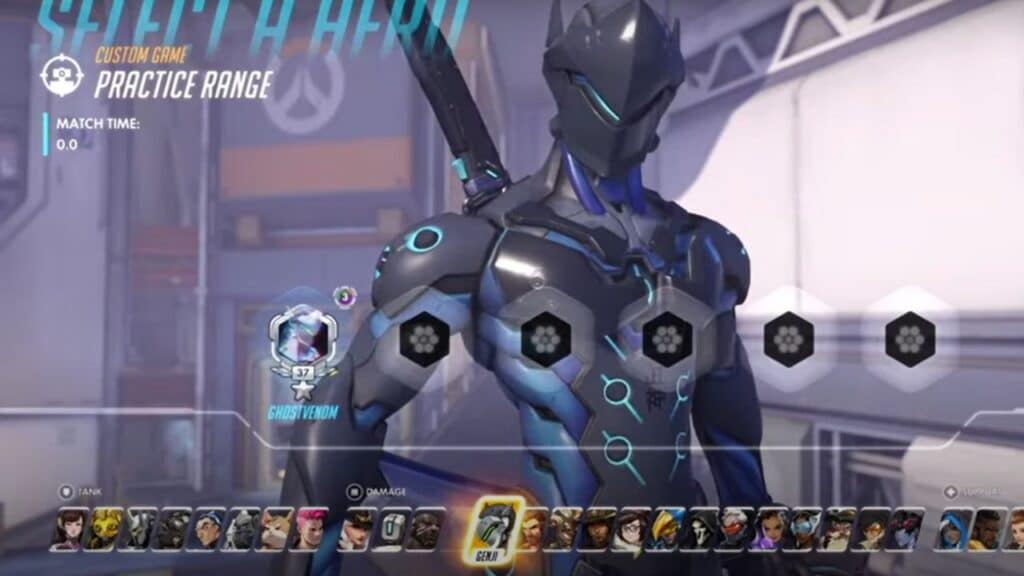
How to Enter a Custom Game Code in overwatch 2

How to Enter Custom Game Codes in Overwatch 2

You can enter custom game codes in Overwatch 2 in Settings at the Create Game of the Game Browser. Here are the steps you need to follow.

  1. Launch Overwatch 2 and click on the Play button.
  2. Go to the Game Browser and click Create Game at the bottom left corner.
  3. Click on the Setting button on the top. It is between the Move and Invite Buttons.
  4. Click on the Summary button, the fourth button from the bottom left. The summary menu will be displayed on the right side of the screen.
  5. Press the down arrow under the Summary, and a text box will be displayed.
  6. Type the Custom Game Code in the text box and press OK. The Create Game Screen will be changed.
  7. Press the Start button to load the game.

Now you know how to enter custom game codes in Overwatch 2! Whether you want to join a friend’s game or compete in a tournament, custom game codes are the way to go. Just follow the steps outlined in this guide, and you’ll be playing in no time. So grab your friends, fire up some snacks, and get ready for intense competition – it’s time to see who’s the best at Overwatch 2!

Also, Overwatch 2 is now available for PC, PS4, PS5, Xbox One, Xbox Series X|S, and Nintendo Switch.

Related Topics
Guide Overwatch 2
Share. Facebook Twitter LinkedIn Reddit Email
Asanga Wijeratne
  • Website

SUGGESTED READS

Xbox's New CEO Wants to Reconnect With the 'Community,' Yet Brings In More CoreAI Leaders
Gaming

Xbox’s New CEO Wants to Reconnect With the ‘Community,’ Yet Brings In More CoreAI Leaders

Diablo 4 Season 13 Tier List
Gaming

Class Tier List for Diablo 4 Season 13 (Best Classes for Endgame & Leveling)

Take-Two Boss Finally Explains Why GTA 6 Is Skipping PC at Launch: 'We'll See How It Works Out'
Gaming

Take-Two Boss Finally Explains Why GTA 6 Is Skipping PC at Launch: ‘We’ll See How It Works Out’

Rockstar Employee Review Claims 'Unrealistic' Crunch as GTA 6 Development Intensifies: 'Had to Work Till 3AM'
Gaming

Rockstar Employee Review Claims ‘Unrealistic’ Crunch as GTA 6 Development Intensifies: ‘Had to Work Till 3AM’

All Rewards from Admin Abuse Eggs & Box in Roblox Adopt Me
Gaming

All Rewards from Admin Abuse Eggs & Box in Roblox Adopt Me

Gaming

World Heroes Perfect Reminds Me of the Golden Age of Fighting Games

The Nerd Stash
Facebook X (Twitter) Instagram YouTube LinkedIn
  • About Us
  • Join Our Team
  • Meet the Team
  • Privacy Policy
  • DMCA Policy
  • Contact Us
  • Terms of Use
  • Sitemap
  • Editorial Guidelines
  • Advertising Policy
© 2026 The Nerd Stash. All Rights Reserved.

Type above and press Enter to search. Press Esc to cancel.





