Close Menu
  • Gaming
    • Game Guides
    • Codes
    • Game News
    • Game Previews
    • Game Reviews
    • Game Features
    • Game Lists
    • Platforms
      • Nintendo
      • PC
      • PlayStation
      • Xbox
      • Mobile
  • Entertainment
    • Movies
    • Movie Features
    • Movie Reviews
    • TV
    • Reality TV
    • Royals
  • Celebrity
    • Hollywood
  • Human Interest
  • Astrology
  • Videos
  • More
    • Anime
    • Lists
    • Podcasts
    • Reviews
Facebook X (Twitter) Instagram LinkedIn YouTube
  • About Us
  • Join Our Team
  • Meet the Team
  • Privacy Policy
  • DMCA Policy
  • Contact Us
  • Terms of Use
  • Sitemap
  • Editorial Guidelines
  • Advertising Policy
The Nerd Stash
  • Gaming
  • Celebrity
    • Hollywood
  • Human Interest
  • Videos
The Nerd Stash
Home»Game Guides»How to Enable Auto Targeting in Diablo 4

How to Enable Auto Targeting in Diablo 4

Want to know how to enable Auto Targeting in Diablo 4? As you immerse yourself in Diablo 4 gameplay, you can choose from many playable…

Artur NovichenkoBy Artur NovichenkoMarch 21, 20232 Mins Read
how-to-enable-auto-targeting-in-diablo-4
This article is over 2 years old and may contain outdated information.

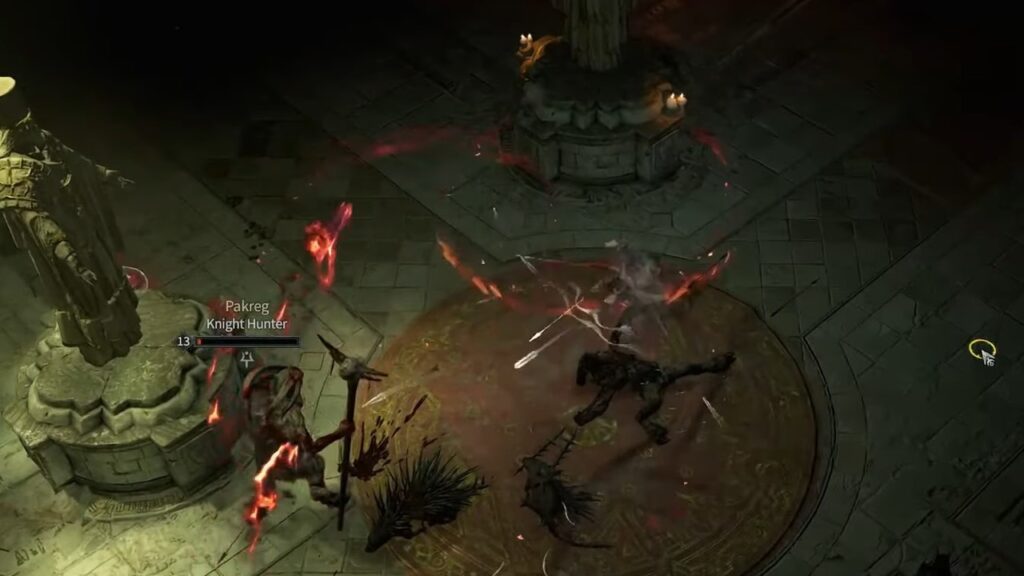
Want to know how to enable Auto Targeting in Diablo 4? As you immerse yourself in Diablo 4 gameplay, you can choose from many playable classes, from warrior to archer to sorcerer. And if you prefer to play as ranged characters, you will feel uncomfortable relatively soon. You will have to aim at each enemy in turn. And when fighting hordes of enemies, you’ll have to target different enemies every few seconds. And if playing on a PC you can get used to, then playing on a controller can ruin the gaming experience. Fortunately, Diablo 4 has an Auto Targeting feature, and today we will tell you how to enable it.

How to Activate Auto Targeting in Diablo 4

You can enable Auto Targeting in Diablo 4 from the first minutes of gameplay and do it very simply:

  • Launch Diablo 4 and go to Menu Settings.
  • Next, go to the Accessibility tab.
  • Scroll down the page to the Controls section.
  • Find the Persist Target Lock function and activate it by clicking on the small square on the right.

That’s all. After activating this feature, your character will automatically target enemies around you. You no longer have to do it manually, so you can feel like a real warrior who never misses and always knows which enemy to shoot. You only need to turn in the right direction and use an attack ability, and the game will do the rest.

Related:

How to Get the Temptation Mount in Diablo 4

Also, it is worth noting that the Auto Targeting function works for both arrows and magic attacks. So your gameplay will become easier whether you are playing an archer or a sorcerer.

But despite the undeniable benefits of Auto Targeting, this feature also has some disadvantages. For example, you can not rob anyone or interact with various objects while there are enemies near you. Your character will automatically target enemies, and you must kill them before moving on to the different game action. However, this is not a high price for comfortable gameplay. In addition, you can turn away from the target using the right stick of your controller, after which your character will not aim at the enemy.

Diablo 4 is available on Windows, PlayStation 4, PlayStation 5, Xbox One, and Xbox Series.

Related Topics
Diablo 4 Guide
Share. Facebook Twitter LinkedIn Reddit Email
Artur Novichenko
  • Website

Artur is a copywriter and SEO specialist, as well as a small business owner. In his free time, he loves to play computer games and is glad that he was able to connect his professional career with his hobby.

SUGGESTED READS

Crimson Desert PC Review
9.5
Features

Crimson Desert Review – It’s Real, All of it

Death Stranding 2 PC Launch Adds Fuel to DLSS 5 AI Slop Backlash: 'It Is a Disgrace'
Game News

Death Stranding 2 PC Launch Adds Fuel to DLSS 5 AI Slop Backlash: ‘It Is a Disgrace’

Starfield Free Lanes & Terran Armada DLC
Game Previews

Starfield Free Lanes & Terran Armada Hands-Off Preview – Revitalizing This Spacefaring Adventure

Resident Evil 9 DLSS5
Game Features

DLSS 5 Isn’t the Future of Graphics; It’s a Filter Over Them

What is Honey Candy in Adopt Me? How to Get It and What It's For
Game Guides

What is Honey Candy in Adopt Me on Roblox? How to Get It and What It’s For

Honkai Star Rail Version 4.1
Game News

The Phantasmoon Games Continue in Honkai: Star Rail Version 4.1

The Nerd Stash
Facebook X (Twitter) Instagram YouTube LinkedIn
  • About Us
  • Join Our Team
  • Meet the Team
  • Privacy Policy
  • DMCA Policy
  • Contact Us
  • Terms of Use
  • Sitemap
  • Editorial Guidelines
  • Advertising Policy
© 2026 The Nerd Stash. All Rights Reserved.

Type above and press Enter to search. Press Esc to cancel.