
Close Menu
  • Gaming
    • Game Guides
    • Codes
    • Game News
    • Game Previews
    • Game Reviews
    • Game Features
    • Game Lists
    • Platforms
      • Nintendo
      • PC
      • PlayStation
      • Xbox
      • Mobile
  • Entertainment
    • Movies
    • Movie Features
    • Movie Reviews
    • TV
    • Reality TV
    • Royals
  • Celebrity
    • Hollywood
  • Human Interest
  • Astrology
  • Videos
  • More
    • Anime
    • Lists
    • Podcasts
    • Reviews
Facebook X (Twitter) Instagram LinkedIn YouTube
  • About Us
  • Join Our Team
  • Meet the Team
  • Privacy Policy
  • DMCA Policy
  • Contact Us
  • Terms of Use
  • Sitemap
  • Editorial Guidelines
  • Advertising Policy
The Nerd Stash
  • Gaming
  • Celebrity
    • Hollywood
  • Human Interest
  • Videos
The Nerd Stash
Home»Game Guides»How To Recover a Combat Cache in Fortnite

How To Recover a Combat Cache in Fortnite

Besides new activities in the game, such as the Reboot Rally and finding unique items like Grapple Glove, recovering a Combat Cache is one new task you…

Asanga WijeratneBy Asanga WijeratneAugust 4, 20232 Mins Read
How to Assist in Recovering Combat Caches in Fortnite
Image Source: Epic Games via The Nerd Stash
This article is over 2 years old and may contain outdated information.

Besides new activities in the game, such as the Reboot Rally and finding unique items like Grapple Glove, recovering a Combat Cache is one new task you must complete. Combat Caches have been in the game since its introduction in Chapter 4, Season 2. However, they are back on players’ attention since one of the Fortnite Week 9 Quests requires you to assist in recovering Combat Caches. So, let’s look at how to recover a Combat Cache in Fortnite.

How to Assist in Recovering Combat Caches in Fortnite
Fortnite Combat Caches
Image Source: Epic Games via Perfect Score Screenshot

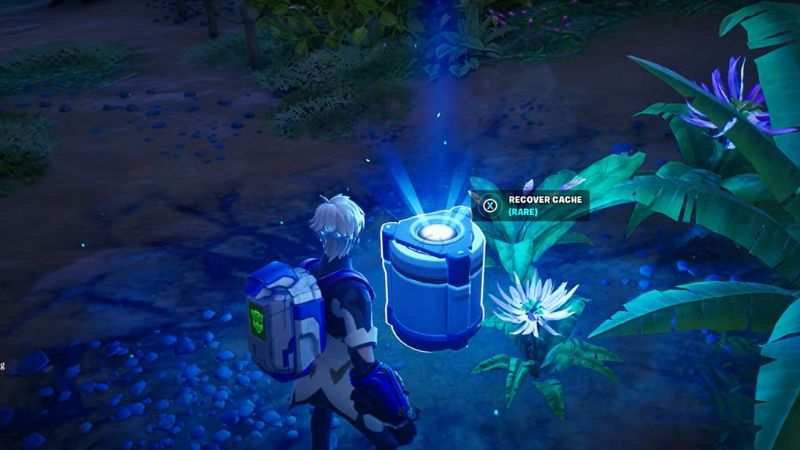
You can recover Combat Caches in Fortnite once you play a match for around eight minutes. Then, they will drop from the sky, showing the locations on the minimap. Below are the steps you need to follow.

1. Starting the Match and Waiting Around Eight Minutes.

It will take around eight minutes once you start a match. You have to rush towards these locations once they appear on the minimap. So, be prepared with good weapons, health items, and speedy vehicles like a bike.

2. Going to the Combat Cache Location

Once you see them on the minimap, go to the locations quickly. Other players will rush to it, and you might miss it.

3. Interacting With the Combat Cache and Getting Loot

Once you get to the location, interact with it, and you will have to defend the position for around 50 seconds until it unlocks. This is where good weapons and consumables come in handy since you’ll need to fend off enemy players.

4. Completing the Challenge

You must do this process three times to complete the challenge. Whether you do it in one match or multiple games, clearing the quest will reward you with 40,000 XP.

What Is a Combat Cache in Fortnite?

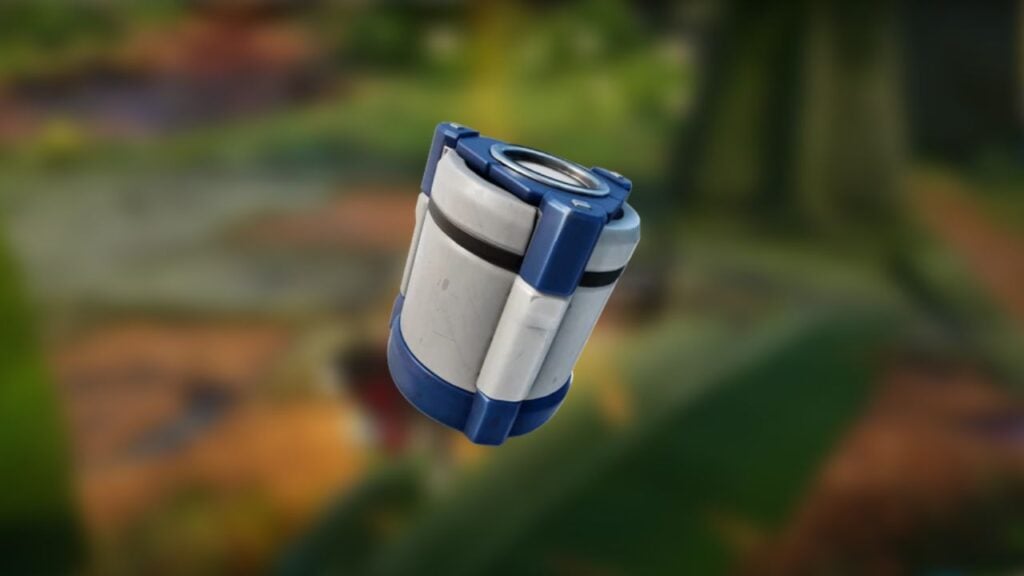
Combat Cahes are special containers that allow players to gain substantial loot once they have successfully captured them. Unlike many other items of Fortnite, Combat Caches are not located in a permanent spot on the map — they spawn randomly, marked by a distinct icon on the minimap.

Also, you will see a vertical beam heading upward toward the sky. Typically, players can expect to see Combat Caches once the third storm circle starts, which usually takes about 8 minutes of gameplay.


Related:
Epic Games Teases a Fortnite x Jujutsu Kaisen Collaboration Event

Related Topics
Fortnite Guide
Share. Facebook Twitter LinkedIn Reddit Email
Asanga Wijeratne
  • Website

SUGGESTED READS

People of Note Release Date
Game News

Musical RPG, People of Note, Announces Its Release Date and Launches Public Demo

People of Note Demo Hands-on Impressions
Game Previews

People of Note Demo Hands-On Impressions – Embrace the Beat

Blender Bee Swarm Simulator
Game Guides

Where Is the Blender in Bee Swarm Simulator on Roblox? Answered

How to Get Blue Extract in Bee Swarm Simulator on Roblox
Game Guides

How to Get Blue Extract in Bee Swarm Simulator on Roblox

Norse Oath of Blood PC Review
7
Game Reviews

NORSE: Oath of Blood Review – Not Ready for Valhalla

Secret Lucky Block Steal a Brainrot
Game Guides

How To Easily Get Secret Lucky Blocks in Steal a Brainrot in Roblox

The Nerd Stash
Facebook X (Twitter) Instagram YouTube LinkedIn
  • About Us
  • Join Our Team
  • Meet the Team
  • Privacy Policy
  • DMCA Policy
  • Contact Us
  • Terms of Use
  • Sitemap
  • Editorial Guidelines
  • Advertising Policy
© 2026 The Nerd Stash. All Rights Reserved.

Type above and press Enter to search. Press Esc to cancel.




