
Close Menu
  • Gaming
    • Platforms
      • Nintendo
      • PC
      • PlayStation
      • Xbox
  • Entertainment
    • Movies
    • TV
    • Royals
  • Celebrity
    • Hollywood
  • Human Interest
  • Astrology
  • More
    • Anime
    • Reviews
Facebook X (Twitter) Instagram LinkedIn YouTube
  • About Us
  • Join Our Team
  • Meet the Team
  • Privacy Policy
  • DMCA Policy
  • Contact Us
  • Terms of Use
  • Sitemap
  • Editorial Guidelines
  • Advertising Policy
The Nerd Stash
  • Gaming
  • Celebrity
  • Hollywood
  • Human Interest
The Nerd Stash
Home»Gaming»Star Wars Jedi: Survivor Settings for Best FPS and Performance

Star Wars Jedi: Survivor Settings for Best FPS and Performance

Star Wars Jedi: Survivor is a popular action-adventure game that requires a decent graphics card to run smoothly. The game, available on PC, Xbox Series…

Omer DursunBy Omer DursunApril 30, 20232 Mins Read
Star Wars Jedi: Survivor fps
Image Credit: StarWars
This article is over 2 years old and may contain outdated information.

Star Wars Jedi: Survivor is a popular action-adventure game that requires a decent graphics card to run smoothly. The game, available on PC, Xbox Series X|S, and PS5 has received widespread praise for its stunning graphics and visually captivating environments. However, to truly experience the full extent of the game’s graphics capabilities, it’s important to optimize your graphics settings. Here’s a guide on the graphics settings you should change for the best FPS in Star Wars Jedi: Survivor.

Star Wars Jedi: Survivor Best Settings for FPS
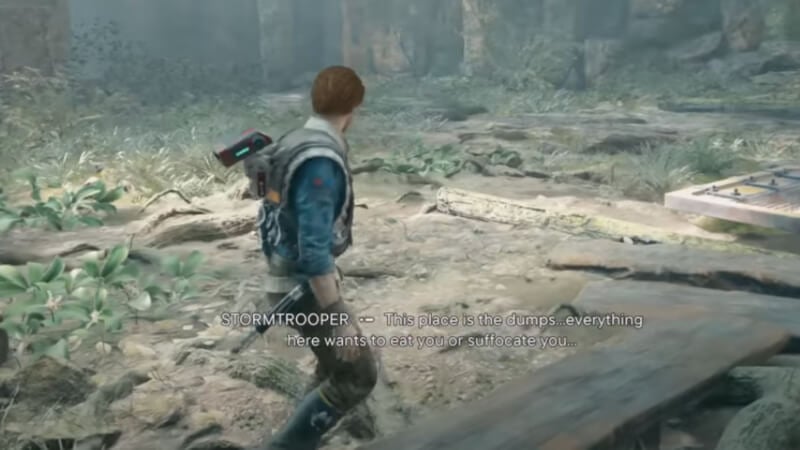
Forest Array Jedi Survivor
Image Source: Via RadBrad YouTube
  • Resolution: 1920 x 1080
  • Window Mode: Fullscreen
  • Graphics Quality: Custom
  • View Distance: Low
  • Shadow Quality: Low
  • Anti-Aliasing: Medium
  • Texture Quality: Medium
  • Visual Effects: Low
  • Post Processing: Low
  • Foliage Detail: Medium
  • Field of View: Medium
  • VSync: Off
  • AMD FidelityFX Super Resolution 2: Performance
  • Brightness: 3
  • Motion Blur: Off
  • Film Grain: Off
  • Chromatic Aberration: Off
  • Camera Shake: 75%
  • Ambient Camera Sway: 0%
  • Hide HUD: Off

Jedi Survivor suffers from inconsistent frame rates due to optimization problems, even with the recommended performance settings. Players still encountered frame rate drops in areas where there is high rendering and density. The root of the issue seems to stem from the extremely dense nature of Coruscant, but it was discovered that traveling to Koboh can help to stabilize Jedi Survivor’s frame rates.

Related:

Star Wars Jedi Survivor Performance vs. Quality Graphics 

Before choosing one of the two graphics settings, you should know the difference between them and what features they offer:

  • Performance – With these graphics settings, your maximum resolution will be 1440p, but as an exchange, you’ll get a much smoother frame rate that targets for 60 frames per second. It reduces the image quality, so you don’t have any dips in frames while playing the game.
  • Quality – Using these graphics settings, resolution is preferred over framerate, meaning you will have a better image quality but a lower framerate. With 4K resolution, you will play the game in the highest quality and not miss any details. However, as a trade-off, you will not have a buttery smooth game, and your FPS can drop to 30 during some fights.

Star Wars Jedi Survivor is available on PC, PlayStation 5, Xbox Series X, and Xbox Series S.

Related Topics
Guide Star Wars Jedi: Survivor
Share. Facebook Twitter LinkedIn Reddit Email
Omer Dursun
  • Website

I am a freelance editor who loves to write technology and game content. I suggest you listen to my guide about games.

SUGGESTED READS

Shuhei Yoshida Says He Was Fired From Playstation Studios for Saying 'No' to Jim Ryan: 'He Asked For Ridiculous Things'
Gaming

Shuhei Yoshida Says He Was Fired From Playstation Studios for Saying ‘No’ to Jim Ryan: ‘He Asked For Ridiculous Things’

Splinter Cell Remake Shows Signs of Life Despite Recent Layoffs at Ubisoft Toronto
Gaming

Splinter Cell Remake Shows Signs of Life Despite Recent Layoffs at Ubisoft Toronto

Fastest Ways to Get a Purrowl in Roblox Adopt Me
Gaming

Fastest Ways to Get a Purrowl & Trade Value in Roblox Adopt Me

Fatal Fury City of the Wolves Krauser Hands-On Preview
Gaming

Fatal Fury: City of the Wolves Wolfgang Krauser Hands-On Preview – A Regal Fighter

EU Warns Live-Service Games Ownership is 'Fleeting,' Plans Regulation This Year: 'A Disgrace for the Consumers'
Gaming

EU Warns Live-Service Games Ownership is ‘Fleeting,’ Plans Regulation This Year: ‘A Disgrace for the Consumers’

REPLACED game
8.5
Gaming

REPLACED Review – Absolute Cyberpunk Cinema

The Nerd Stash
Facebook X (Twitter) Instagram YouTube LinkedIn
  • About Us
  • Join Our Team
  • Meet the Team
  • Privacy Policy
  • DMCA Policy
  • Contact Us
  • Terms of Use
  • Sitemap
  • Editorial Guidelines
  • Advertising Policy
© 2026 The Nerd Stash. All Rights Reserved.

Type above and press Enter to search. Press Esc to cancel.





