Close Menu
  • Gaming
    • Platforms
      • Nintendo
      • PC
      • PlayStation
      • Xbox
  • Entertainment
    • Movies
    • TV
    • Royals
  • Celebrity
    • Hollywood
  • Human Interest
  • Astrology
  • More
    • Anime
    • Reviews
Facebook X (Twitter) Instagram LinkedIn YouTube
  • About Us
  • Join Our Team
  • Meet the Team
  • Privacy Policy
  • DMCA Policy
  • Contact Us
  • Terms of Use
  • Sitemap
  • Editorial Guidelines
  • Advertising Policy
The Nerd Stash
  • Gaming
  • Celebrity
  • Hollywood
  • Human Interest
The Nerd Stash
Home»Gaming»How To Get and Use the Towing Harness in Zelda Tears of the Kingdom

How To Get and Use the Towing Harness in Zelda Tears of the Kingdom

You’re missing out on some critical gameplay if you haven’t learned how to attach a towing harness to your horse in Tears of the Kingdom.…

Cande MaldonadoBy Cande MaldonadoMay 25, 20233 Mins Read
Harness Tears of the Kingdom
Image Source: Nintendo via The Nerd Stash
This article is over 2 years old and may contain outdated information.

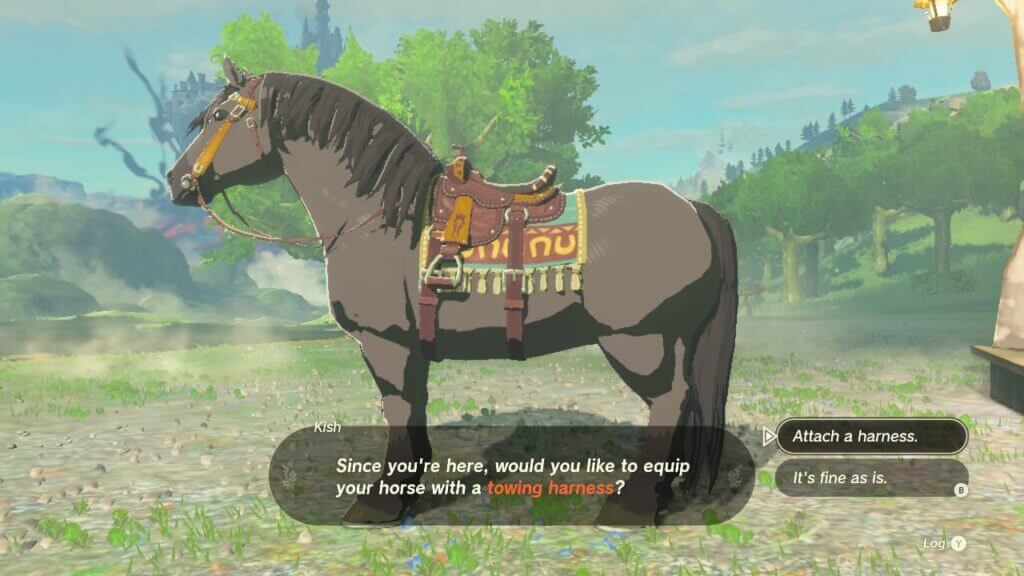
You’re missing out on some critical gameplay if you haven’t learned how to attach a towing harness to your horse in Tears of the Kingdom. Nowadays, it’s commonplace for RPGs to allow players to explore the world mounted on horses. Still, Tears of the Kingdom decided to take things one step ahead. In the latest Zelda game, players can transport items, NPCs, and Koroks with a wagon attached to their horses. Of course, the key is equipping a harness to your horse, but the game doesn’t spit out this information at you. Here’s how to get and use the Towing Harness in Zelda Tears of the Kingdom.

Getting the Towing Harness in Tears of the Kingdom
Harness Tears of the Kingdom
Image Source: Nintendo via The Nerd Stash

Follow these steps to attach a harness to your horse in the game.

  1. Tame a wild horse. You’ll first need a horse to use the Towing Harness in Tears of the Kingdom. You can usually find horses near stables. To tame them, crouch and sneak up behind them until the Mount prop pops up. Then, repeatedly press L to coax it. 
  2. Register your horse on a stable. Once tamed, take your horse to any nearby stable. There are loads across Hyrule; once you discover them, their location will be marked forever on the map. Speak to the Stable Owner outside the stable to give your horse a name and a home.
  3. Collect 3 Pony Points. Interacting with stable owners for the first time will give you 1 Pony Point. You’ll also earn points if you spend the night in the stables. Once you have three, you’ll have access to a towing Harness in Tears of the Kingdom.
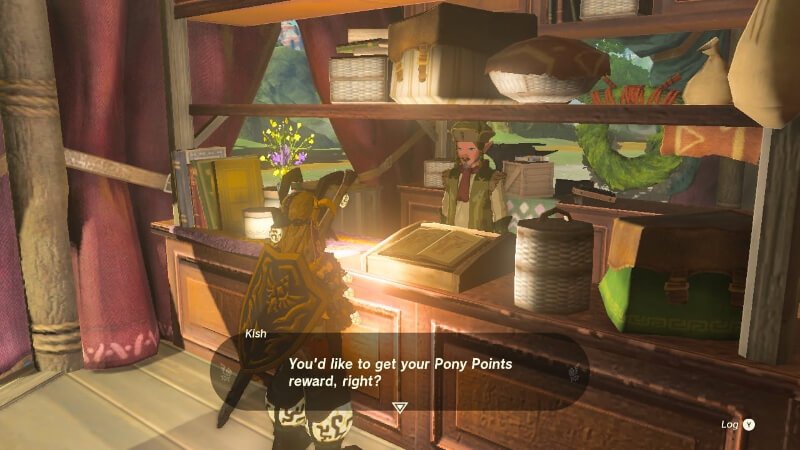
  4. Interact with the ledger in the stable counter to collect your towing harness in exchange for the Pony Points. Once the Stable Owner speaks to you, select the option to claim your rewards. Your first reward will be a towing harness, but it isn’t ready yet.
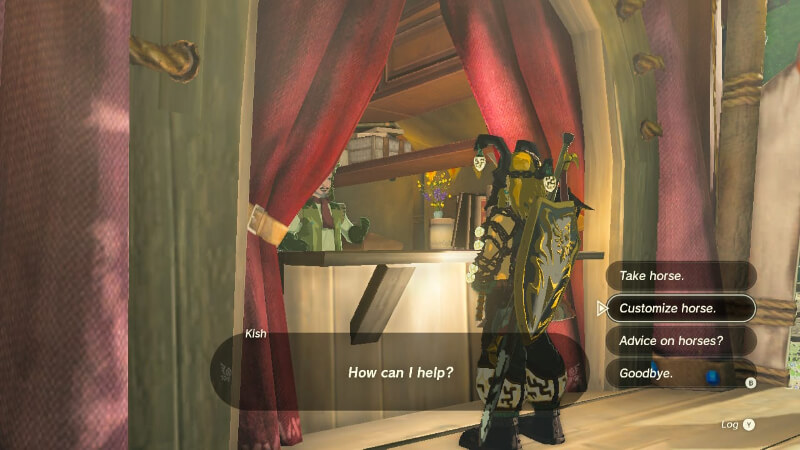
  5. Speak with the Stable Owner from the counter outside the stable to customize your horse. Then, add a harness to your desired horse from the customization menu.

How to Use the Towing Harness
Harness Tears of the Kingdom
Image Source: Nintendo via The Nerd Stash

Now, you finally have a horse with a harness. Construction materials are near every stable, so you can craft a wagon to take NPCs for a ride.

To take out the Towing Harness in Tears of the Kingdom, speak to the Stable Owner again to board your horse. Once the horse is boarded, speak to him again and repeat the customization process, but remove the harness instead of adding it.

Related:

How To Get and Use Pony Points in Zelda Tears of the Kingdom

Tears of the Kingdom is available on the Nintendo Switch.

Related Topics
Guide Tears of the Kingdom
Share. Facebook Twitter LinkedIn Reddit Email
Cande Maldonado
  • Website

Pot-smasher, NPC-annoyer, side quest-completionist. Oh, there's that writing gig, too.

SUGGESTED READS

Outward 2 PC Preview
Features

Outward 2 Preview – Nothing Is Given, Everything Is Earned

Fatal Fury City of the Wolves Hands-On Preview Mr Karate
Features

Fatal Fury: City of the Wolves Mr. Karate Hands-On Preview – Patience is Key

Honkai Star Rail Version 4.3 Announcements
Gaming

Honkai: Star Rail Version 4.3 Unveils Blade’s New Form and More Fate Collab Characters

Take-Two CEO Reveals Fans Will Be Forced To Wait a Bit Longer for GTA 6 News 'This Summer,' But Insiders Disagree
Gaming

Take-Two CEO Reveals Fans Will Be Forced To Wait a Bit Longer for GTA 6 News ‘This Summer,’ But Insiders Disagree

007 First Light Launch Trailer
Gaming

007 First Light Celebrates the Long-Awaited Return of James Bond With Its Launch Trailer

Destiny 2 Final Update
Features

Destiny 2 Is Dead: Bungie’s Divisive Franchise Going on Maintenance Mode With Its Last Update Launching on June 9

The Nerd Stash
Facebook X (Twitter) Instagram YouTube LinkedIn
  • About Us
  • Join Our Team
  • Meet the Team
  • Privacy Policy
  • DMCA Policy
  • Contact Us
  • Terms of Use
  • Sitemap
  • Editorial Guidelines
  • Advertising Policy
© 2026 The Nerd Stash. All Rights Reserved.

Type above and press Enter to search. Press Esc to cancel.