
Close Menu
  • Gaming
    • Platforms
      • Nintendo
      • PC
      • PlayStation
      • Xbox
  • Entertainment
    • Movies
    • TV
    • Royals
  • Celebrity
    • Hollywood
  • Human Interest
  • Astrology
  • More
    • Anime
    • Reviews
Facebook X (Twitter) Instagram LinkedIn YouTube
  • About Us
  • Join Our Team
  • Meet the Team
  • Privacy Policy
  • DMCA Policy
  • Contact Us
  • Terms of Use
  • Sitemap
  • Editorial Guidelines
  • Advertising Policy
The Nerd Stash
  • Gaming
  • Celebrity
  • Hollywood
  • Human Interest
The Nerd Stash
Home»Gaming»How To Play 7 Days To Die Alpha 21

How To Play 7 Days To Die Alpha 21

The 18-month wait is finally over, 7 Days to Die Alpha 21 is finally here. The 7 Days to Die Twitter account has officially announced…

Akın BilginBy Akın BilginJune 13, 20232 Mins Read
how to play 7 days to die alpha 21, 7dtd a21 release date
Image source: The Fun Pimps via WaywardEko Screenshot
This article is over 2 years old and may contain outdated information.

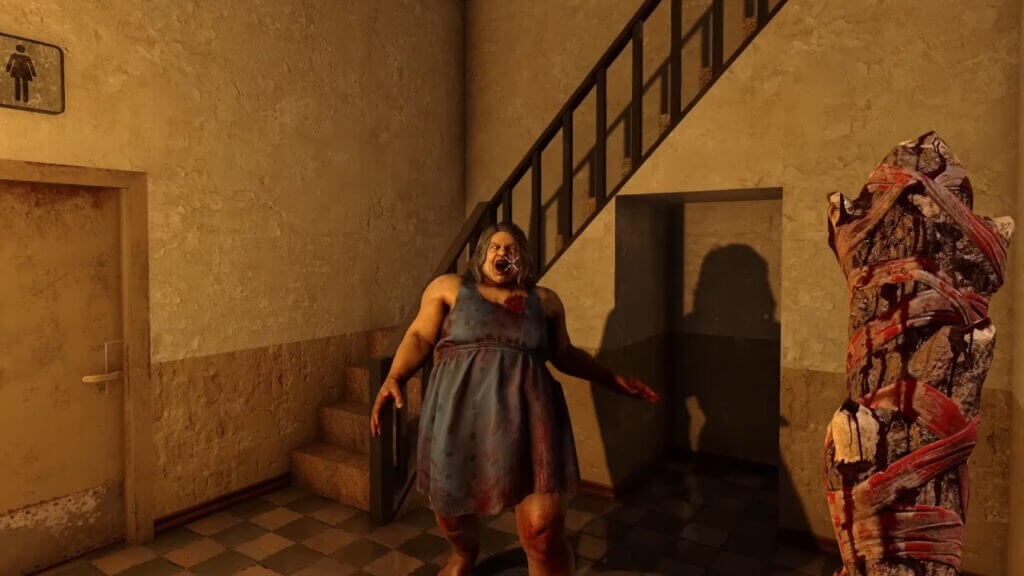
The 18-month wait is finally over, 7 Days to Die Alpha 21 is finally here. The 7 Days to Die Twitter account has officially announced that Alpha 21 is available for PC. This update will undoubtedly be a major milestone for the game and will bring in new players as well as old ones. 7 Days to Die Alpha 21 is experimental but you can play it on Steam after you change a few settings. The 7DTD A21 release date was June 12, so you can play now. Without further delay, here’s how to play 7 Days to Die Alpha 21.

How To Change Steam Settings To Play 7 Days To Die Alpha 21
7 days to die alpha 21 experimental, 7 days to die twitter
Image source: Steam via Saven’s World Screenshot
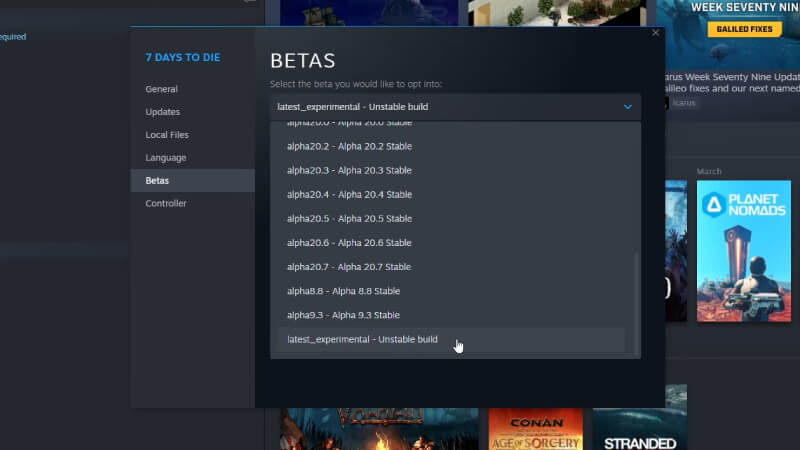
  1. Open your Steam library to play 7 Days to Die Alpha 21.
  2. Right-click on 7 Days to Die and select Properties.
  3. Then click on Betas and select the option latest_experimental – Unstable build from the dropdown menu.
  4. Then you will see that 7 Days to Die has received an update. Click the Update button to download the new 7 Days To Die Alpha 21.

What Are the New Changes 7 Days To Die Alpha 21

There are many new changes in this major update and we can say that it is the biggest update the game has ever received. Many changes have been made to the game, from graphics to quests.

Here are all the changes in 7 Days to Die Alpha 21 Experimental.

Graphics and Visuals

  • Random World Generation
  • New Locations
  • Danger Meter
  • Trader Redesign
  • New Shapes
  • Workstation Updates
  • Environmental Water
  • Shadows and Lighting
  • Environmental Art

Survival

  • Drinking Water and Water Catcher
  • Vehicle Changes
  • Trader Changes

Game Mechanics

  • Learning with Reading
  • Magazine Manipulation
  • Perk Changes
  • Infestation Quest
  • Weapon Updates

Zombie Updates

  • Zombies Eat Animals
  • Wandering Hordes
  • Crawler Zombies
  • Zombie Dismemberment

Quality of Life

  • Chunk Reset
  • Recipe Tracking
  • Choose Crafting Level
  • Armor Indicator
  • Performance

According to the 7 Days to Die Twitter, the 7DTD A21 release date was June 12. Stay tuned to The Nerd Stash for more 7 Days to Die guides and news.

Related:

Where to Find the Oil Shale in 7 Days to Die

7 Days to Die is available on PlayStation 4, Xbox One, and PC.

Related Topics
Guide
Share. Facebook Twitter LinkedIn Reddit Email
Akın Bilgin
  • Website
  • X (Twitter)

Akın Bilgin loves colony simulators, survival, and souls-like games. He has been a freelance guide writer for two years and is studying English Language and Literature in Turkey.

SUGGESTED READS

Vampire Survivors Developer Goes Wild With Over 15 New Games, Expands to Japan and Italy: 'Profit Is Not a Priority'
Gaming

Vampire Survivors Developer Goes Wild With Over 15 New Projects, Expands to Japan and Italy: ‘Profit Is Not a Priority’

Gaming

The Expanse: Osiris Reborn Is Owlcats Most Ambitious Leap Yet ‘A stunning jump forward’

World of Tanks HEAT Closed Beta Preview
Features

World of Tanks HEAT Hands-On Preview – Faster, Flashier, and Just as Tactical

Where to Find the Secret Fall Shop in Roblox Adopt Me
Gaming

Where to Find the Secret Fall Shop in Roblox Adopt Me

Diablo 4 Lord of Hatred Review
10
Features

Diablo 4: Lord of Hatred Review – Breaking the Cycle

Shuhei Yoshida Says He Was Fired From Playstation Studios for Saying 'No' to Jim Ryan: 'He Asked For Ridiculous Things'
Gaming

Shuhei Yoshida Says He Was Fired From Playstation Studios for Saying ‘No’ to Jim Ryan: ‘He Asked For Ridiculous Things’

The Nerd Stash
Facebook X (Twitter) Instagram YouTube LinkedIn
  • About Us
  • Join Our Team
  • Meet the Team
  • Privacy Policy
  • DMCA Policy
  • Contact Us
  • Terms of Use
  • Sitemap
  • Editorial Guidelines
  • Advertising Policy
© 2026 The Nerd Stash. All Rights Reserved.

Type above and press Enter to search. Press Esc to cancel.





