Close Menu
  • Gaming
    • Platforms
      • Nintendo
      • PC
      • PlayStation
      • Xbox
  • Entertainment
    • Movies
    • TV
    • Royals
  • Celebrity
    • Hollywood
  • Human Interest
  • Astrology
  • More
    • Reviews
Facebook X (Twitter) Instagram LinkedIn YouTube
  • About Us
  • Join Our Team
  • Meet the Team
  • Privacy Policy
  • DMCA Policy
  • Contact Us
  • Terms of Use
  • Sitemap
  • Editorial Guidelines
  • Advertising Policy
The Nerd Stash
  • Gaming
  • Celebrity
  • Hollywood
  • Human Interest
The Nerd Stash
Home»Gaming»What Is Baldurs Gate 3 Save Incompatible Version Error & Can You Fix It?

What Is Baldurs Gate 3 Save Incompatible Version Error & Can You Fix It?

Due to an issue in Baldurs Gate 3 Hotfix 4, players have started receiving errors such as “incompatible save” and “incompatible version”. You may have…

Akın BilginBy Akın BilginAugust 17, 20232 Mins Read
baldurs gate 3 save incompatible version
Image Source: Larian Studios via The Nerd Stash
This article is over 3 years old and may contain outdated information.

Due to an issue in Baldurs Gate 3 Hotfix 4, players have started receiving errors such as “incompatible save” and “incompatible version”. You may have started getting this incompatible version error after Hotfix 4. It is very upsetting for players to experience such an error so soon after the release of the game because many players want to play the game from where they left off.

What Causes the Save Incompatible Version Error in Baldur’s Gate 3
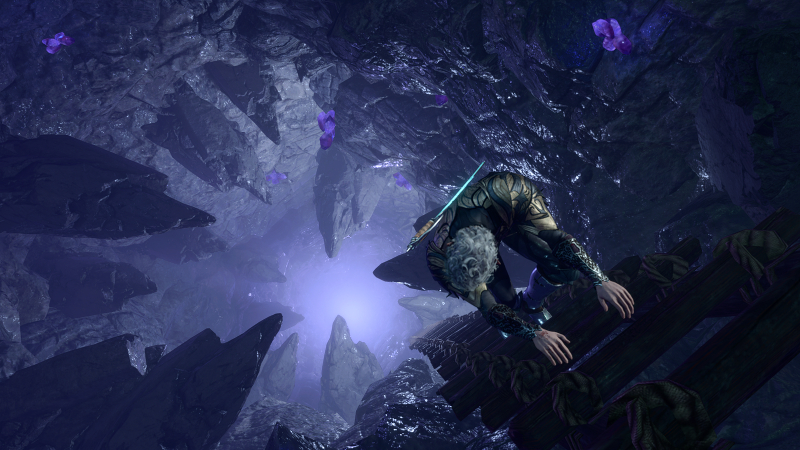
baldurs gate 3 hotfix 4, bg3 incompatible version
Image Source: Larian Studios via The Nerd Stash

The reason why BG3 players get an “incompatible save” error is that saves do not match the current version of the game. You see, there is a compatibility issue here. Unfortunately, if you updated Baldur’s Gate 3 Hotfix 4 and save your game, you won’t be able to load them.

Can You Fix the Save Incompatible Version Error in Baldur’s Gate 3

Due to a build error causing new crashes, we’ve rolled back Hotfix 4 for the time being. We'll re-release it as soon as we’ve fixed the cause.

If you’ve saved since updating, you won’t be able to load those saves until we’ve re-published Hotfix 4. Sorry about the inconvenience.

— Larian Studios (@larianstudios) August 16, 2023

Unfortunately, there is you won’t be able to fix this error on your own, but there is no need to worry. Larian Studios is aware of this situation, and they made a statement on their official Twitter account. They stated that they are retreating Baldurs Gate 3 Hotfix 4 for a while due to this bug, and that they will re-release it as soon as the bug is fixed.

Then they stated that game turned back to the Hotfix 3, and that the game was playable during this time. However, you will not be able to load the saves you take in Hotfix 4. Fortunately, when Hotfix 4 is re-released, you will be able to load these broken saves. And the good news is that Hotfix 4 is expected to be re-released in a fixed state at the end of today.

Related:

How to Beat Lava Elemental in Baldur’s Gate 3 (The Easy Way)

Baldur’s Gate 3 is available for PC and will be available for PlayStation 5 on September 6.

Related Topics
Baldur's Gate 3 Guide
Share. Facebook Twitter LinkedIn Reddit Email
Akın Bilgin
  • Website
  • X (Twitter)

Akın Bilgin loves colony simulators, survival, and souls-like games. He has been a freelance guide writer for two years and is studying English Language and Literature in Turkey.

SUGGESTED READS

Raid Shadow Legends new players
Gaming

7 New-Player Mistakes That Cost You Free Rewards in Raid: Shadow Legends (August 2026)

PlayStation's Phantom Blade Zero Preorders Have 'Far Exceeded Expectations' Despite Disc-less Release Concerns
Gaming

PlayStation’s Phantom Blade Zero Preorders Have ‘Far Exceeded Expectations’ Despite Disc-less Release Concerns

Gaming

Interview: Dawn of War 4 Voice Actor Toby Longworth Discusses Space Marine Voices and How RoboCop Inspired His Dreadnought Performance

Mortal Shell 2 Sester Genessa Unlock
Gaming

How to Unlock Sester Genessa in Mortal Shell 2

Mortal Shell 2 Enable Easy Mode
Gaming

How To Enable Easy Mode in Mortal Shell 2

Mortal Shell 2 Forgotten Crossbow Unlock
Gaming

Where to Find the Forgotten Crossbow in Mortal Shell 2

The Nerd Stash
Facebook X (Twitter) Instagram YouTube LinkedIn
  • About Us
  • Join Our Team
  • Meet the Team
  • Privacy Policy
  • DMCA Policy
  • Contact Us
  • Terms of Use
  • Sitemap
  • Editorial Guidelines
  • Advertising Policy
© 2026 The Nerd Stash. All Rights Reserved.

Type above and press Enter to search. Press Esc to cancel.