Close Menu
  • Gaming
    • Platforms
      • Nintendo
      • PC
      • PlayStation
      • Xbox
  • Entertainment
    • Movies
    • TV
    • Royals
  • Celebrity
    • Hollywood
  • Human Interest
  • Astrology
  • More
    • Reviews
Facebook X (Twitter) Instagram LinkedIn YouTube
  • About Us
  • Join Our Team
  • Meet the Team
  • Privacy Policy
  • DMCA Policy
  • Contact Us
  • Terms of Use
  • Sitemap
  • Editorial Guidelines
  • Advertising Policy
The Nerd Stash
  • Gaming
  • Celebrity
  • Hollywood
  • Human Interest
The Nerd Stash
Home»Gaming»How to Change Difficulty in Starfield

How to Change Difficulty in Starfield

Spacefaring in Starfield can be as easy or challenging as you want, thanks to the game’s difficulty options. Like many modern RPG titles, Bethesda has…

Julio La PineBy Julio La PineAugust 29, 20232 Mins Read
Starfield How to Change Difficulty
Image Source: Bethesda via The Nerd Stash
This article is over 3 years old and may contain outdated information.

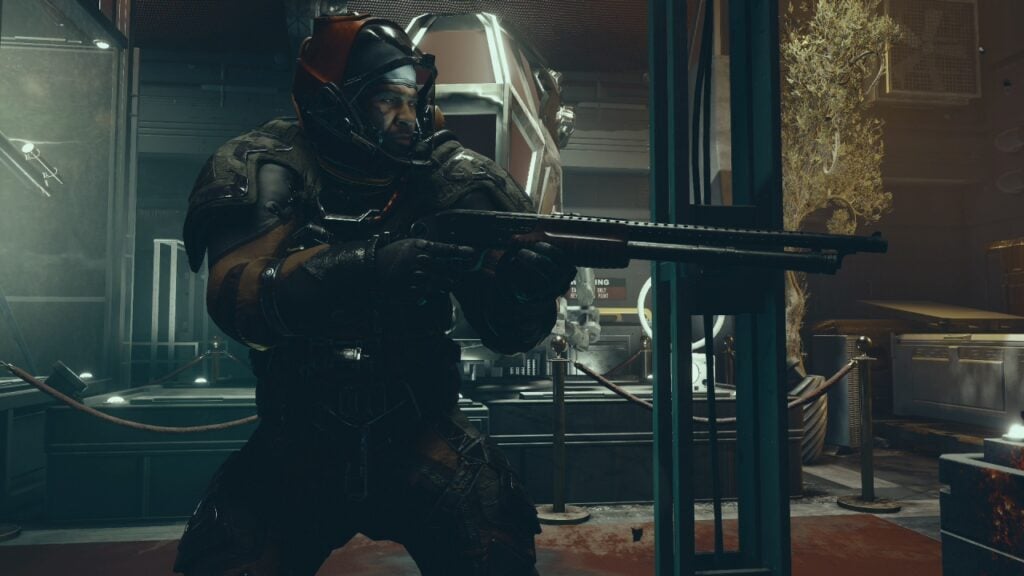
Spacefaring in Starfield can be as easy or challenging as you want, thanks to the game’s difficulty options. Like many modern RPG titles, Bethesda has added different difficulty options to help players tailor their experience. However, this time, the team behind Starfield has put a total of difficulty levels to let players choose how challenging the combat will be when playing. If you’re ready to take off with your ship and explore everything in the universe, we’ll tell you how to change your difficulty level in Starfield.

Starfield: Difficulty Options Explained
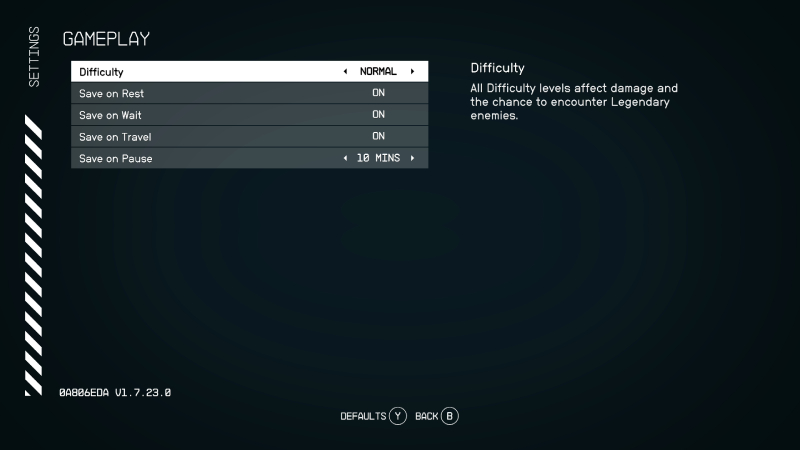
Starfield Difficulty Menu
Image Source: Bethesda via The Nerd Stash

Before we delve into how to change difficulty in Starfield, let’s discuss your options. Players can enjoy five different settings when playing, which are as follows:

  • Very Easy
  • Easy
  • Normal
  • Hard
  • Very Hard

Currently, these are the only options, and while many hope the Survival difficulty option will appear, nothing has been confirmed yet. But those who want to experiment with these difficulties, here’s how to change them:

  1. Press the Menu button on Xbox or ESC on PC.
  2. Select Settings and go to Gameplay.
  3. Change the difficulty by pressing left or right.
  4. Go back to the game.

Related:

Does Starfield Run At 60fps on Xbox Series X/S?

As you can see, changing your difficulty in Starfield isn’t challenging, and it can be seamless by entering and exiting the required menus. Given this game is an RPG, combat can be challenging for those unfamiliar with RPG mechanics. While some might think enemies become bullet sponges at higher difficulties, there’s much more than that. You’ll need to carefully plan your build and your approach to fighting. Still, we think players will find the right difficulty level for them, but we recommend choosing some of the easiest ones for those who want to explore all planets and focus on the story. So, choose the right one for you and remember the choice isn’t final; you can switch to another whenever you want.

Starfield is available on Xbox Series X|S and PC.
Related Topics
Guide Starfield
Share. Facebook Twitter LinkedIn Reddit Email
Julio La Pine
  • Website

News/Guide Writer for The Nerd Stash. When not working, you'll find him playing Final Fantasy 14, any good JRPG, and modding Project Zomboid.

SUGGESTED READS

Enshrouded 1.0 Ancient Researcher
Gaming

Where To Find the Ancient Researcher in Enshrouded 1.0

Enshrouded Cinder's Cradle Guide
Gaming

How To Get to Cinder’s Cradle in Enshrouded 1.0

GTA 6's Lucia Shows How Far Latina Representation in Games Has Come
Gaming

GTA 6’s Lucia Shows How Far Latina Representation in Games Has Come

GTA 6 Previews Impressions
Gaming

As Expected, The GTA 6 Previews Confirmed That It Is Indeed Everything We Were Hoping For and More

GTA Online Brute Force File Mission Walkthrough
Gaming

The Brute Force File Walkthrough for GTA Online

GTA NoPixel V Announcement
Gaming

Rockstar Games Officially Announces NoPixel V, Bringing a New Era of Roleplay to GTA

The Nerd Stash
Facebook X (Twitter) Instagram YouTube LinkedIn
  • About Us
  • Join Our Team
  • Meet the Team
  • Privacy Policy
  • DMCA Policy
  • Contact Us
  • Terms of Use
  • Sitemap
  • Editorial Guidelines
  • Advertising Policy
© 2026 The Nerd Stash. All Rights Reserved.

Type above and press Enter to search. Press Esc to cancel.