Close Menu
  • Gaming
    • Game Guides
    • Codes
    • Game News
    • Game Previews
    • Game Reviews
    • Game Features
    • Game Lists
    • Platforms
      • Nintendo
      • PC
      • PlayStation
      • Xbox
      • Mobile
  • Entertainment
    • Movies
    • Movie Features
    • Movie Reviews
    • TV
    • Reality TV
    • Royals
  • Celebrity
    • Hollywood
  • Human Interest
  • Astrology
  • Videos
  • More
    • Anime
    • Lists
    • Podcasts
    • Reviews
Facebook X (Twitter) Instagram LinkedIn YouTube
  • About Us
  • Join Our Team
  • Meet the Team
  • Privacy Policy
  • DMCA Policy
  • Contact Us
  • Terms of Use
  • Sitemap
  • Editorial Guidelines
  • Advertising Policy
The Nerd Stash
  • Gaming
  • Celebrity
    • Hollywood
  • Human Interest
  • Videos
The Nerd Stash
Home»Game Guides»How to Dock at Space Station in Starfield

How to Dock at Space Station in Starfield

In the Starfield universe, you’ll be traveling through space, visiting different cities and stations as well as planets. You will need to enter Space Stations…

Akın BilginBy Akın BilginSeptember 6, 20232 Mins Read
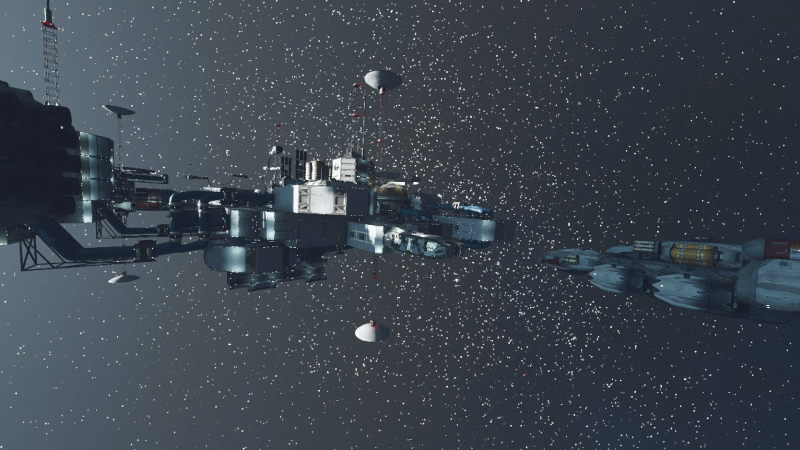
starfield how to dock at space station, starfield dock with nova galactic staryard
Image Source: Bethesda via The Nerd Stash
This article is over 2 years old and may contain outdated information.

In the Starfield universe, you’ll be traveling through space, visiting different cities and stations as well as planets. You will need to enter Space Stations in some systems and planets in this infinite space. It is very important to know how to dock your ship to these Space Stations. Don’t worry; we will help you learn how to dock to a space station in Starfield on both PC and Xbox.

How to Dock Your Ship in Starfield

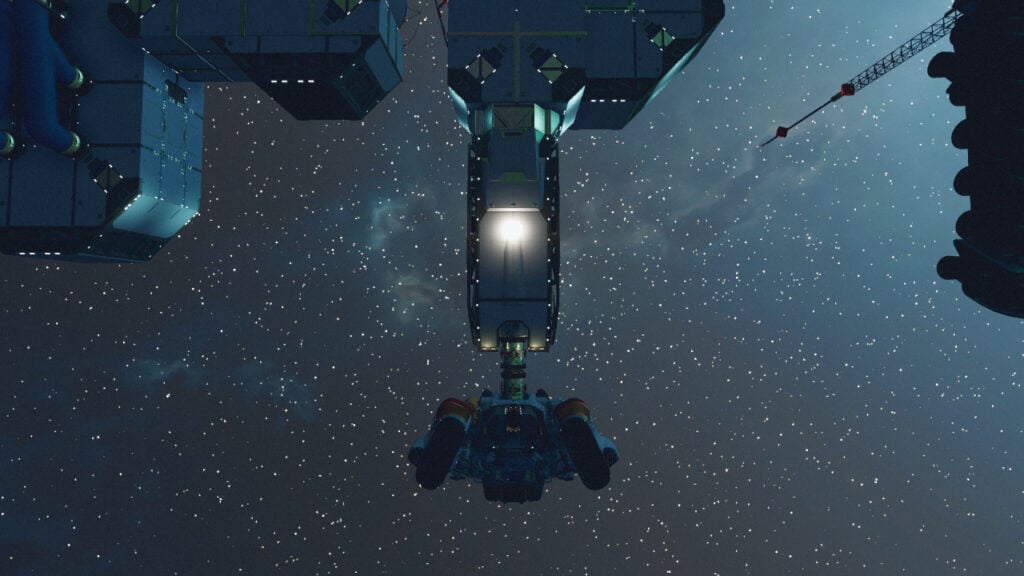
how to dock in starfield xbox, how to dock your ship in starfield, starfield dock
Image Source: Bethesda via The Nerd Stash

In the early stages of the game, you will come across various Space Stations, and you will need to dock to them in order to board and explore them. To dock your ship to a station, you must first press the “E” key on the keyboard when you are 500 M away from the station. Then press the “E” key again to hail the station. To dock your ship, you must hold the “R” key after pressing the “E” key.

How to Dock on Xbox

To dock your ship in Xbox, you must first lock on to the Space Station by pressing the “A” button, you can also hail the station with the “A” key. After pressing “A”, you can dock your ship on Xbox by holding down the “X” button.

This is everything you need to know about how to dock at a space station in Starfield.

Related:

What Is the Biggest Ship in Starfield? Answered

Starfield is available on Xbox Series X|S and PC

Related Topics
Guide Starfield
Share. Facebook Twitter LinkedIn Reddit Email
Akın Bilgin
  • Website
  • X (Twitter)

Akın Bilgin loves colony simulators, survival, and souls-like games. He has been a freelance guide writer for two years and is studying English Language and Literature in Turkey.

SUGGESTED READS

Crimson Desert PC Review
9.5
Features

Crimson Desert Review – It’s Real, All of it

Death Stranding 2 PC Launch Adds Fuel to DLSS 5 AI Slop Backlash: 'It Is a Disgrace'
Game News

Death Stranding 2 PC Launch Adds Fuel to DLSS 5 AI Slop Backlash: ‘It Is a Disgrace’

Starfield Free Lanes & Terran Armada DLC
Game Previews

Starfield Free Lanes & Terran Armada Hands-Off Preview – Revitalizing This Spacefaring Adventure

Resident Evil 9 DLSS5
Game Features

DLSS 5 Isn’t the Future of Graphics; It’s a Filter Over Them

What is Honey Candy in Adopt Me? How to Get It and What It's For
Game Guides

What is Honey Candy in Adopt Me on Roblox? How to Get It and What It’s For

Honkai Star Rail Version 4.1
Game News

The Phantasmoon Games Continue in Honkai: Star Rail Version 4.1

The Nerd Stash
Facebook X (Twitter) Instagram YouTube LinkedIn
  • About Us
  • Join Our Team
  • Meet the Team
  • Privacy Policy
  • DMCA Policy
  • Contact Us
  • Terms of Use
  • Sitemap
  • Editorial Guidelines
  • Advertising Policy
© 2026 The Nerd Stash. All Rights Reserved.

Type above and press Enter to search. Press Esc to cancel.