
Close Menu
  • Gaming
    • Game Guides
    • Codes
    • Game News
    • Game Previews
    • Game Reviews
    • Game Features
    • Game Lists
    • Platforms
      • Nintendo
      • PC
      • PlayStation
      • Xbox
      • Mobile
  • Entertainment
    • Movies
    • Movie Features
    • Movie Reviews
    • TV
    • Reality TV
    • Royals
  • Celebrity
    • Hollywood
  • Human Interest
  • Astrology
  • Videos
  • More
    • Anime
    • Lists
    • Podcasts
    • Reviews
Facebook X (Twitter) Instagram LinkedIn YouTube
  • About Us
  • Join Our Team
  • Meet the Team
  • Privacy Policy
  • DMCA Policy
  • Contact Us
  • Terms of Use
  • Sitemap
  • Editorial Guidelines
  • Advertising Policy
The Nerd Stash
  • Gaming
  • Celebrity
    • Hollywood
  • Human Interest
  • Videos
The Nerd Stash
Home»Game Guides»How to Parry in Lords of the Fallen

How to Parry in Lords of the Fallen

Just block in timing.

Alina NovichenkoBy Alina NovichenkoOctober 16, 20233 Mins Read
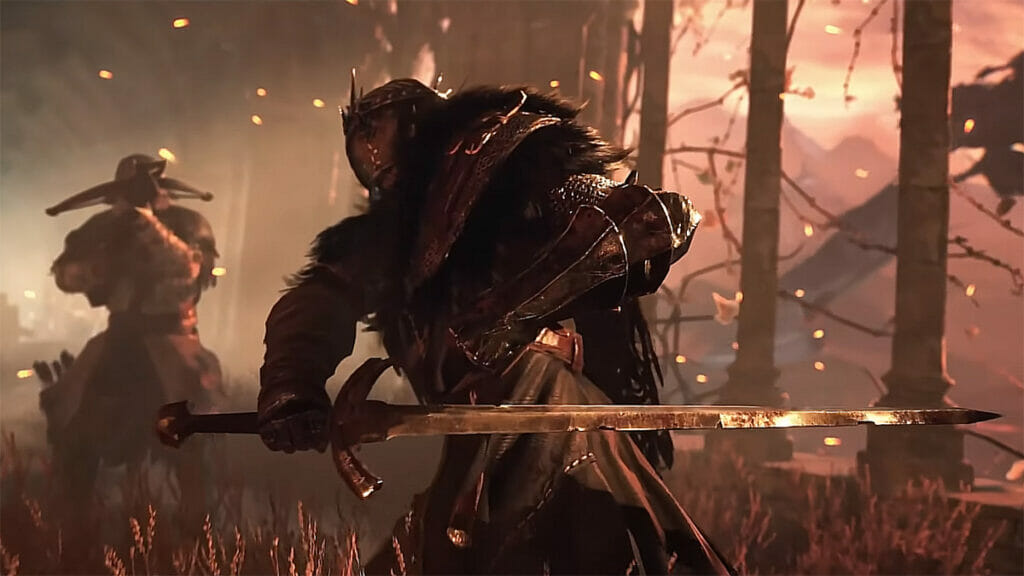
How to Parry in Lords of the Fallen
Image Source: Hexworks via The Nerd Stash

Skip To...

  • How to Block In Lords of the Fallen
  • How to Parry Attacks
This article is over 2 years old and may contain outdated information.

As the souls-like genre suggests, you have to fight hundreds of different enemies in Lords of the Fallen. In addition, as long as you are in the Umbral realm, enemies will spawn more and more often. It is a good way to farm, but even a few weak mobs can hit you to death. Therefore, you need to learn all the abilities of your character in Lords of the Fallen, such as parry and block, as early as possible. Luckily, the game is quite forgiving and gives players very large windows to time these defensive moves with.

How to Block In Lords of the Fallen

How to Block In Lords of the Fallen
Image Source: Hexworks via HAwk screenshot

As always, parrying relies on blocking enemy attacks. So, first, you must learn how to block attacks in Lords of the Fallen.

  1. When you want to block damage, hold Shift, LB, or L1 depending on your device.
  2. The enemy will damage you by turning some of your health gray.
  3. Then attack the enemy back to restore it and make it red.
  4. If you get hit again, you will lose all your gray health.

Blocking is useful in your first encounters with bosses, as it will help you survive a little longer and learn attack patterns. However, if you are not careful and get caught in a combo, you will be killed quite fast. Therefore, you need to use advanced blocking namely parry in Lords of the Fallen.

How to Parry Attacks

How to Parry Attacks
Image Source: Hexworks via HAwk screenshot

When an enemy is about to hit you, you must quickly press Shift, LB, or L1 to parry the attack. In this case, you will receive less wither damage (a gray health bar) and at the same time deal damage to the enemy’s posture. Luckily, as we told you at the beginning, the game has fairly large parry windows. Therefore, you can quickly get used to it.

By continuing to parry and attack your enemy, you can completely reduce their posture and stagger them. After this, they will fall for a few seconds, which will allow you to breathe a little. But if you get close to them and press RB, R1, or left click, you will deliver a Grievous Strike and deal massive damage. It is especially useful against bosses, but don’t try to parry every attack, especially AoE ones.

That’s all you need to know about how to parry in Lords of the Fallen. This feature is a staple for the genre, but if you are a beginner you need to master it as early as possible. In the meantime, please take a look at our guide on how to beat Pieta, She of Blessed Renewal.

Related:

Where Is Molhu in Lords of the Fallen

Lords of the Fallen is available on PC, Xbox Series X/S, and PS5.

Related Topics
Guide Lords of the Fallen
Share. Facebook Twitter LinkedIn Reddit Email
Alina Novichenko
  • Website

Alina is a professional freelance game guides writer, with 2 years experience in this industry. She joined TheNerdStash in 2022 and is glad to be part of a friendly team of writers.

SUGGESTED READS

Blender Bee Swarm Simulator
Game Guides

Where Is the Blender in Bee Swarm Simulator on Roblox? Answered

How to Get Blue Extract in Bee Swarm Simulator on Roblox
Game Guides

How to Get Blue Extract in Bee Swarm Simulator on Roblox

Norse Oath of Blood PC Review
7
Game Reviews

NORSE: Oath of Blood Review – Not Ready for Valhalla

Secret Lucky Block Steal a Brainrot
Game Guides

How To Easily Get Secret Lucky Blocks in Steal a Brainrot in Roblox

Roblox Adopt Me! Players Scramble as Dire Wolf Arrives and Giant Panda Leaves: 'NOOO I Dont Have One'
Game News

Roblox Adopt Me! Players Scramble as Dire Wolf Arrives and Giant Panda Leaves: ‘NOOO I Dont Have One’

Battlefield 6 Season 2 Contaminated Map Preview
Game Previews

Battlefield 6 Season 2 Contaminated Map Preview – Masks Up

The Nerd Stash
Facebook X (Twitter) Instagram YouTube LinkedIn
  • About Us
  • Join Our Team
  • Meet the Team
  • Privacy Policy
  • DMCA Policy
  • Contact Us
  • Terms of Use
  • Sitemap
  • Editorial Guidelines
  • Advertising Policy
© 2026 The Nerd Stash. All Rights Reserved.

Type above and press Enter to search. Press Esc to cancel.





