

Close Menu
  • Gaming
    • Game Guides
    • Codes
    • Game News
    • Game Previews
    • Game Reviews
    • Game Features
    • Game Lists
    • Platforms
      • Nintendo
      • PC
      • PlayStation
      • Xbox
      • Mobile
  • Entertainment
    • Movies
    • Movie Features
    • Movie Reviews
    • TV
    • Reality TV
    • Royals
  • Celebrity
    • Hollywood
  • Human Interest
  • Astrology
  • More
    • Anime
    • Lists
    • Podcasts
    • Reviews
Facebook X (Twitter) Instagram LinkedIn YouTube
  • About Us
  • Join Our Team
  • Meet the Team
  • Privacy Policy
  • DMCA Policy
  • Contact Us
  • Terms of Use
  • Sitemap
  • Editorial Guidelines
  • Advertising Policy
The Nerd Stash
  • Gaming
  • Celebrity
  • Hollywood
  • Human Interest
The Nerd Stash
Home»Game Guides»How To Improve Performance in Cities: Skylines 2

How To Improve Performance in Cities: Skylines 2

Let’s make this game run like butter.

Julio La PineBy Julio La PineOctober 19, 20232 Mins Read
Cities Skylines 2 PC Performance
Image Source: Colossal Order/Paradox
This article is over 2 years old and may contain outdated information.

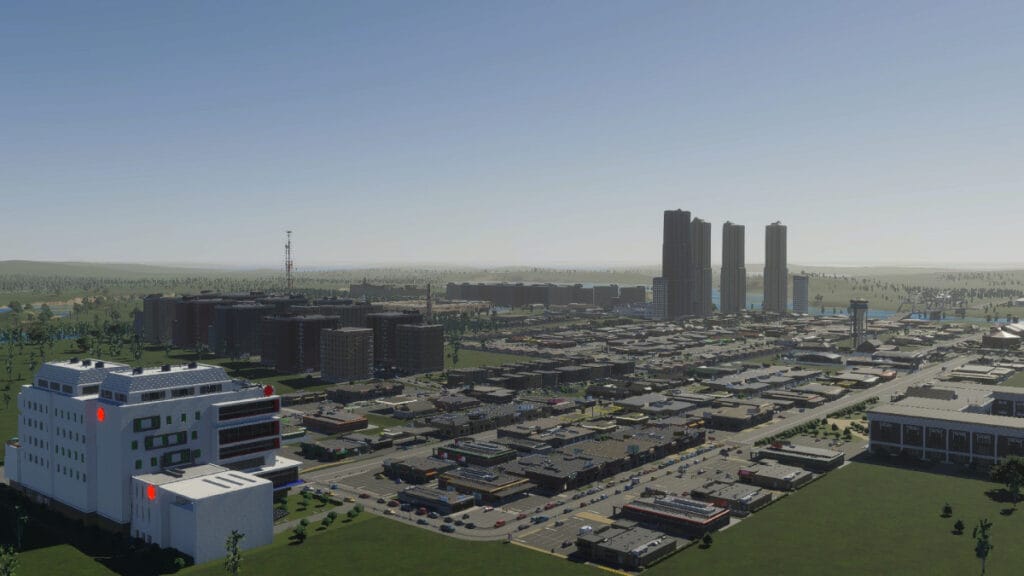
Colossal Order and Paradox Interactive advertised the new Cities: Skylines 2 game as a next-gen title, and with good reason. It features one of the most realistic city-building mechanics and simulates a society in a way we hadn’t seen before. However, this all comes at a hefty price. The performance for many users, even those who meet the requirements, might not be ideal. Yet, many ways exist to fix these issues in the PC gaming world. Here, we’ll tell you how to improve performance in Cities: Skylines 2.

Best Ways to Improve Performance in Cities: Skylines 2

Cities Skylines 2 Performance Tips
Image Source: Colossal Order/Paradox

For the game to run as intended, we recommend tweaking a few things before starting your city-builder journey. So far, it seems this game is heavy on the CPU side, so you might struggle if you have one that isn’t on the recommended specs. On the GPU side, it’s also a bit hefty, but changing some options will make the game run better without compromising visuals. Here’s what we recommend:

SettingBest Option
Display ModeFullscreen
VSyncOn
Dynamic Resolution Scale QualityAutomatic
Anti-aliasing QualityLow SMAA
Clouds Quality SettingsMedium
Fog Quality SettingsEnabled
Volumetrics Quality SettingsLow
Ambient Occlusion QualityMedium
Global Illumination QualityMedium
Reflections QualityMedium
Depth of Field QualityLow
Shadow QualityLow
Terrain Quality SettingsMedium
Water Quality SettingsMedium
Level of DetailVery Low
Animation QualityMedium
Texture Quality SettingsMedium

Related:

Cities: Skylines 2 Gives Update on Mods and Performance

As you can see, most options rely on dropping the quality to medium, and that’s one of the best ways to improve performance in Cities: Skylines 2. The exception is Level of Detail, which is set to very low, and we noticed it has a more significant impact on the game and doesn’t make it look not good. Even at low settings, you can admire the beauty of this city builder and play it much smoother. If you’re still getting a few frame drops, try to play with a few options until you find the right one. 

If you’d like to see more of what the game has in terms of visuals, here’s a video by developers showcasing the beauty of a large city:


How to: Continue Your City by Timeister | Tutorials | Cities: Skylines II
Related Topics
Cities: Skylines 2 Guide
Share. Facebook Twitter LinkedIn Reddit Email
Julio La Pine
  • Website

Been gaming since '99! I am a huge JRPG fan and my favorite franchise is Final Fantasy. I love writing about games and I hope I can do it for the rest of my days!

SUGGESTED READS

How to Subscribe & Cancel Adopt Me Pet Plus Subscription
Game Guides

How to Subscribe & Cancel Adopt Me Pet Plus Subscription

Saros Outlets Previews
Game Features

Saros Previews Round-Up: Refining What Was Already Flawless

Crimson Desert Community Tips and Tricks
Game Guides

I Played Crimson Desert for 90 Hours and STILL Learned These 10 Tricks From Social Media

Doom Co-creator and Wife Say The Current Game Industry Is 'Crashier' Than the '80s Crash: 'It Can't Stay Like This Forever'
Game News

Doom Co-Creator and Wife Say the Current Game Industry Is ‘Crashier’ Than the ’80s Crash: ‘It Can’t Stay Like This Forever’

Marathon PC Review
9.5
Game Features

Marathon Review – Bungie’s Finest

XBox Partner Preview November 2025 Announcements
Game Features

Every Major Announcement at the Xbox Partner Preview (March 2026)

The Nerd Stash
Facebook X (Twitter) Instagram YouTube LinkedIn
  • About Us
  • Join Our Team
  • Meet the Team
  • Privacy Policy
  • DMCA Policy
  • Contact Us
  • Terms of Use
  • Sitemap
  • Editorial Guidelines
  • Advertising Policy
© 2026 The Nerd Stash. All Rights Reserved.

Type above and press Enter to search. Press Esc to cancel.



