Close Menu
  • Gaming
    • Game Guides
    • Codes
    • Game News
    • Game Previews
    • Game Reviews
    • Game Features
    • Game Lists
    • Platforms
      • Nintendo
      • PC
      • PlayStation
      • Xbox
      • Mobile
  • Entertainment
    • Movies
    • Movie Features
    • Movie Reviews
    • TV
    • Reality TV
    • Royals
  • Celebrity
    • Hollywood
  • Human Interest
  • Astrology
  • More
    • Anime
    • Lists
    • Podcasts
    • Reviews
Facebook X (Twitter) Instagram LinkedIn YouTube
  • About Us
  • Join Our Team
  • Meet the Team
  • Privacy Policy
  • DMCA Policy
  • Contact Us
  • Terms of Use
  • Sitemap
  • Editorial Guidelines
  • Advertising Policy
The Nerd Stash
  • Gaming
  • Celebrity
  • Hollywood
  • Human Interest
The Nerd Stash
Home»Game Guides»How To Fix Pokemon Go Campfire Not Working Error

How To Fix Pokemon Go Campfire Not Working Error

When Pokemon Go’s Campfire goes cold, don’t freeze up! We are here to help!

Asanga WijeratneBy Asanga WijeratneNovember 13, 20232 Mins Read
How To Fix Pokemon Go Campfire Not Working Error
Image Source: Niantic via The Nerd Stash
This article is over 2 years old and may contain outdated information.

The Campfire app for Pokemon GO serves as a lifeline for the global community of trainers, facilitating connections, messaging, and collaborative activities. Especially for joined raids, the Campfire app is handy. However, during some recent raids, many trainers encountered difficulties using the Campfire app. The app requires you to log in using your Facebook or Google accounts, where the issue often lies. So, here’s a guide on how to fix the Pokemon Go Campfire not working error and resume your raiding adventures.

Troubleshooting Steps to Fix the Pokemon Go Campfire Not Working Error

Image Source: Niantic via The Nerd Stash

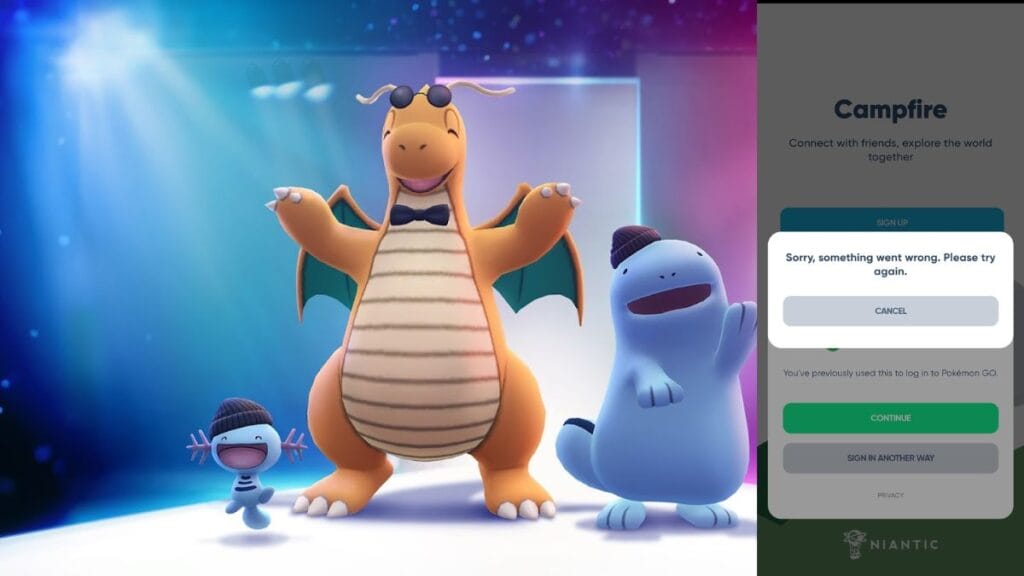
To fix this error, delete the Campfire app from your device. Then, open the Pokemon Go app, and if your account has been invited to Campfire, use the Campfire button within the Pokemon Go app to access it. This is the current solution given by Niantic. However, if this does not work for you, here are some additional troubleshooting steps that may help to fix the Pokemon Go Campfire not working error.

  1. 1. Ensure you have used the same method of logging in to your Campfire account as you did for your Pokemon Go account.

    For example, if you use Facebook to log in to Pokemon Go, make sure you also use Facebook to log in to Campfire.

  2. 2. Try to log in with another method.

    The Campfire app supports logging in from Google, Apple, and Facebook. If it does not work with one method, try another to fix the Pokemon Go Campfire not working error.

  3. 3. Check your internet connection and try again.

  4. 4. Clear the cache and data of the Pokemon Go and Campfire apps.

    This will reset the apps and may resolve the Pokemon Go Campfire not working error.

  5. Uninstall and reinstall Campfire apps on your device.

Niantic is well aware of this error, and since all Pokemon Go players have access to Campfire, they are working hard on having a permanent fix. Until then, we have found that the above methods best resolve the error.

Related Topics
Guide Pokemon Go
Share. Facebook Twitter LinkedIn Reddit Email
Asanga Wijeratne
  • Website

SUGGESTED READS

Dragon's Dogma 2 DLC Rumors Explode Again After Massive 65GB SteamDB Updates
Game News

Dragon’s Dogma 2 DLC Rumors Explode Again After Massive 65GB SteamDB Updates

how to make gunpowder Windrose
Game Guides

How to Make Gunpowder in Windrose

Best Server Settings Windrose
Game Guides

Best Server Settings for Windrose

Skate Nike SB Limited-time Event
Game News

Skate. Kicks Off a Limited-time Event With Nike SB, and It’s Free For All

All Materials in Windrose
Game Guides

Windrose: All Materials (& How to Obtain Them)

Bloodborne Anime Announced, Sony Keeps It R-Rated to Stay 'True' to the Game
Game News

Bloodborne Anime Movie Announced, Sony Keeps It R-Rated to Stay ‘Very True’ to the Game

The Nerd Stash
Facebook X (Twitter) Instagram YouTube LinkedIn
  • About Us
  • Join Our Team
  • Meet the Team
  • Privacy Policy
  • DMCA Policy
  • Contact Us
  • Terms of Use
  • Sitemap
  • Editorial Guidelines
  • Advertising Policy
© 2026 The Nerd Stash. All Rights Reserved.

Type above and press Enter to search. Press Esc to cancel.