
Close Menu
  • Gaming
    • Game Guides
    • Codes
    • Game News
    • Game Previews
    • Game Reviews
    • Game Features
    • Game Lists
    • Platforms
      • Nintendo
      • PC
      • PlayStation
      • Xbox
      • Mobile
  • Entertainment
    • Movies
    • Movie Features
    • Movie Reviews
    • TV
    • Reality TV
    • Royals
  • Celebrity
    • Hollywood
  • Human Interest
  • Astrology
  • Videos
  • More
    • Anime
    • Lists
    • Podcasts
    • Reviews
Facebook X (Twitter) Instagram LinkedIn YouTube
  • About Us
  • Join Our Team
  • Meet the Team
  • Privacy Policy
  • DMCA Policy
  • Contact Us
  • Terms of Use
  • Sitemap
  • Editorial Guidelines
  • Advertising Policy
The Nerd Stash
  • Gaming
  • Celebrity
    • Hollywood
  • Human Interest
  • Videos
The Nerd Stash
Home»Game Guides»How To Get (& Use) the Lockpicker in Lethal Company

How To Get (& Use) the Lockpicker in Lethal Company

You’ll definitely need this item on your adventure.

Vladyslav PetrenkoBy Vladyslav PetrenkoDecember 1, 20233 Mins Read
How To Get (& Use) the Lockpicker in Lethal Company
Image Source: Zeekerss via The Nerd Stash

Skip To...

  • Lethal Company: How To Get Lockpicker
  • Lethal Company: How To Use Lockpicker
This article is over 2 years old and may contain outdated information.

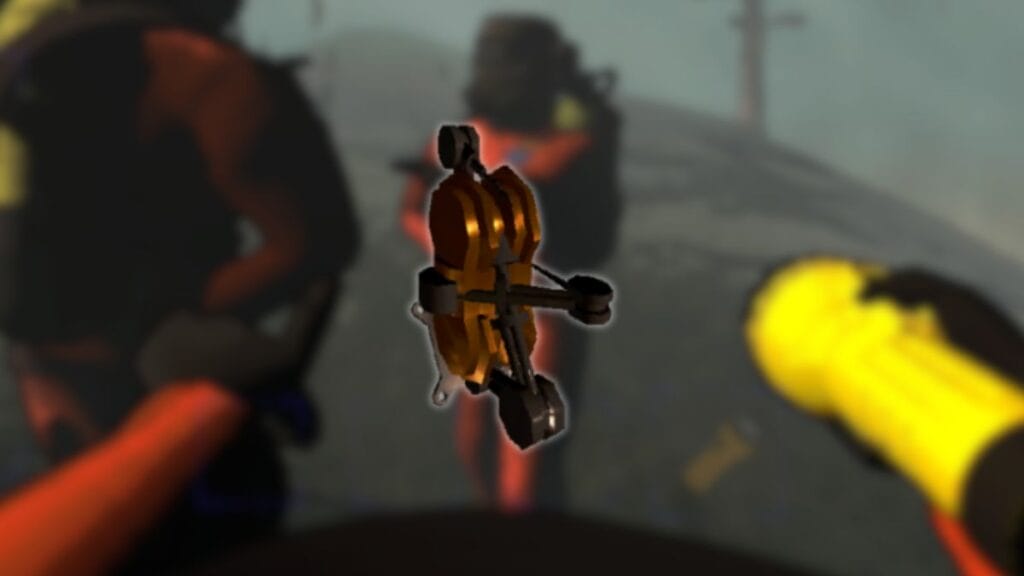
While exploring the facilities, you will repeatedly come across locked doors, which usually contain precious scrap or access to new areas. Looking for a key can sometimes be quite dangerous and time-consuming, so using a lockpicker is a great solution. So, let’s take a look at how to get and use the lockpicker in Lethal Company. The main advantages of this item are its low price and reusability, which will definitely be very useful during your adventures.

Lethal Company: How To Get Lockpicker

Lethal Company: the terminal
Image Source: Zeekerss via The Nerd Stash

Compared to a key, you can’t find a lockpicker anywhere in the facility, but instead, you’ll have to buy it from your ship’s terminal. Fortunately, the price for this item is 20 credits, which is quite low. To do so, follow these steps:

  • Go to the terminal on the ship and press the E button to interact with it.
  • When the terminal interface is open, you will need to go to the store. This is not difficult to do, just manually type the word Store and press the Enter button.
  • Now you need to order the desired item by entering its name. In this case, just write Lockpicker and press the Enter button.
  • The last thing you have to do is type Confirm and press Enter again to confirm your order.

When this is done, select the planet to land on. Once you get out of the ship, you will notice another smaller ship arriving not far from you, accompanied by a funny melody. Approach it, and you will see your order lying next to it. Interact with the lockpicker to add it to your inventory.

Related:

How To Get (& Use) Stun Grenade in Lethal Company

Lethal Company: How To Use Lockpicker

Lockpicker in Lethal Company
Image Source: Zeekerss via The Nerd Stash

A lockpicker is used to open a locked door and works similarly to a key, but requires you to wait a little longer. While a key opens the door immediately, a lockpicker takes 30 seconds. To use this item, pick it up, approach the door, and interact with it. This will start the lockpicking process. During the 30 seconds, you can do something else, such as looking for scrap or exploring the area. 

We recommend that you explore the facility as soon as possible to find a locked door to open it. If you do this, you’ll have more room to maneuver away from the monsters. Be careful, though, because behind the locked door, you can find both a lot of treasures and dangerous monsters, so do not rush to open every door.

Related:

How To Get (& Use) Walkie-Talkie in Lethal Company

Lethal Company is available on PC via Steam.

Related Topics
Guide Lethal Company
Share. Facebook Twitter LinkedIn Reddit Email
Vladyslav Petrenko
  • Website
  • Facebook

Vladyslav Petrenko is a freelance contributor for TNS.

SUGGESTED READS

Minecraft Accused of Mocking Lonely Kids, Sparking Mental Health Backlash: 'One of the Ickiest Things I've Seen'
Features

Minecraft Accused of Mocking Lonely Kids, Sparking Mental Health Backlash: ‘One of the Ickiest Things I’ve Seen’

Destiny 2 Renegades PS5 Review
8.5
Features

Destiny 2: Renegades Review – The Shooter Strikes Back

Clair Obscur: Expedition 33 Loses GOTY, Other Award from Indie Game Awards Over Generative AI: 'Some Weird Performative BS'
Game News

GOTY Stripped Over AI?: Clair Obscur: Expedition 33 Loses Awards at Indie Game Awards, ‘Some Weird Performative BS’

Sony Patents Real-time AI Game Censorship Tech That Could Even Make GTA 6 Kid-Friendly
Game News

Sony Patents Real-Time AI Game Censorship Tech That Could Even Make GTA 6 Kid-Friendly

Zenless Zone Zero Version 2.5 Announcement
Game News

Zenless Zone Zero Version 2.5 Is Ready To Wrap Up the Year With Two New Agents and a Free Outfit

PC Gamers Can't Catch a Break as Nvidia Plans 40% GeForce GPU Production Cuts, Report: 'Who Needs a PC Anyways'
Game News

PC Gamers Can’t Catch a Break as Nvidia Reportedly Plans 40% GeForce GPU Production Cuts: ‘Who Needs a PC Anyways’

Trending
Minecraft Accused of Mocking Lonely Kids, Sparking Mental Health Backlash: 'One of the Ickiest Things I've Seen'

Minecraft Accused of Mocking Lonely Kids, Sparking Mental Health Backlash: ‘One of the Ickiest Things I’ve Seen’

Destiny 2 Renegades PS5 Review
8.5

Destiny 2: Renegades Review – The Shooter Strikes Back

Clair Obscur: Expedition 33 Loses GOTY, Other Award from Indie Game Awards Over Generative AI: 'Some Weird Performative BS'

GOTY Stripped Over AI?: Clair Obscur: Expedition 33 Loses Awards at Indie Game Awards, ‘Some Weird Performative BS’

Sony Patents Real-time AI Game Censorship Tech That Could Even Make GTA 6 Kid-Friendly

Sony Patents Real-Time AI Game Censorship Tech That Could Even Make GTA 6 Kid-Friendly

The Nerd Stash
Facebook X (Twitter) Instagram YouTube LinkedIn
  • About Us
  • Join Our Team
  • Meet the Team
  • Privacy Policy
  • DMCA Policy
  • Contact Us
  • Terms of Use
  • Sitemap
  • Editorial Guidelines
  • Advertising Policy
© 2025 The Nerd Stash. All Rights Reserved.

Type above and press Enter to search. Press Esc to cancel.





