Close Menu
  • Gaming
    • Platforms
      • Nintendo
      • PC
      • PlayStation
      • Xbox
  • Entertainment
    • Movies
    • TV
    • Royals
  • Celebrity
    • Hollywood
  • Human Interest
  • Astrology
  • More
    • Reviews
Facebook X (Twitter) Instagram LinkedIn YouTube
  • About Us
  • Join Our Team
  • Meet the Team
  • Privacy Policy
  • DMCA Policy
  • Contact Us
  • Terms of Use
  • Sitemap
  • Editorial Guidelines
  • Advertising Policy
The Nerd Stash
  • Gaming
  • Celebrity
  • Hollywood
  • Human Interest
The Nerd Stash
Home»Gaming»The Best PC Settings in The Finals (Performance & FPS)

The Best PC Settings in The Finals (Performance & FPS)

You might as well play with the best settings there are.

Nat CollazoBy Nat CollazoDecember 9, 20232 Mins Read
The Best PC Settings in The Finals (Performance & FPS)
Image Source: Nexon via staycation YouTube
This article is over 2 years old and may contain outdated information.

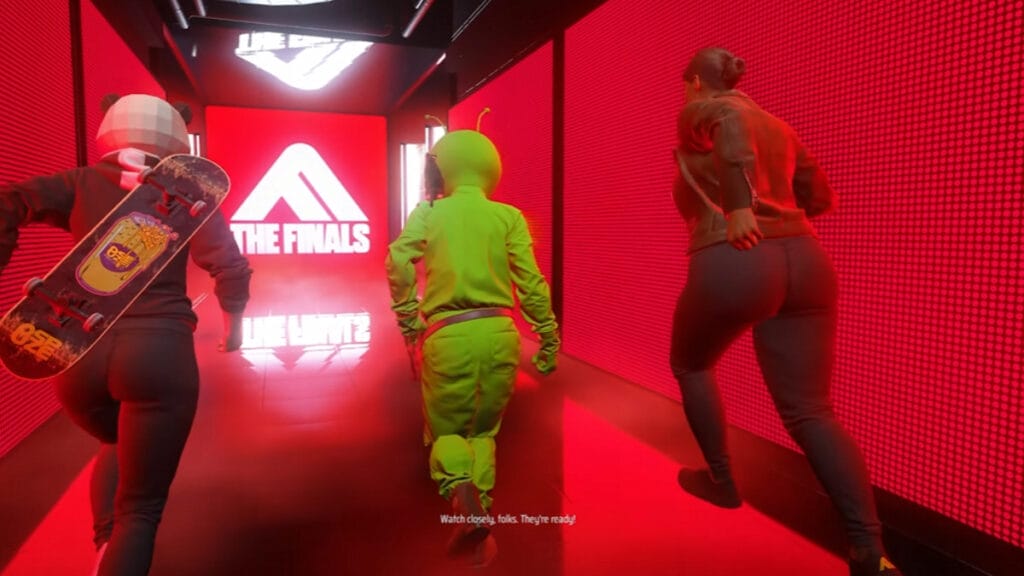
Nexon’s FPS game, The Finals, has finally been released. Following a successful closed and open beta, players have been tweaking the settings for the best performance. After some trial and error, the best PC settings for The Finals have finally been broken down. Let’s delve into what the best PC settings are and how to attain the best performance and FPS.

Best PC Performance Settings for The Finals

The-Best-PC-Settings-in-The-Finals-(Performance-&-FPS)
Image Source: Nexon via The Nerd Stash

The best video settings on PC for The Finals are as follows:

  • VSync – Disabled
  • Nvidia Reflex Low Latency – On
  • Resolution Scaling Method – DLSS (for Nvidia RTX GPUs only)
  • DLSS setting – Quality
  • RTX Global Illumination – Static
  • View Distance – High
  • Anti-Aliasing – High
  • Shadows – Medium
  • Post-Processing – High
  • Texture – High
  • Effects – High
  • Foliage – Medium
  • Global Illumination Resolution – High

The best gameplay settings are as follows:

  • Crossplay – On
  • Matchmaking Region – Local
  • Use Enemy Team Colors – On
  • Field of View – 100
  • Motion Blur – Disabled
  • Lens Distortion – Disabled

What are The Finals System Requirements?

If you’re continuing to have issues with your PC settings, then it’s possible that you don’t meet the minimum PC requirements. The best The Finals performance, the minimum specs are as follows:

  • OS – Windows 10 64-bit or later
  • CPU – Inter Core i5 6600K / AMD Ryzen R5 1600
  • GPU – Nvidia GeForce GTX 970 / AMD Radeon RX 580
  • RAM – 12GB
  • Storage – 15GB

The recommended specs are as follows:

  • OS – Windows 10 64-bit or later
  • CPU – Inter Core i5 9600K / AMD Ryzen 5 3600
  • GPU – Nvidia GeForce GTX 2070 / AMD Radeon RX 5700 XT
  • RAM – 16GB
  • Storage – 15GB

The epic specs are as follows:

  • OS – Windows 10 64-bit or later
  • CPU – Inter Core i7 9700K / AMD Ryzen 7 3700X
  • GPU – Nvidia GeForce GTX 4070 Ti / AMD Radeon RX 7900 XTX
  • RAM – 16GB
  • Storage – 15GG

Related:

The Finals Is Finally Here

The Finals is available for PC, PlayStation 5, and Xbox Series X/S.

Related Topics
Guide The Finals
Share. Facebook Twitter LinkedIn Reddit Email
Nat Collazo
  • Website
  • X (Twitter)
  • Instagram

Nat is a journalist with over ten years of online publishing experience. They are a massive fan of hanging out with both their wife and cat which would ideally be all the time. Nat received an undergraduate degree in English Literature from Florida International University, then returned to complete a graduate degree in Mass Communications before moving across the country to settle in New England.

SUGGESTED READS

Genshin Impact 7.0 Preview
Gaming

Genshin Impact Version 7.0 Preview – One More Adventure

Halo Campaign Evolved PS5 Review
7.5
Gaming

Halo: Campaign Evolved Review – An Underwhelming Return

FNAF Fans Will Soon Be Able to Visit a Real-Life Freddy Fazbear's Pizza
Gaming

FNAF Fans Will Soon Be Able to Visit a Real-Life Freddy Fazbear’s Pizza

Capcom Hasn't Given Up on Monster Hunter Wilds Outselling World: 'Sales for the Game Improving'
Gaming

Capcom Hasn’t Given Up on Monster Hunter Wilds Outselling World: ‘Sales for the Game Improving’

GTA 6 Preorders Reach 'Unprecedented' Levels Despite Controversial Disc-less Physical Copies
Gaming

GTA 6 Preorders Reach ‘Unprecedented’ Levels Despite Controversial Disc-less Physical Copies

gta 6 release window delay
Features

As PlayStation Abandons Discs, GTA 6 Publisher’s ‘Who Cares?’ Attitude Misses The Point

The Nerd Stash
Facebook X (Twitter) Instagram YouTube LinkedIn
  • About Us
  • Join Our Team
  • Meet the Team
  • Privacy Policy
  • DMCA Policy
  • Contact Us
  • Terms of Use
  • Sitemap
  • Editorial Guidelines
  • Advertising Policy
© 2026 The Nerd Stash. All Rights Reserved.

Type above and press Enter to search. Press Esc to cancel.