
Close Menu
  • Gaming
    • Game Guides
    • Codes
    • Game News
    • Game Previews
    • Game Reviews
    • Game Features
    • Game Lists
    • Platforms
      • Nintendo
      • PC
      • PlayStation
      • Xbox
      • Mobile
  • Entertainment
    • Movies
    • Movie Features
    • Movie Reviews
    • TV
    • Reality TV
    • Royals
  • Celebrity
    • Hollywood
  • Human Interest
  • Astrology
  • Videos
  • More
    • Anime
    • Lists
    • Podcasts
    • Reviews
Facebook X (Twitter) Instagram LinkedIn YouTube
  • About Us
  • Join Our Team
  • Meet the Team
  • Privacy Policy
  • DMCA Policy
  • Contact Us
  • Terms of Use
  • Sitemap
  • Editorial Guidelines
  • Advertising Policy
The Nerd Stash
  • Gaming
  • Celebrity
    • Hollywood
  • Human Interest
  • Videos
The Nerd Stash
Home»Game Guides»How To Write on Signs in Palworld (Can’t Write on Signs)

How To Write on Signs in Palworld (Can’t Write on Signs)

Signs for organized chests!

Akın BilginBy Akın BilginJanuary 26, 20242 Mins Read
how to write on sign palworld
Image Source: Pocker Pair via The Nerd Stash
This article is over 2 years old and may contain outdated information.

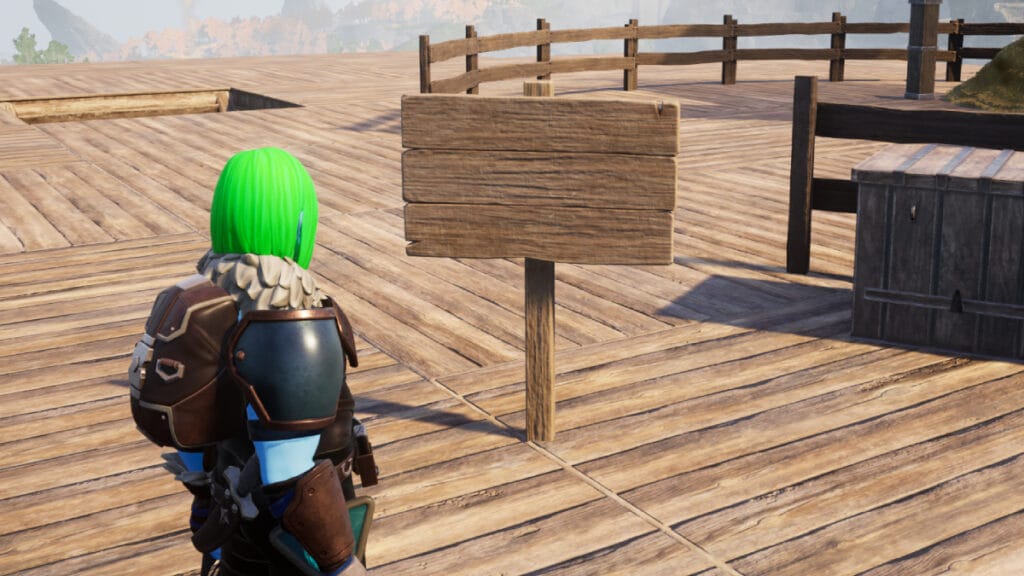
You can use the Sign item in many different ways in Palworld. Especially if you have played survival games like Minecraft before, we assume that you know the importance of using the Sign item. Currently, this item works a little differently depending on the platform you play the game on, which confuses many players. When this is the case, questions arise about how the Sign item is used. Now let’s look at how to write to Sign in Palworld.

How To Use Signs in Palworld

palworld tech tree
Image Source: Pocker Pair via The Nerd Stash

To briefly clarify the situation of using Sign in Palworld, it is actually a very straightforward process. What confuses many players is that when they move their cursor closer to Sign, they cannot interact with it in any way. It is safe to say that the reason for this is simply a platform difference or a minor bug.

If you’re playing Palworld on Steam, you’ll have no trouble writing in Signs. However, if you’re playing on Xbox or the Game Pass version, you won’t be able to use Signs yet. The reason for this is a small bug, as we mentioned briefly, the Pocket Pair team will fix this bug in a very short time and all players will be able to use this item comfortably.

To write Signs in Palworld follow the steps below:

  • First of all, you must be Level 7 to use the Sign and spend 1 Technology Point to learn it.
  • Then you need to open the Build Menu and go to Other and you will see Sign there.
  • Put the Sign where you want it, hover your cursor over it and you will see “Change text“.
  • You can then change the text by pressing the “F” key.

Related:

How To Fix “Sorry You Are Currently Prevented From Playing Multiplayer” Error in Palworld
Related Topics
Guide Palworld
Share. Facebook Twitter LinkedIn Reddit Email
Akın Bilgin
  • Website
  • X (Twitter)

Akın Bilgin loves colony simulators, survival, and souls-like games. He has been a freelance guide writer for two years and is studying English Language and Literature in Turkey.

SUGGESTED READS

Arknights Endfield Preview
8
Features

Arknights: Endfield Review: Bigger, Better, But a Bit Overwhelming

Akira Toriyama's Final Designs? New Dragon Ball Game 'AGE 1000' Project Hints at Now-Defunct Dragon Ball Online Ties
Game News

Akira Toriyama’s Final Designs? New Dragon Ball Game ‘AGE 1000’ Project Hints at Now-Defunct Dragon Ball Online Ties

Samson Gameplay Details
Game News

Samson Is Bringing the Gritty, Urban Crime Experience We’ve Missed Since Sleeping Dogs

PS6 Expected to Be Delayed 'Longer' Than Anticipated as PS5 Lifecycle Is 'Extended': Report
Game News

PS6 Expected to Be Delayed ‘Longer’ Than Anticipated as PS5 Lifecycle Is Reportedly ‘Extended’

Arknights Endfield operator rarity
Game Guides

How Does Operator Rarity Work in Arknights Endfield? 6-Star & 5-Star Characters, Explained

Arknights Endfield reroll
Game Guides

Complete Reroll Guide for Arknights Endfield

The Nerd Stash
Facebook X (Twitter) Instagram YouTube LinkedIn
  • About Us
  • Join Our Team
  • Meet the Team
  • Privacy Policy
  • DMCA Policy
  • Contact Us
  • Terms of Use
  • Sitemap
  • Editorial Guidelines
  • Advertising Policy
© 2026 The Nerd Stash. All Rights Reserved.

Type above and press Enter to search. Press Esc to cancel.
