

Close Menu
  • Gaming
    • Game Guides
    • Codes
    • Game News
    • Game Previews
    • Game Reviews
    • Game Features
    • Game Lists
    • Platforms
      • Nintendo
      • PC
      • PlayStation
      • Xbox
      • Mobile
  • Entertainment
    • Movies
    • Movie Features
    • Movie Reviews
    • TV
    • Reality TV
    • Royals
  • Celebrity
    • Hollywood
  • Human Interest
  • Astrology
  • More
    • Anime
    • Lists
    • Podcasts
    • Reviews
Facebook X (Twitter) Instagram LinkedIn YouTube
  • About Us
  • Join Our Team
  • Meet the Team
  • Privacy Policy
  • DMCA Policy
  • Contact Us
  • Terms of Use
  • Sitemap
  • Editorial Guidelines
  • Advertising Policy
The Nerd Stash
  • Gaming
  • Celebrity
  • Hollywood
  • Human Interest
The Nerd Stash
Home»Game Guides»How To Increase Locker Size in Pacific Drive

How To Increase Locker Size in Pacific Drive

Not enough space, huh?

Julio La PineBy Julio La PineFebruary 20, 20242 Mins Read
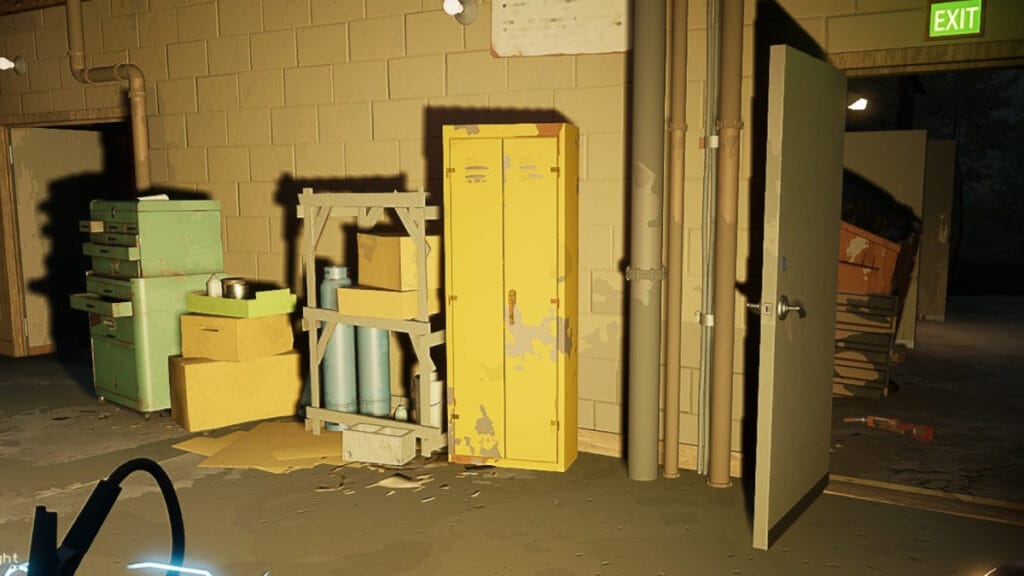
Pacific Drive Locker in the garage
Image Source: Kepler Interactive via The Nerd Stash
This article is over 2 years old and may contain outdated information.

There’s nothing more stressful than returning after exploring a route in Pacific Drive just to find out your locker’s size isn’t big enough to fit your loot. Thankfully, like other games of the genre, there are many ways to get more inventory space. However, you’ll need to do a lot of exploring and reach certain milestones to unlock all the locker upgrades in the game. So, before adding new tires to your vehicle or a flashy paint job, you should prioritize getting more storage in your garage.

How To Get More Lockers in Pacific Drive
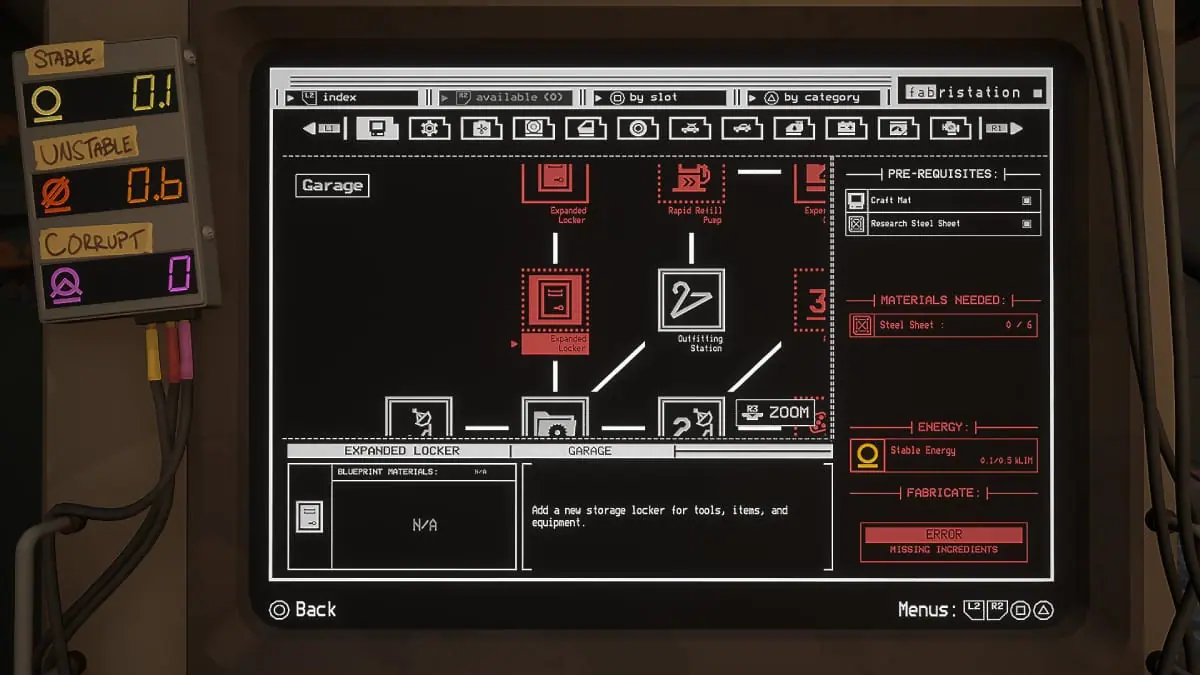
Fabrication Station Upgrades
Image Source: Kepler Interactive via The Nerd Stash

To increase locker size in Pacific Drive, you’ll need to unlock new upgrades through the Fabrication Station. You can do this as early as possible, but subsequent upgrades will require different materials. To get started with your first locker upgrade, do the following:

  1. Head to any route on the map and extract by collecting anchors.
    • Remember that each anchor you get rewards you with Stable Energy to unlock upgrades. You need Stable Energy for the first upgrade.
  2. Head to the Fabrication Station inside the garage and select the Expanded Locker upgrade from the first tab.
    • You also need six Steel Sheets to craft this upgrade.
  3. Install your new locker inside your garage.

During your first runs, you might not get a lot of materials to bring back to your safehouse, but once you unlock the mid-zone, things get interesting. While you can increase your vehicle’s inventory to fit it all, remember that keeping everything safe in the garage is better because, if you perish during a road trip, you can kiss your materials goodbye.

Related:

Pacific Drive Hands-On Preview: A Driver’s Life for Me

So, if possible, try to start saving some Scrap Metal and Stable Energy to unlock these upgrades. Also, you can get up to four new lockers in the garage and then unlock specific storage spaces for tires and car parts, so, if possible, try to add these things to your wishlist before hitting the road.


Related Topics
Guide Pacific Drive
Share. Facebook Twitter LinkedIn Reddit Email
Julio La Pine
  • Website

Been gaming since '99! I am a huge JRPG fan and my favorite franchise is Final Fantasy. I love writing about games and I hope I can do it for the rest of my days!

SUGGESTED READS

Dragon's Dogma 2 DLC Rumors Explode Again After Massive 65GB SteamDB Updates
Game News

Dragon’s Dogma 2 DLC Rumors Explode Again After Massive 65GB SteamDB Updates

how to make gunpowder Windrose
Game Guides

How to Make Gunpowder in Windrose

Best Server Settings Windrose
Game Guides

Best Server Settings for Windrose

Skate Nike SB Limited-time Event
Game News

Skate. Kicks Off a Limited-time Event With Nike SB, and It’s Free For All

All Materials in Windrose
Game Guides

Windrose: All Materials (& How to Obtain Them)

Bloodborne Anime Announced, Sony Keeps It R-Rated to Stay 'True' to the Game
Game News

Bloodborne Anime Movie Announced, Sony Keeps It R-Rated to Stay ‘Very True’ to the Game

The Nerd Stash
Facebook X (Twitter) Instagram YouTube LinkedIn
  • About Us
  • Join Our Team
  • Meet the Team
  • Privacy Policy
  • DMCA Policy
  • Contact Us
  • Terms of Use
  • Sitemap
  • Editorial Guidelines
  • Advertising Policy
© 2026 The Nerd Stash. All Rights Reserved.

Type above and press Enter to search. Press Esc to cancel.


