
Close Menu
  • Gaming
    • Game Guides
    • Codes
    • Game News
    • Game Previews
    • Game Reviews
    • Game Features
    • Game Lists
    • Platforms
      • Nintendo
      • PC
      • PlayStation
      • Xbox
      • Mobile
  • Entertainment
    • Movies
    • Movie Features
    • Movie Reviews
    • TV
    • Reality TV
    • Royals
  • Celebrity
    • Hollywood
  • Human Interest
  • Astrology
  • Videos
  • More
    • Anime
    • Lists
    • Podcasts
    • Reviews
Facebook X (Twitter) Instagram LinkedIn YouTube
  • About Us
  • Join Our Team
  • Meet the Team
  • Privacy Policy
  • DMCA Policy
  • Contact Us
  • Terms of Use
  • Sitemap
  • Editorial Guidelines
  • Advertising Policy
The Nerd Stash
  • Gaming
  • Celebrity
    • Hollywood
  • Human Interest
  • Videos
The Nerd Stash
Home»Game Guides»How to Improve Performance in Nightingale

How to Improve Performance in Nightingale

A smooth realm-delving adventure.

Giovanna De ItaBy Giovanna De ItaFebruary 20, 20242 Mins Read
Nightingale Increase Performance
Image Source: Inflexion Games via The Nerd Stash
This article is over 1 years old and may contain outdated information.

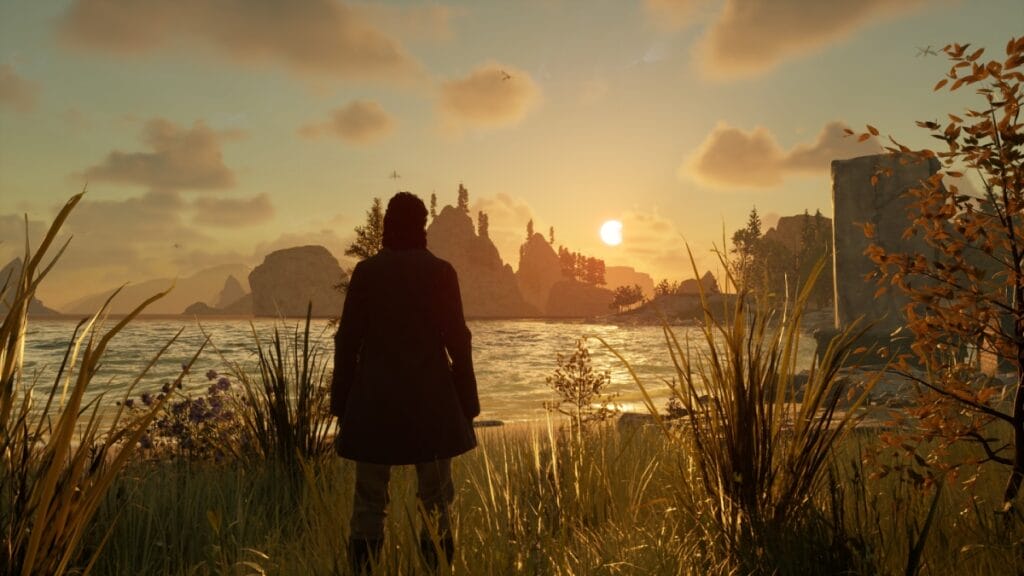
Before you try to escape The Pale in Nightingale, you must increase the game’s performance to give you a smooth right through these mystical realms. Even if the game launched in early access, it already included several graphical settings any gamer can tinker with to get a better gameplay experience. So, if you’re one of the unlucky travelers who struggles with low FPS or other graphical shenanigans, there are many ways to improve performance in this new magical survival game.

A Guide to Improving Performance in Nightingale

Nightingale Performance
Image Source: Inflexion Games via The Nerd Stash

Nightingale is a new open-world survival crafting game that can take a toll on your PC if you’re unprepared. Before we delve into some tips on improving performance, we encourage you to check the installment’s system requirements. If you’re below them, even tinkering with the settings won’t be able to help you much. However, for those above the minimum or close to recommended specs, there are a few options you can play with to make your gameplay smoother. Here are the settings we recommend:

  • Fullscreen Mode: Windowed Borderless
  • Quality Preset: Custom
  • Lumen – GI: Balanced
  • Anti-Aliasing: Quality
  • Effects: Balanced
  • Foliage: Quality
  • Post-Processing: Balanced
  • Shading: Balanced
  • Shadows: Quality
  • Textures: Quality
  • View Distance: Balanced
  • V-Sync: On
  • NVIDIA DLSS: Performance

So far, we’ve noticed that lightning effects take a big toll on Nightingale’s performance, so to increase your experience, you can lower these effects. If push comes to shove, the easiest way to increase your FPS is by playing on a lower resolution. However, this will make the game look blurry, and we advise against it. If you have an NVIDIA GPU, the DLSS features are well-implemented in this game and provide a significant performance boost. If possible, tinker around with the presets until you find a good setting for you.

Lastly, remember that Nightingale launched in early access, which means you might run into some hiccups. This is perfectly normal, and developers usually iron out most of these issues as time passes. So, let’s be patient and play with the settings we have right now so we can venture into these realms.


Related Topics
Guide Nightingale
Share. Facebook Twitter LinkedIn Reddit Email
Giovanna De Ita
  • Website

Giovanna is a fan of every single game HoYoverse has launched. When she's not covering videogames, she writes her daily horoscopes and tarot readings for the astrology vertical in The Nerd Stash.

SUGGESTED READS

AI That Plays Games for You? Sony and Other Gaming Giants Filed 49 Gen AI-Related Patents in the Last Three Months
Game News

AI That Plays Games for You? Sony and Other Gaming Giants Filed 49 Gen AI-Related Patents in the Last Three Months

Clair Obscur: Expedition 33 Becomes Second Most Awarded Game Ever With 330+ GOTY Wins, But Which One Is Still No. 1?
Features

Clair Obscur: Expedition 33 Becomes Second Most Awarded Game Ever With 330+ Industry Awards, But Which Game Still Holds the No. 1 Spot?

StarRupture How to Distribute Power
Game Guides

How to Manage and Distribute Power in StarRupture

StarRupture Unlock Recipes
Game Guides

How To Unlock New Recipes in StarRupture

StarRupture Data Points Farm
Game Guides

How To Earn Data Points in StarRupture

StarRupture Corporation Leveling Guide
Game Guides

Best Corporation to Level Up First in StarRupture

Trending
AI That Plays Games for You? Sony and Other Gaming Giants Filed 49 Gen AI-Related Patents in the Last Three Months

AI That Plays Games for You? Sony and Other Gaming Giants Filed 49 Gen AI-Related Patents in the Last Three Months

Clair Obscur: Expedition 33 Becomes Second Most Awarded Game Ever With 330+ GOTY Wins, But Which One Is Still No. 1?

Clair Obscur: Expedition 33 Becomes Second Most Awarded Game Ever With 330+ Industry Awards, But Which Game Still Holds the No. 1 Spot?

StarRupture How to Distribute Power

How to Manage and Distribute Power in StarRupture

StarRupture Unlock Recipes

How To Unlock New Recipes in StarRupture

The Nerd Stash
Facebook X (Twitter) Instagram YouTube LinkedIn
  • About Us
  • Join Our Team
  • Meet the Team
  • Privacy Policy
  • DMCA Policy
  • Contact Us
  • Terms of Use
  • Sitemap
  • Editorial Guidelines
  • Advertising Policy
© 2026 The Nerd Stash. All Rights Reserved.

Type above and press Enter to search. Press Esc to cancel.




