Close Menu
  • Gaming
    • Platforms
      • Nintendo
      • PC
      • PlayStation
      • Xbox
  • Entertainment
    • Movies
    • TV
    • Royals
  • Celebrity
    • Hollywood
  • Human Interest
  • Astrology
  • More
    • Anime
    • Reviews
Facebook X (Twitter) Instagram LinkedIn YouTube
  • About Us
  • Join Our Team
  • Meet the Team
  • Privacy Policy
  • DMCA Policy
  • Contact Us
  • Terms of Use
  • Sitemap
  • Editorial Guidelines
  • Advertising Policy
The Nerd Stash
  • Gaming
  • Celebrity
  • Hollywood
  • Human Interest
The Nerd Stash
Home»Gaming»How To Repair Items in Nightingale

How To Repair Items in Nightingale

Don’t throw it away yet.

Julio La PineBy Julio La PineFebruary 20, 20242 Mins Read
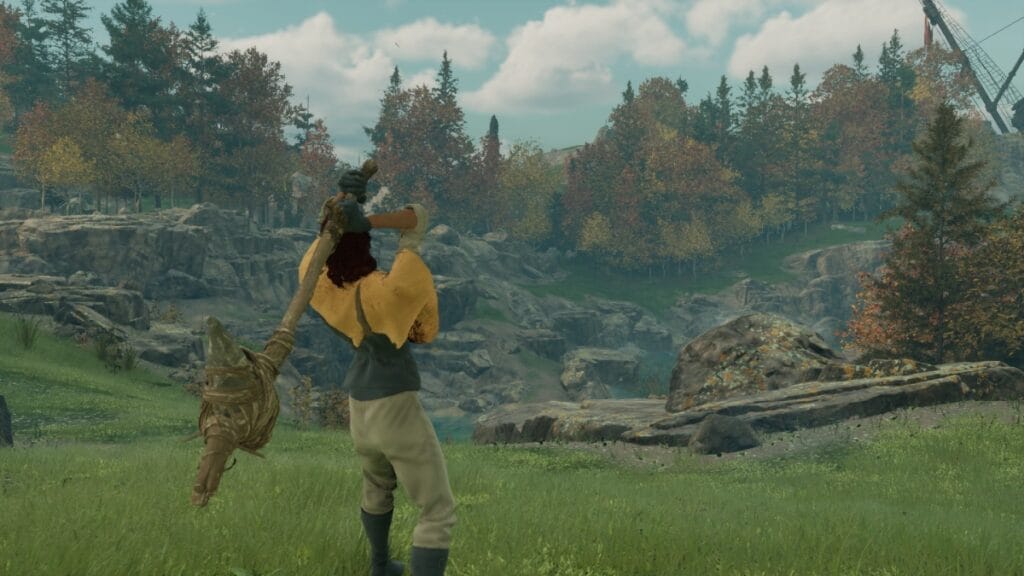
Nightingale character holding an axe
Image Source: Inflexion Games via The Nerd Stash
This article is over 2 years old and may contain outdated information.

Most survival games nowadays make us throw away our hard-earned tools and items once they deteriorate. Thankfully, that isn’t the case for Inflexion Games’ latest entry. Nightingale offers players a fast and easy way to repair items, which is quite useful, especially during the early hours. Furthermore, with all the gathering you’ll be doing, you can’t afford to make new tools every few minutes. So, hold on to your items, gather some essence dust, and start repairing.

What Do You Need to Repair Items in Nightingale? Answered
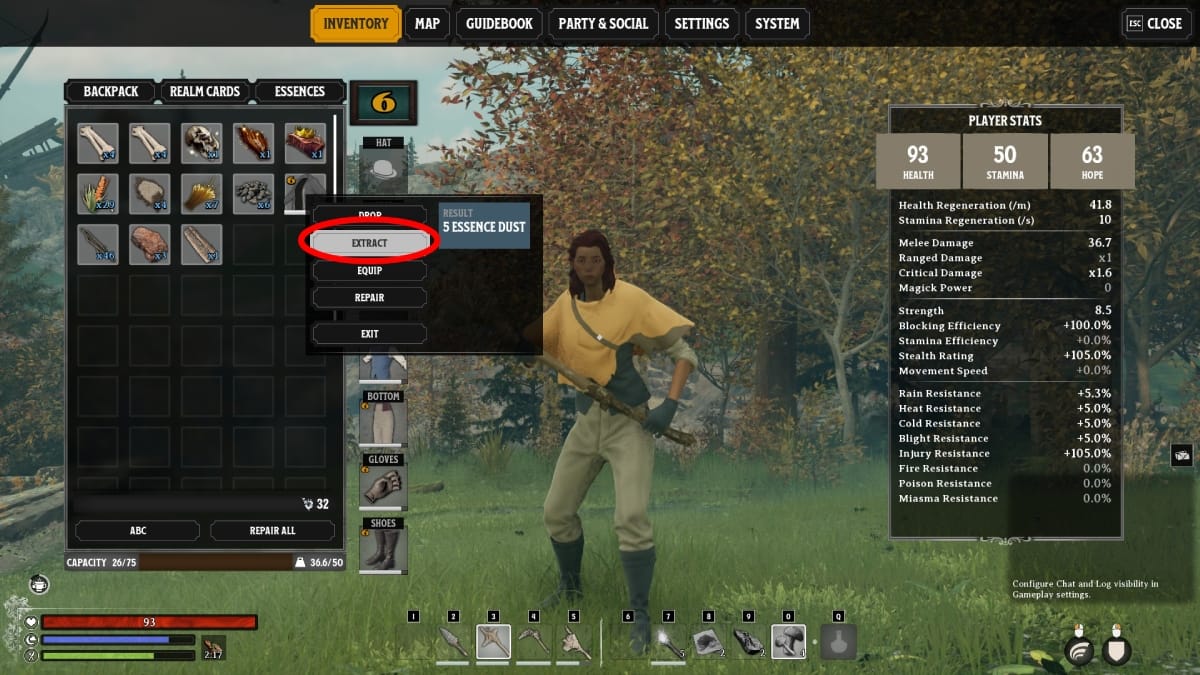
Extract option
Image Source: Inflexion Games via The Nerd Stash

To repair items in Nightingale, you need one essential item or currency: essence dust. You can obtain this by extracting it from other items or, in other words, destroying things you gather and craft. So far, we’ve seen that every item you gather, craft, and loot can be destroyed to obtain essence dust. It is important to remember that all items yield a different amount of essence dust. For example, when destroying armor, you can get five essence dust, whereas items like wood or stone give only one essence dust.

Fixing Your Items
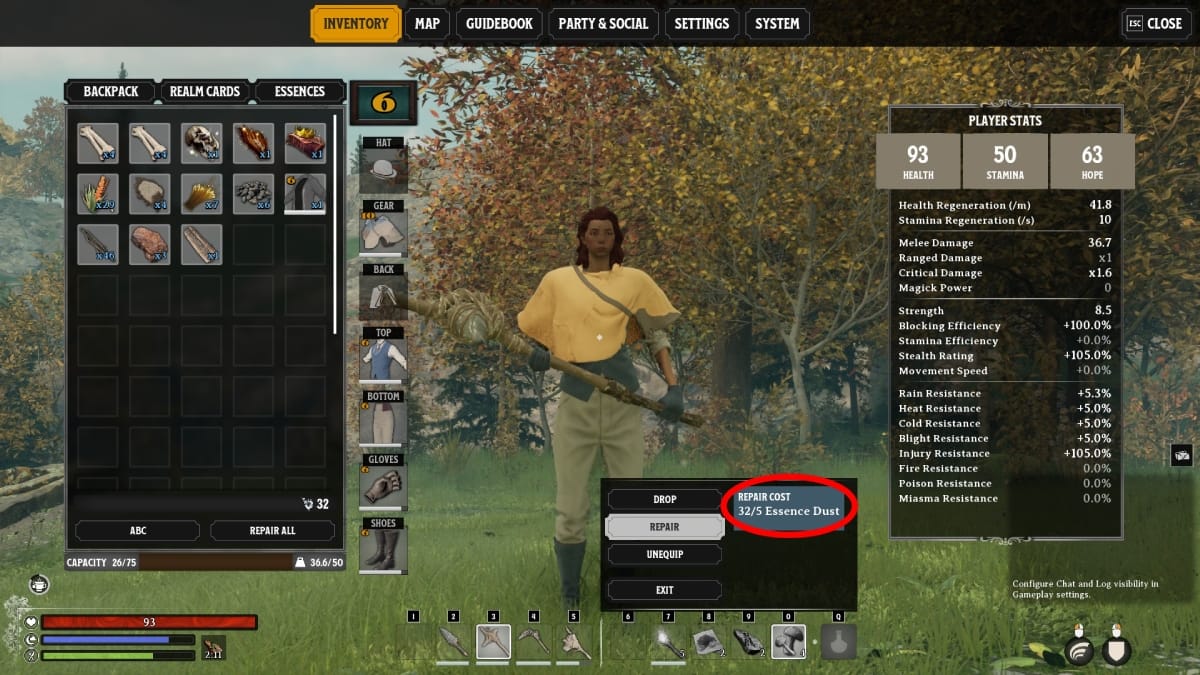
Repair items option
Image Source: Inflexion Games via The Nerd Stash

Once you have your essence dust, follow these steps to repair your items in Nightingale:

  1. Head to your inventory and select the item or tool you want to repair.
  2. Right-click on it or press Y to open the sub-menu.
  3. Select the Repair option to spend your essence dust and fix your item.

So far, we’ve seen that certain items require a different amount of essence dust, which means you might need to farm this currency a lot.

Easiest Way to Farm Essence Dust

During the early game, we saw that the easiest way to get essence dust is by extracting it from plants, such as the ones in the Desert biome. This is a very easy way to obtain this currency. You can use it to fix your tools and weapons and even trade with NPCs.

Related:

Can You Change Your Appearance in Nightingale? Answered

So, instead of throwing away broken things in your inventory, extract them and recycle their essence to fix your favorite tools or buy better things. Thankfully, most things can be recycled in these realms, so it doesn’t hurt to go green.


Related Topics
Guide Nightingale
Share. Facebook Twitter LinkedIn Reddit Email
Julio La Pine
  • Website

Been gaming since '99! I am a huge JRPG fan and my favorite franchise is Final Fantasy. I love writing about games and I hope I can do it for the rest of my days!

SUGGESTED READS

Your PlayStation Account Could Be Compromised: Sony's Security Flaw Lets Anyone Easily Disable 2FA
Gaming

Your PlayStation Account Could Be Compromised: Sony’s Security Flaw Lets Anyone Easily Disable 2FA

Rune Dice PC Review
9
Features

Rune Dice Review – A Magnificent Take on Roguelikes

PlayStation Plus Prices Are Going Up as Sony Tightens First-Party Exclusives
Gaming

PlayStation Plus Prices Are Going Up as Sony Tightens First-Party Exclusives Once More

Marvel Cosmic Invasion DLC Review
Features

Marvel Cosmic Invasion: Cyclops & The Thing Hands-On Impressions – Between a Rock and an Optic Blast

GTA 6's $115 Price Tag Already Has Fans Worried, Now Rockstar Might Skip Review Codes Too
Gaming

GTA 6’s $115 Price Tag Already Has Fans Worried, Now Rockstar Might Skip Review Codes Too

AMD's 'AI-Based' Game Engine Patent Sounds Like DLSS5 on Steroids
Gaming

AMD’s ‘AI-Based’ Game Engine Patent Sounds Like DLSS5 on Steroids

The Nerd Stash
Facebook X (Twitter) Instagram YouTube LinkedIn
  • About Us
  • Join Our Team
  • Meet the Team
  • Privacy Policy
  • DMCA Policy
  • Contact Us
  • Terms of Use
  • Sitemap
  • Editorial Guidelines
  • Advertising Policy
© 2026 The Nerd Stash. All Rights Reserved.

Type above and press Enter to search. Press Esc to cancel.