Close Menu
  • Gaming
    • Game Guides
    • Codes
    • Game News
    • Game Previews
    • Game Reviews
    • Game Features
    • Game Lists
    • Platforms
      • Nintendo
      • PC
      • PlayStation
      • Xbox
      • Mobile
  • Entertainment
    • Movies
    • Movie Features
    • Movie Reviews
    • TV
    • Reality TV
    • Royals
  • Celebrity
  • Human Interest
  • Astrology
  • Videos
  • More
    • Anime
    • Lists
    • Podcasts
    • Reviews
Facebook X (Twitter) Instagram LinkedIn YouTube
  • About Us
  • Join Our Team
  • Meet the Team
  • Privacy Policy
  • DMCA Policy
  • Contact Us
  • Terms of Use
  • Sitemap
  • Editorial Guidelines
  • Advertising Policy
The Nerd Stash
  • Gaming
  • Celebrity
  • Human Interest
  • Videos
The Nerd Stash
Home»Game Guides»How To Apply an Infusion in Nightingale (& How They Work)

How To Apply an Infusion in Nightingale (& How They Work)

Simply enchanting.

Patrick ArmstrongBy Patrick ArmstrongFebruary 27, 20242 Mins Read
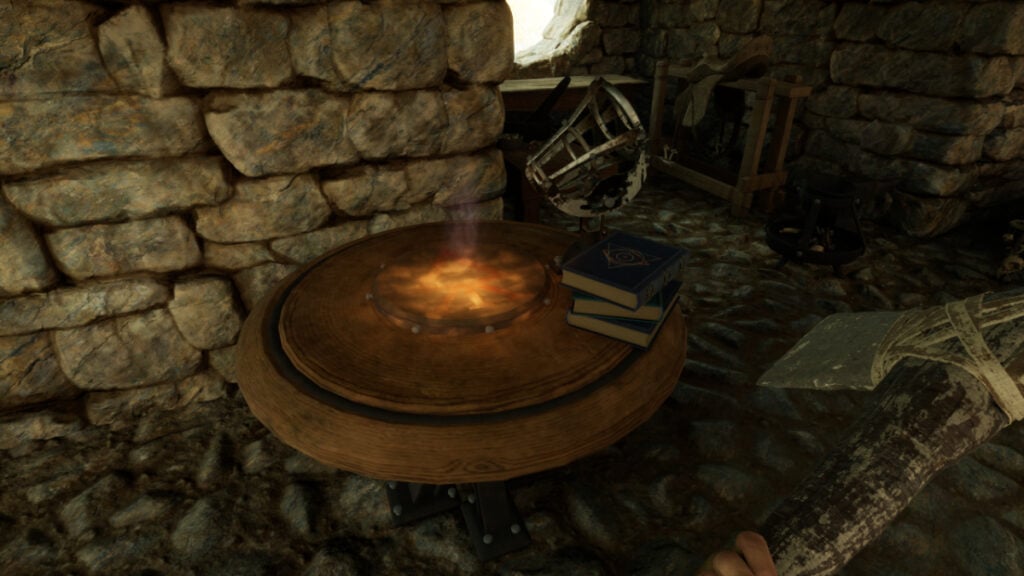
The player examines their Enchanter's Focus in Nightingale
Image Source: Inflexion Games via The Nerd Stash
This article is over 1 years old and may contain outdated information.

Like Minecraft, Nightingale allows players to enchant their items with a variety of magical effects, increasing their damage, improving their durability, or otherwise buffing them. Whether you want a lighter backpack or an axe that takes longer to break, using an Infusion is the way to go. Doing so will be critical as you move to higher-tier Realms. Enchanting in Nightingale can be a bit obscure, however. With so many Infusions to choose from, it’s not always clear which Infusion to pick or how to apply it. Here’s what you need to know about how Infusions work and how to apply an Infusion in Nightingale.

Nightingale Infusion Guide

The player prepares to apply an Infusion to an item in Nightingale
Image Source: Inflexion Games via The Nerd Stash

After crafting an Infusion at your Enchanter’s Focus, you can apply it from your inventory. Here are the steps to apply an Infusion in Nightingale:

  • Press “I” or “Tab” to open your inventory
  • Right-click on the Infusion you want to use
  • Left-click on “Apply”
  • Left-click on the item you want to Infuse
  • Press “R” to apply the Infusion

After using Essence to purchase a recipe, you’ll be able to craft an Infusion at an Enchanter’s Focus. As you travel the various Realms, you’ll encounter Essence Traders who sell Infusion recipes. Much like runes and gems in other fantasy games, Infusions fit into item slots to imbue those items with magical properties. The higher an item’s rarity, the more Infusion slots it will have. Items begin with one Infusion slot at Uncommon and max out at three slots at Epic rarity. You cannot place multiple copies of a given Infusion in the same item, even if you have multiple slots available, however.

Related:

All Realm Cards in Nightingale and Where to Find Them

Because you can only Infuse gear of Uncommon rarity or higher, if you want to Infuse a piece of common gear, you’ll first have to improve its rarity at an Upgrade Bench. Along with crafting higher tiers of gear, using Infusions is one of the best ways to strengthen yourself. That’s why learning how to apply an Infusion in Nightingale is so important.

Nightingale is available for PC in early access.

Related Topics
Guide Nightingale
Share. Facebook Twitter LinkedIn Reddit Email
Patrick Armstrong
  • Website

Artist and writer with a lifelong love of video games. Their favorite games include Dead by Daylight, Meet Your Maker, and Project Zomboid.

SUGGESTED READS

Warhammer 40,000 Darktide Hive Scum Class Preview
Game Previews

Warhammer 40,000: Darktide Hive Scum Hands-On Impressions – Agile and Deadly

Steam Machine price
Game News

Valve’s Steam Machine Could Save Us From Gaming PC Price-Gouging as Experts Predict $700 Price

Nintendo Takes Over Bandai Namco Subsidiary, the Team Once Responsible for Metroid Prime 4, to Strengthen 'Its Development Structure'
Game News

Nintendo Takes Over Bandai Namco Subsidiary, the Team Once Responsible for Metroid Prime 4, to Strengthen ‘Its Development Structure’

Steam Black Friday Deals
Game Features

Best Steam Black Friday Deals of 2025

Gadgets

Every Black Friday Gaming Holiday Gift Under $100 You Should Buy

Destiny 2 Renegades All Artifact Perks
Game Guides

Destiny 2: Renegades – All Artifact Perks

Trending
Warhammer 40,000 Darktide Hive Scum Class Preview

Warhammer 40,000: Darktide Hive Scum Hands-On Impressions – Agile and Deadly

Steam Machine price

Valve’s Steam Machine Could Save Us From Gaming PC Price-Gouging as Experts Predict $700 Price

Nintendo Takes Over Bandai Namco Subsidiary, the Team Once Responsible for Metroid Prime 4, to Strengthen 'Its Development Structure'

Nintendo Takes Over Bandai Namco Subsidiary, the Team Once Responsible for Metroid Prime 4, to Strengthen ‘Its Development Structure’

Steam Black Friday Deals

Best Steam Black Friday Deals of 2025

The Nerd Stash
Facebook X (Twitter) Instagram YouTube LinkedIn
  • About Us
  • Join Our Team
  • Meet the Team
  • Privacy Policy
  • DMCA Policy
  • Contact Us
  • Terms of Use
  • Sitemap
  • Editorial Guidelines
  • Advertising Policy
© 2025 The Nerd Stash. All Rights Reserved.

Type above and press Enter to search. Press Esc to cancel.