Close Menu
  • Gaming
    • Platforms
      • Nintendo
      • PC
      • PlayStation
      • Xbox
  • Entertainment
    • Movies
    • TV
    • Royals
  • Celebrity
    • Hollywood
  • Human Interest
  • Astrology
  • More
    • Anime
    • Reviews
Facebook X (Twitter) Instagram LinkedIn YouTube
  • About Us
  • Join Our Team
  • Meet the Team
  • Privacy Policy
  • DMCA Policy
  • Contact Us
  • Terms of Use
  • Sitemap
  • Editorial Guidelines
  • Advertising Policy
The Nerd Stash
  • Gaming
  • Celebrity
  • Hollywood
  • Human Interest
The Nerd Stash
Home»Gaming»How To Use Hydraulics in GTA Online, Explained

How To Use Hydraulics in GTA Online, Explained

Become a true low-rider

Masoud KazemiBy Masoud KazemiMarch 1, 20243 Mins Read
Using Hydraulics in GTA Online
Image Source: Rockstar
This article is over 2 years old and may contain outdated information.

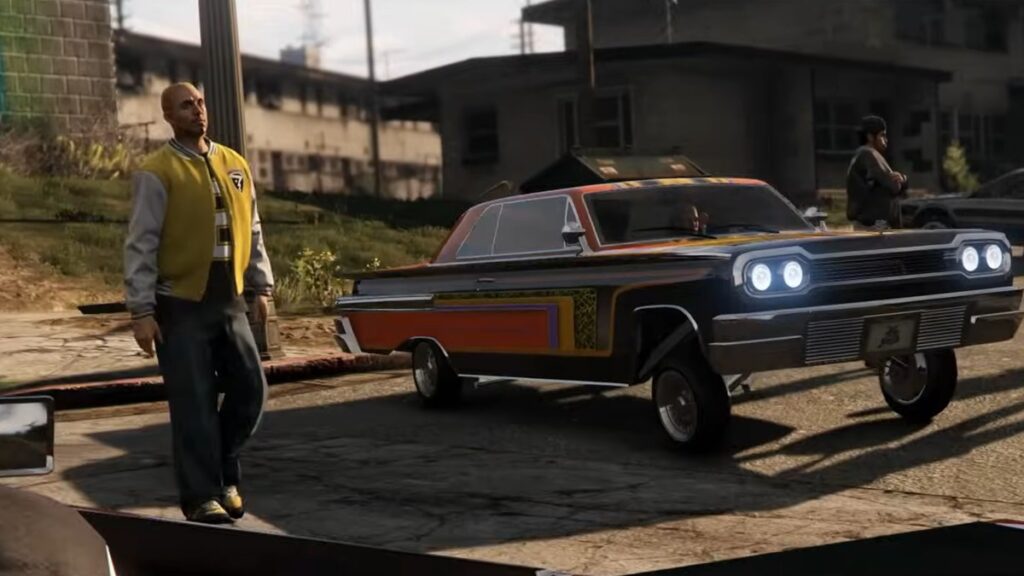
GTA Online has one of the best customization systems for cars in an open-world game. Players can make their dream car whether it’s a monster muscle car or a dancing low-rider by spending huge chunks of money. In low-rider cars, players can also install hydraulics to make the car bounce and jump however they want. In this guide, we’ll cover how you can use the hydraulics in GTA Online for all platforms including PC.

Using Hydraulics in GTA Online

Using Hydraulics in GTA 5
Image Source: Rockstar via BondTheOG Screenshot

In order to use hydraulics you must have a low-rider car equipped with the hydraulics. It’s important to note that not all cars in the game can be equipped with hydraulics and to install this equipment you have to take your low-rider vehicle to Benny’s Workshop.

Related:

GTA Online Weekly Update Brings Lunar New Year, Carnival, and Valentine’s Celebrations

Once you’ve got the hydraulics installed on your car, then it’s time to use it to perform all sorts of stunts. First, we’ll go over how to activate and use directions for the hydraulics GTA Online on PC, PlayStation, and Xbox:

  • For PC hold the X on your keyboard and use A, D, Shift, and Ctrl to bounce the car in different directions.
  • For Xbox hold A and use the analog stick to bounce the car in the direction you want.
  • For PlayStation hold X and use the analog stick to bounce the car.

That’s the overall control scheme of hydraulics in GTA Online. Still, there are tons of other tricks you can do with a low-rider car. We’ll point out some of the basics you can do with your car and by mixing them yourself you can perform unique stunts:

  • Hold and then release the hydraulic button once to make it hop (X on PC, X on PlayStation, and A on Xbox)
  • Tap the hydraulic button to do a quick hop
  • Hold the analog forward or backward (hold A or S on PC) and then hold the hydraulic button to raise the front or back of the car
  • Double tap the analog forward or backward or double tap A or S on PC to only make the front or back of the car bounce

That’s everything you need to know on how to use the hydraulics in GTA Online. Make sure to check The Nerd Stash for even more guides and articles as well.

GTA Online is available for PC, PS4, PS5, Xbox One, and Xbox Series X|S.

Related Topics
GTA Online Guide
Share. Facebook Twitter LinkedIn Reddit Email
Masoud Kazemi
  • Website
  • X (Twitter)

I don't care about the real world. I cared only about the world of fiction. -Woody Allen

SUGGESTED READS

Where to Find the Secret Fall Shop in Roblox Adopt Me
Gaming

Where to Find the Secret Fall Shop in Roblox Adopt Me

Diablo 4 Lord of Hatred Review
10
Features

Diablo 4: Lord of Hatred Review – Breaking the Cycle

Shuhei Yoshida Says He Was Fired From Playstation Studios for Saying 'No' to Jim Ryan: 'He Asked For Ridiculous Things'
Gaming

Shuhei Yoshida Says He Was Fired From Playstation Studios for Saying ‘No’ to Jim Ryan: ‘He Asked For Ridiculous Things’

Splinter Cell Remake Shows Signs of Life Despite Recent Layoffs at Ubisoft Toronto
Gaming

Splinter Cell Remake Shows Signs of Life Despite Recent Layoffs at Ubisoft Toronto

Fastest Ways to Get a Purrowl in Roblox Adopt Me
Gaming

Fastest Ways to Get a Purrowl & Trade Value in Roblox Adopt Me

Fatal Fury City of the Wolves Krauser Hands-On Preview
Gaming

Fatal Fury: City of the Wolves Wolfgang Krauser Hands-On Preview – A Regal Fighter

The Nerd Stash
Facebook X (Twitter) Instagram YouTube LinkedIn
  • About Us
  • Join Our Team
  • Meet the Team
  • Privacy Policy
  • DMCA Policy
  • Contact Us
  • Terms of Use
  • Sitemap
  • Editorial Guidelines
  • Advertising Policy
© 2026 The Nerd Stash. All Rights Reserved.

Type above and press Enter to search. Press Esc to cancel.