

Close Menu
  • Gaming
    • Platforms
      • Nintendo
      • PC
      • PlayStation
      • Xbox
  • Entertainment
    • Movies
    • TV
    • Royals
  • Celebrity
    • Hollywood
  • Human Interest
  • Astrology
  • More
    • Anime
    • Reviews
Facebook X (Twitter) Instagram LinkedIn YouTube
  • About Us
  • Join Our Team
  • Meet the Team
  • Privacy Policy
  • DMCA Policy
  • Contact Us
  • Terms of Use
  • Sitemap
  • Editorial Guidelines
  • Advertising Policy
The Nerd Stash
  • Gaming
  • Celebrity
  • Hollywood
  • Human Interest
The Nerd Stash
Home»Gaming»How To Scrap Junk in Fallout 4 (The Easy Way)

How To Scrap Junk in Fallout 4 (The Easy Way)

One man’s junk, is another man’s scrap.

Julio La PineBy Julio La PineApril 19, 20242 Mins Read
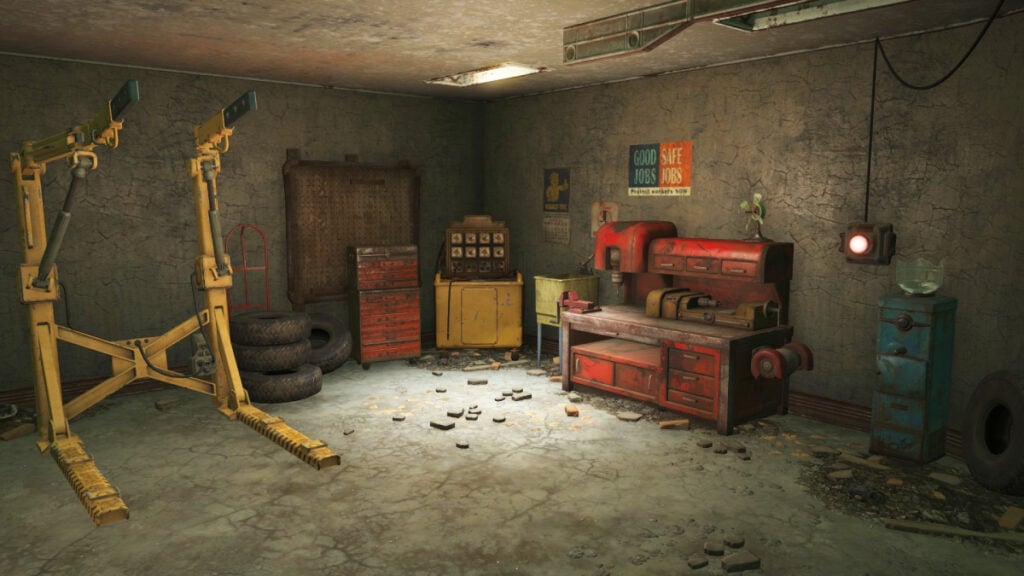
Fallout 4 Workshop
Image Source: Bethesda via The Nerd Stash
This article is over 2 years old and may contain outdated information.

One of Bethesda’s staples is allowing players to pick up almost every item they see lying around in any of its games. While this didn’t serve a bigger purpose in previous titles, those venturing into the Commonwealth can benefit from being hoarders. With an in-depth building and crafting system, many players might want to know how to scrap all the junk they’ve gathered throughout their Fallout 4 playthrough. Ultimately, every clipboard, coffee mug, and teddy bar you scrap will get you closer to building the settlement of your dreams.

Scrapping Junk in Fallout 4, Explained
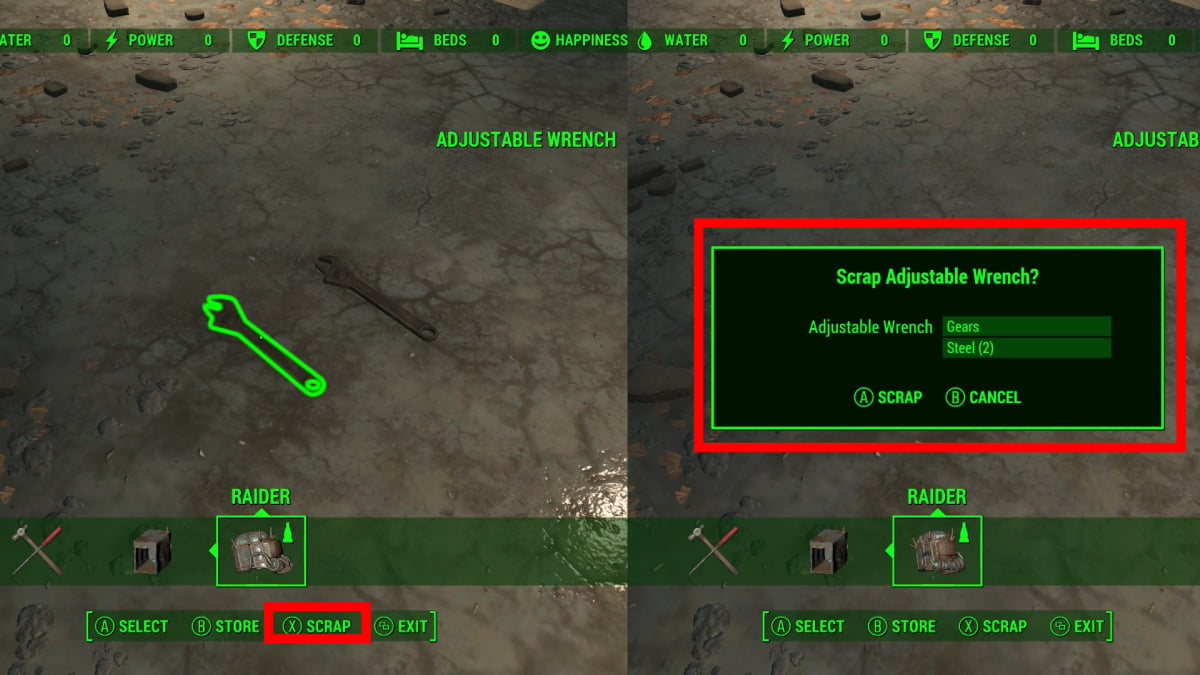
Fallout 4 Scrap Option
Image Source: Bethesda via The Nerd Stash

There are two ways to scrap junk in Fallout 4, and we’ll start with the quick one for small quantities of junk. This is what you must do:

  1. When near a workshop, access your inventory, head to the junk tab, and drop the item you want to scrap on the floor.
  2. Head to the workshop and access the building menu.
  3. Find the item you dropped on the floor and look at it. The scrap option will appear. You can use the above image as a reference.

This is, of course, the slowest way to break down scrap in the game, and with all the things you might be collecting, you need a faster option.

Mass Scrapping Method
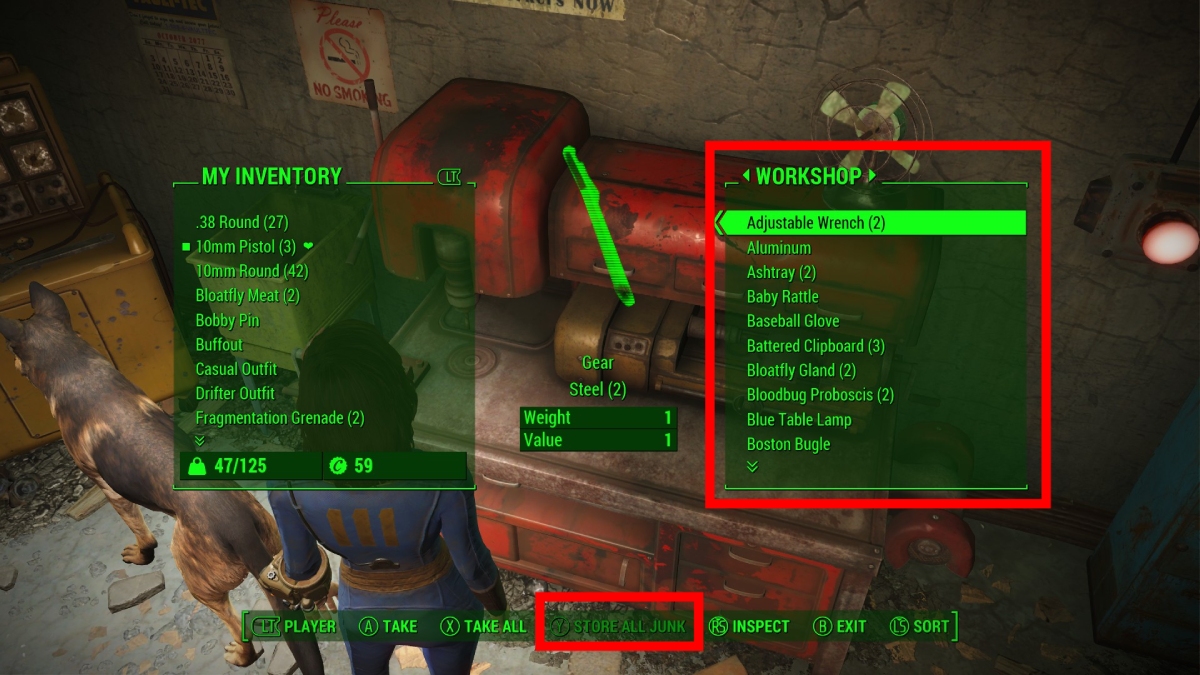
Workshop Junk
Image Source: Bethesda via The Nerd Stash

The next option to scrap junk in Fallout 4 also involves a workshop, but it is much faster. To do so, follow these steps:

  1. Head to a workshop. Instead of interacting with it, press X or Square to use the ‘Transfer” option.
  2. Press Y or Triangle inside the menu to store all your junk at once.
  3. Building anything via the workshop function will scrap the junk you stored, turning it into crafting materials.

Related:

Fallout 4: Vault 111 Experiment, Explained

The latter is a much faster way and something you should use whenever you visit your workshop. On the other hand, if you only want to break down a few items and not store some objects that might be valuable, the first option is better. Ultimately, it’s up to you which one to do, but always see the items that are worth a few caps before turning them into crafting materials.


Related Topics
Fallout 4 Guide
Share. Facebook Twitter LinkedIn Reddit Email
Julio La Pine
  • Website

Been gaming since '99! I am a huge JRPG fan and my favorite franchise is Final Fantasy. I love writing about games and I hope I can do it for the rest of my days!

SUGGESTED READS

MindsEye Layoffs 2026
Gaming

Studio Behind GTA-like Game, MindsEye, Hit With More Layoffs, and Nobody is Surprised: ‘Shocked There’s Even a Janitor Working There’

Princess Peach Spin-Off Movie May Already Be in Development, Job Listing Suggests
Gaming

Princess Peach Spin-Off Movie May Already Be in Development, Job Listing Suggests

Xbox's New CEO Wants to Reconnect With the 'Community,' Yet Brings In More CoreAI Leaders
Gaming

Xbox’s New CEO Wants to Reconnect With the ‘Community,’ Yet Brings In More CoreAI Leaders

Diablo 4 Season 13 Tier List
Gaming

Class Tier List for Diablo 4 Season 13 (Best Classes for Endgame & Leveling)

Take-Two Boss Finally Explains Why GTA 6 Is Skipping PC at Launch: 'We'll See How It Works Out'
Gaming

Take-Two Boss Finally Explains Why GTA 6 Is Skipping PC at Launch: ‘We’ll See How It Works Out’

Rockstar Employee Review Claims 'Unrealistic' Crunch as GTA 6 Development Intensifies: 'Had to Work Till 3AM'
Gaming

Rockstar Employee Review Claims ‘Unrealistic’ Crunch as GTA 6 Development Intensifies: ‘Had to Work Till 3AM’

The Nerd Stash
Facebook X (Twitter) Instagram YouTube LinkedIn
  • About Us
  • Join Our Team
  • Meet the Team
  • Privacy Policy
  • DMCA Policy
  • Contact Us
  • Terms of Use
  • Sitemap
  • Editorial Guidelines
  • Advertising Policy
© 2026 The Nerd Stash. All Rights Reserved.

Type above and press Enter to search. Press Esc to cancel.



