
Close Menu
  • Gaming
    • Game Guides
    • Codes
    • Game News
    • Game Previews
    • Game Reviews
    • Game Features
    • Game Lists
    • Platforms
      • Nintendo
      • PC
      • PlayStation
      • Xbox
      • Mobile
  • Entertainment
    • Movies
    • Movie Features
    • Movie Reviews
    • TV
    • Reality TV
    • Royals
  • Celebrity
    • Hollywood
  • Human Interest
  • Astrology
  • Videos
  • More
    • Anime
    • Lists
    • Podcasts
    • Reviews
Facebook X (Twitter) Instagram LinkedIn YouTube
  • About Us
  • Join Our Team
  • Meet the Team
  • Privacy Policy
  • DMCA Policy
  • Contact Us
  • Terms of Use
  • Sitemap
  • Editorial Guidelines
  • Advertising Policy
The Nerd Stash
  • Gaming
  • Celebrity
    • Hollywood
  • Human Interest
  • Videos
The Nerd Stash
Home»Game Guides»Wuthering Waves: How To Repair the Robot (No Response Tonight)

Wuthering Waves: How To Repair the Robot (No Response Tonight)

As good as new

Giovanna De ItaBy Giovanna De ItaMay 27, 20243 Mins Read
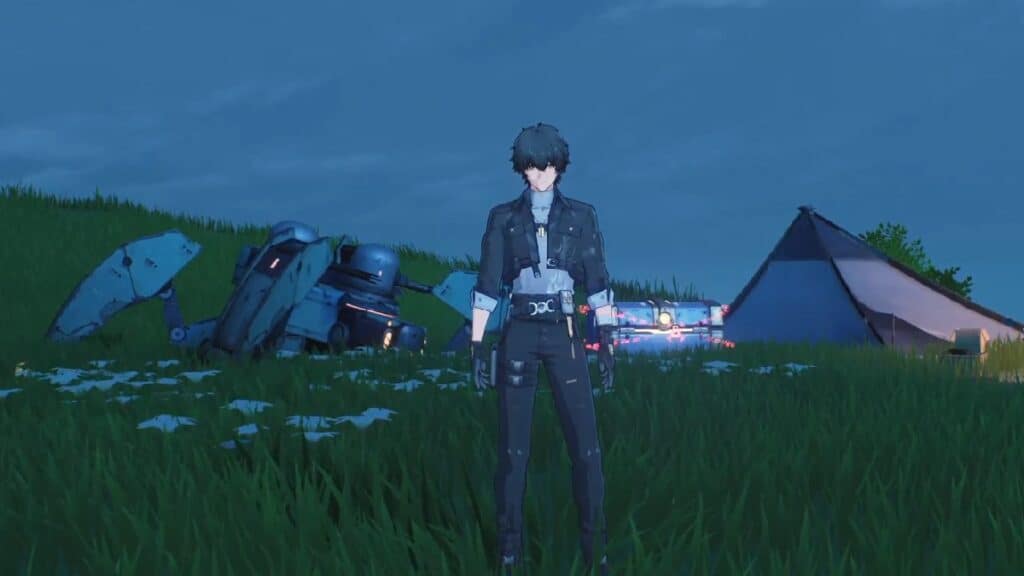
Wuthering Waves Repair the Robot
Image Source: KURO Games via The Nerd Stash

Skip To...

  • Wuthering Waves: No Response Tonight Quest Guide
  • Find the Spare Parts
  • Find the Power Supply Pack
  • Find the Motor
  • How To Repair the Robot in Wuthering Waves
This article is over 1 years old and may contain outdated information.

If you are a player exploring and unlocking Resonance Beacon, you may come across some puzzles or quests on the map. Keep your eyes open because you might miss some of the Wuthering Waves quests like Response Tonight, where you have to repair a robot. You may have already found it, but if you still need to complete it, this is the moment to do so. Just keep an eye on your surroundings as you explore.

Wuthering Waves: No Response Tonight Quest Guide
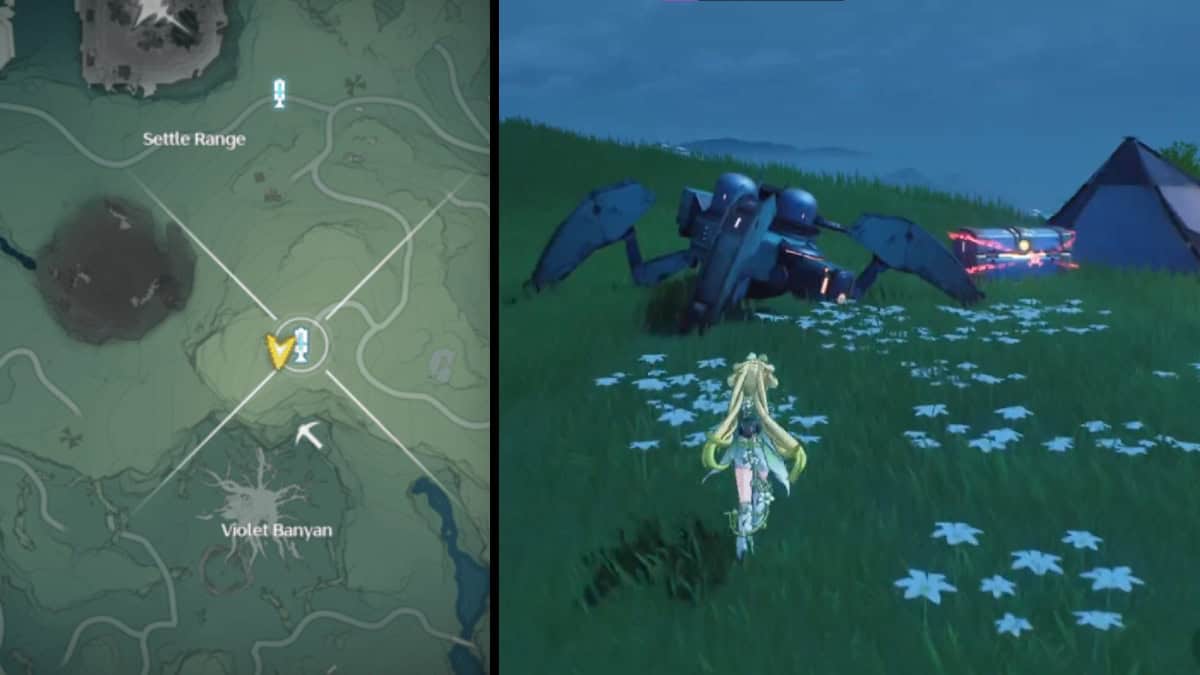
Wuthering Waves Repair the Robot Location
Image Source: KURO Games via The Nerd Stash

You will find the robot near the Resonance Beacon in an abandoned camp between Settle Range and Violet Banyan. In the camp, you will find a radio, and when you interact with it, a message about the missing parts of the robot will play. To find the parts and repair the robot, you must use the Sensor to mark its locations in Wuthering Waves.

Find the Spare Parts
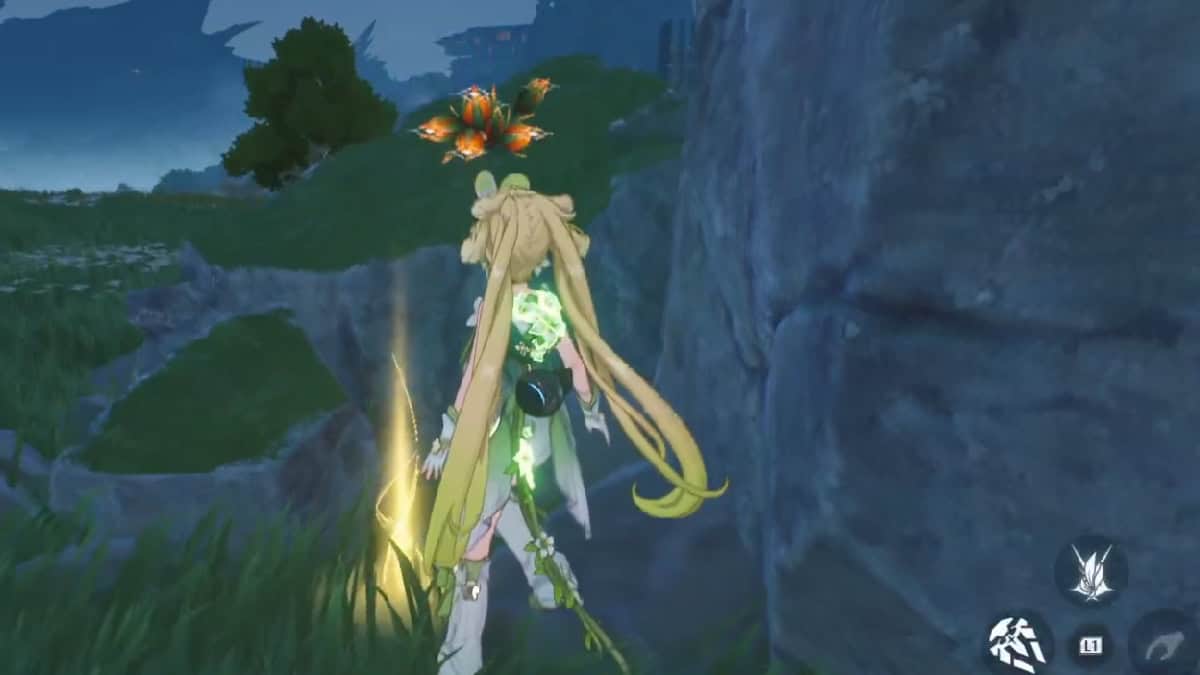
WuWa Repair the Robot spare parts
Image Source: KURO Games via The Nerd Stash

After using the Sensor, scattered Gemberries will appear in the area near you, and to find one of the robotic pieces, you must do the following:

  1. Follow the trail to one of the blue markers.
  2. You will see a rock with more fruits on it; if you approach the yellow glow, select Dig.
  3. A group of Excarat dwellers will appear, and to defeat them, it’s easier to use plunging attacks.
  4. After defeating the creatures, go back and select Dig again. You will find the Spare Parts.

Find the Power Supply Pack
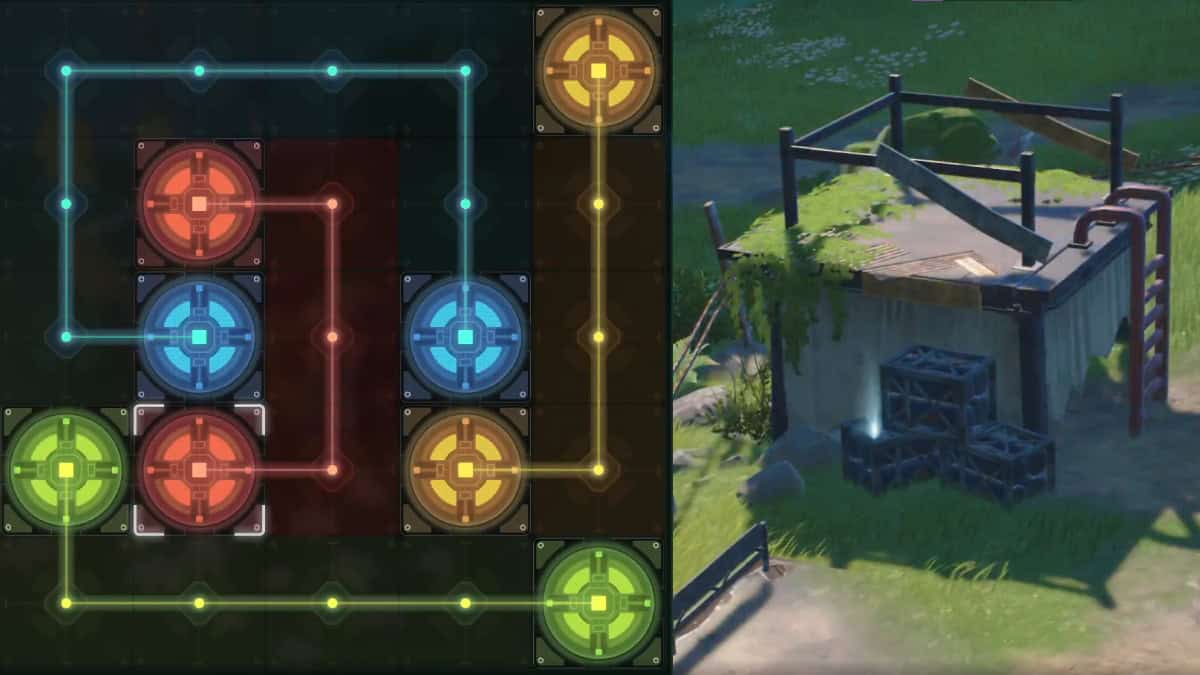
WuWa No Response Tonight Hack
Image Source: KURO Games via The Nerd Stash

In the same robot camp, there is a Communications Device that you must hack to find another piece. To hack the device, connect the nodes of the same color as in the image. Then, the Exile Camp location will appear; you must defeat a group of exiles there. When you defeat them, you will see a blue glow on some metal tube boxes. That is the Power Supply Pack.

Find the Motor
Wuthering Waves No Response Tonight
Image Source: KURO Games via The Nerd Stash

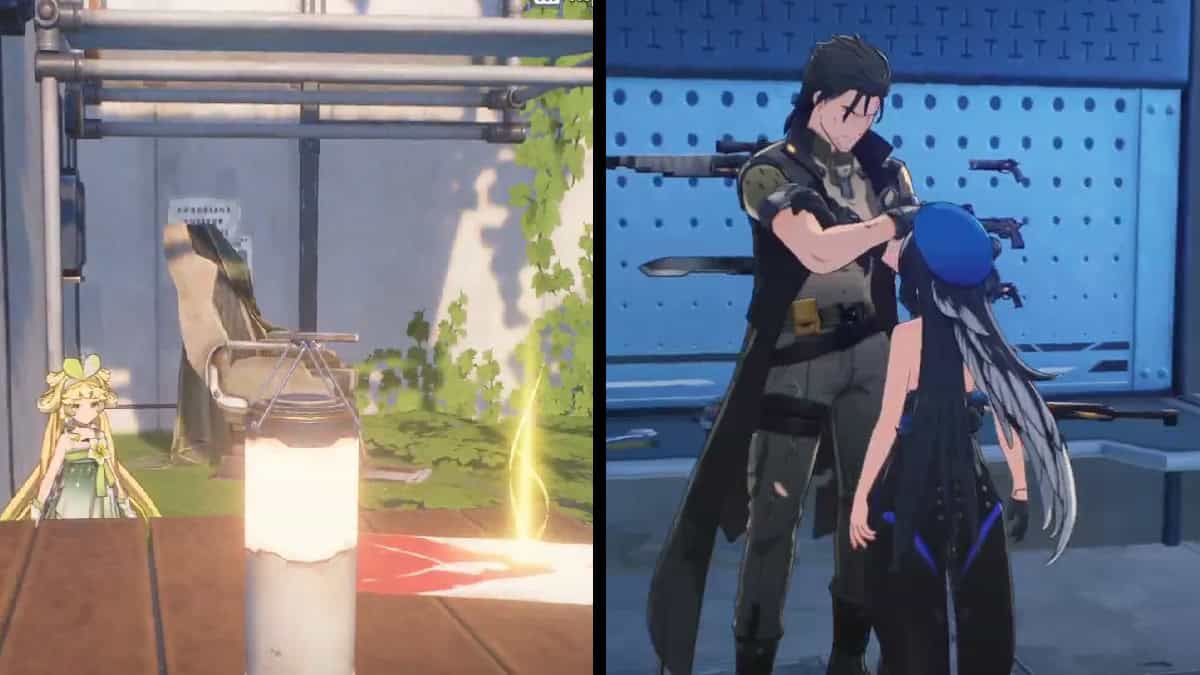
In the Exile Camp, investigate a flyer on one of the tables; this is an invitation to the Shooter Party quest. To get the engine, you must do the following: 

  1. Go to the marker for this quest. There will be a destroyed building, an audience in the state, and a chair.
  2. Sit in the chair to wait for the event to start.
  3. Exciliates will appear, but you only have to talk to the leader. The leader is the one next to the gun table.
  4. Pay for your entry to the contest.
  5. Go to the device to start the challenge.
  6. After finishing the first round, return to the leader to pay for the next stage.
  7. Return to the device and finish the second challenge.
  8. Pay the leader again for the third round, but when you activate this one, you will see it is just a scam.
  9. Talk to the leader to claim it, but you must defeat all the grunts.
  10. Get your reward, the Motor, in the chest.

Related:

Wuthering Waves Came for Genshin Impact’s Throne But Misses More Than It Hits

How To Repair the Robot in Wuthering Waves

You should return to the camp with the robot. Just go over to interact with it and give it all its components. When you finish the repairs, the robot will talk to you and unlock rewards, such as a Premium Supply Chest. 

Thanks to you, Rover, “Blu,” could be reunited with his pilot after so much time spent outdoors collecting rust.


Related Topics
Guide Wuthering Waves
Share. Facebook Twitter LinkedIn Reddit Email
Giovanna De Ita
  • Website

Giovanna is a fan of every single game HoYoverse has launched. When she's not covering videogames, she writes her daily horoscopes and tarot readings for the astrology vertical in The Nerd Stash.

SUGGESTED READS

Highguard Launch Day
Game News

With No Marketing But a Lot of Hype, Highguard Finally Launches Its 3v3 PvP Raid Experience

PlayStation Recruited Talents Over 'Free Company-Funded Dinners,' Former Sony Exec Reveals
Game News

PlayStation Recruited Talents Over ‘Free Company-Funded Dinners,’ Former Sony Exec Reveals

Dragon Ball 40th Anniversary Event
Anime

Dragon Ball Fans Are Having a Feast With New Anime Arc, DLC for Sparking ZERO, and a Brand-New Game

Blizzard 2026 Game Showcases
Game News

Blizzard Is Gearing Up for 2026 With Showcases for World of Warcraft, Diablo, Overwatch, and Hearthstone

Arknights Endfield Preview
8
Features

Arknights: Endfield Review: Bigger, Better, But a Bit Overwhelming

Akira Toriyama's Final Designs? New Dragon Ball Game 'AGE 1000' Project Hints at Now-Defunct Dragon Ball Online Ties
Game News

Akira Toriyama’s Final Designs? New Dragon Ball Game ‘AGE 1000’ Project Hints at Now-Defunct Dragon Ball Online Ties

The Nerd Stash
Facebook X (Twitter) Instagram YouTube LinkedIn
  • About Us
  • Join Our Team
  • Meet the Team
  • Privacy Policy
  • DMCA Policy
  • Contact Us
  • Terms of Use
  • Sitemap
  • Editorial Guidelines
  • Advertising Policy
© 2026 The Nerd Stash. All Rights Reserved.

Type above and press Enter to search. Press Esc to cancel.




