Close Menu
  • Gaming
    • Platforms
      • Nintendo
      • PC
      • PlayStation
      • Xbox
  • Entertainment
    • Movies
    • TV
    • Royals
  • Celebrity
    • Hollywood
  • Human Interest
  • Astrology
  • More
    • Anime
    • Reviews
Facebook X (Twitter) Instagram LinkedIn YouTube
  • About Us
  • Join Our Team
  • Meet the Team
  • Privacy Policy
  • DMCA Policy
  • Contact Us
  • Terms of Use
  • Sitemap
  • Editorial Guidelines
  • Advertising Policy
The Nerd Stash
  • Gaming
  • Celebrity
  • Hollywood
  • Human Interest
The Nerd Stash
Home»Gaming»How to Turn Off Account Restrictions on Roblox and Still Stay Safe

How to Turn Off Account Restrictions on Roblox and Still Stay Safe

Not so chatty

Patrick ArmstrongBy Patrick ArmstrongJuly 22, 20242 Mins Read
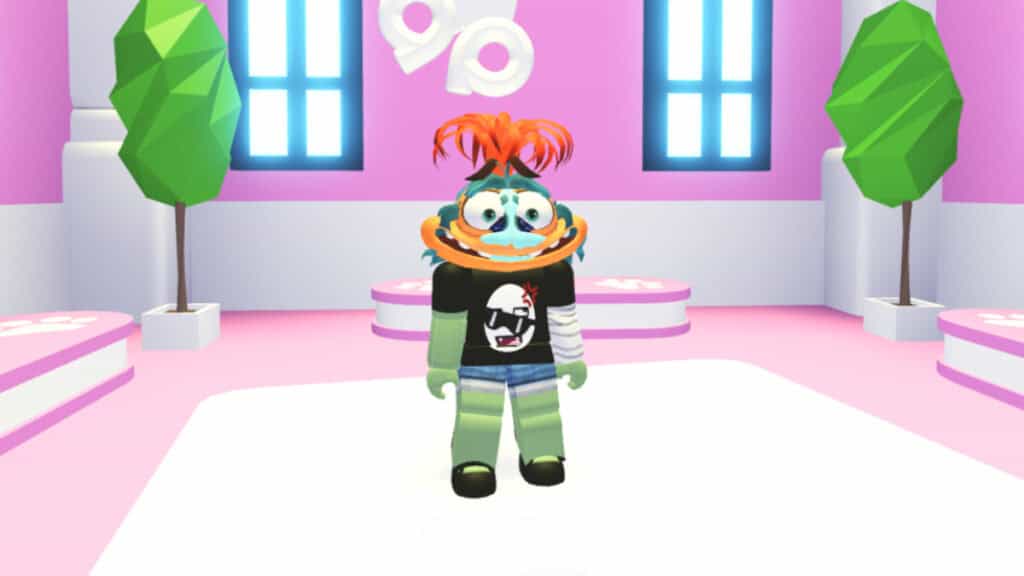
A player hangs out in a salon in Adopt Me Roblox
Image Source: Uplift Games via The Nerd Stash
This article is over 1 years old and may contain outdated information.

Staying safe online is about more than making sure your toddler doesn’t play GTA. It’s what games you play but also who you talk to and how. Account Restrictions give parents a way to keep their kids safe on Roblox. With a simple toggle, you can lock an account’s Contact Settings so that other users can’t chat with you inside or outside the game. It also limits the player to games that are recommended for All Ages. Whether you toggled the feature on by accident and locked yourself out of content or want to switch settings for your child, here’s what you need to do to turn off Account Restrictions on Roblox (and still stay safe).

Roblox Account Restrictions Guide
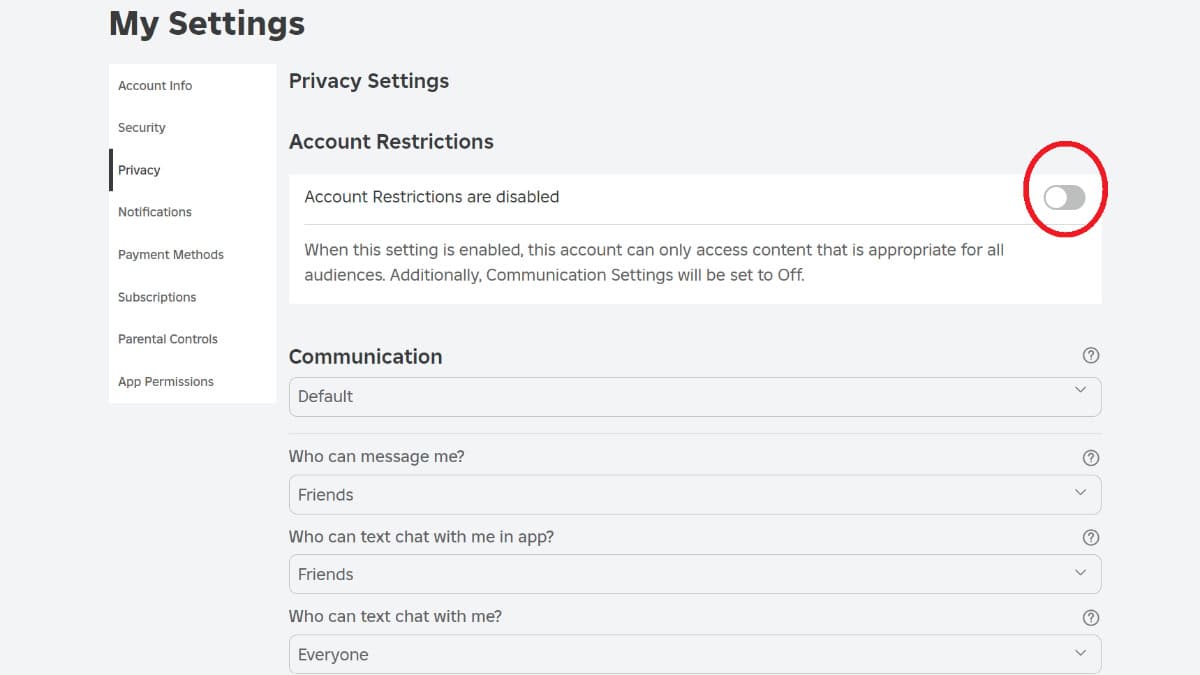
The Account Restrictions toggle in Roblox
Image Source: Roblox via The Nerd Stash

Account Restrictions are easy to change, so you’ll be back to smacking people with the Wrench Glove in Slap Battles in no time. This setting is a great first line of defense, but staying safe online doesn’t end here. Roblox isn’t the scary no-man’s-land it’s sometimes framed as, but it’s still the internet. We’ll get into that after. First, here’s how to turn off Account Restrictions on Roblox:

  1. From the Home screen, click on More (the button with three dots)
  2. Go to Settings
  3. Go to Privacy
  4. Toggle Account Restrictions to Off

Related:

How to Fix Error Code 524 in Roblox

After disabling Account Restrictions, you can manually reset chat settings from the same page. Find settings you feel safe and comfortable with before proceeding. There are risks and privileges associated with an unrestricted account. If you’re managing your kid’s account, take an interest in what they’re playing and who they’re talking to. The content of Roblox games tends to be mild, but if you’re a parent or otherwise responsible for another gamer, nothing beats having an open and honest conversation.

Related Topics
Guide Roblox
Share. Facebook Twitter LinkedIn Reddit Email
Patrick Armstrong
  • Website

Artist and writer with a lifelong love of video games. Their favorite games include Dead by Daylight, Meet Your Maker, and Project Zomboid.

SUGGESTED READS

Diablo 4 Season 13 Tier List
Gaming

Class Tier List for Diablo 4 Season 13 (Best Classes for Endgame & Leveling)

Take-Two Boss Finally Explains Why GTA 6 Is Skipping PC at Launch: 'We'll See How It Works Out'
Gaming

Take-Two Boss Finally Explains Why GTA 6 Is Skipping PC at Launch: ‘We’ll See How It Works Out’

Rockstar Employee Review Claims 'Unrealistic' Crunch as GTA 6 Development Intensifies: 'Had to Work Till 3AM'
Gaming

Rockstar Employee Review Claims ‘Unrealistic’ Crunch as GTA 6 Development Intensifies: ‘Had to Work Till 3AM’

All Rewards from Admin Abuse Eggs & Box in Roblox Adopt Me
Gaming

All Rewards from Admin Abuse Eggs & Box in Roblox Adopt Me

Gaming

World Heroes Perfect Reminds Me of the Golden Age of Fighting Games

Fatal Fury City of the Wolves Mr Karate Reveal
Gaming

Fatal Fury: City of the Wolves Unveils Its Next Season 2 Fighter, and It’s a Classic

The Nerd Stash
Facebook X (Twitter) Instagram YouTube LinkedIn
  • About Us
  • Join Our Team
  • Meet the Team
  • Privacy Policy
  • DMCA Policy
  • Contact Us
  • Terms of Use
  • Sitemap
  • Editorial Guidelines
  • Advertising Policy
© 2026 The Nerd Stash. All Rights Reserved.

Type above and press Enter to search. Press Esc to cancel.