Close Menu
  • Gaming
    • Platforms
      • Nintendo
      • PC
      • PlayStation
      • Xbox
  • Entertainment
    • Movies
    • TV
    • Royals
  • Celebrity
    • Hollywood
  • Human Interest
  • Astrology
  • More
    • Anime
    • Reviews
Facebook X (Twitter) Instagram LinkedIn YouTube
  • About Us
  • Join Our Team
  • Meet the Team
  • Privacy Policy
  • DMCA Policy
  • Contact Us
  • Terms of Use
  • Sitemap
  • Editorial Guidelines
  • Advertising Policy
The Nerd Stash
  • Gaming
  • Celebrity
  • Hollywood
  • Human Interest
The Nerd Stash
Home»Gaming»How To Use Emotes and Sprays in Black Ops 6

How To Use Emotes and Sprays in Black Ops 6

Taking the fight to the next level, really

Amir NaseriBy Amir NaseriAugust 31, 20243 Mins Read
How To Use Black Ops 6 Emotes and Sprays
Image Source: Activision via The Nerd Stash
This article is over 1 years old and may contain outdated information.

I don’t know why the developers thought that removing a small but fun gameplay mechanism like emotes would serve any purpose in Warzone 2.0. Maybe it’s because MW2 was taking the ultra-realistic approach. Whatever the case, it wasn’t great, and now Treyarch is doing the job by bringing back emotes and sprays in Black Ops 6.

Alongside the golden boy “Omnimovement,” you can now kill an enemy and then do gestures to make things even more, let’s say, competitive. Dive inside the house, shoot the poor camping opponent, and then invite them to peace by doing the “shush, stand down” emote; lovely.

How To Use Emotes in BO6

Black Ops 6 Emotes and Sprays in-game menu
Image Source: Activision via The Nerd Stash

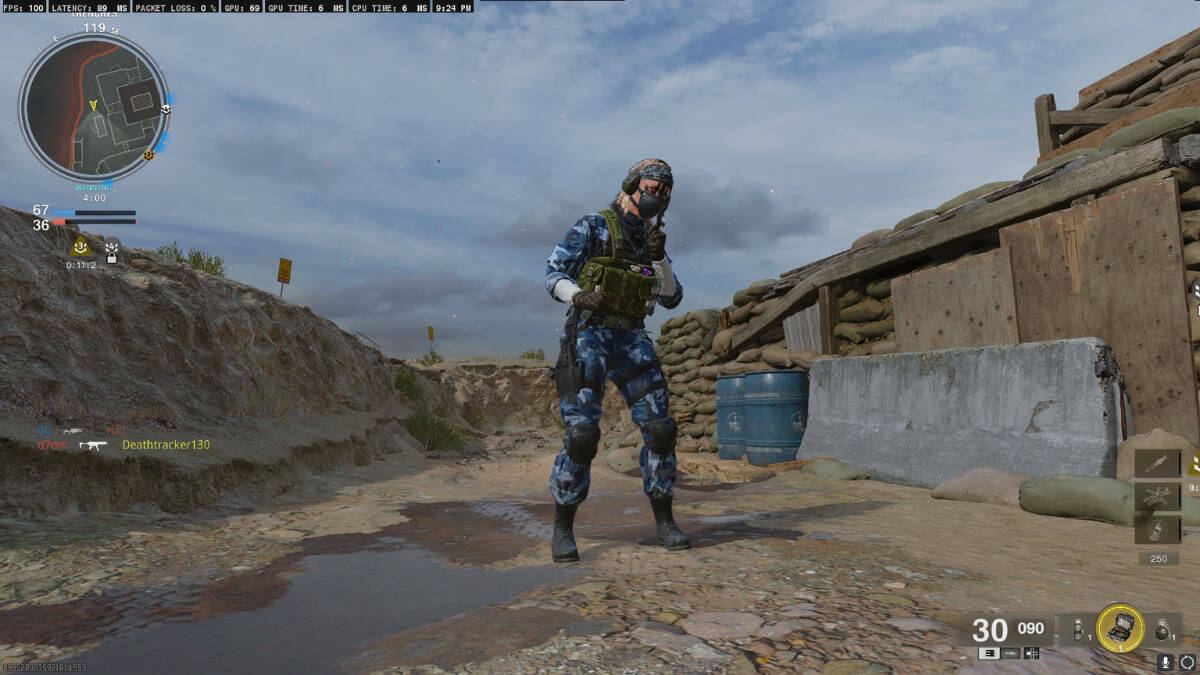
You can use emotes and sprays in Call of Duty: Black Ops 6 by holding the left on D-Pad. This would trigger a small menu on the bottom left side of the screen, from which you can choose your emote, spray, or gun spect. Select and press X on PS or A on Xbox controllers to perform.
BO6 Beta
Image Source: Activision via The Nerd Stash

Now one thing’s for certain; performing emotes in the chaotic Multiplayer mode of Black Ops 6 isn’t the best idea. People are flying everywhere firing at walls, doors, everything; it’s a huge risk. But the Treyarch team has thought this through, as you can do emotes after the match when everyone is watching the top 3 players of the winner’s team. Just like normal, if you’re one of the tops, press and hold left on the D-Pad and select your emote. Burn Them!
BO6 Barracks - Customization
Image Source: Activision via The Nerd Stash

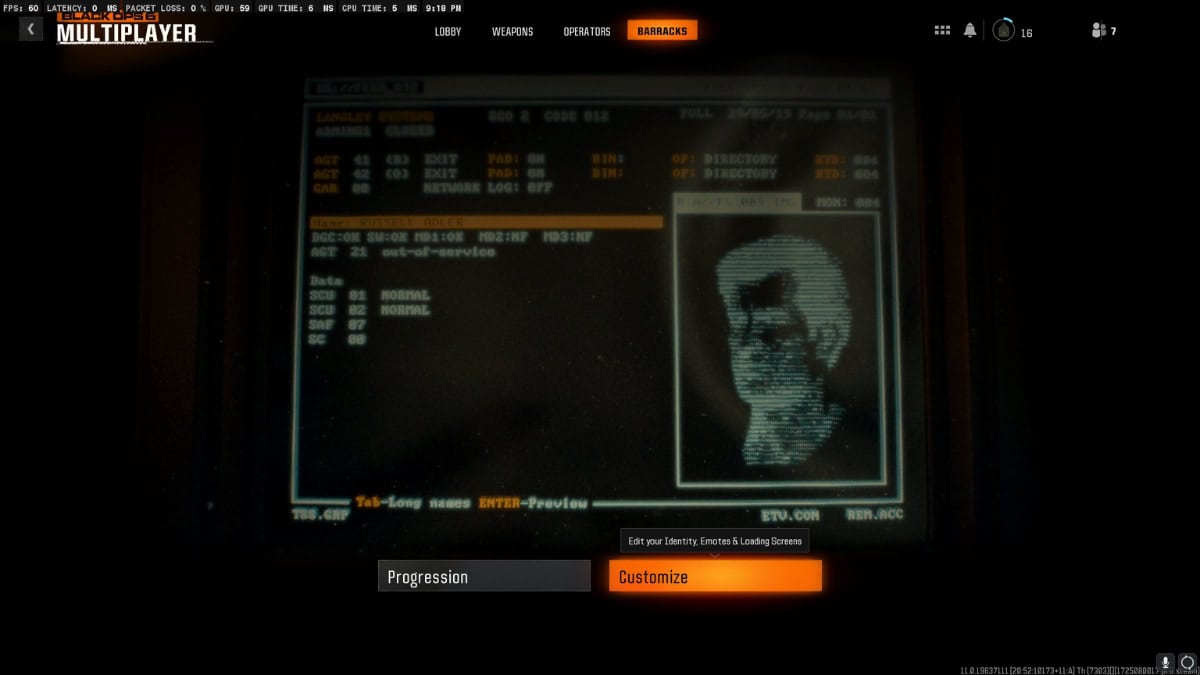
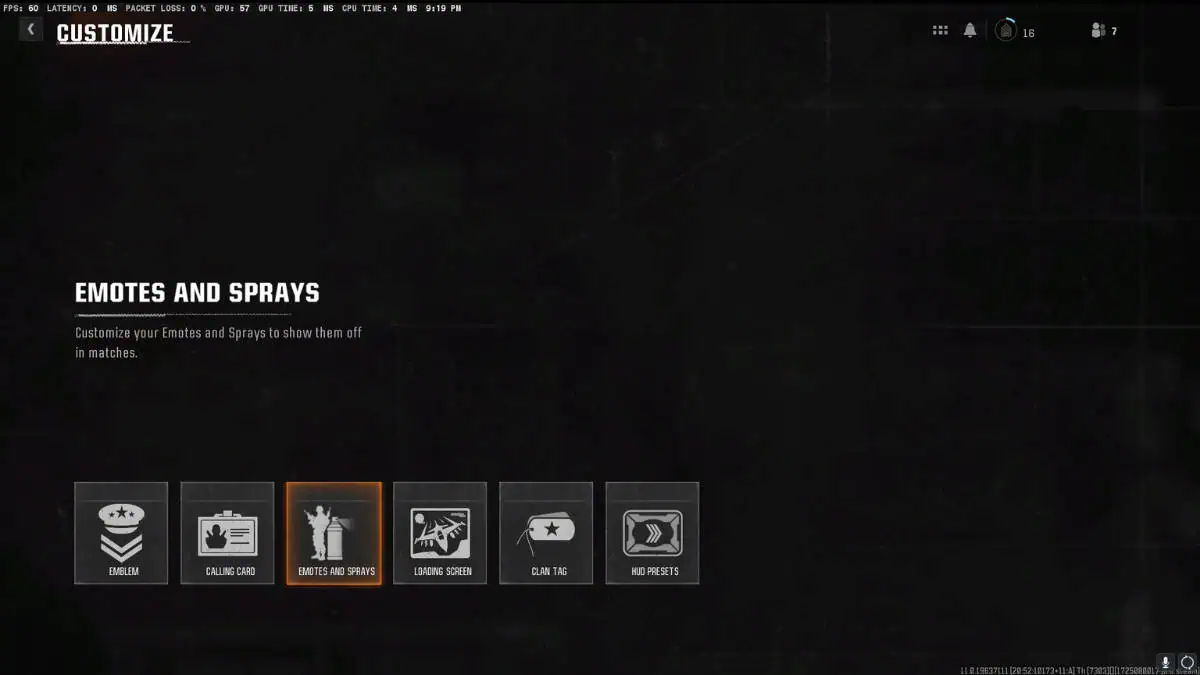
The quick menu that appears in the game for selecting your emotes and sprays only houses 6 items in total, which you can later arrange from the customization menu in Black Ops 6. Before starting a match, head over to the menu above, and select which emotes you want.
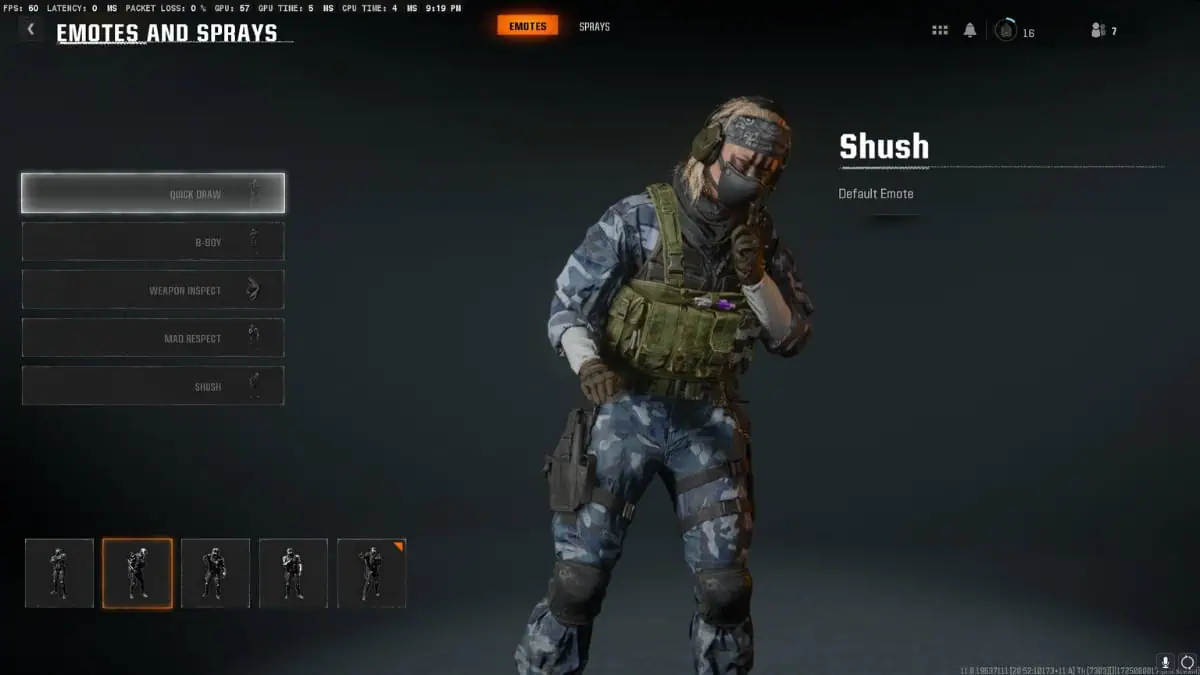
Emotes Menu
Image Source: Activision via The Nerd Stash
Black Ops 6 Beta All Emotes
Image Source: Activision via The Nerd Stash

Related:

Black Ops 6 Beta Lands A Heavy Jab On Controller Aim Assist

Emotes and sprays are unlocked through the game by leveling up, and it’s no surprise if they put the special ones on the Battle Pass or separately sold bundles. It adds more engagement to the fight, and, well, it might get toxic sometimes. The best usage of this would be in Warzone when they later add the Black Ops 6 integration to it in Season 1. Knock the enemy and do the dance; talk about hitting some serious nerves here.


Related Topics
Black Ops 6 Guide
Share. Facebook Twitter LinkedIn Reddit Email
Amir Naseri
  • Website

Amir is an absolute Call of Duty nerd, preferring shooter games more than everything. However, he does like to do uppercuts in Mortal Kombat and feel the NOS going through the engines in Need For Speed games.

SUGGESTED READS

Shuhei Yoshida Says He Was Fired From Playstation Studios for Saying 'No' to Jim Ryan: 'He Asked For Ridiculous Things'
Gaming

Shuhei Yoshida Says He Was Fired From Playstation Studios for Saying ‘No’ to Jim Ryan: ‘He Asked For Ridiculous Things’

Splinter Cell Remake Shows Signs of Life Despite Recent Layoffs at Ubisoft Toronto
Gaming

Splinter Cell Remake Shows Signs of Life Despite Recent Layoffs at Ubisoft Toronto

Fastest Ways to Get a Purrowl in Roblox Adopt Me
Gaming

Fastest Ways to Get a Purrowl & Trade Value in Roblox Adopt Me

Fatal Fury City of the Wolves Krauser Hands-On Preview
Gaming

Fatal Fury: City of the Wolves Wolfgang Krauser Hands-On Preview – A Regal Fighter

EU Warns Live-Service Games Ownership is 'Fleeting,' Plans Regulation This Year: 'A Disgrace for the Consumers'
Gaming

EU Warns Live-Service Games Ownership is ‘Fleeting,’ Plans Regulation This Year: ‘A Disgrace for the Consumers’

REPLACED game
8.5
Gaming

REPLACED Review – Absolute Cyberpunk Cinema

The Nerd Stash
Facebook X (Twitter) Instagram YouTube LinkedIn
  • About Us
  • Join Our Team
  • Meet the Team
  • Privacy Policy
  • DMCA Policy
  • Contact Us
  • Terms of Use
  • Sitemap
  • Editorial Guidelines
  • Advertising Policy
© 2026 The Nerd Stash. All Rights Reserved.

Type above and press Enter to search. Press Esc to cancel.