Close Menu
  • Gaming
    • Game Guides
    • Codes
    • Game News
    • Game Previews
    • Game Reviews
    • Game Features
    • Game Lists
    • Platforms
      • Nintendo
      • PC
      • PlayStation
      • Xbox
      • Mobile
  • Entertainment
    • Movies
    • Movie Features
    • Movie Reviews
    • TV
    • Reality TV
    • Royals
  • Celebrity
    • Hollywood
  • Human Interest
  • Astrology
  • Videos
  • More
    • Anime
    • Lists
    • Podcasts
    • Reviews
Facebook X (Twitter) Instagram LinkedIn YouTube
  • About Us
  • Join Our Team
  • Meet the Team
  • Privacy Policy
  • DMCA Policy
  • Contact Us
  • Terms of Use
  • Sitemap
  • Editorial Guidelines
  • Advertising Policy
The Nerd Stash
  • Gaming
  • Celebrity
    • Hollywood
  • Human Interest
  • Videos
The Nerd Stash
Home»Game Guides»How to Unblock People and Expand Your Social Circle on Roblox

How to Unblock People and Expand Your Social Circle on Roblox

Chat resumed

Patrick ArmstrongBy Patrick ArmstrongNovember 12, 20242 Mins Read
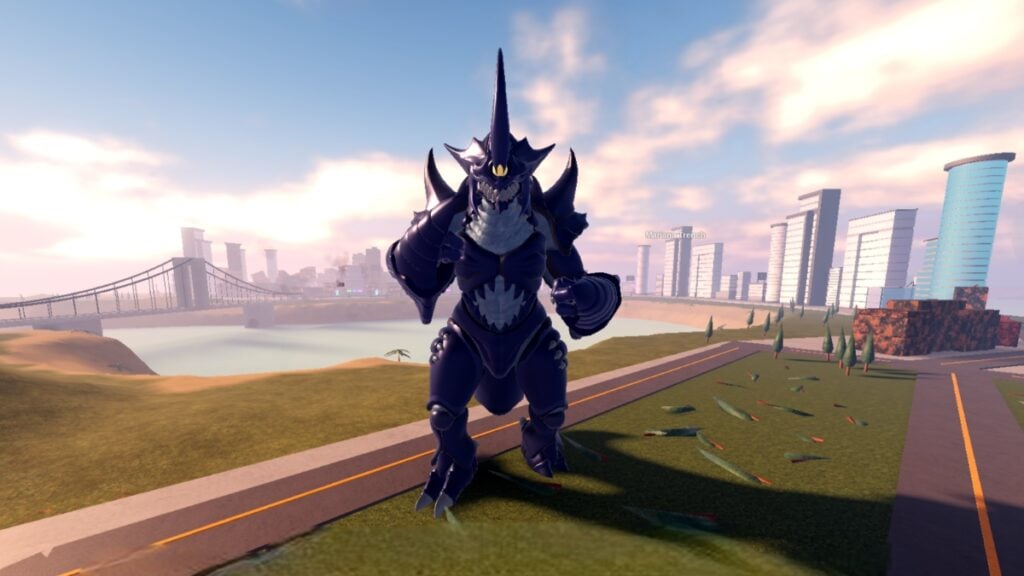
A Kaiju towers beside a city in Kaiju Universe Roblox
Image Source: Prometeo Games via The Nerd Stash

Roblox is a platform for socializing as well as gaming, but not everyone’s invited to everything. Whether you’ve fallen out with a friend, are getting bad vibes from a stranger, or just feel like mashing that block button, blocks happen. Sometimes, however, you’ll want to go the other way, reopening a door you’d once shut. Thankfully, it’s as easy to relax your digital boundaries as it is to tighten them, whether you blocked someone as a joke or for any other reason. Here’s how to unblock people and resume communication on Roblox.

Roblox Unblocking Guide
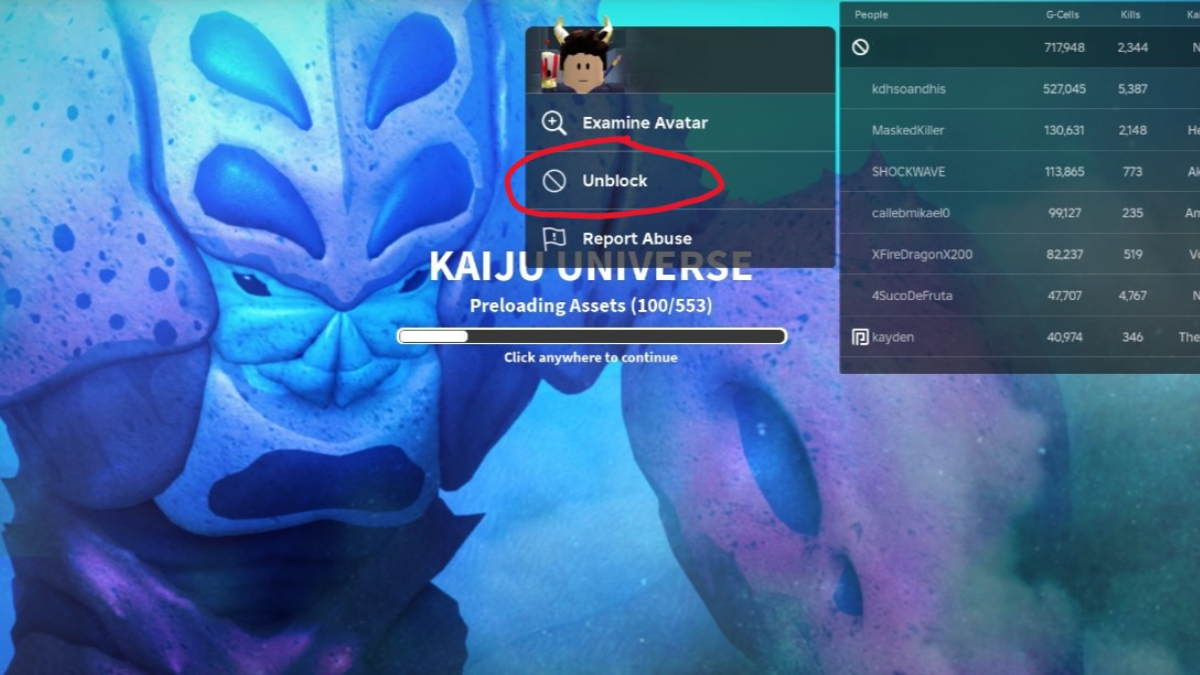
The unblock option in Roblox
Image Source: Prometeo Games via The Nerd Stash

While Roblox extensions can make your digital social life easier, sometimes a simple block is best. As always on the internet, safety is the priority. Before you reopen communication with anyone, make sure that unblocking them won’t jeopardize you. If it’s just a friend you accidentally (or jokingly) blocked, that shouldn’t be hard. Here’s what you need to do:

  1. If you’re in-game with the blocked player, open the leaderboard (Tab on PC)
  2. Click on the player’s name
  3. Click “Unblock”
  4. If you’re in the Roblox hub instead, search for the player by their username
  5. Click their profile
  6. Click the three-dot Settings icon
  7. Click “Unblock”
How to Make Decals and Spruce Up the World in Roblox
Related: How to Make Decals and Spruce Up the World in Roblox

When the blocked icon (a circle with a line through it) disappears from its spot beside the player’s name, they’re no longer blocked. Blocked players can’t friend you, follow you, or send you messages. Unblocking them restores all those functions, so be sure you’re okay with that happening before you commit. If you change your mind, blocking the player again is just as easy, so do what’s best for your comfort and safety. Roblox has a variety of built-in protections, but you’re the first and best line of defense against rogue Robloxians. Stay safe and enjoy your new (expanded) social circle.

Related Topics
Guide Roblox
Share. Facebook Twitter LinkedIn Reddit Email
Patrick Armstrong
  • Website

Artist and writer with a lifelong love of video games. Their favorite games include Dead by Daylight, Meet Your Maker, and Project Zomboid.

SUGGESTED READS

Blender Bee Swarm Simulator
Game Guides

Where Is the Blender in Bee Swarm Simulator on Roblox? Answered

How to Get Blue Extract in Bee Swarm Simulator on Roblox
Game Guides

How to Get Blue Extract in Bee Swarm Simulator on Roblox

Norse Oath of Blood PC Review
7
Game Reviews

NORSE: Oath of Blood Review – Not Ready for Valhalla

Secret Lucky Block Steal a Brainrot
Game Guides

How To Easily Get Secret Lucky Blocks in Steal a Brainrot in Roblox

Roblox Adopt Me! Players Scramble as Dire Wolf Arrives and Giant Panda Leaves: 'NOOO I Dont Have One'
Game News

Roblox Adopt Me! Players Scramble as Dire Wolf Arrives and Giant Panda Leaves: ‘NOOO I Dont Have One’

Battlefield 6 Season 2 Contaminated Map Preview
Game Previews

Battlefield 6 Season 2 Contaminated Map Preview – Masks Up

The Nerd Stash
Facebook X (Twitter) Instagram YouTube LinkedIn
  • About Us
  • Join Our Team
  • Meet the Team
  • Privacy Policy
  • DMCA Policy
  • Contact Us
  • Terms of Use
  • Sitemap
  • Editorial Guidelines
  • Advertising Policy
© 2026 The Nerd Stash. All Rights Reserved.

Type above and press Enter to search. Press Esc to cancel.