Close Menu
  • Gaming
    • Platforms
      • Nintendo
      • PC
      • PlayStation
      • Xbox
  • Entertainment
    • Movies
    • TV
    • Royals
  • Celebrity
    • Hollywood
  • Human Interest
  • Astrology
  • More
    • Anime
    • Reviews
Facebook X (Twitter) Instagram LinkedIn YouTube
  • About Us
  • Join Our Team
  • Meet the Team
  • Privacy Policy
  • DMCA Policy
  • Contact Us
  • Terms of Use
  • Sitemap
  • Editorial Guidelines
  • Advertising Policy
The Nerd Stash
  • Gaming
  • Celebrity
  • Hollywood
  • Human Interest
The Nerd Stash
Home»Gaming»Roblox: How to Push Others in Shrimp Game

Roblox: How to Push Others in Shrimp Game

I gotta push you out of the way

Nat CollazoBy Nat CollazoJanuary 7, 20252 Mins Read
Roblox How to Push Others in Shrimp Game
Image Source: Roblox via The Nerd Stash

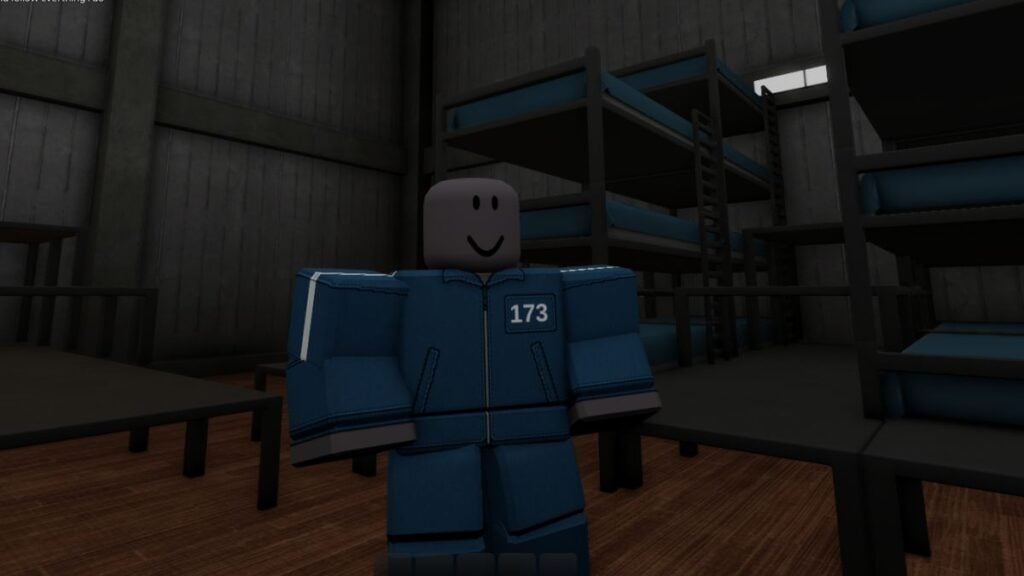
Now that Squid Game has made the rounds on Netflix again, many of the popular Roblox experiences surrounding the same battle royale theme have cropped up again. Arguably, the most popular of all of these is Shrimp Game. True to the show it’s based on, many aspects of Shrimp Game are far more complex than the game lets on. Unfortunately, one of these things is the ability to push other players.

How Do You Push Other Players in Shrimp Game?
Roblox How to Push Others in Shrimp Game
Image Source: Roblox via The Nerd Stash

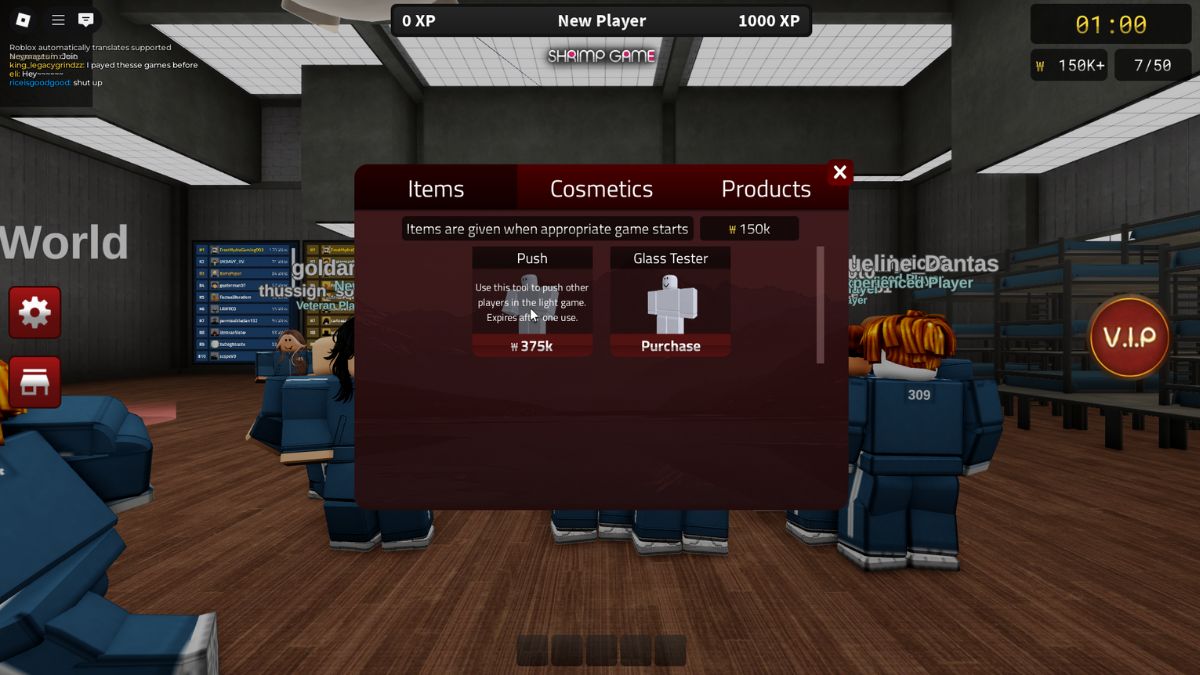
Pushing players gives you a chance to excel by putting an unsuspecting player down. You quite literally are pushing them out of the way in exchange for being the one to win yourself. Because everyone would be pushing each other if it was a default ability, it’s actually locked.

To unlock the ability to shove others, follow these instructions:

  1. Earn a minimum of 375,000 credits by playing the game as normal.
  2. Once achieved, open the Shop by pressing the red store button on the left side of the main play screen.
  3. The first category will be Items, which is exactly where you want to be.
  4. Purchaser the Push ability from here.

Be careful when you purchase it. It can only be used once, so make sure you use it only when you absolutely need it.

Best Games to Use Push In

Because Push can only be used one time before having to purchase it again, I would recommend using it more specifically in Red Light, Green Light. Because the object of this game is to stop moving when the light turns red, shoving someone close to you over would eliminate them. You could also use Push in the Glass Bridge game to push players onto the false glass pieces.

Roblox is available to be played on PC, mobile devices, Xbox, and PlayStation.

Related Topics
Guide Roblox
Share. Facebook Twitter LinkedIn Reddit Email
Nat Collazo
  • Website
  • X (Twitter)
  • Instagram

I am a game journalist and guide writer with ten years of experience as well as the CEO/ Founder of Frowns Marketing, a marketing company that caters to indie games, tabletop games, and board games to help developers get more wishlists, backers, and players!

SUGGESTED READS

Path of Exiles 2 Build Planner Guide
Gaming

How To Use the Build Planner in Path of Exile 2

Adopt Me Kicks Off Summer With Journey to Summer Camp Update, Here's All The New Week 1 Pets & Rewards
Gaming

Roblox Adopt Me Launches Journey to Summer Camp Update, Here’s All the Week 1 Pets & Rewards

LEGO Batman Legacy of the Dark Knight PC Review
9
Gaming

LEGO Batman: Legacy of the Dark Knight Review – A Hero Rises

Call of Duty: Modern Warfare 4 Launching This October on Next-Gen Consoles & Switch 2, But Not Game Pass
Gaming

Call of Duty: Modern Warfare 4 Launching This October on Next-Gen Consoles & Switch 2, But Not Game Pass

Hideo Kojima Teams Up With Prada for an AI Film, And Fans Aren't Happy: 'Beyond Incredibly Disappointing'
Gaming

Hideo Kojima Teams Up With Prada for an AI Film, And Fans Aren’t Happy: ‘Beyond Incredibly Disappointing’

The Witcher 3 Songs of the Past expansion
Gaming

A Witcher 3 Leak Just Forced CD Projekt Red to Announce a Brand-New Expansion: Songs of the Past

The Nerd Stash
Facebook X (Twitter) Instagram YouTube LinkedIn
  • About Us
  • Join Our Team
  • Meet the Team
  • Privacy Policy
  • DMCA Policy
  • Contact Us
  • Terms of Use
  • Sitemap
  • Editorial Guidelines
  • Advertising Policy
© 2026 The Nerd Stash. All Rights Reserved.

Type above and press Enter to search. Press Esc to cancel.