


Close Menu
  • Gaming
    • Platforms
      • Nintendo
      • PC
      • PlayStation
      • Xbox
  • Entertainment
    • Movies
    • TV
    • Royals
  • Celebrity
    • Hollywood
  • Human Interest
  • Astrology
  • More
    • Reviews
Facebook X (Twitter) Instagram LinkedIn YouTube
  • About Us
  • Join Our Team
  • Meet the Team
  • Privacy Policy
  • DMCA Policy
  • Contact Us
  • Terms of Use
  • Sitemap
  • Editorial Guidelines
  • Advertising Policy
The Nerd Stash
  • Gaming
  • Celebrity
  • Hollywood
  • Human Interest
The Nerd Stash
Home»Gaming»How To Unlock & Use APAS in Death Stranding 2: On the Beach

How To Unlock & Use APAS in Death Stranding 2: On the Beach

Helpful perks

Julio La PineBy Julio La PineJune 25, 20253 Mins Read
Death Stranding 2 APAS Unlock
Image Source: Sony via The Nerd Stash

As you may know, Death Stranding 2: On the Beach introduces many new features and expands upon some of the things we saw in the first game. One of these new additions is the APAS Enhancements system, which is the skill tree of Death Stranding 2. Investing in it will unlock many passive abilities for Sam that will make deliveries and combat much easier. However, it takes a while to get it, and even after unlocking it, you’ll need to learn how to use it. But don’t fret because we have a guide here to tell you how to use your APAS Enhancements in the game.

How To Unlock the APAS Enhancements in Death Stranding 2

As I mentioned earlier, the APAS Enhancements system in Death Stranding 2 is a skill tree of sorts. This is something we didn’t have in the first game, however. So, many veteran porters will be excited yet a bit confused about how it works. But before delving into the specifics, let’s check how you can unlock it.

To get your first APAS Enhancements, you must progress through the main story until you unlock Australia and finish Order #9. Once that’s done, you’ll be able to access your APAS from your Ring Terminal, or pause menu, in other words. Here, you’ll be able to see a few passive perks you can unlock and equip.
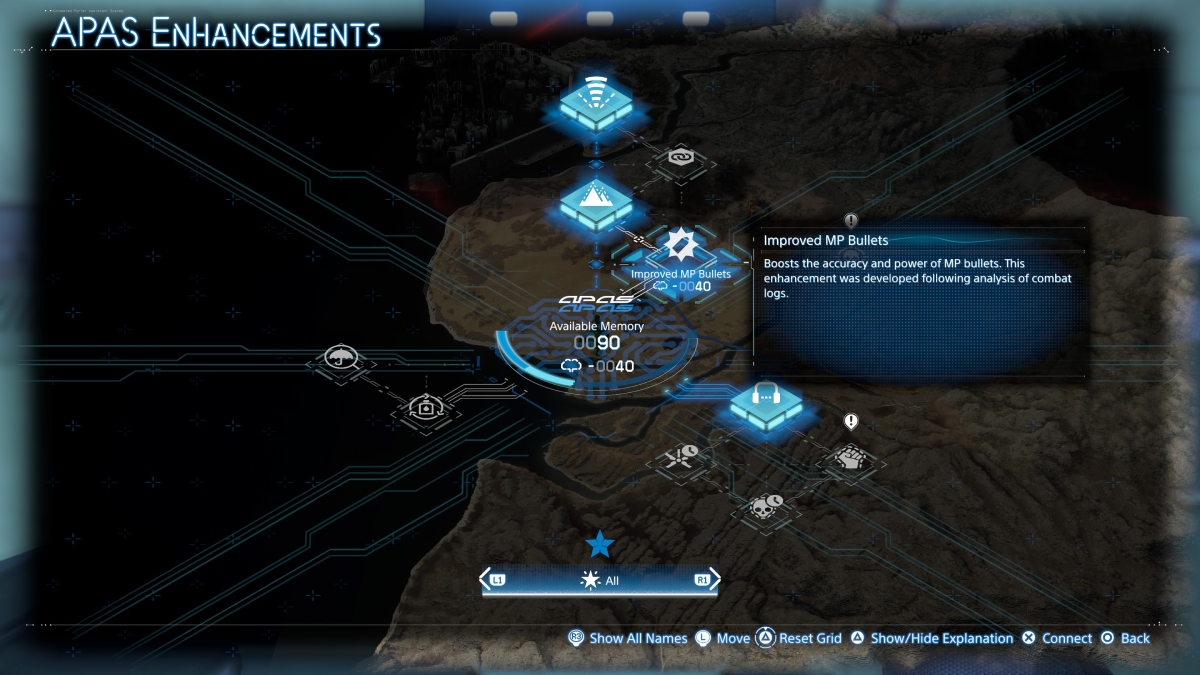
APAS Enhancements Menu
Image Source: Sony via The Nerd Stash

Using the system isn’t complicated, but it might be a bit daunting for some players, so I’ll explain how it works. When you open the menu, you’ll see your Available Memory in the middle. These are the points you can use to unlock new skills. To start unlocking skills, you must select the nodes and spend memory to unlock them. Once that’s done, you’ll have the passive skill automatically equipped on Sam.

Obtaining More Memory and Resetting Enhancements

One thing that the game doesn’t tell you is how to get more memory for your APAS Enhancements and how to reset them. To obtain more memory, you must connect other facilities to the network and complete orders. Doing so will increase your memory by a specific amount, similarly to how your bandwidth increases.

To reset your skills, you can do it in two ways. First, you can reset the whole grid. To do so, hold Triangle to get all your memory back. If you only want to reset a specific skill, press X to remove the memory from that perk. You’ll then get your memory back.
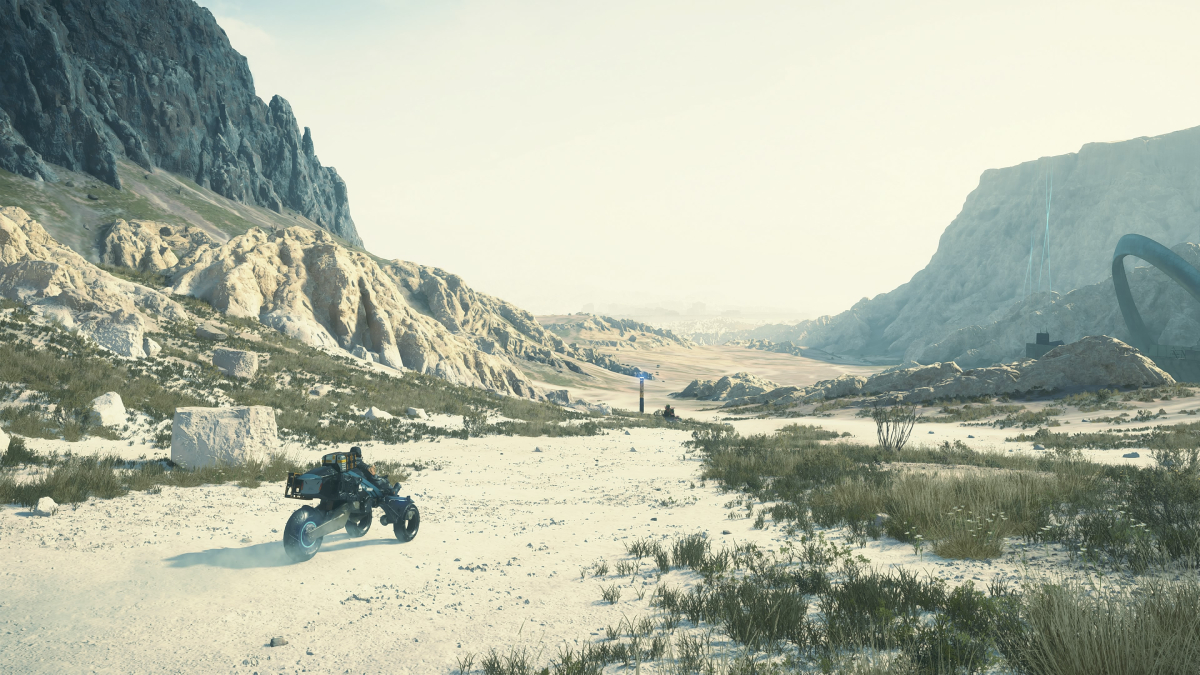
All Mexico Facilities Locations in Death Stranding 2: On the Beach
Related: All Mexico Facilities Locations in Death Stranding 2: On the Beach

Resetting skills is recommended, as many passive abilities cater to a different playstyle. Some are better at combat, while others improve how some of Sam’s items work. So, try to experiment with all of them and swap them around depending on your order.


Related Topics
Death Stranding 2 Guide
Share. Facebook Twitter LinkedIn Reddit Email
Julio La Pine
  • Website

News/Guide Writer for The Nerd Stash. When not working, you'll find him playing Final Fantasy 14, any good JRPG, and modding Project Zomboid.

SUGGESTED READS

Sony Just Put Another Nail in Physical Games' Coffin by Repurposing Its Disc Factory: 'A Direct Impact on Production'
Gaming

Sony Just Put Another Nail in Physical Games’ Coffin by Repurposing Its Disc Factory: ‘A Direct Impact on Production’

Star Fox Nintendo Switch 2 Review
9
Gaming

Star Fox Review – The Crew Is Back

PlayStation Physical Discs Gone
Gaming

The End of an Era: PlayStation to End Physical Disc Production in 2028

$99 Price Tag Isn't Scaring Gamers as GTA 6 Preorders Top PlayStation Store Charts Worldwide
Gaming

$99 Price Tag Isn’t Scaring Gamers as GTA 6 Preorders Top PlayStation Store Charts Worldwide

GTA 6 Launch Issues
Gaming

The Launch Of GTA 6 Might Be In Danger as Rockstar Games Could Go On Strike

The Crew Motorfest Season 10 Interview With Julien Hummer
Gaming

The Crew Motorfest Interview With Julien Hummer: The 10-Season Milestone, Long-Format Events, and More

The Nerd Stash
Facebook X (Twitter) Instagram YouTube LinkedIn
  • About Us
  • Join Our Team
  • Meet the Team
  • Privacy Policy
  • DMCA Policy
  • Contact Us
  • Terms of Use
  • Sitemap
  • Editorial Guidelines
  • Advertising Policy
© 2026 The Nerd Stash. All Rights Reserved.

Type above and press Enter to search. Press Esc to cancel.



