Close Menu
  • Gaming
    • Game Guides
    • Codes
    • Game News
    • Game Previews
    • Game Reviews
    • Game Features
    • Game Lists
    • Platforms
      • Nintendo
      • PC
      • PlayStation
      • Xbox
      • Mobile
  • Entertainment
    • Movies
    • Movie Features
    • Movie Reviews
    • TV
    • Reality TV
    • Royals
  • Celebrity
    • Hollywood
  • Human Interest
  • Astrology
  • More
    • Anime
    • Lists
    • Podcasts
    • Reviews
Facebook X (Twitter) Instagram LinkedIn YouTube
  • About Us
  • Join Our Team
  • Meet the Team
  • Privacy Policy
  • DMCA Policy
  • Contact Us
  • Terms of Use
  • Sitemap
  • Editorial Guidelines
  • Advertising Policy
The Nerd Stash
  • Gaming
  • Celebrity
  • Hollywood
  • Human Interest
The Nerd Stash
Home»Features»Battlefield 2042: How to Find Your EA ID

Battlefield 2042: How to Find Your EA ID

With the recent release of Battlefield 2042, many FPS fans are excited to have a go at the latest game in the iconic warfare franchise; however,…

AugustBy AugustNovember 20, 20212 Mins Read
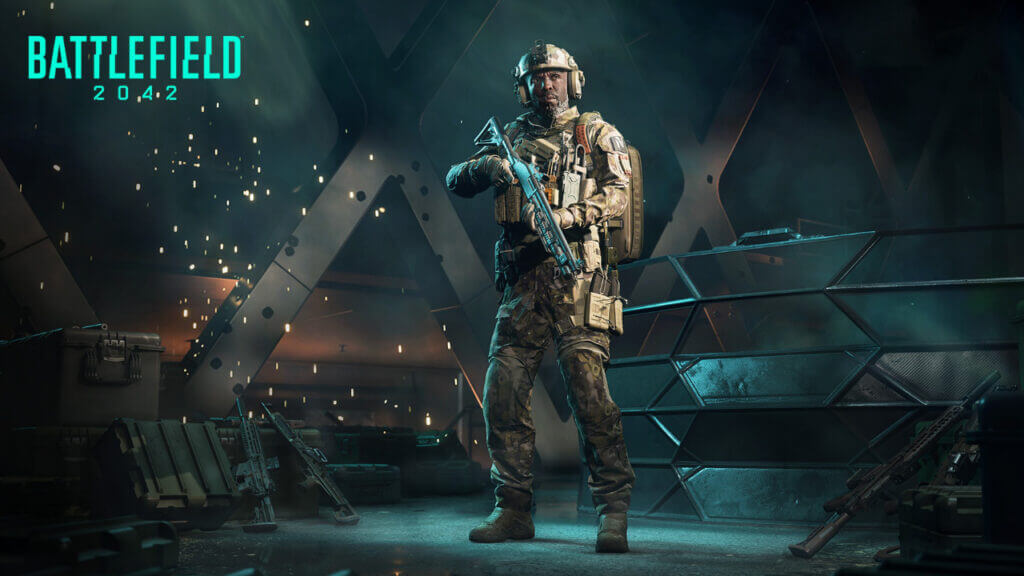
Battlefield 2042 EA ID
This article is over 4 years old and may contain outdated information.

With the recent release of Battlefield 2042, many FPS fans are excited to have a go at the latest game in the iconic warfare franchise; however, some players may have trouble figuring out their EA ID. Typically for any online games that have been developed or published by EA will require players to create and use an online ID for login purposes. This ID is also tied to Origin and uniquely identifies the player within EA’s userbase. Continue reading to learn how to find your EA or Origin ID for Battlefield 2042.

How to Find Your EA ID in Battlefield 2042

Battlefield 2042 How to Find Your EA ID

To find your EA ID in Battlefield 2042, simply check the name that appears either in the EA or Origin launcher for desktop users or look for the in-game name used when registering for the game. Players who do not already have an EA / Origin ID can easily create one by logging in to EA’s website or Origin.

Related: 

Battlefield 2042: How to Adjust Screen Size

Players should be careful not to lose or share their EA ID with other users for security reasons, as it functions as their Master ID for easily keeping track of all the games they play within EA Nation. Players who would like to make a new EA ID for Battlefield 2042 can follow the following steps:

  1. Log in to the Origin client.
  2. Click your username, then click “Edit My Profile,” found beneath your avatar picture.
  3. Click ‘Edit’ next to “Basic Information,” answer your security question, and make your changes.

Players who have forgotten their EA ID or password should use their email to recover it. EA has a system via its website to recover or reset any login information. If Battlefield 2042 players are still running into trouble with finding their EA ID or the email that’s tied to it, seek help via EA’s official forums or contact customer service.

Battlefield 2042 is available on Xbox One, Xbox Series X|S, PlayStation 4, PlayStation 5, and PC.
 

Related Topics
Battlefield 2042 Guide
Share. Facebook Twitter LinkedIn Reddit Email
August

August Webb is TNS's Lead Guide Editor who additionally helps in covering celebrity and pop culture news. She provides assistance to other freelancers and staff on trendy topics to write about. When not working, she's playing a visual novel, fanning over an indie gem, or lost in the world of VR. Residing in Daegu, South Korea, August has a Bachelor's, double-majoring in Media and Communication and Business Administration. She graduated in Yeungnam University of Gyeongsan, South Korea. August's areas of expertise include Game Strategy Guides, Video Game Features, and Celebrity News and Gossip. August has worked in online media for over four years since 2021. Starting out as a freelancer, she's written for TNS, ScreenRant of Valnet, and Gamepur of GAMURS GROUP. She has experience publishing short and long-form video game guides, game features, and game reviews. Currently serving as the Lead Guide Editor for the Guide Writing department at The Nerd Stash, she edits a variety of articles while also helping with providing topics to write about via tools like Google Trends or SemRush. She works alongside TNS's Editorial Team, discussing and executing strategies to better improve the site's traffic and experience for users.

SUGGESTED READS

PlayStation Studios Drops PC Mentions Amid 'Low' Sales: '$300M in 3 Years'
Game News

PlayStation Studios Drops PC Mentions Amid ‘Low’ Sales: ‘$300M in 3 Years’

Morbid Metal Early Access Preview
Game Features

Morbid Metal Preview – Flashy Meets Deadly

TLOU Online Was '80% Done' And Was Cancelled Just 24 Hours Before Public Reveal: 'It Was Soul-Crushing'
Game News

TLOU Online Was ‘80% Done’ And Was Canceled Just 24 Hours Before Public Reveal: ‘It Was Soul-Crushing’

April Fools Gaming Jokes 2026
Game Features

The Best Gaming Jokes of April Fools’ Day 2026

How to Subscribe & Cancel Adopt Me Pet Plus Subscription
Game Guides

How to Subscribe & Cancel Adopt Me Pet Plus Subscription

Saros Outlets Previews
Game Features

Saros Previews Round-Up: Refining What Was Already Flawless

The Nerd Stash
Facebook X (Twitter) Instagram YouTube LinkedIn
  • About Us
  • Join Our Team
  • Meet the Team
  • Privacy Policy
  • DMCA Policy
  • Contact Us
  • Terms of Use
  • Sitemap
  • Editorial Guidelines
  • Advertising Policy
© 2026 The Nerd Stash. All Rights Reserved.

Type above and press Enter to search. Press Esc to cancel.