

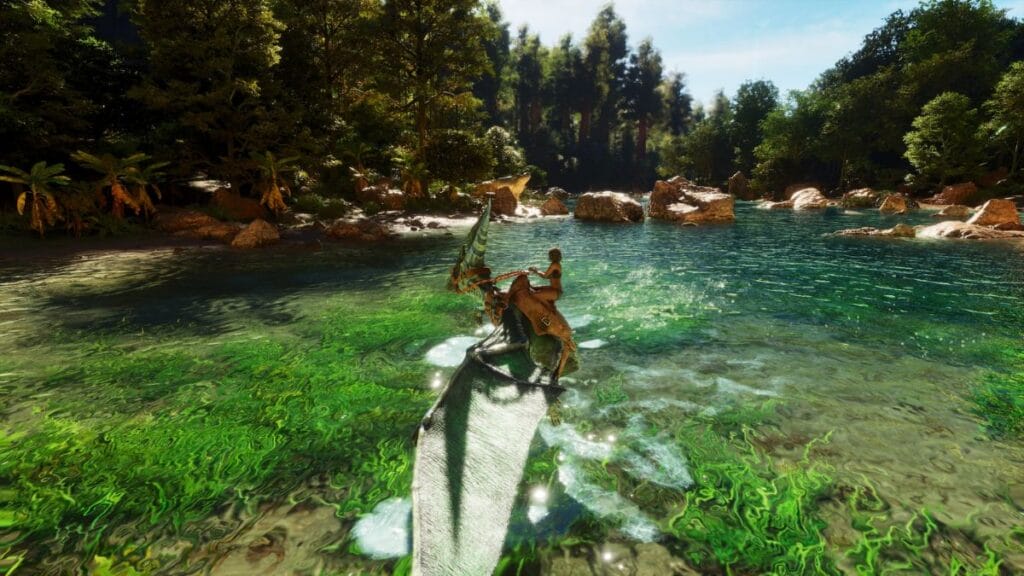
Surviving in the world of dinosaurs is quite difficult, especially if you decide to do it alone. Playing solo, you must control all the processes yourself, from providing food and water to defending your base and raising dinosaurs. To make this experience more comfortable, we will tell you about the best settings for single-player in Ark: Survival Ascended. If you’re not a hardcore player or speedrunner and just want to enjoy the game and get the most out of the gameplay, then these settings are for you.
Playing alone will make it much harder for you to survive, and sometimes, you’ll even be disappointed that nothing works properly. To avoid this, you just need to choose the right game settings. We have adjusted certain settings to achieve the most optimal result and are ready to share it with you below.
Game Rules – Player
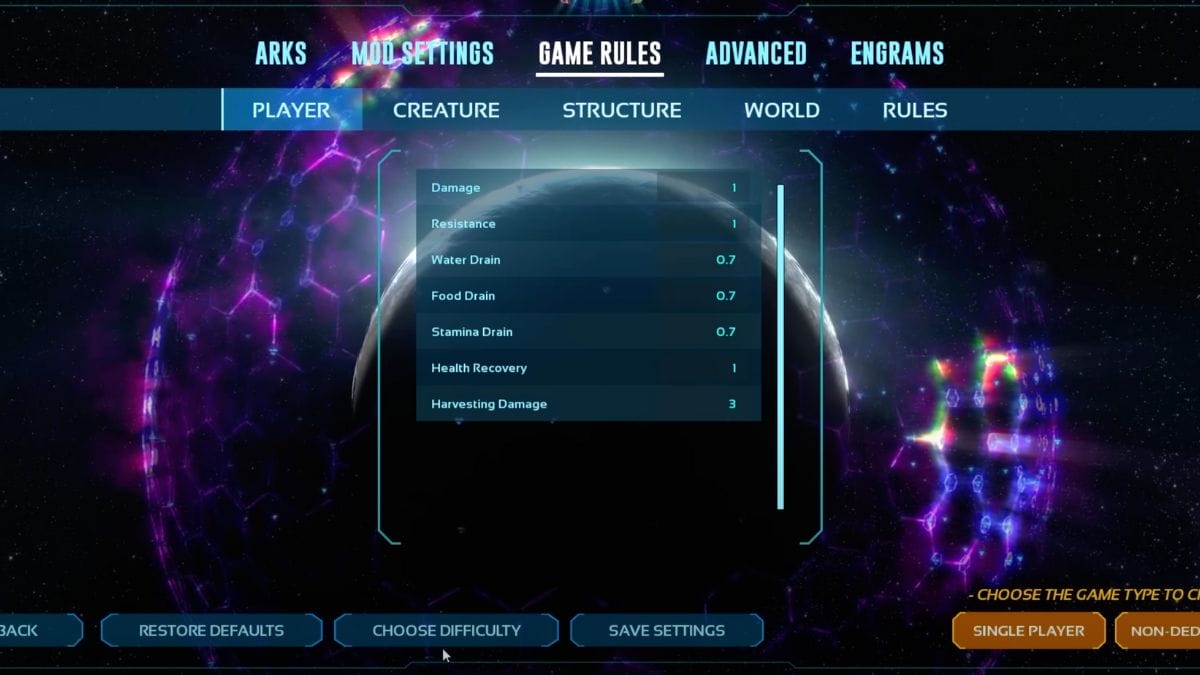
In this tab, we decided to reduce such parameters as stamina, water, and food drain so that you can roam the world longer without worrying about consumables or lack of endurance. Also, Harvesting Damage was increased to 3 to get three times more resources and not spend all the time on farming.
Game Rules – Creature

In this tab, we changed only two parameters, namely Food Drain and Harvesting Damage. As for the Food Drain, you can tame dinosaurs much faster and not spend a lot of time on it. In the second case, we have increased Harvesting Damage so that you can get even more resources using dinosaurs instead of an axe or a pickaxe.
Game Rules – Structure
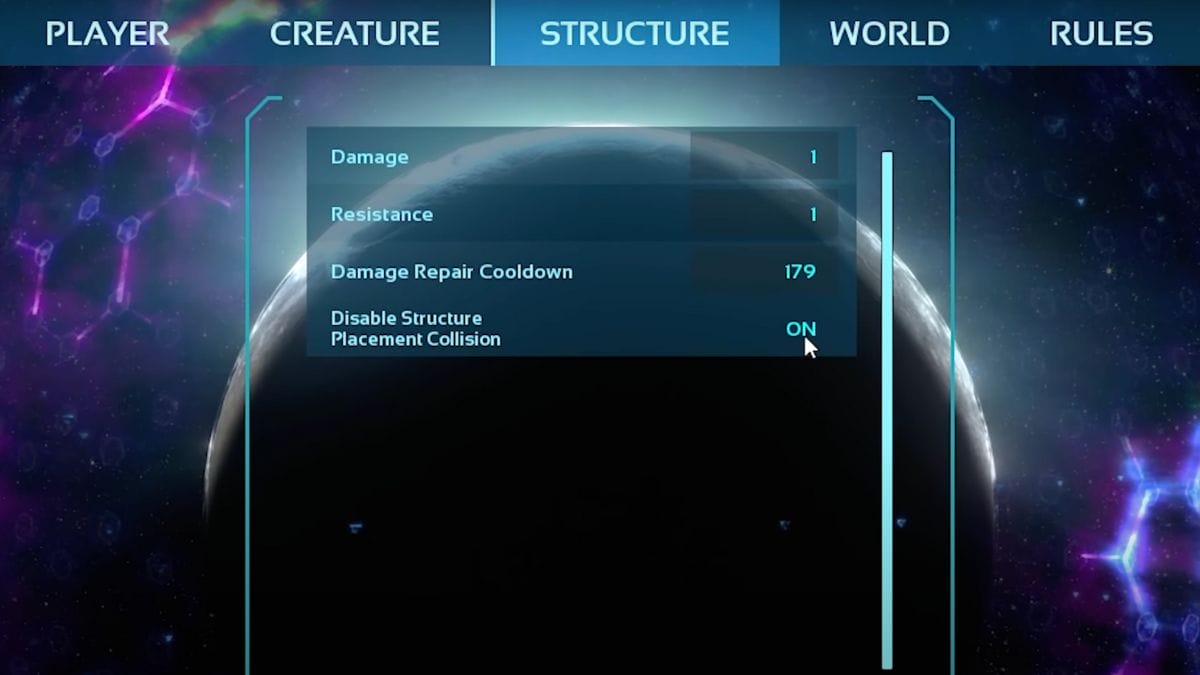
In this tab, we changed only one parameter, namely Disable Structure Placement Collision. We set it to On to be able to build structures even though the environment may block the placement of the object. This was done for a more comfortable and creative construction process.
Game Rules – World
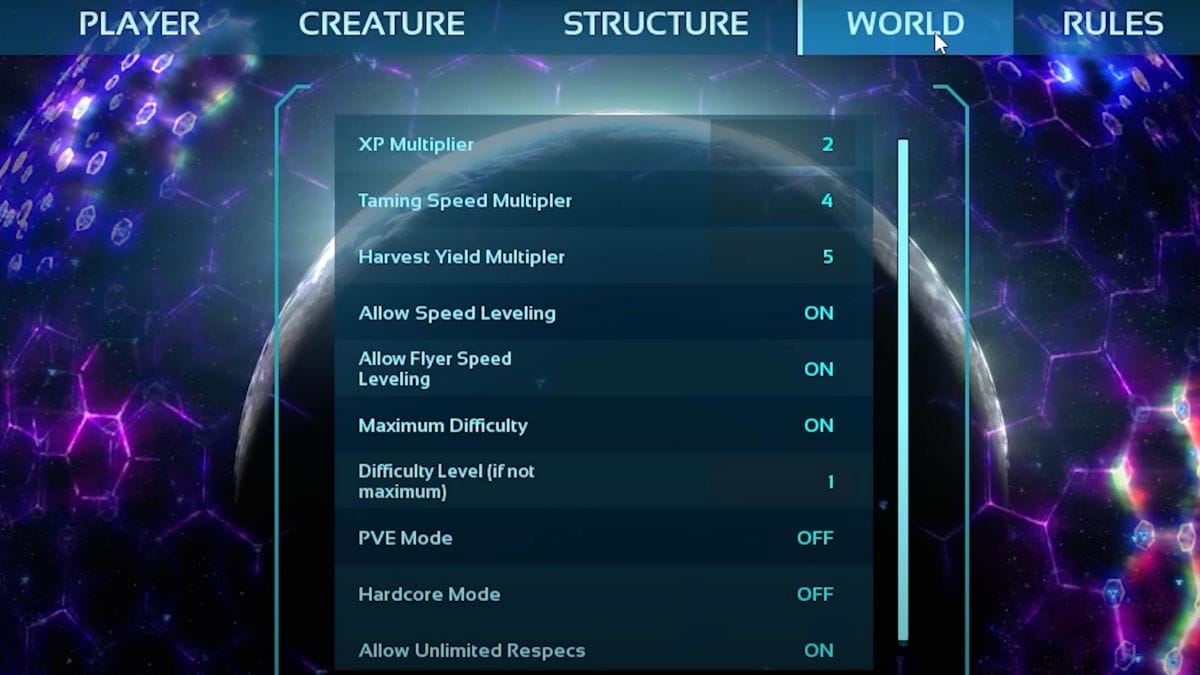
In this section, we have changed almost all the settings because this is where you adjust the basic parameters for comfortable survival. As you can see, we have changed such parameters as Xp Multiplier, Taming Speed Multiplier, and Harvest Yield Multiplier. This was done to get the most out of all activities and develop faster. In addition, we’ve set Allow Speed Leveling and Allow Flyer Speed Leveling to On so that you can move around the world faster for your goals. We have also set Maximum Difficulty to On to speed up your progression by killing higher-level dinosaurs.
Advanced – World
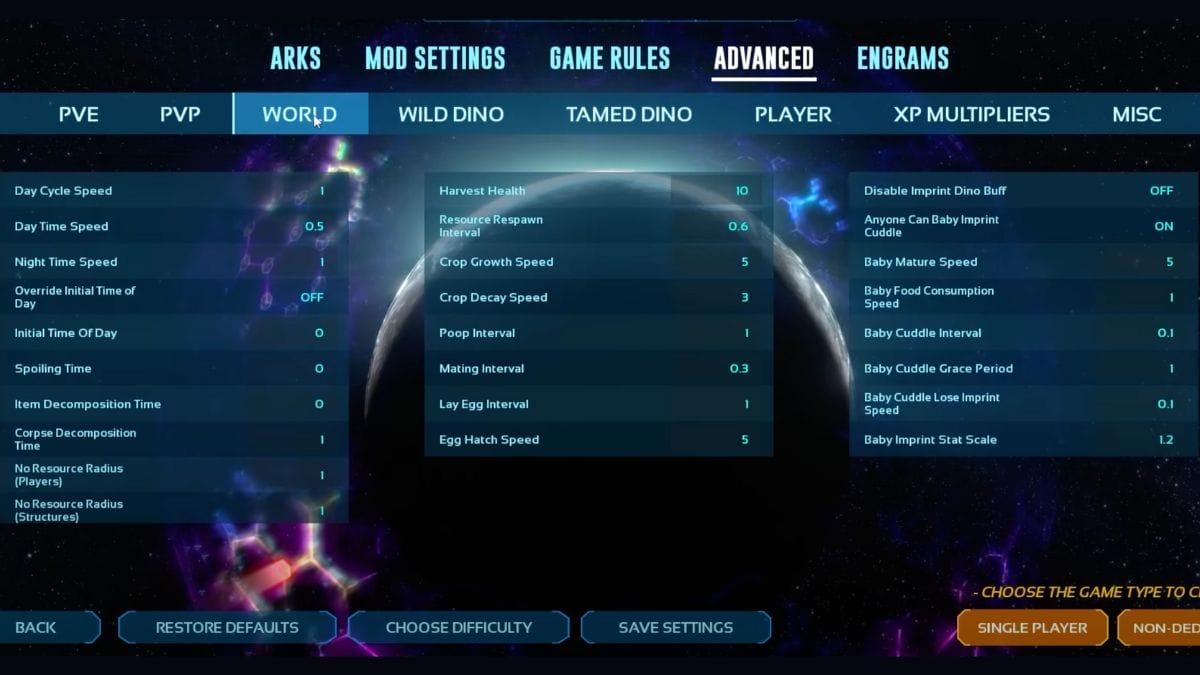
The first thing we started with was changing the Day Time Speed so that you have time to do more things before night falls. In the middle section, we adjusted a few parameters to speed up all of the above processes so that you have time to do something else. The last section is responsible for dinosaur breeding. As in the previous case, we balanced these parameters to speed up each of the processes a little bit so that you can interact with new dinosaurs faster and not wait for a long time.
Advanced – Player
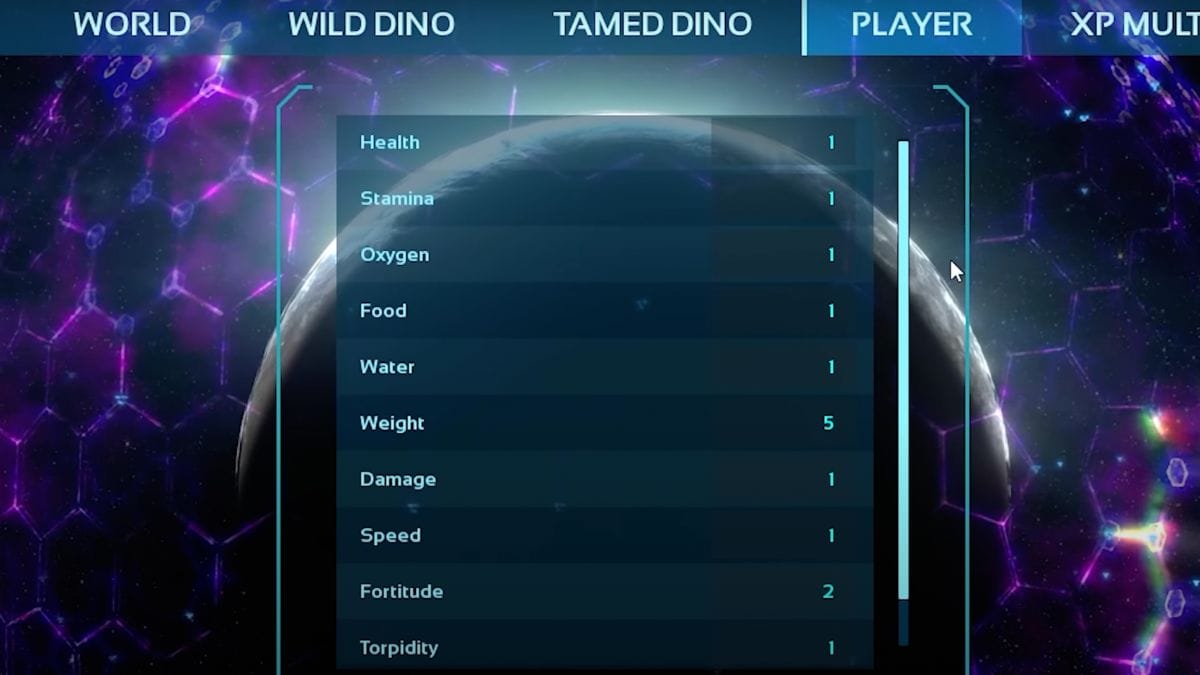
In the last section, only two parameters were changed: Weight to 5 and Fortitude to 2. This was done so that you can carry more weight, which is essential in this game, and also have more resistance to extreme conditions in which you will often be.
That’s it. Now you know everything about the best settings for single-player in Ark: Survival Ascended. And hopefully, you can achieve the most comfortable gameplay. Good luck!






