Close Menu
  • Gaming
    • Platforms
      • Nintendo
      • PC
      • PlayStation
      • Xbox
  • Entertainment
    • Movies
    • TV
    • Royals
  • Celebrity
    • Hollywood
  • Human Interest
  • Astrology
  • More
    • Reviews
Facebook X (Twitter) Instagram LinkedIn YouTube
  • About Us
  • Join Our Team
  • Meet the Team
  • Privacy Policy
  • DMCA Policy
  • Contact Us
  • Terms of Use
  • Sitemap
  • Editorial Guidelines
  • Advertising Policy
The Nerd Stash
  • Gaming
  • Celebrity
  • Hollywood
  • Human Interest
The Nerd Stash
Home»Gaming»Can You Turn On Edit Assist in Fortnite

Can You Turn On Edit Assist in Fortnite

Chasing the phantom Edit Assist in Fortnite – it’s like finding a llama in a haystack!

Asanga WijeratneBy Asanga WijeratneJanuary 3, 20242 Mins Read
Can You Turn On Edit Assist Fortnite?
This article is over 2 years old and may contain outdated information.

Building or editing in Fortnite is a more debatable option. That’s why we see nearly the same number of players in zero builds mode. However, many players still like to play in building mode. But, when Chapter 5 kicked off, Epic Games made many changes to movements in Fortnite, which also impacted editing features. In that case, Fortnite players will mostly welcome any edit assist function.

Is It Possible To Turn On Edit Assist in Fortnite?

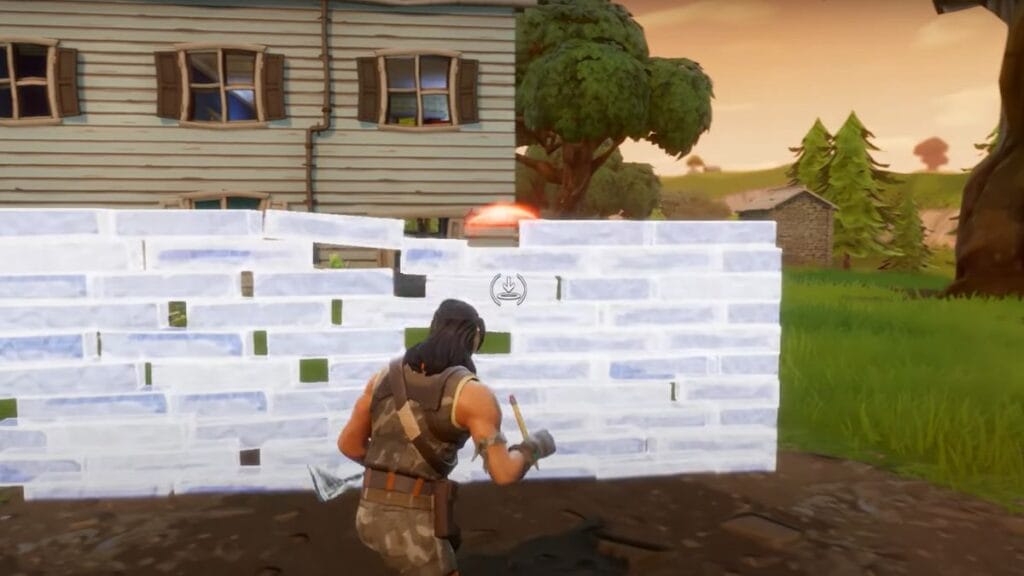
Fortnite Edit Assist
Image Source: Epic Games via The Nerd Stash

There is no direct function called Edit Assist in Fortnite settings, especially in Building options. However, Some YouTubers and Tiktokers have lately been showing videos about turning on the edit assist function. If you check these videos, you will notice all of them show How to turn off the Pre Edit option and enable the Auto Confirm Edits.

Most of these videos have gone viral, and some of them have thousands of views. But they are fake since there is no direct option to turn on the edit assist in Fortnite. However, you can still change some settings to optimize your editing in Fortnite. Below are the best Fortnite edit settings you can currently have to optimize in the building option.

  • Reset Build Choice: Off
  • Disable Pre-Edit Option: Off
  • Turbo Building: On
  • Confirm Edit on Release: On

Related:

Best Controller Settings for Fortnite Chapter 5

Also, reduce the Edit Holder time in Controller options to 0.1 seconds and turn on the Build Immediately function. You can adjust the Build Mode Sensitivity Multiplier to 1.6 and Edit Mode Sensitivity Multiplier to 1.7. These are the best edit assist settings you can currently have in Fortnite.

Due to the new movement updates, fewer players use the build mode than in previous chapters. Instead, most of the time, many players are attacking directly, even in the battle royale. This might be the reason why we see a lot of players in zero-build mode on some occasions. Considering this, if Epic Games introduces an edit assist function to Fortnite, it might be very effective.


Related Topics
Fortnite Guide
Share. Facebook Twitter LinkedIn Reddit Email
Asanga Wijeratne
  • Website

SUGGESTED READS

Two PlayStation Veterans Recreated Iconic PS4 Game Sharing Moment, Except There's No Game to Share This Time
Gaming

Two PlayStation Veterans Recreated Iconic PS4 Game Sharing Moment, Except There’s No Game to Share This Time

The Crew Motorfest Season 11 Preview
Gaming

The Crew Motorfest Season 11 Preview – The Road to Adventure

GTA 6 The Album Announcement
Gaming

Rockstar Games and Atlantic Records Unveil GTA 6: The Album, With 34 Original Tracks for the Game

Trails in the Sky 2nd Chapter Ambassador's Assignment Guide
Gaming

Trails in the Sky 2nd Chapter: Ambassador’s Assignment Quest Guide

Trails in the Sky 2nd Chapter Exhibit Enigma Guide
Gaming

Trails in the Sky 2nd Chapter: Exhibit Enigma Quest Guide

Trails in Sky 2nd Chapter Stolen Sign Guide
Gaming

Trails in the Sky 2nd Chapter: Stolen Sign Quest Guide

The Nerd Stash
Facebook X (Twitter) Instagram YouTube LinkedIn
  • About Us
  • Join Our Team
  • Meet the Team
  • Privacy Policy
  • DMCA Policy
  • Contact Us
  • Terms of Use
  • Sitemap
  • Editorial Guidelines
  • Advertising Policy
© 2026 The Nerd Stash. All Rights Reserved.

Type above and press Enter to search. Press Esc to cancel.