

Close Menu
  • Gaming
    • Platforms
      • Nintendo
      • PC
      • PlayStation
      • Xbox
  • Entertainment
    • Movies
    • TV
    • Royals
  • Celebrity
    • Hollywood
  • Human Interest
  • Astrology
  • More
    • Anime
    • Reviews
Facebook X (Twitter) Instagram LinkedIn YouTube
  • About Us
  • Join Our Team
  • Meet the Team
  • Privacy Policy
  • DMCA Policy
  • Contact Us
  • Terms of Use
  • Sitemap
  • Editorial Guidelines
  • Advertising Policy
The Nerd Stash
  • Gaming
  • Celebrity
  • Hollywood
  • Human Interest
The Nerd Stash
Home»Gaming»Diablo 4 Tempering Guide: How To Add Affixes to Gear

Diablo 4 Tempering Guide: How To Add Affixes to Gear

Tempering gives you the chance to fine tune your build to perfection

Brady Klinger-MeyersBy Brady Klinger-MeyersMay 14, 20243 Mins Read
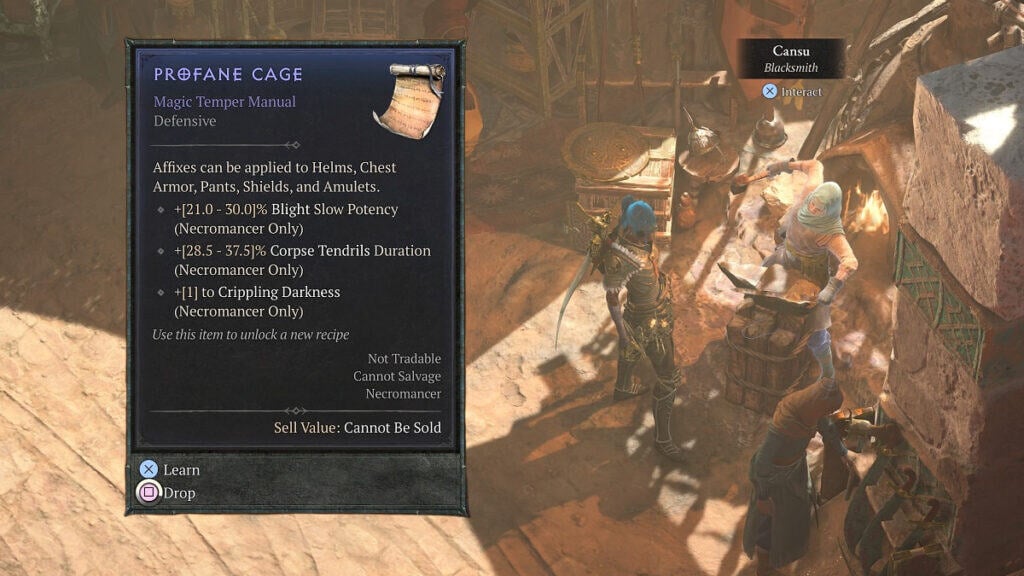
how to add affixes with tempering in diablo 4
Image Source: Blizzard via The Nerd Stash
This article is over 1 years old and may contain outdated information.

One of the most interesting and significant mechanics added to Diablo 4 is the Tempering system. It’s very similar to enchanting, except you aren’t rerolling an exhausting list of affixes over and over, but rather adding desired affixes. You could increase the damage of an ability, increase its AOE, or go for something defensive like resistance, which will certainly come in handy during endgame content. In other words, Diablo 4’s Tempering system gives you the power to make fine adjustments to your build.

How to Temper Your Gear in Diablo 4

In order to temper your weapons, armor, and trinkets in Diablo 4, you’ll need three items:

  • Crafting materials
  • A rare or Legendary item
  • A Tempering Manual

You’ll gather the necessary crafting materials whenever you break down unwanted gear at the Blacksmith. Baleful Fragments and Coiling Wards are the most important, and you’ll obtain them from salving Legendary gear. If you’ve got a stockpile of Legendaries you don’t plan on using, put them to good use.

Related:

Is Diablo 4 on Game Pass? Answered

Speaking of which, Tempering only works on rare and Legendary items, but not Uber uniques like Harlequin Crest (“Shako”) and Tempest Roar.
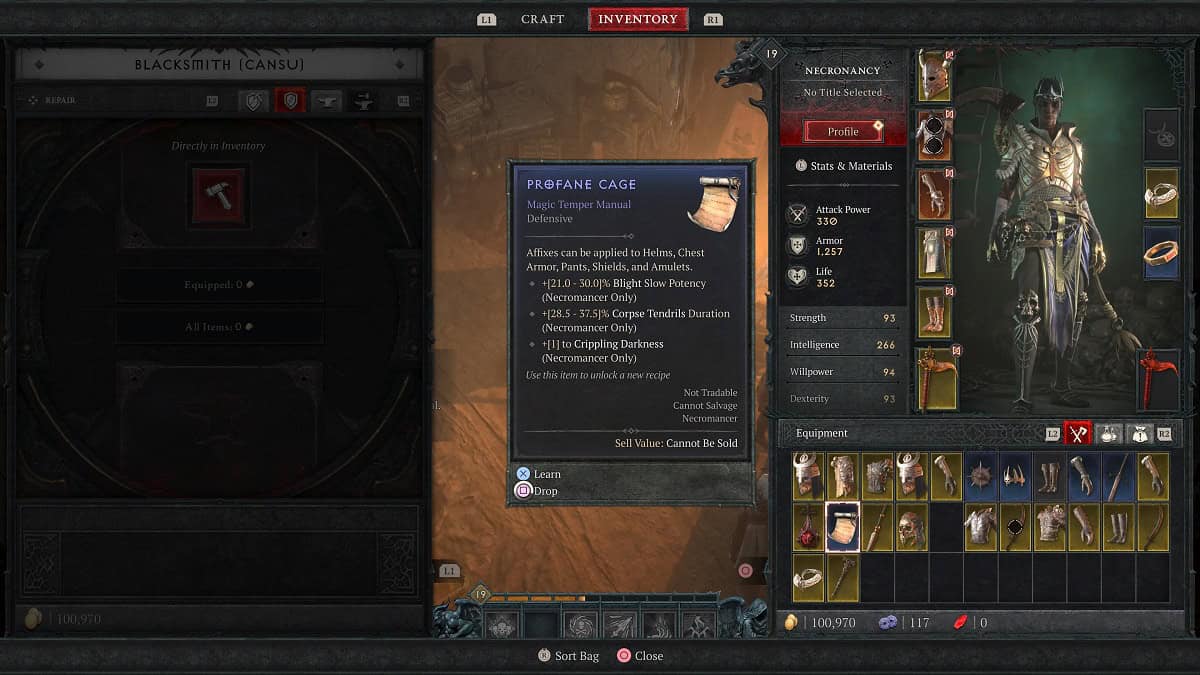
the profane cage temper manual in diablo 4 season 4 loot reborn
Image Source: Blizzard via The Nerd Stash

Of course, to temper your gear, you first need to obtain a Tempering Manual. The best way to find them is by participating in Helltides, Nightmare dungeons, defeating World and Uber bosses, and the Pit. I actually found my first one from a stinky Treasure Goblin, so keep your eyes peeled for them, too. When you do have a manual, use it, and it’ll be added to your collection.

With that said and done, visit a Blacksmith, then switch over to the Tempering tab and pick a piece of gear. You can choose an affix from one of six categories, which depend entirely on which Tempering Manuals you have unlocked. During the process, one of the listed affixes will be chosen and applied to your item, so there’s a level of randomness to it.

Related:

How To Fix Diablo 4 Was Unable To Open a Critical File Error

Additionally, rare, baseline, and Sacred Legendaries only have one affix slot; Ancestral Legendaries have two. However, you can’t choose a set of affixes from the same category.
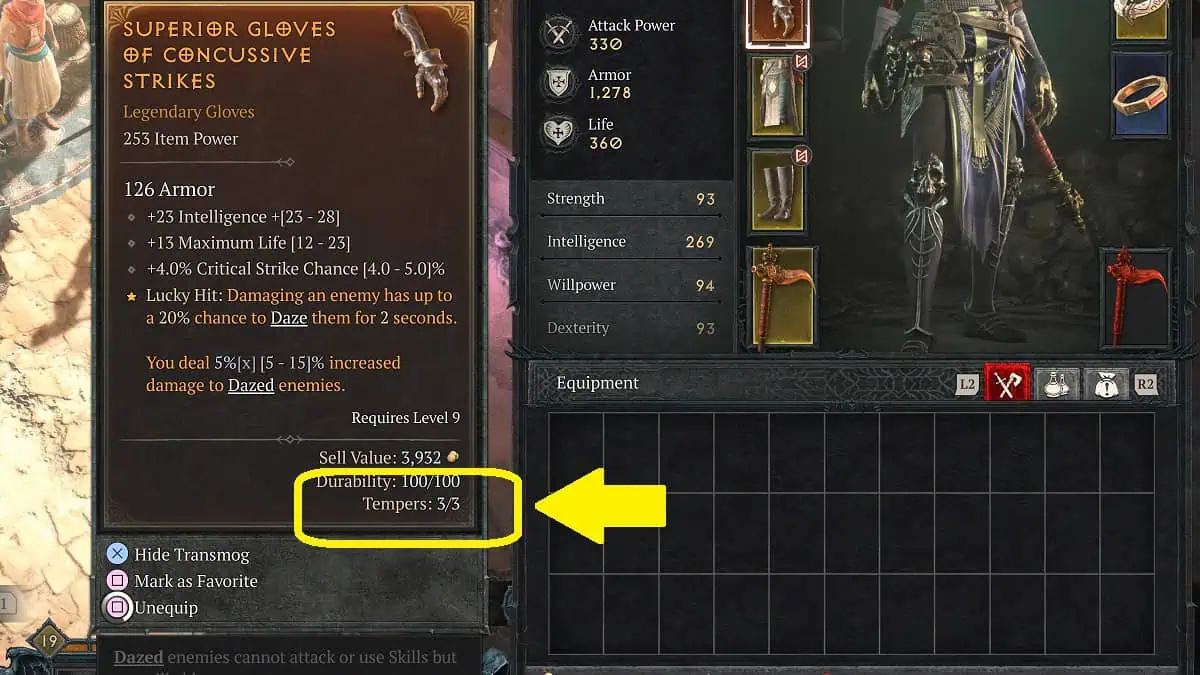
tempering charges on legendary gloves
Image Source: Blizzard via The Nerd Stash

Now, here’s the catch: you can only Temper an item a fixed number of times. For example, the Legendary gloves I have can only be Tempered three times, then that’s it. If I end up with an affix that I don’t want, I’ll have to find the item again and roll the dice.

There is a silver lining, though. The first time you Temper an item, it’s on the house. Furthermore, Tempering Manuals are never destroyed, so you can use them as many times as you want. In that way, they’re identical to Codex Powers!

Related Topics
Diablo 4 Guide
Share. Facebook Twitter LinkedIn Reddit Email
Brady Klinger-Meyers
  • Website

Brady has been writing about video games for the better part of four years. When he isn't obsessing over RPGs or games from his childhood, there's a good chance he's working on another short story.

SUGGESTED READS

MindsEye Layoffs 2026
Gaming

Studio Behind GTA-like Game, MindsEye, Hit With More Layoffs, and Nobody is Surprised: ‘Shocked There’s Even a Janitor Working There’

Princess Peach Spin-Off Movie May Already Be in Development, Job Listing Suggests
Gaming

Princess Peach Spin-Off Movie May Already Be in Development, Job Listing Suggests

Xbox's New CEO Wants to Reconnect With the 'Community,' Yet Brings In More CoreAI Leaders
Gaming

Xbox’s New CEO Wants to Reconnect With the ‘Community,’ Yet Brings In More CoreAI Leaders

Diablo 4 Season 13 Tier List
Gaming

Class Tier List for Diablo 4 Season 13 (Best Classes for Endgame & Leveling)

Take-Two Boss Finally Explains Why GTA 6 Is Skipping PC at Launch: 'We'll See How It Works Out'
Gaming

Take-Two Boss Finally Explains Why GTA 6 Is Skipping PC at Launch: ‘We’ll See How It Works Out’

Rockstar Employee Review Claims 'Unrealistic' Crunch as GTA 6 Development Intensifies: 'Had to Work Till 3AM'
Gaming

Rockstar Employee Review Claims ‘Unrealistic’ Crunch as GTA 6 Development Intensifies: ‘Had to Work Till 3AM’

The Nerd Stash
Facebook X (Twitter) Instagram YouTube LinkedIn
  • About Us
  • Join Our Team
  • Meet the Team
  • Privacy Policy
  • DMCA Policy
  • Contact Us
  • Terms of Use
  • Sitemap
  • Editorial Guidelines
  • Advertising Policy
© 2026 The Nerd Stash. All Rights Reserved.

Type above and press Enter to search. Press Esc to cancel.




