Close Menu
  • Gaming
    • Platforms
      • Nintendo
      • PC
      • PlayStation
      • Xbox
  • Entertainment
    • Movies
    • TV
    • Royals
  • Celebrity
    • Hollywood
  • Human Interest
  • Astrology
  • More
    • Anime
    • Reviews
Facebook X (Twitter) Instagram LinkedIn YouTube
  • About Us
  • Join Our Team
  • Meet the Team
  • Privacy Policy
  • DMCA Policy
  • Contact Us
  • Terms of Use
  • Sitemap
  • Editorial Guidelines
  • Advertising Policy
The Nerd Stash
  • Gaming
  • Celebrity
  • Hollywood
  • Human Interest
The Nerd Stash
Home»Gaming»How Does Adventure Sync Work in Monster Hunter Now

How Does Adventure Sync Work in Monster Hunter Now

Switch on.

Sidharta F. RasidiBy Sidharta F. RasidiSeptember 27, 20232 Mins Read
How Does Adventure Sync Work in Monster Hunter Now
Image source: Niantic
This article is over 2 years old and may contain outdated information.

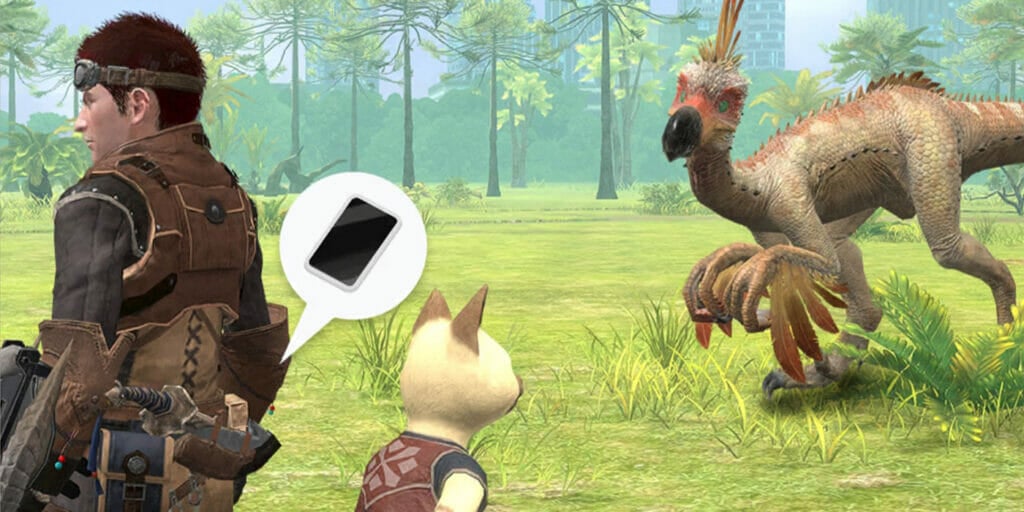
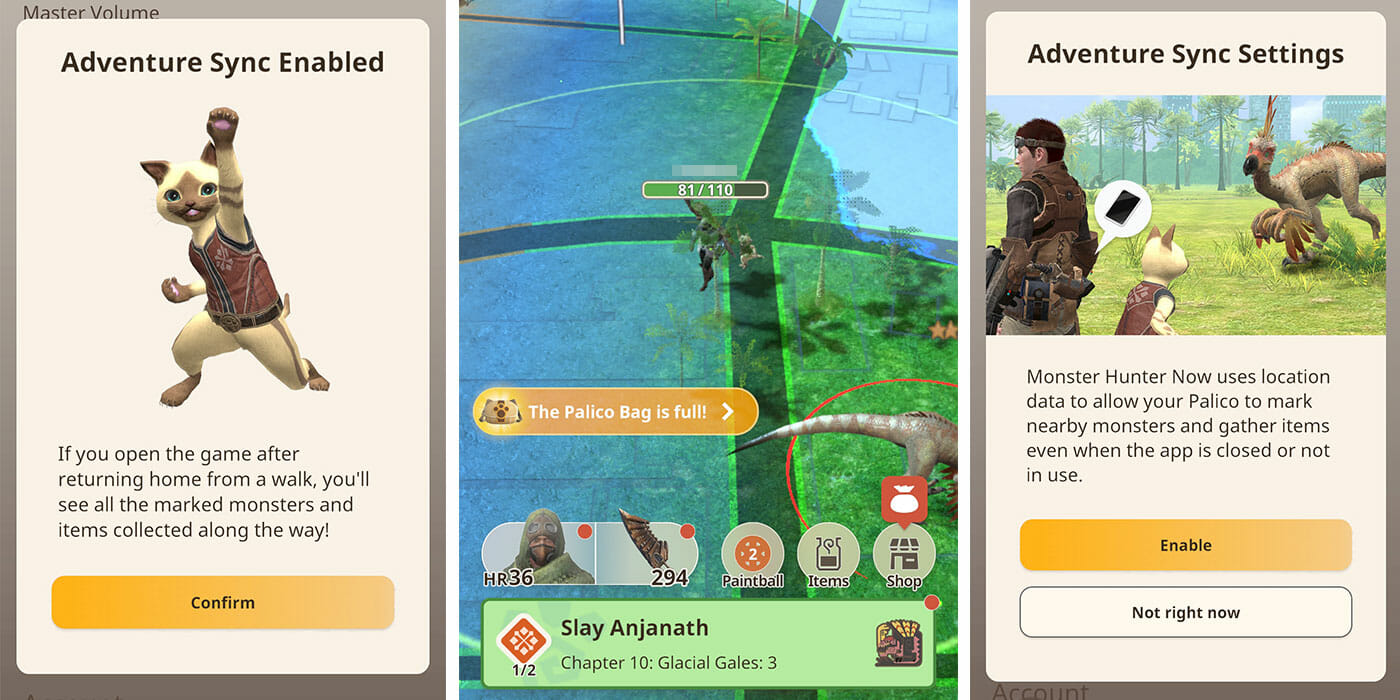
Like in Pokemon Go, Monster Hunter Now also features the Adventure Sync system. With this feature turned on, the in-game cat aka Palico will automatically collect items and mark monsters to hunt later. It is very useful if you enjoy walking to a nearby park in your spare time. Learn more about how Palico Adventure Sync works and how to enable it in our Monster Hunter Now guide below.

Monster Hunter Now Adventure Sync and Palico Use, Explained
Monster Hunter Now Adventure Sync, Explained
Image source: Niantic via The Nerd Stash

When you enable Adventure Sync in Monster Hunter Now, your Palico will go to work even when you’re not opening the game. It has its own set of three blue-colored Paintballs to mark monsters. However, it only marks random monsters with random strength levels as well. So don’t expect your Palico to throw a Paintball at that five-star Anjanath you previously saw near the bus stop!

Monsters that have been marked by the Palico will stay on your Paintball menu for two days. Similar to First-Aid Meds, you can redeem Palico Paintball once every day, but the maximum amount you can hold is only three Paintballs.

Aside from marking monsters, your Palico will also grab random materials off the ground. Whether it’s a Monster Bone, Ores, or Mushrooms and Plants, they all are put inside the Palico Bag. Nevertheless, the Palico Bag can only hold 10 different items so you might want to check it often.

How to Enable Adventure Sync
How to Enable Adventure Sync in Monster Hunter Now
Image source: Niantic via The Nerd Stash

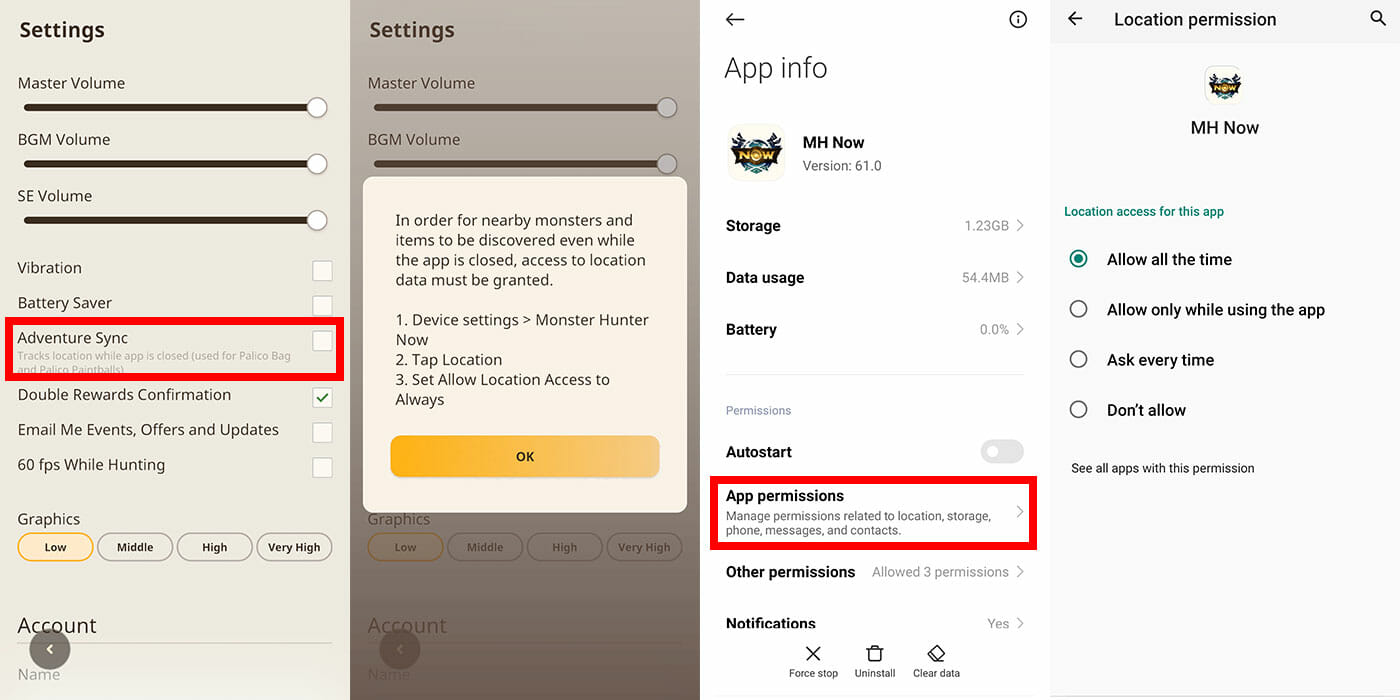
Turning on Monster Hunter Now Adventure Sync is pretty easy. However, if you reset the app’s data or uninstall it, you’ll have to set the whole thing up again. Here are the steps that you need to do:

  1. Enable GPS on your phone.
  2. Open your phone’s Settings.
  3. Search for “MH Now” in Apps.
  4. Open the “App Permission” menu.
  5. Press on “Location.”
  6. Select “Allow all the time.”
  7. Run the Monster Hunter Now app.
  8. Click on your character’s icon.
  9. Select the Settings button.
  10. Toggle the Adventure Sync option.

Interestingly, you don’t actually need to be connected to the internet to use Adventure Sync in Monster Hunter Now. It only uses the phone’s pedometer to calculate how far the distance you’ve been walking around, like in Pokemon Go. But you need to enable both your phone’s data and GPS to open the Monster Hunter Now app itself.


Related Topics
Guide Monster Hunter Now
Share. Facebook Twitter LinkedIn Reddit Email
Sidharta F. Rasidi
  • Website

An ordinary Indonesian who enjoys playing and talking about video games. His favorite games are Monster Hunter: World, Space Invader Extreme 2, THE iDOLM@STER SP, Road Trip Adventure, Halo series, and KOEI Tecmo's Warriors series.

SUGGESTED READS

Vampire Survivors Developer Goes Wild With Over 15 New Games, Expands to Japan and Italy: 'Profit Is Not a Priority'
Gaming

Vampire Survivors Developer Goes Wild With Over 15 New Projects, Expands to Japan and Italy: ‘Profit Is Not a Priority’

Gaming

The Expanse: Osiris Reborn Is Owlcats Most Ambitious Leap Yet ‘A stunning jump forward’

World of Tanks HEAT Closed Beta Preview
Features

World of Tanks HEAT Hands-On Preview – Faster, Flashier, and Just as Tactical

Where to Find the Secret Fall Shop in Roblox Adopt Me
Gaming

Where to Find the Secret Fall Shop in Roblox Adopt Me

Diablo 4 Lord of Hatred Review
10
Features

Diablo 4: Lord of Hatred Review – Breaking the Cycle

Shuhei Yoshida Says He Was Fired From Playstation Studios for Saying 'No' to Jim Ryan: 'He Asked For Ridiculous Things'
Gaming

Shuhei Yoshida Says He Was Fired From Playstation Studios for Saying ‘No’ to Jim Ryan: ‘He Asked For Ridiculous Things’

The Nerd Stash
Facebook X (Twitter) Instagram YouTube LinkedIn
  • About Us
  • Join Our Team
  • Meet the Team
  • Privacy Policy
  • DMCA Policy
  • Contact Us
  • Terms of Use
  • Sitemap
  • Editorial Guidelines
  • Advertising Policy
© 2026 The Nerd Stash. All Rights Reserved.

Type above and press Enter to search. Press Esc to cancel.