Close Menu
  • Gaming
    • Platforms
      • Nintendo
      • PC
      • PlayStation
      • Xbox
  • Entertainment
    • Movies
    • TV
    • Royals
  • Celebrity
    • Hollywood
  • Human Interest
  • Astrology
  • More
    • Reviews
Facebook X (Twitter) Instagram LinkedIn YouTube
  • About Us
  • Join Our Team
  • Meet the Team
  • Privacy Policy
  • DMCA Policy
  • Contact Us
  • Terms of Use
  • Sitemap
  • Editorial Guidelines
  • Advertising Policy
The Nerd Stash
  • Gaming
  • Celebrity
  • Hollywood
  • Human Interest
The Nerd Stash
Home»Gaming»How To Change Road Direction in Cities Skylines 2

How To Change Road Direction in Cities Skylines 2

Planning city roads? Remember, it’s like brushing your hair. No one likes knots, everyone loves smooth-flowing traffic!

Asanga WijeratneBy Asanga WijeratneNovember 1, 20232 Mins Read
How To Change Road Direction in Cities Skylines 2
Image Source: Paradox Interactive via The Nerd Stash
This article is over 2 years old and may contain outdated information.

When you develop your dream city in Cities: Skylines 2, at some point, you might want to build one-way roads to maintain a good traffic flow. However, you might also need to change the direction of the existing road during some other construction or to make sure the road directions are appropriate for your city’s development. Setting the direction of these roads, whether during construction or as an upgrade to an existing road, differs slightly from the original game.

Steps to Change Road Direction in Cities: Skylines 2

Changing Road Direction in Cities Skylines 2
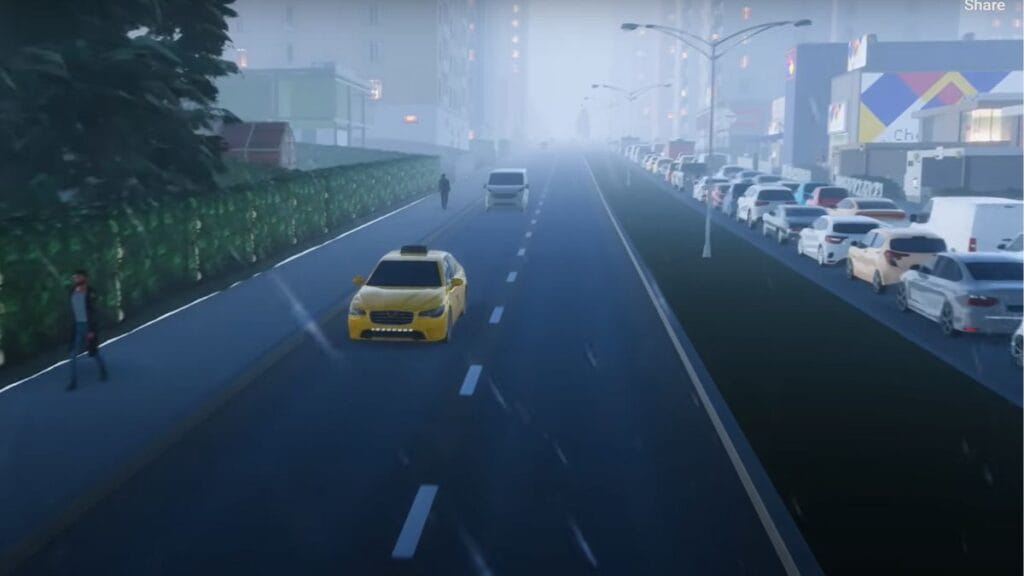
Image Source: Paradox Interactive via Games & Apps Tutorials Screenshot

You can change the direction of the road in Cities: Skylines 2 by selecting the road and selecting the one-way road type as preferred. Then, you must click on the road and drag the cursor to where you want to move the traffic. To be more precise, below are the steps you need to follow.

  1. Select the road that you need to change the direction.
  2. Select the one-way road type from the menu.
  3. Switch to replace in the Tool Mode.
  4. Start from where you need the road to be one-way, and drag the cursor along the road.
  5. Release the mouse button when you reach the end of the road.

Related:

How To Rotate Buildings in Cities: Skylines 2

Of course, when advancing with your city developments, you need to think about reducing the traffic, rezoning the areas, reducing pollution, and having oneway roads are handy for many of these solutions.

But what we have found is it is best if you could have an idea at the beginning of the game what type of areas might need one-way roads. The reason is changing existing lanes to one-way or changing the direction of one-way might impact the entire transportation system of the city. So, it is best to plan beforehand before causing your roadways trouble in the future. Also, a new road tool comes in handy to help you with it. Check the video below to understand how it works:


How To Use New Road Tools In Cities Skylines 2! | Basics Tutorial
Related Topics
Cities: Skylines 2 Guide
Share. Facebook Twitter LinkedIn Reddit Email
Asanga Wijeratne
  • Website

SUGGESTED READS

PlayStation Fighting Controller Backlash
Gaming

PlayStation’s Return to Social Media is Met With Backlash and Angry Consumers: ‘I Was Hoping It Was a Digital Controller’

Black Flag Resynced
Gaming

Assassin’s Creed Black Flag Remake Delivers Brutal Skull & Bones Comparison Before Launch

PlayStation Reportedly Didn't Warn Asian Partners, Local Branches Before Physical Disc Shut Down Announcement: 'They Didn't Know Either'
Gaming

PlayStation Reportedly Didn’t Warn Asian Partners, Local Branches Before Physical Disc Shut Down Announcement: ‘They Didn’t Know Either’

XBOX Sells Off Four Studios, Cuts 3,000 Jobs, as Marvel's Blade Reportedly Goes Over Budget
Gaming

Xbox Sells Off Four Studios and Cuts 3,000 Jobs as Marvel’s Blade Reportedly Goes Over Budget

PSN Region Ban Claims Another Victim as Marvel Tokon is Blocked in 132 Countries
Gaming

PSN Region Ban Claims Another Victim as Marvel Tokon is Blocked in 132 Countries

PlayStation PS Plus subscription cancel
Gaming

Angry PlayStation Users Threaten to Cancel PS Plus After Sony Cancels Physical Media: ‘They’re Already on Thin Ice’

The Nerd Stash
Facebook X (Twitter) Instagram YouTube LinkedIn
  • About Us
  • Join Our Team
  • Meet the Team
  • Privacy Policy
  • DMCA Policy
  • Contact Us
  • Terms of Use
  • Sitemap
  • Editorial Guidelines
  • Advertising Policy
© 2026 The Nerd Stash. All Rights Reserved.

Type above and press Enter to search. Press Esc to cancel.