

Uncertainty is one of the worst things a gamer can face, and that is hitting all future Marathon players. As you may or may not know, the closed alpha test for Marathon is right around the corner, and some who’ve applied to be part of it might be refreshing all websites to see if they got accepted or not. We’ve made a quick guide to help you check if you’re inside the test on your preferred platform, so you can jump straight into it.
How To Sign Up for the Alpha Test
In case you haven’t, we’ll just break down real quick how you can sign up for the Marathon closed alpha test and, hopefully, get accepted. To do so, follow these steps:
- Head to the Marathon Discord server, which you can find here: Server Invite.
- Find the #alpha_access channel and type /alpha
- A bot will ping you with a link. Click on it.
- Create a Bungie account if you don’t already have one.
- You’ll then have to select between PS5, Xbox, or Steam as your preferred platform.
- Then, complete the quick survey to finish your test sign-up process.
Once that’s ready, all you need to do is wait. As the instructions say, you’ll get an email from marathonthegame@info.bungie.net if you’re accepted to the Marathon closed alpha test. If so, you can start exchanging your code.
Important note: While the Marathon closed alpha test begins on April 23, Bungie will send codes from that day, and for two weeks after, until the test’s end on May 4. So, just check your email daily to see if you’re one of the lucky few.
Exchanging Your Marathon Alpha Test Code
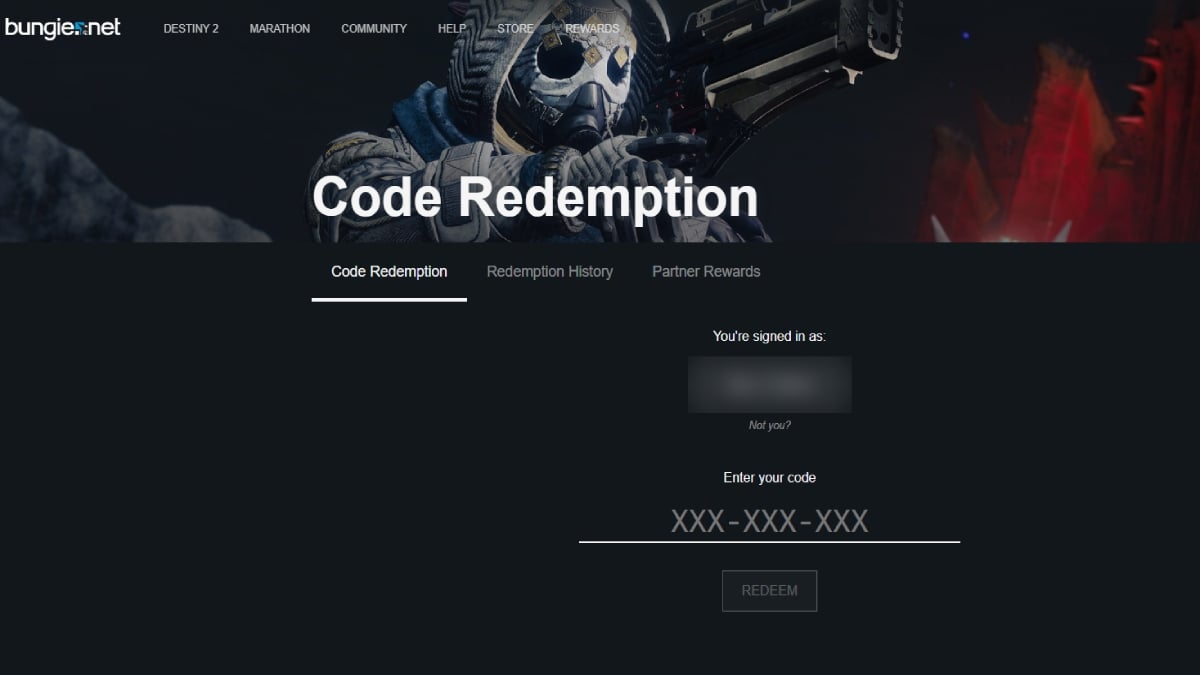
Assuming you’re one of the first Runners to jump into the test, you’ll have to exchange your code to get in. Assuming the process is the same as exchanging a game code, you’ll need to go to your platform’s store, enter the code, and then download it. Some have reported that the process is practically the same. You get the email, follow the instructions, log in with your Bungie account, get the code, and redeem it on your platform. (Credit to user trippykidguy1 on Reddit).
Other Xbox users who got codes earlier have reported that, besides doing the above things, you need to restart your console to see the game in your library, which you can then download.
Still, since codes are being sent out constantly, we’ll update this guide as we have the exact steps to redeem the alpha test codes.
In any case, remember that the only way to see if you were accepted to the closed alpha test of Marathon is by checking your email. You won’t find your code on another website or via DM. If that happens, it’s most likely a scam, so be cautious. You’ll get the steps in the email, so make sure to whitelist the address above and keep refreshing (pressing F5) like your life depends on it.