Close Menu
  • Gaming
    • Platforms
      • Nintendo
      • PC
      • PlayStation
      • Xbox
  • Entertainment
    • Movies
    • TV
    • Royals
  • Celebrity
    • Hollywood
  • Human Interest
  • Astrology
  • More
    • Anime
    • Reviews
Facebook X (Twitter) Instagram LinkedIn YouTube
  • About Us
  • Join Our Team
  • Meet the Team
  • Privacy Policy
  • DMCA Policy
  • Contact Us
  • Terms of Use
  • Sitemap
  • Editorial Guidelines
  • Advertising Policy
The Nerd Stash
  • Gaming
  • Celebrity
  • Hollywood
  • Human Interest
The Nerd Stash
Home»Gaming»How to Create a Team in Madden 24

How to Create a Team in Madden 24

Madden 24 has several features such as relocating your team or using sliders. But one of the best parts of any sports game is creating…

Victor TanBy Victor TanAugust 19, 20233 Mins Read
How To Create Teams in Madden 24 Featured Image
Image Source: EA.com
This article is over 2 years old and may contain outdated information.

Madden 24 has several features such as relocating your team or using sliders. But one of the best parts of any sports game is creating your custom team and seeing them in action. It’s great to see the players you chose or created make plays and win games. You feel like you put together a winning team or know just what it takes to achieve victory. But creating a team isn’t as simple as jumping into a game and pulling players together. There’s a process you must follow to make sure your team is correctly registered for play. How do you create a team in Madden 24 and when can you start?

Create Teams In Madden 24

(Updated on October 8, 2024 – updated links and format)
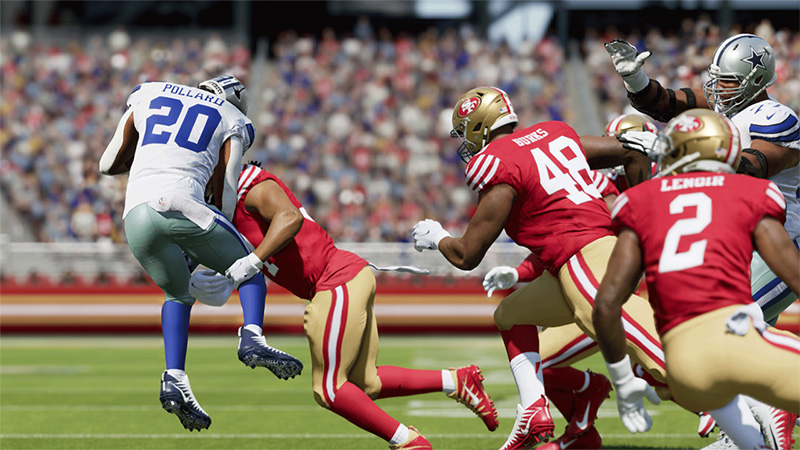
Creating Teams in Madden 24
Image Source: EA.com

Head to the Creation Center from the menu and select Edit Rosters. This allows you to set up your new roster and start assigning players to create a team in Madden 24. Set up multiple rosters if you like if you have different players you prefer or are pursuing a new strategy. Select Manage Players to begin looking up teams and start bringing them into your newly created roster. If you aren’t sure about a player, look up the player list and make sure you are adding the right person.

After all the positions are filled, make sure to save your roster to use it later. Name it whatever you like or use an identifier that helps you define the purpose of the roster. To use your newly created team, start up Franchise Mode and select the Custom option. Your newly created team should be ready for you to use.

Related

How to Player Lock in Madden 24 Franchise Mode

It’s also possible to play with other people’s custom teams. When you are in the Creation Center, select Share & Manage Files. Choose Download community files to get a list of all the custom teams that other players created. You can take a look at these teams to see what people added or the teams they created.

Part of the fun of creating your custom team is putting players in the NFL that would not normally otherwise be there. If you have a favorite collegiate player or team, you can upload them to a custom team. Maybe your fantasy team gave you good luck and you want to bring them in-game. Perhaps it’s a chance for you and a few others to live your dream of playing in the NFL in any way possible. The sky’s the limit when it comes to custom teams, and you know how to create as many as you want.


Related Topics
Guide Madden 24
Share. Facebook Twitter LinkedIn Reddit Email
Victor Tan
  • Website

Victor enjoys helping players succeed when video games are too difficult. He knows what it's like to get stuck in tricky situations and he wants to make sure other players don't suffer the same fate.

SUGGESTED READS

LEGO Batman Legacy of the Dark Knight PC Review
9
Gaming

LEGO Batman: Legacy of the Dark Knight Review – A Hero Rises

Call of Duty: Modern Warfare 4 Launching This October on Next-Gen Consoles & Switch 2, But Not Game Pass
Gaming

Call of Duty: Modern Warfare 4 Launching This October on Next-Gen Consoles & Switch 2, But Not Game Pass

Hideo Kojima Teams Up With Prada for an AI Film, And Fans Aren't Happy: 'Beyond Incredibly Disappointing'
Gaming

Hideo Kojima Teams Up With Prada for an AI Film, And Fans Aren’t Happy: ‘Beyond Incredibly Disappointing’

The Witcher 3 Songs of the Past expansion
Gaming

A Witcher 3 Leak Just Forced CD Projekt Red to Announce a Brand-New Expansion: Songs of the Past

CDPR Announces The Witcher 3 'Special Anniversary Stream' Amid New Massive DLC Rumor
Gaming

CDPR Announces The Witcher 3 ‘Special Anniversary Stream’ Amid New Massive DLC Expansion Rumor

007 First Light All Challenges
Gaming

All Challenges in 007 First Light

The Nerd Stash
Facebook X (Twitter) Instagram YouTube LinkedIn
  • About Us
  • Join Our Team
  • Meet the Team
  • Privacy Policy
  • DMCA Policy
  • Contact Us
  • Terms of Use
  • Sitemap
  • Editorial Guidelines
  • Advertising Policy
© 2026 The Nerd Stash. All Rights Reserved.

Type above and press Enter to search. Press Esc to cancel.