Close Menu
  • Gaming
    • Platforms
      • Nintendo
      • PC
      • PlayStation
      • Xbox
  • Entertainment
    • Movies
    • TV
    • Royals
  • Celebrity
    • Hollywood
  • Human Interest
  • Astrology
  • More
    • Anime
    • Reviews
Facebook X (Twitter) Instagram LinkedIn YouTube
  • About Us
  • Join Our Team
  • Meet the Team
  • Privacy Policy
  • DMCA Policy
  • Contact Us
  • Terms of Use
  • Sitemap
  • Editorial Guidelines
  • Advertising Policy
The Nerd Stash
  • Gaming
  • Celebrity
  • Hollywood
  • Human Interest
The Nerd Stash
Home»Gaming»How to Dispose of the Warhead in Dead Space Remake

How to Dispose of the Warhead in Dead Space Remake

Do you want to know how to dispose of the Warhead in Dead Space Remake? Dead Space Remake is a horror survival game from Electronic…

Asanga WijeratneBy Asanga WijeratneJanuary 30, 20233 Mins Read
Dead Space Remake Warhead
This article is over 3 years old and may contain outdated information.

Do you want to know how to dispose of the Warhead in Dead Space Remake? Dead Space Remake is a horror survival game from Electronic Arts. It is set in a derelict spaceship where the player must battle Necromorphs to find the secrets of the spacecraft. Disposing the Warhead in Dead Space Remake is quite complex and requires some strategic planning. This guide will tell you how to dispose of the Warhead in Dead Space Remake.

What is Dispose of The Warhead in Dead Space Remake?

In Dead Space Remake, various chapters require multiple activities to progress further in the game. One important task you must complete in Chapter 9, Dead on Arrival, is “Dispose of the Warhead.” Players take on the role of Clarke and are required to dispose of the nuclear Warhead found onboard. The challenge begins once you arrive at Torpedo Bay, where you will meet some enemies.

Players must remain aware that any explosion encountered during the task can result in the Warhead blowing up, thus failing the mission. Completing this mission is essential for advancement within the game. Consequently, it requires skill and mastery over the controls.

How to Dispose of the Warhead in Dead Space Remake?
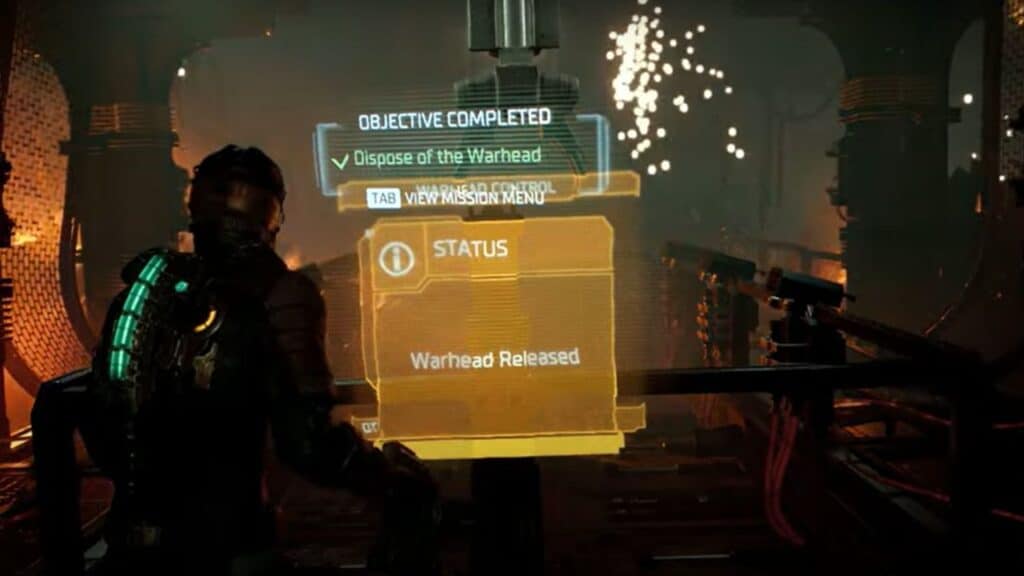
Warhead in Dead Space Remake

You can dispose of the Warhead in Dead Space Remake by activating the computer in the middle after destroying the fuses and inserting the Battery into the panel. Here are the steps you need to follow.

  1. Enter the Torpedo Bay and eliminate two Necromorphs near the Warhead. Do not shoot to the yellow area of them. Shoot their legs and arms instead. Avoid shooting any yellow area since they will explode.
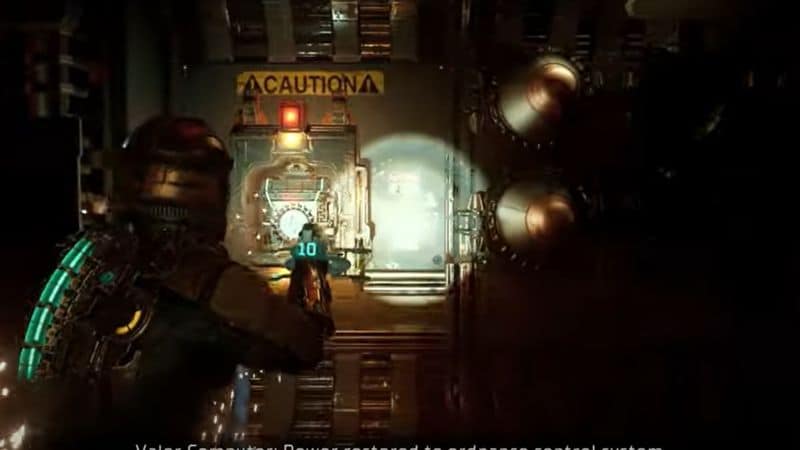
  2. Shoot and destroy eight fuses, four at each side of the Warhead.
  3. Take the Battery on the right side using Kinesis.
  4. Insert the Battery into the panel to the left.
  5. Activate the computer of the Warehead in the middle. The Warhead will be disposed of, and the mission will be completed.

To sum it up, you can dispose of the Warhead by activating the computer in the middle. Be careful of any explosions that may occur during this process, as they could result in the Warhead blowing up and failing the mission.

This guide should give you a better understanding of how to complete this complex task so that you can progress within the game. Let us know in the comments below if you have any questions or tips on completing this mission.

Also, Dead Space Remake is available on PC, Xbox, and PlayStation.

Related Topics
Dead Space remake Guide
Share. Facebook Twitter LinkedIn Reddit Email
Asanga Wijeratne
  • Website

SUGGESTED READS

Honkai Star Rail Version 4.3 Announcements
Gaming

Honkai: Star Rail Version 4.3 Unveils Blade’s New Form and More Fate Collab Characters

Take-Two CEO Reveals Fans Will Be Forced To Wait a Bit Longer for GTA 6 News 'This Summer,' But Insiders Disagree
Gaming

Take-Two CEO Reveals Fans Will Be Forced To Wait a Bit Longer for GTA 6 News ‘This Summer,’ But Insiders Disagree

007 First Light Launch Trailer
Gaming

007 First Light Celebrates the Long-Awaited Return of James Bond With Its Launch Trailer

Destiny 2 Final Update
Features

Destiny 2 Is Dead: Bungie’s Divisive Franchise Going on Maintenance Mode With Its Last Update Launching on June 9

GTA Studio's Secrets Stay Buried Forever as Rockstar Reportedly Enforces 'Lifetime NDAs' on Ex-Developers
Gaming

GTA Studio’s Secrets Stay Buried Forever as Rockstar Reportedly Enforces ‘Lifetime NDAs’ on Ex-Developers

Warhammer 40,000 Boltgun 2 Hands-On Preview
Features

Warhammer 40,000: Boltgun 2 Hands-On Preview – Retro-Shooting for the Emperor

The Nerd Stash
Facebook X (Twitter) Instagram YouTube LinkedIn
  • About Us
  • Join Our Team
  • Meet the Team
  • Privacy Policy
  • DMCA Policy
  • Contact Us
  • Terms of Use
  • Sitemap
  • Editorial Guidelines
  • Advertising Policy
© 2026 The Nerd Stash. All Rights Reserved.

Type above and press Enter to search. Press Esc to cancel.