

Close Menu
  • Gaming
    • Game Guides
    • Codes
    • Game News
    • Game Previews
    • Game Reviews
    • Game Features
    • Game Lists
    • Platforms
      • Nintendo
      • PC
      • PlayStation
      • Xbox
      • Mobile
  • Entertainment
    • Movies
    • Movie Features
    • Movie Reviews
    • TV
    • Reality TV
    • Royals
  • Celebrity
  • Human Interest
  • Astrology
  • Videos
  • More
    • Anime
    • Lists
    • Podcasts
    • Reviews
Facebook X (Twitter) Instagram LinkedIn YouTube
  • About Us
  • Join Our Team
  • Meet the Team
  • Privacy Policy
  • DMCA Policy
  • Contact Us
  • Terms of Use
  • Sitemap
  • Editorial Guidelines
  • Advertising Policy
The Nerd Stash
  • Gaming
  • Celebrity
  • Human Interest
  • Videos
The Nerd Stash
Home»Game Guides»How To Fix Error Code 1:8600 in Battlefield 6

How To Fix Error Code 1:8600 in Battlefield 6

You’ll eventually get in

Julio La PineBy Julio La PineOctober 10, 20253 Mins Read
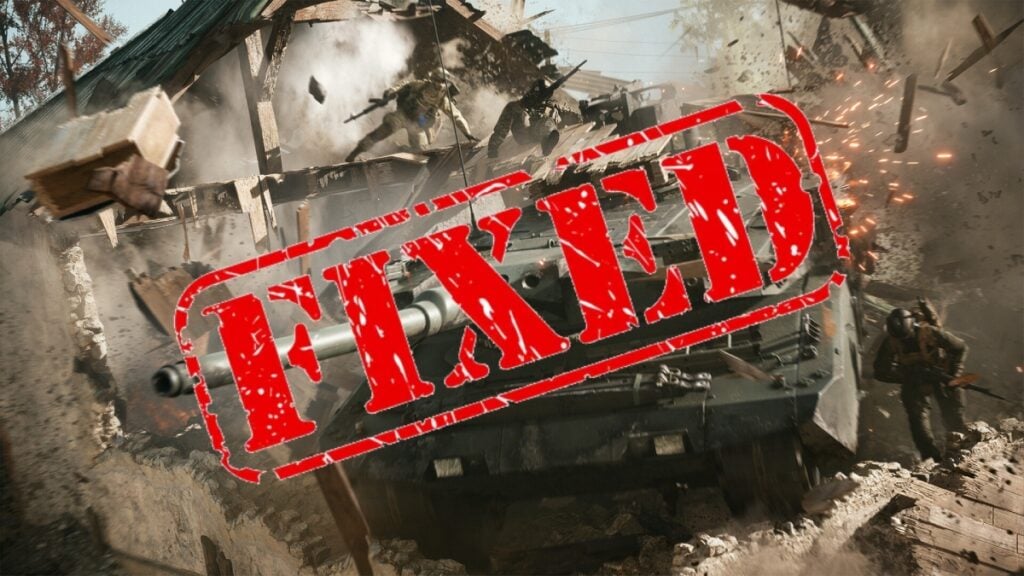
Battlefield 6 Error 1:8600 Solution
Image Source: EA/Battlefield Studios

We’ve all been eagerly waiting for the launch of Battlefield 6, but like any other big game out there that releases with a huge player count, there’s bound to be problems. One of the most common issues Battlefield 6 players are facing right now has to do with Error Code 1:8600. While it isn’t the worst technical issue gamers will encounter, it can still be quite frustrating, as it won’t let you enter the game to enjoy the environmental destruction and top-notch shooting. But don’t fret, because here’s a guide on how to fix it.

Error Code 1:8600 Solution

I waited +200,000 places in the queue, only to receive this…
byu/Nythern inBattlefield

Many Battlefield 6 players have recently encountered Error Code 1:8600 when trying to play. This usually occurs after sitting through the long queue when you’re about to enter the game. This error prevents you from doing so, requiring a complete restart and return to the queue. Fortunately, there are some potential fixes for it.

Check Your Connection

Since it takes time to authenticate your account, a faulty connection can also cause this issue. If that happens, a quick solution is to close all other programs that might be using some of your bandwidth. In the worst-case scenario, a router restart might do the trick. It isn’t a guaranteed fix, but it has worked for some players, so trying it doesn’t hurt.

Log Out and Log Back In

Since Error 1:8600 is tied to the authentication process of Battlefield 6, the easiest solution and one that has worked for many users is just logging back in to your account. All you have to do is log out, wait a bit, and log back in. If you’re lucky enough, you should be able to jump into the game after the long queue ends.

Remove All External Drives

This might be a weird case, but many have reported that this was what was triggering error 1:8600 in Battlefield 6. Due to the nature of this error, which is tied to authentication processes and other safety reasons, some players believe that an external drive or even a USB stick could be triggering the anti-cheat, which, in turn, has a chance to trigger this error, too. Just to be safe, make sure to unplug every external drive from your PC.
Battlefield 6 Review: Classic Combat and Modern Polish Collide to Create FPS Excellence
Related: Battlefield 6 Review: Classic Combat and Modern Polish Collide to Create FPS Excellence

At the time of writing, Battlefield Studios has already addressed the issue and mentioned that it is working on a fix.

Battlefield Studios has addressed an issue which was preventing Steam users from accessing to #Battlefield6. If you're still having this "error message", verify integrity of game's files through properties -> installed files, then restart the Steam client.

They're still working… pic.twitter.com/z2iA1P1gyy

— Battlefield Bulletin (@BFBulletin) October 10, 2025

According to the above post, the fastest solution is to verify the integrity of game files, which on Steam is done by heading to Properties and then Installed Files. You’ll then have to restart your Steam Client to ensure everything is working as intended. If that still doesn’t work, then we’ll have to wait for the developers to solve it on their end.


Related Topics
Battlefield 6 Guide
Share. Facebook Twitter LinkedIn Reddit Email
Julio La Pine
  • Website

Been gaming since '99! I am a huge JRPG fan and my favorite franchise is Final Fantasy. I love writing about games and I hope I can do it for the rest of my days!

SUGGESTED READS

GTA 6 Delayed
Features

GTA 6 Just Got Its Second Delay, Launching Now on November 19, 2026

How To Easy Kill Leaper In ARC Raiders
Game Guides

How To Insta-Kill Leaper In Arc Raiders

Roblox Classic Jailbreak Game Is Getting a Movie Adaptation from the Invincible Studio
Game News

Roblox Classic Jailbreak Game Is Getting a Movie Adaptation from the Invincible Studio

SKG Anti-Live Service Movement Was Debated in the UK Parliament and It Went As Well As You Expected: 'It Could Stifle Innovation and Create Risk'
Game News

SKG Anti-Live Service Movement Was Debated in UK Parliament and It Went as Well as Expected: ‘It Could Stifle Innovation and Create Risk’

Arc Raiders PS5 Review
9
Features

Arc Raiders Review – The Pinnacle of Extraction Shooters

Switch 2 Sells 10 Million Units in 4 Months, On Track to Match the Original Switch's Success
Game News

Switch 2 Sells 10 Million Units in 4 Months, On Track to Match the Original Switch’s Success

Trending
GTA 6 Delayed

GTA 6 Just Got Its Second Delay, Launching Now on November 19, 2026

How To Easy Kill Leaper In ARC Raiders

How To Insta-Kill Leaper In Arc Raiders

Roblox Classic Jailbreak Game Is Getting a Movie Adaptation from the Invincible Studio

Roblox Classic Jailbreak Game Is Getting a Movie Adaptation from the Invincible Studio

SKG Anti-Live Service Movement Was Debated in the UK Parliament and It Went As Well As You Expected: 'It Could Stifle Innovation and Create Risk'

SKG Anti-Live Service Movement Was Debated in UK Parliament and It Went as Well as Expected: ‘It Could Stifle Innovation and Create Risk’

The Nerd Stash
Facebook X (Twitter) Instagram YouTube LinkedIn
  • About Us
  • Join Our Team
  • Meet the Team
  • Privacy Policy
  • DMCA Policy
  • Contact Us
  • Terms of Use
  • Sitemap
  • Editorial Guidelines
  • Advertising Policy
© 2025 The Nerd Stash. All Rights Reserved.

Type above and press Enter to search. Press Esc to cancel.



