

Close Menu
  • Gaming
    • Platforms
      • Nintendo
      • PC
      • PlayStation
      • Xbox
  • Entertainment
    • Movies
    • TV
    • Royals
  • Celebrity
    • Hollywood
  • Human Interest
  • Astrology
  • More
    • Anime
    • Reviews
Facebook X (Twitter) Instagram LinkedIn YouTube
  • About Us
  • Join Our Team
  • Meet the Team
  • Privacy Policy
  • DMCA Policy
  • Contact Us
  • Terms of Use
  • Sitemap
  • Editorial Guidelines
  • Advertising Policy
The Nerd Stash
  • Gaming
  • Celebrity
  • Hollywood
  • Human Interest
The Nerd Stash
Home»Gaming»How To Fix PS4 Error Code CE-34878-0

How To Fix PS4 Error Code CE-34878-0

When life gives you error codes, just reboot, rebuild, and reinstall!

Asanga WijeratneBy Asanga WijeratneDecember 3, 20232 Mins Read
How To Fix PS4 Error Code CE-34878-0
Image Source: The Nerd Stash
This article is over 2 years old and may contain outdated information.

Encountering the PS4 error code CE-34878-0 can dampen your fun in a heartbeat. This error often pops up for several reasons; therefore, identifying the real one might be tricky. This specific error usually occurs due to outdated firmware, compatibility discrepancies, or even aging PS4 components. Also, sometimes, a damaged hard drive or a faulty graphics card might be to blame. Whatever the reason, we will guide you through how to fix the PS4 error code CE-34878-0 and get back to gaming without interruptions.

Guide to Fix PS4 Error Code CE-34878-0
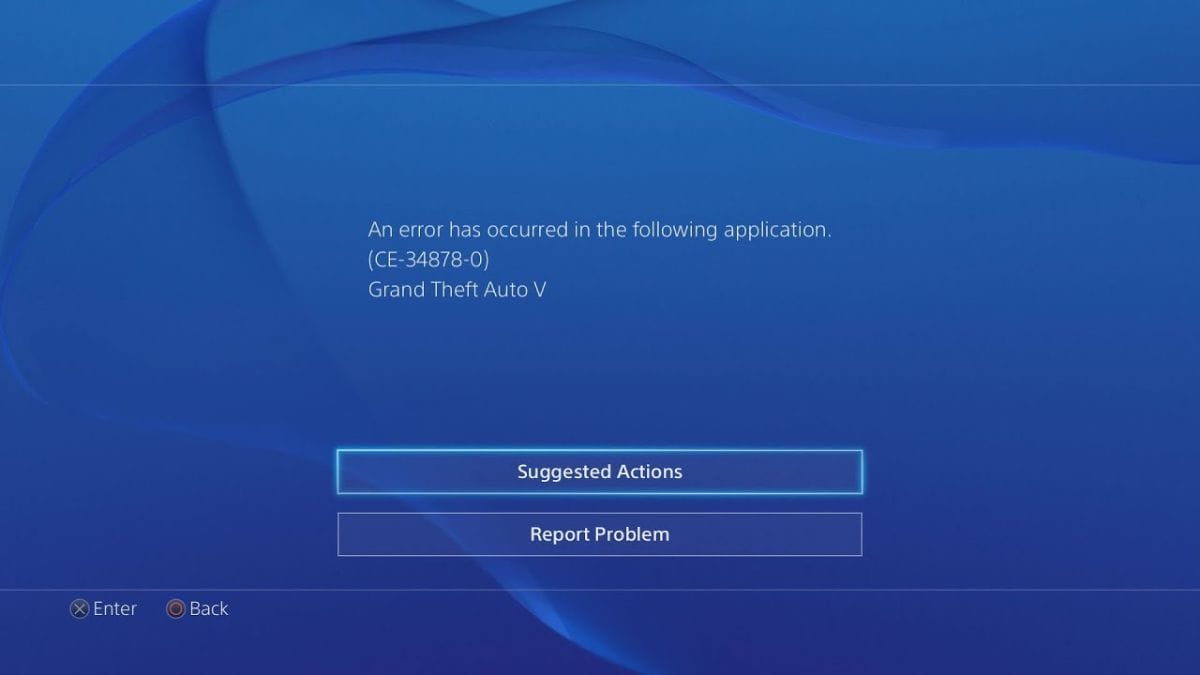
Image Source: How to fix via The Nerd Stash

The best methods to fix PS4 error code CE-34878-0 are rebuilding the Database, restarting the PS4, and reinstalling the system software. But before that, ensure you have done all the system updates and have enough hard drive space. If the error persists, then follow the methods below:

1. Restart Your PS4

This is the simplest and most effective method for many players. A simple restart can sometimes fix the error code CE-34878-0 and quickly get you back to gaming.

2. Rebuild Database

This process for clearing out any corrupted data or cache that could be the root cause of the problem. Just switch off the PS4 and keep pressing the power button until you hear a second beep. Then select the ‘Rebuild Database’ option from the BIOS Menu. If your game has frequent updates, it likely has system fragmentation and crashes more often; this method helps resolve it.

Related:

How to Fix Error Code WS-116521-6 on PlayStation

Reinstall System Software

Follow the steps on the official website for instructions on reinstalling the system software. Then, you will have the latest update on your PS4, and the error code should be fixed.

Contact Official Support

One of the most effective ways to resolve PS4 Error Code CE-34878-0 is by directly contacting Sony’s official support team. Avoid reaching out through social media channels like Twitter or through calling. Sony’s support team is fantastic at being quick and helpful in their responses.

You can also try standard methods such as restarting your router or deleting and reinstalling the game. But the above methods still work for most players so far.


How to Fix PS4 Error Code CE-34878-0 (Easy Guide!) "An error has occurred with the application."
Related Topics
Guide
Share. Facebook Twitter LinkedIn Reddit Email
Asanga Wijeratne
  • Website

SUGGESTED READS

Path of Exiles 2 Build Planner Guide
Gaming

How To Use the Build Planner in Path of Exile 2

Adopt Me Kicks Off Summer With Journey to Summer Camp Update, Here's All The New Week 1 Pets & Rewards
Gaming

Roblox Adopt Me Launches Journey to Summer Camp Update, Here’s All the Week 1 Pets & Rewards

LEGO Batman Legacy of the Dark Knight PC Review
9
Gaming

LEGO Batman: Legacy of the Dark Knight Review – A Hero Rises

Call of Duty: Modern Warfare 4 Launching This October on Next-Gen Consoles & Switch 2, But Not Game Pass
Gaming

Call of Duty: Modern Warfare 4 Launching This October on Next-Gen Consoles & Switch 2, But Not Game Pass

Hideo Kojima Teams Up With Prada for an AI Film, And Fans Aren't Happy: 'Beyond Incredibly Disappointing'
Gaming

Hideo Kojima Teams Up With Prada for an AI Film, And Fans Aren’t Happy: ‘Beyond Incredibly Disappointing’

The Witcher 3 Songs of the Past expansion
Gaming

A Witcher 3 Leak Just Forced CD Projekt Red to Announce a Brand-New Expansion: Songs of the Past

The Nerd Stash
Facebook X (Twitter) Instagram YouTube LinkedIn
  • About Us
  • Join Our Team
  • Meet the Team
  • Privacy Policy
  • DMCA Policy
  • Contact Us
  • Terms of Use
  • Sitemap
  • Editorial Guidelines
  • Advertising Policy
© 2026 The Nerd Stash. All Rights Reserved.

Type above and press Enter to search. Press Esc to cancel.




