
Close Menu
  • Gaming
    • Platforms
      • Nintendo
      • PC
      • PlayStation
      • Xbox
  • Entertainment
    • Movies
    • TV
    • Royals
  • Celebrity
    • Hollywood
  • Human Interest
  • Astrology
  • More
    • Anime
    • Reviews
Facebook X (Twitter) Instagram LinkedIn YouTube
  • About Us
  • Join Our Team
  • Meet the Team
  • Privacy Policy
  • DMCA Policy
  • Contact Us
  • Terms of Use
  • Sitemap
  • Editorial Guidelines
  • Advertising Policy
The Nerd Stash
  • Gaming
  • Celebrity
  • Hollywood
  • Human Interest
The Nerd Stash
Home»Gaming»How To Get Glyphs in Diablo 4 (& What They Do)

How To Get Glyphs in Diablo 4 (& What They Do)

Min-maxing, simplified

Sid NatividadSergen ÇelikBy Sid Natividad and Sergen ÇelikMay 31, 20243 Mins Read
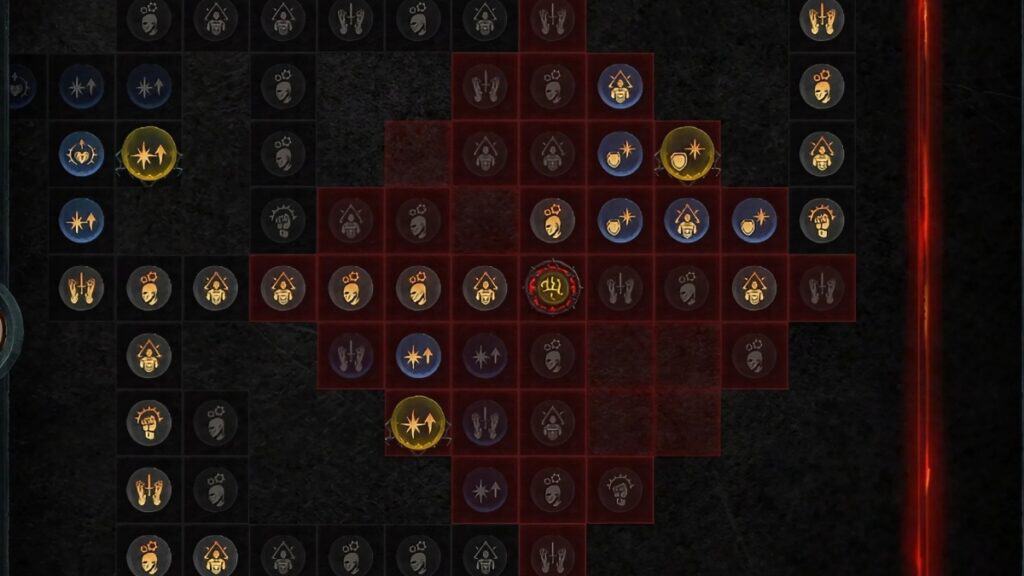
Diablo 4 glyphs image
Image Source: Blizzard Entertainment via The Nerd Stash
This article is over 1 years old and may contain outdated information.

The skill tree in Diablo 4 is just the tip of the iceberg. Once you get to Level 50, the game will open up its rabbit hole of build customization, the Paragon Board. The pinnacle of the Paragon Board system would be none other than the Glyphs which let you further specialize on your chosen playstyle or build. I’m here to help you on how to get Glyphs in Diablo 4 and other questions you might have about them.

Where to Get Glyphs in Diablo 4 Season 4

[Updated on May 31, 2024 – Revised the guide and added more detailed tips for farming Glyphs]
Diablo 4 glyphs image
Image Source: Blizzard Entertainment via The Nerd Stash

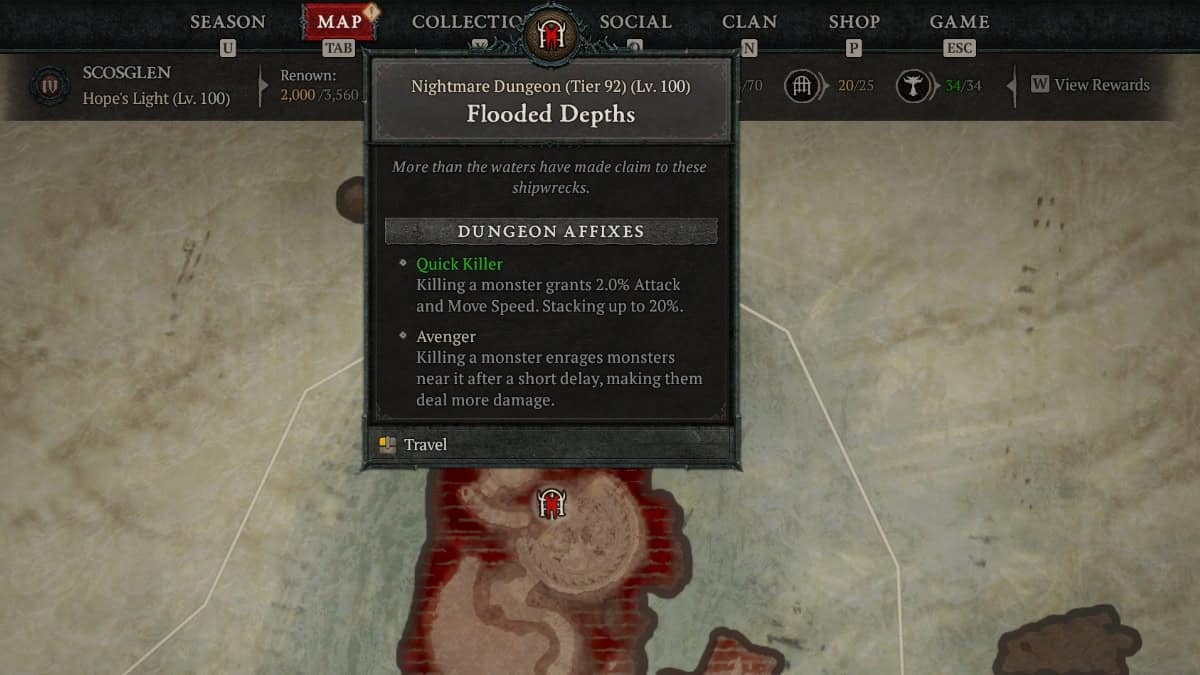
There are two Glyph rarities in Diablo 4, Magic and Rare. Upon reaching Level 50, your character will automatically receive several Magic Glyphs which are decent enough to use as starter Glyphs for your Paragon Board.

However, you’ll eventually want something more powerful, which brings us to the Rare Glyphs. Rare Glyphs will start dropping randomly once you’re in World Tier 3 or higher. They can drop from just about any enemy you slay or any chest you open.

Farm Rare Glyphs in Nightmare Dungeons & Helltides

The thing about Diablo 4‘s drop rates is that fighting enemies of a higher level than your character will increase your drop rate chances. So more items dropping means more chances of getting Rare Glyphs.

Related:

Diablo 4: The TL;DR of Season 4 Loot Reborn

For that matter, I recommend the following two areas where you can farm Glyphs:

  • Repeatedly run Nightmare Dungeons whose enemies are at least five levels higher than your character.
  • Otherwise, just farm in Helltides.

The Rare Glyphs will drop frequently once you have your Paragon Board unlocked at Level 50. It’s also only a matter of time (and usually not luck) before you obtain all the Rare Glyphs.

How to Use Glyphs in Diablo 4
Diablo 4 glyphs image
Image Source: Blizzard Entertainment via The Nerd Stash

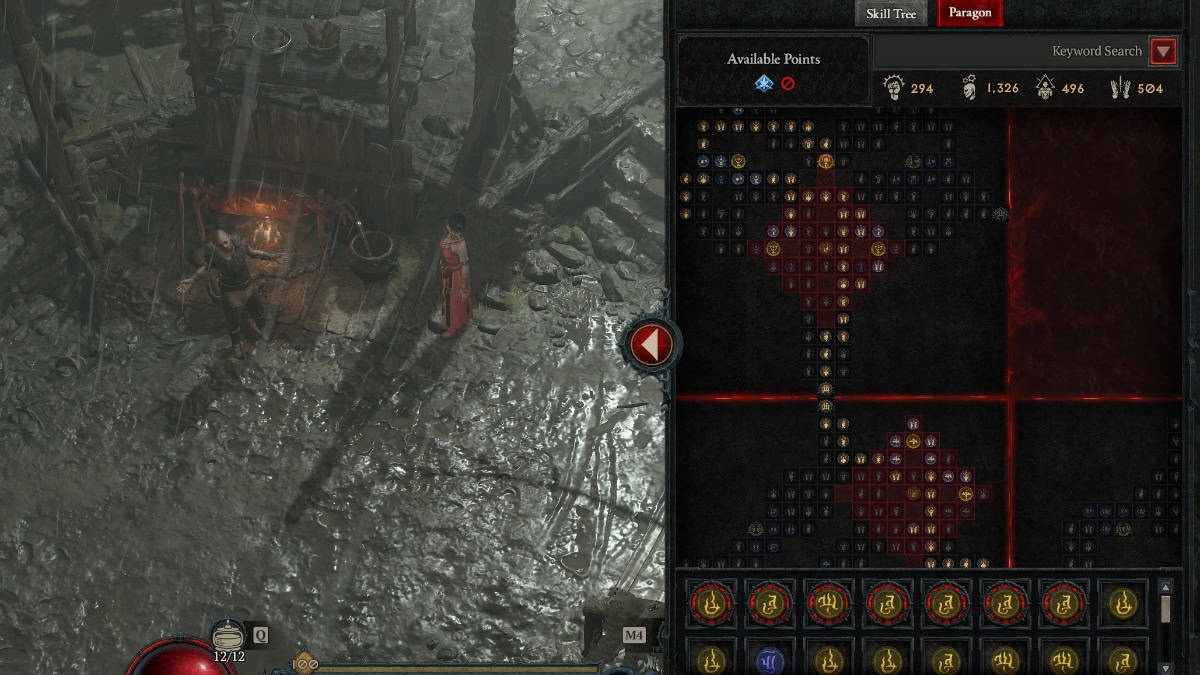
If you look at your Paragon Board, there are empty nodes that you can reach and unlock. These empty nodes are reserved for the Glyphs.

Each Glyph has a different effect and bonus but they all have a radius. Each specific stat within that said radius will increase the Glyphs effect or will unlock the Glyph’s secondary bonus upon reaching a certain stat threshold.

Level Up Glyphs in Nightmare Dungeons to Expand Their Radius
Diablo 4 glyphs image
Image Source: Blizzard Entertainment via The Nerd Stash

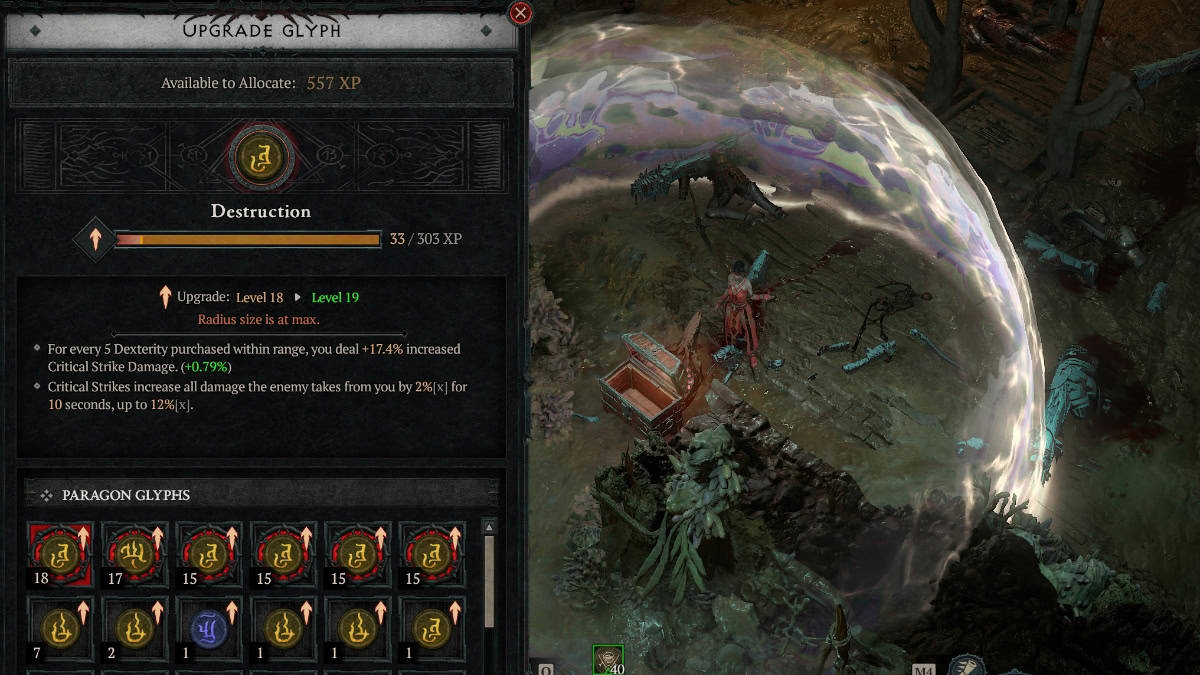
You can thankfully expand a Glyph’s radius by boosting it to Level 15 (max is Level 21). This will let you reach their stat threshold much easier and further increase their power.

To level up your Glyphs, you must finish Nightmare Dungeons. At the end of each Nightmare Dungeon, there will be an XP pedestal which will let you level up your Glyph. Harder Nightmare Dungeons will reward more Glyph XP. This is currently the only way to level up Glyphs in Diablo 4.

Do pick your Glyphs wisely as there are a lot of them and not all are complementary for your build.

Diablo 4 is available on PlayStation 4, PlayStation 5, Xbox Series X/S, Xbox One, and PC.

Related Topics
Diablo 4 Guide
Share. Facebook Twitter LinkedIn Reddit Email
Sid Natividad, Sergen Çelik
  • Website

Sid was born, did some stuff, then decided to become a writer. He found respite in the sweet embrace of video games and pop culture after serving as a journalist, covering warzones and depressed areas. It seems he prefers the much lower chance of getting hit by a stray bullet during work hours.

Sid Natividad, Sergen Çelik
  • Website

Sid was born, did some stuff, then decided to become a writer. He found respite in the sweet embrace of video games and pop culture after serving as a journalist, covering warzones and depressed areas. It seems he prefers the much lower chance of getting hit by a stray bullet during work hours.

SUGGESTED READS

MindsEye Layoffs 2026
Gaming

Studio Behind GTA-like Game, MindsEye, Hit With More Layoffs, and Nobody is Surprised: ‘Shocked There’s Even a Janitor Working There’

Princess Peach Spin-Off Movie May Already Be in Development, Job Listing Suggests
Gaming

Princess Peach Spin-Off Movie May Already Be in Development, Job Listing Suggests

Xbox's New CEO Wants to Reconnect With the 'Community,' Yet Brings In More CoreAI Leaders
Gaming

Xbox’s New CEO Wants to Reconnect With the ‘Community,’ Yet Brings In More CoreAI Leaders

Diablo 4 Season 13 Tier List
Gaming

Class Tier List for Diablo 4 Season 13 (Best Classes for Endgame & Leveling)

Take-Two Boss Finally Explains Why GTA 6 Is Skipping PC at Launch: 'We'll See How It Works Out'
Gaming

Take-Two Boss Finally Explains Why GTA 6 Is Skipping PC at Launch: ‘We’ll See How It Works Out’

Rockstar Employee Review Claims 'Unrealistic' Crunch as GTA 6 Development Intensifies: 'Had to Work Till 3AM'
Gaming

Rockstar Employee Review Claims ‘Unrealistic’ Crunch as GTA 6 Development Intensifies: ‘Had to Work Till 3AM’

The Nerd Stash
Facebook X (Twitter) Instagram YouTube LinkedIn
  • About Us
  • Join Our Team
  • Meet the Team
  • Privacy Policy
  • DMCA Policy
  • Contact Us
  • Terms of Use
  • Sitemap
  • Editorial Guidelines
  • Advertising Policy
© 2026 The Nerd Stash. All Rights Reserved.

Type above and press Enter to search. Press Esc to cancel.