Close Menu
  • Gaming
    • Game Guides
    • Codes
    • Game News
    • Game Previews
    • Game Reviews
    • Game Features
    • Game Lists
    • Platforms
      • Nintendo
      • PC
      • PlayStation
      • Xbox
      • Mobile
  • Entertainment
    • Movies
    • Movie Features
    • Movie Reviews
    • TV
    • Reality TV
    • Royals
  • Celebrity
    • Hollywood
  • Human Interest
  • Astrology
  • Videos
  • More
    • Anime
    • Lists
    • Podcasts
    • Reviews
Facebook X (Twitter) Instagram LinkedIn YouTube
  • About Us
  • Join Our Team
  • Meet the Team
  • Privacy Policy
  • DMCA Policy
  • Contact Us
  • Terms of Use
  • Sitemap
  • Editorial Guidelines
  • Advertising Policy
The Nerd Stash
  • Gaming
  • Celebrity
    • Hollywood
  • Human Interest
  • Videos
The Nerd Stash
Home»Game Guides»How To Get Rainbow Pigment in Monster Hunter: World

How To Get Rainbow Pigment in Monster Hunter: World

Embrace the rainbow.

Patrick ArmstrongBy Patrick ArmstrongJanuary 9, 20243 Mins Read
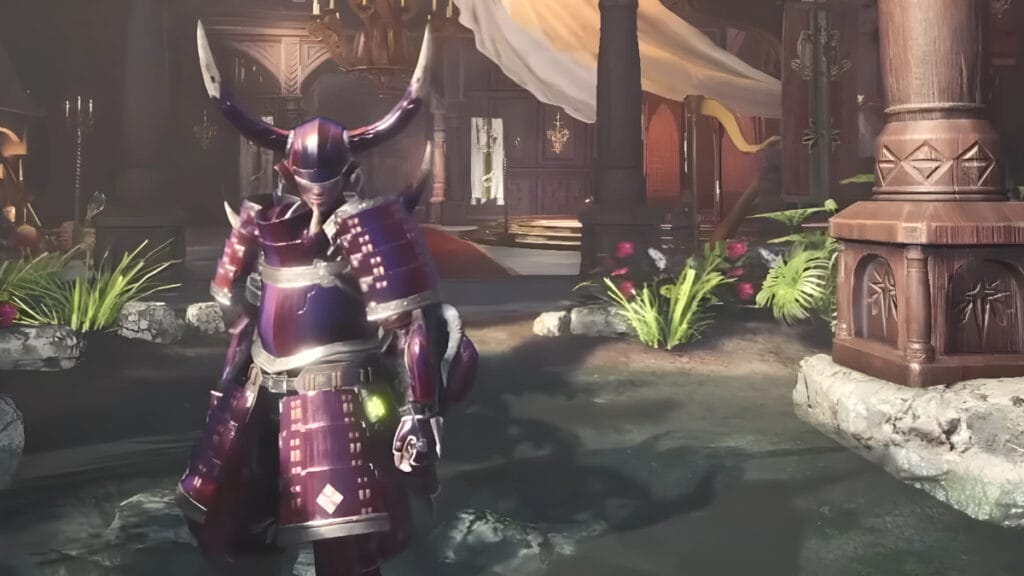
A player poses in their Rainbow Pigment armor in Monster Hunter: World
Image Source: Deathgun YouTube via The Nerd Stash
This article is over 2 years old and may contain outdated information.

The Monster Hunter franchise isn’t just about slaying fearsome beasts, it’s also about fashion, and nothing screams fashion like Rainbow Pigment. This exclusive end-game pigment in Monster Hunter: World causes your armor to change color over time, letting you flex a variety of looks mid-mission. Though Rainbow Pigment won’t help you kill monsters any faster, it’s an easy and stylish way to show off your progress in Capcom‘s monster-slaying game. To earn it, you’ll need to survive a number of deadly beasts. Here’s how to get Rainbow Pigment in MHW.

Completing The White Winds of the New World in MHW
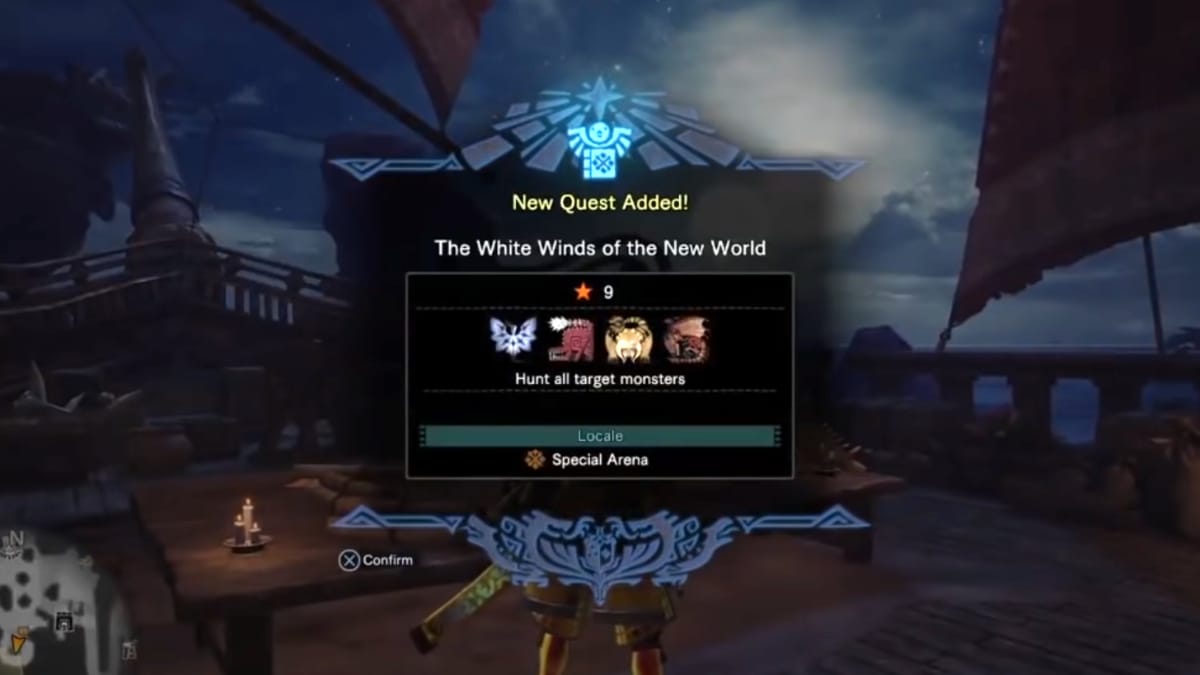
A dialog box showing the mission to get the Rainbow Pigment in Monster Hunter: World
Image Source: Deathgun YouTube via The Nerd Stash

To get Rainbow Pigment in MHW, you need to complete The White Winds of the New World. To unlock it, you’ll need to complete all assignments in the game. That includes all 8-Star and lower Optional Quests except Blue Prominence and Infernal Monarchy. You must also complete a single 9-Star quest: A Light Upon the River’s Gloom. After completing the last of these quests, speak with the Commander in Astera to pick up The White Winds of the New World.

When you’ve completed all quests of a given Star Level, an orange “Completed” banner will appear beside them. That makes it easy to keep track of your progress. As for The White Winds of the New World, it’s a straightforward arena battle. This mission pits you against four tough monsters: Legiana, Odogaron, Diablos, and Rathalos. At first only Legiana is present in the arena, but the other monsters will join with time. It’s important to take down each monster quickly to avoid being overwhelmed.

Related:

How To Get Coral Crystals in Monster Hunter World

How To Use Rainbow Pigment

Facing off against four monsters with a strict timelimit would normally be tough even with an easy weapon, but The White Winds of the New World isn’t too difficult. That’s because the monsters have reduced health during this quest, which makes slaying them much faster. Once you’ve finished off the last monster, you’ll receive the Rainbow Pigment as a reward. You can now use the Rainbow Pigment by going to the Item Box in your room, selecting “Change Appearence,” then “Change Armor Pigment,” and last “Rainbow” in the Color Tab.

To summarize, here are the steps you need to follow to get Rainbow Pigment in MHW:

  • Complete all of the optional quests
  • Speak with the Commander in Astera to start The White Winds of the New World
  • Slay Legiana, Odogaron, Diablos, and Rathalos
  • Use the Item Box in your room to select “Change Appearance”
  • Select “Change Armor Pigment” and then “Rainbow” in the Color Tab

Monster Hunter: World is available for PC, PlayStation 4, and Xbox One.

Related Topics
Guide Monster Hunter: World
Share. Facebook Twitter LinkedIn Reddit Email
Patrick Armstrong
  • Website

Artist and writer with a lifelong love of video games. Their favorite games include Dead by Daylight, Meet Your Maker, and Project Zomboid.

SUGGESTED READS

Blender Bee Swarm Simulator
Game Guides

Where Is the Blender in Bee Swarm Simulator on Roblox? Answered

How to Get Blue Extract in Bee Swarm Simulator on Roblox
Game Guides

How to Get Blue Extract in Bee Swarm Simulator on Roblox

Norse Oath of Blood PC Review
7
Game Reviews

NORSE: Oath of Blood Review – Not Ready for Valhalla

Secret Lucky Block Steal a Brainrot
Game Guides

How To Easily Get Secret Lucky Blocks in Steal a Brainrot in Roblox

Roblox Adopt Me! Players Scramble as Dire Wolf Arrives and Giant Panda Leaves: 'NOOO I Dont Have One'
Game News

Roblox Adopt Me! Players Scramble as Dire Wolf Arrives and Giant Panda Leaves: ‘NOOO I Dont Have One’

Battlefield 6 Season 2 Contaminated Map Preview
Game Previews

Battlefield 6 Season 2 Contaminated Map Preview – Masks Up

The Nerd Stash
Facebook X (Twitter) Instagram YouTube LinkedIn
  • About Us
  • Join Our Team
  • Meet the Team
  • Privacy Policy
  • DMCA Policy
  • Contact Us
  • Terms of Use
  • Sitemap
  • Editorial Guidelines
  • Advertising Policy
© 2026 The Nerd Stash. All Rights Reserved.

Type above and press Enter to search. Press Esc to cancel.