To survive on Lethal Company’s dangerous moons, you’ll need a lot of different pieces of equipment, but luxuries like the Jetpack are only available to the most experienced players. Thanks to Jetpack, you can easily and safely cross long distances in open locations, only being careful of the storm and crazy jumps of Earth Leviathan. Of course, you will have to get used to the controls and control the level of overheating so that it does not turn into festive fireworks, but this is just a matter of practice. However, obtaining a Jetpack will require much more impressive time and financial costs.
Where To Get Jetpack in Lethal Company
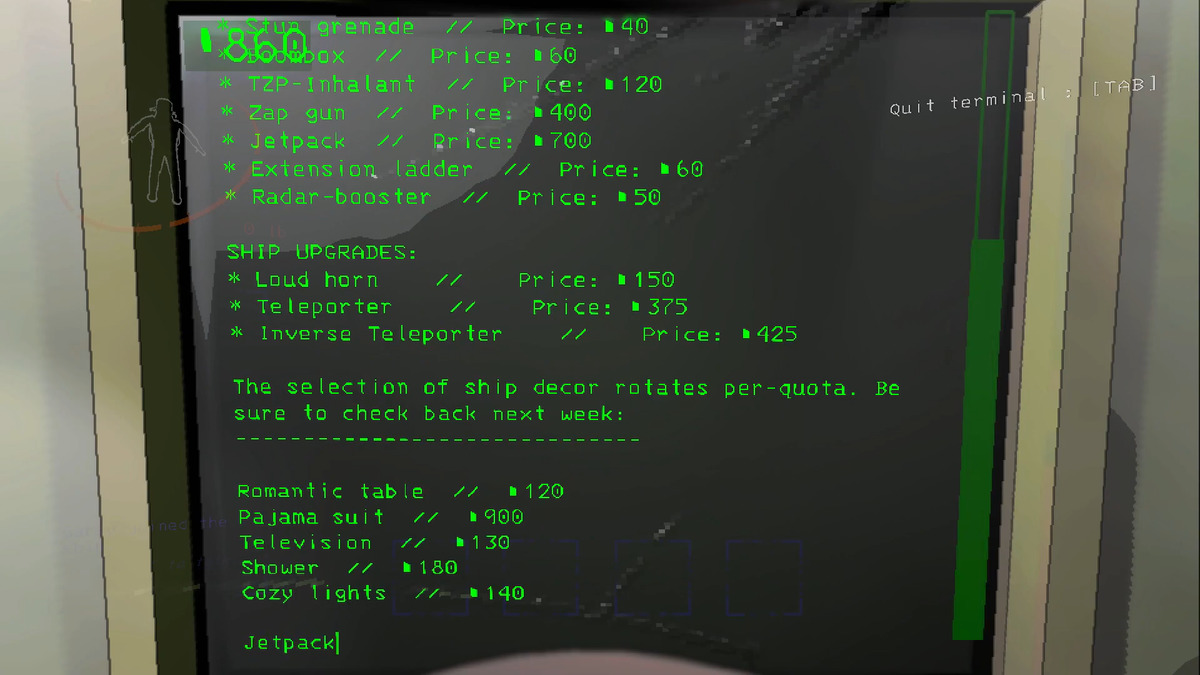
Although the Jetpack is an incredibly valuable item, you can obtain it just like any other piece of gear in Lethal Company. You only need to visit the in-game terminal and buy this product for a whopping 700 Credits. This price is prohibitive for most beginners, but if you have already saved up this amount, here is what you should do to get the Jetpack in Lethal Company:
- Go to the ship and interact with the Terminal Console.
- Press E to get to the console and type Store, then press Enter.
- Once in the Store, type Jetpack into the text box and press Enter. Finally, enter CONFIRM to confirm the order, and if you have 700+ Credits on your balance, you can buy the desired product.
- Leave your ship and wait for the delivery ship to arrive.
- Finally, go to the delivery ship and press the E button to pick up your order.
It is also worth noting that this is the only way to get Jetpack. You won’t be able to find it as a random drop. This item is excellent proof of your diligence, which rewards you with comfortable movement around the planet.
How To Use Jetpack in Lethal Company
Despite all the value of this item, using the Jetpack is not much more difficult than a regular flashlight. But to make it easier for you, here are the basic rules for controlling this aircraft:
- With the Jetpack equipped, press the left mouse button to fly up.
- Once you’ve reached your preferred height, hold the Spacebar to hold the height. To control the direction of flight, use the same buttons as for normal movement.
- As soon as you want to go down, release Spacebar.
Jetpack will become an indispensable attribute of your forays into new buildings. It is most effective to award a Jetpack to one player from your team who will transport all the collected Scraps from the abandoned building to your ship. It will allow its life to be saved along with a valuable item while other players will focus on farming resources. However, there are several rules for using Jetpack that you also need to know about:
- Using the Jetpack for too long can cause it to overheat and explode. So, go down periodically to the ground to give your aircraft a rest.
- You can only use the Jetpack in open areas. It is logical, but many will probably try to take off in a building.
- You will sometimes need to charge your Jetpack on the wall charger on your ship.