
Close Menu
  • Gaming
    • Platforms
      • Nintendo
      • PC
      • PlayStation
      • Xbox
  • Entertainment
    • Movies
    • TV
    • Royals
  • Celebrity
    • Hollywood
  • Human Interest
  • Astrology
  • More
    • Anime
    • Reviews
Facebook X (Twitter) Instagram LinkedIn YouTube
  • About Us
  • Join Our Team
  • Meet the Team
  • Privacy Policy
  • DMCA Policy
  • Contact Us
  • Terms of Use
  • Sitemap
  • Editorial Guidelines
  • Advertising Policy
The Nerd Stash
  • Gaming
  • Celebrity
  • Hollywood
  • Human Interest
The Nerd Stash
Home»Gaming»How To Hotwire a Car in Project Zomboid

How To Hotwire a Car in Project Zomboid

No more searching for car keys!

Akın BilginBy Akın BilginDecember 29, 20232 Mins Read
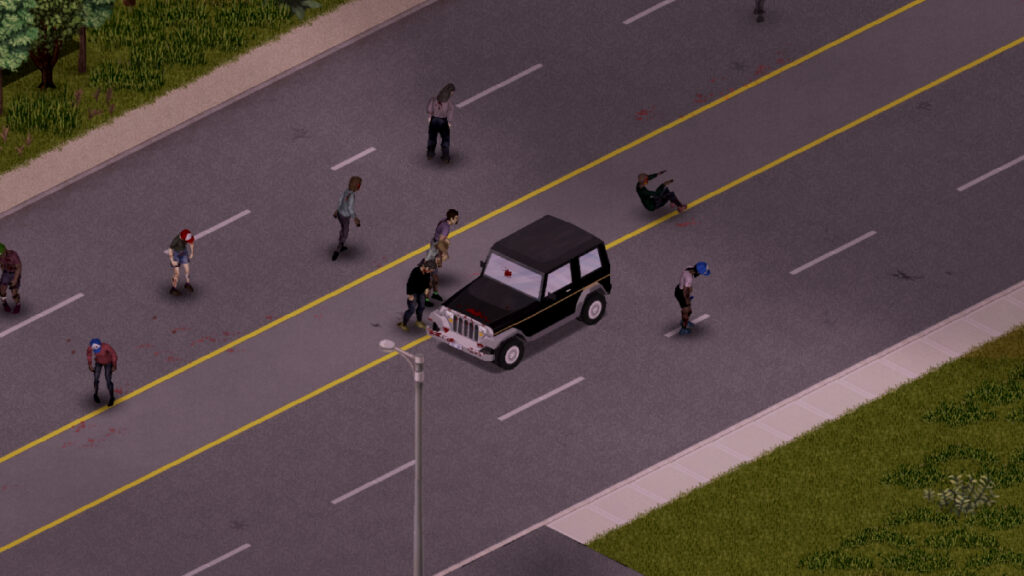
how to hotwire car project zomboid
Image Source: The Indie Stone via The Nerd Stash
This article is over 2 years old and may contain outdated information.

Project Zomboid is an unforgiving and extremely punishing zombie survival game. In fact, I can easily say that it is the most realistic zombie survival game in terms of difficulty, so you have to be quite careful about your actions. One of the first things you need to do is to find a car, stock up on supplies, and get away from the city center. Having a car right at the start of the game gives you the advantage of being able to go wherever you want and store your stuff in the car. However, you won’t be able to find the keys to every car in Project Zomboid, so you need to know how to hotwire a car.

Hotwiring a Car in Project Zomboid
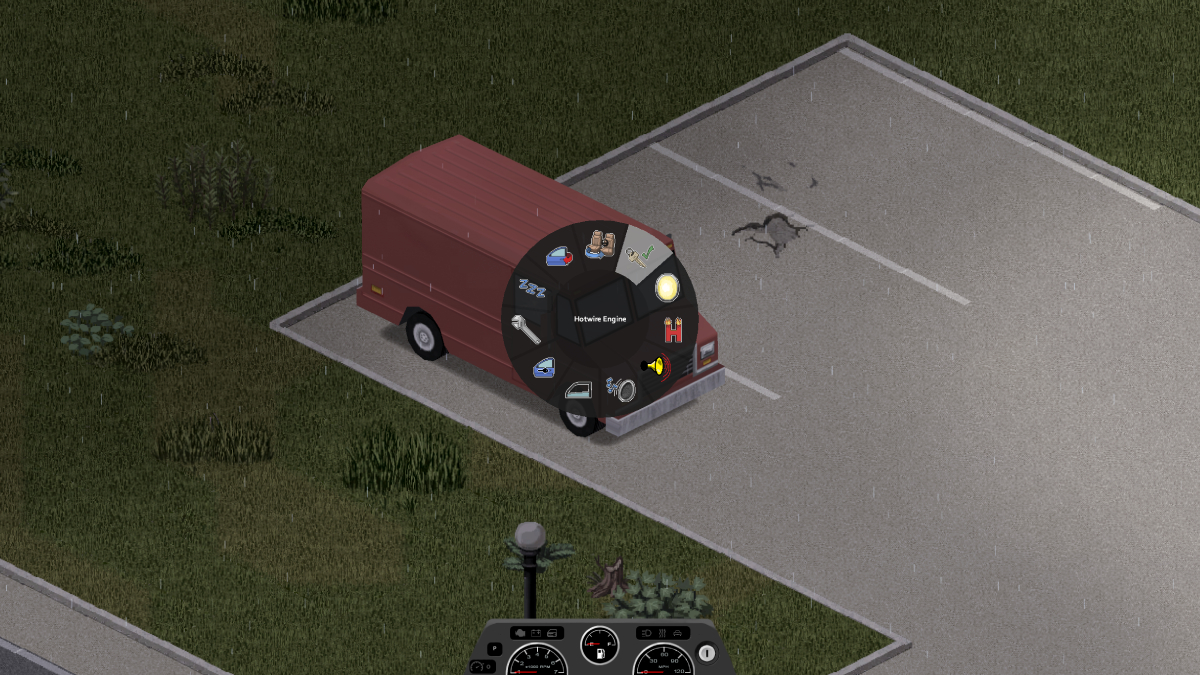
project zomboid hotwire
Image Source: The Indie Stone via The Nerd Stash

There are two ways to hotwire cars in the game. The first is to choose the Burglar profession at the beginning of the game, so your character will automatically know how to hotwire cars in Project Zomboid. You don’t need to choose Burglar in the second option, but you need to teach your character some skills. If you did not choose the Burglar profession at the beginning of the game, your character must be level 1 in Electrical and level 2 in Mechanics in order to hotwire a car in Project Zomboid.

Here is the breakdown of hotwire a car in Project Zomboid:

  1. First, find a car and get in it.
  2. If the doors are locked, right-click on the window to break it.
  3. Then hold down the “V” key to switch to the driver’s seat.
  4. Then hold down the “V” key again and select the “Hotwire Engine” option.
  5. Try it until the car starts and you see wires in the key socket.

Related:

Top 8 Best Project Zomboid Mods

That’s all you need to know about hotwiring cars in Project Zomboid, if you want a video tutorial we recommend you check out the video below from the YouTube channel Arean:


How to Hotwire a Car in Project Zomboid
Related Topics
Guide Project Zomboid
Share. Facebook Twitter LinkedIn Reddit Email
Akın Bilgin
  • Website
  • X (Twitter)

Akın Bilgin loves colony simulators, survival, and souls-like games. He has been a freelance guide writer for two years and is studying English Language and Literature in Turkey.

SUGGESTED READS

Vampire Survivors Developer Goes Wild With Over 15 New Games, Expands to Japan and Italy: 'Profit Is Not a Priority'
Gaming

Vampire Survivors Developer Goes Wild With Over 15 New Projects, Expands to Japan and Italy: ‘Profit Is Not a Priority’

Gaming

The Expanse: Osiris Reborn Is Owlcats Most Ambitious Leap Yet ‘A stunning jump forward’

World of Tanks HEAT Closed Beta Preview
Features

World of Tanks HEAT Hands-On Preview – Faster, Flashier, and Just as Tactical

Where to Find the Secret Fall Shop in Roblox Adopt Me
Gaming

Where to Find the Secret Fall Shop in Roblox Adopt Me

Diablo 4 Lord of Hatred Review
10
Features

Diablo 4: Lord of Hatred Review – Breaking the Cycle

Shuhei Yoshida Says He Was Fired From Playstation Studios for Saying 'No' to Jim Ryan: 'He Asked For Ridiculous Things'
Gaming

Shuhei Yoshida Says He Was Fired From Playstation Studios for Saying ‘No’ to Jim Ryan: ‘He Asked For Ridiculous Things’

The Nerd Stash
Facebook X (Twitter) Instagram YouTube LinkedIn
  • About Us
  • Join Our Team
  • Meet the Team
  • Privacy Policy
  • DMCA Policy
  • Contact Us
  • Terms of Use
  • Sitemap
  • Editorial Guidelines
  • Advertising Policy
© 2026 The Nerd Stash. All Rights Reserved.

Type above and press Enter to search. Press Esc to cancel.



