Close Menu
  • Gaming
    • Platforms
      • Nintendo
      • PC
      • PlayStation
      • Xbox
  • Entertainment
    • Movies
    • TV
    • Royals
  • Celebrity
    • Hollywood
  • Human Interest
  • Astrology
  • More
    • Reviews
Facebook X (Twitter) Instagram LinkedIn YouTube
  • About Us
  • Join Our Team
  • Meet the Team
  • Privacy Policy
  • DMCA Policy
  • Contact Us
  • Terms of Use
  • Sitemap
  • Editorial Guidelines
  • Advertising Policy
The Nerd Stash
  • Gaming
  • Celebrity
  • Hollywood
  • Human Interest
The Nerd Stash
Home»Gaming»How To Improve Performance in Cities: Skylines 2

How To Improve Performance in Cities: Skylines 2

Let’s make this game run like butter.

Julio La PineBy Julio La PineOctober 19, 20232 Mins Read
Cities Skylines 2 PC Performance
Image Source: Colossal Order/Paradox
This article is over 2 years old and may contain outdated information.

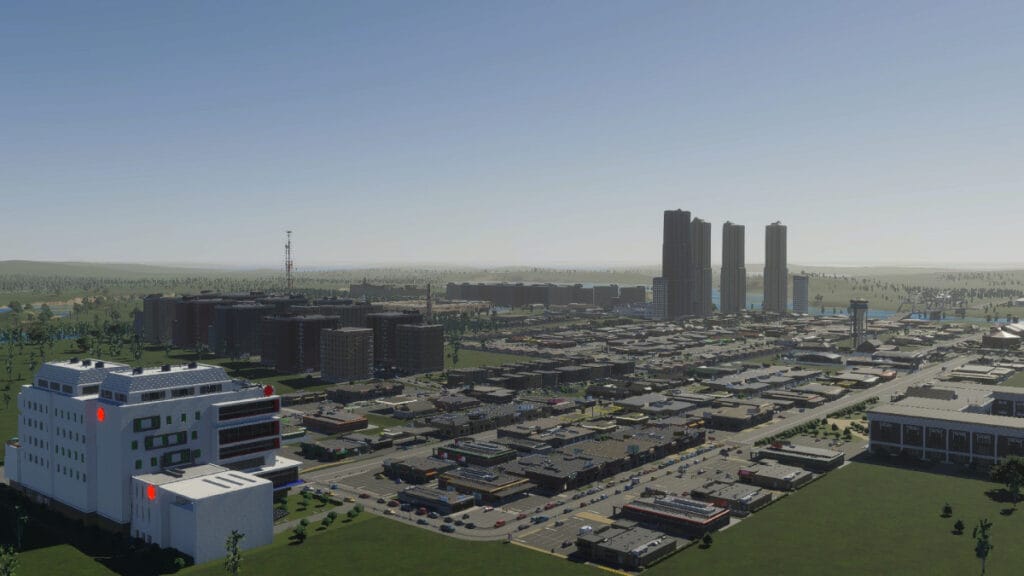
Colossal Order and Paradox Interactive advertised the new Cities: Skylines 2 game as a next-gen title, and with good reason. It features one of the most realistic city-building mechanics and simulates a society in a way we hadn’t seen before. However, this all comes at a hefty price. The performance for many users, even those who meet the requirements, might not be ideal. Yet, many ways exist to fix these issues in the PC gaming world. Here, we’ll tell you how to improve performance in Cities: Skylines 2.

Best Ways to Improve Performance in Cities: Skylines 2

Cities Skylines 2 Performance Tips
Image Source: Colossal Order/Paradox

For the game to run as intended, we recommend tweaking a few things before starting your city-builder journey. So far, it seems this game is heavy on the CPU side, so you might struggle if you have one that isn’t on the recommended specs. On the GPU side, it’s also a bit hefty, but changing some options will make the game run better without compromising visuals. Here’s what we recommend:

SettingBest Option
Display ModeFullscreen
VSyncOn
Dynamic Resolution Scale QualityAutomatic
Anti-aliasing QualityLow SMAA
Clouds Quality SettingsMedium
Fog Quality SettingsEnabled
Volumetrics Quality SettingsLow
Ambient Occlusion QualityMedium
Global Illumination QualityMedium
Reflections QualityMedium
Depth of Field QualityLow
Shadow QualityLow
Terrain Quality SettingsMedium
Water Quality SettingsMedium
Level of DetailVery Low
Animation QualityMedium
Texture Quality SettingsMedium

Related:

Cities: Skylines 2 Gives Update on Mods and Performance

As you can see, most options rely on dropping the quality to medium, and that’s one of the best ways to improve performance in Cities: Skylines 2. The exception is Level of Detail, which is set to very low, and we noticed it has a more significant impact on the game and doesn’t make it look not good. Even at low settings, you can admire the beauty of this city builder and play it much smoother. If you’re still getting a few frame drops, try to play with a few options until you find the right one. 

If you’d like to see more of what the game has in terms of visuals, here’s a video by developers showcasing the beauty of a large city:


Related Topics
Cities: Skylines 2 Guide
Share. Facebook Twitter LinkedIn Reddit Email
Julio La Pine
  • Website

News/Guide Writer for The Nerd Stash. When not working, you'll find him playing Final Fantasy 14, any good JRPG, and modding Project Zomboid.

SUGGESTED READS

Jak and Daxter Movie Reportedly Still Happening, and Fans Hope a New Game Comes With It
Gaming

Jak and Daxter Movie Reportedly Still Happening, and Fans Hope a New Game Comes With It: ‘Just Give Us the Games’

Zenless Zone Zero Version 3.3
Gaming

Zenless Zone Zero 3.3 Brings Two New Agents and a Teaser for the Honkai: Star Rail Collab Characters

Dragon's Dogma 2 Dark Arisen Start
Gaming

How To Start the Dark Arisen Expansion in Dragon’s Dogma 2

Gaming

How To Solve All Sage Riddles in Dragon’s Dogma 2: Dark Arisen

Dragon's Dogma 2 Dark Arisen Expansion Review
9
Gaming

Dragon’s Dogma 2: Dark Arisen Review – ‘Twas Time for a Renewal

Overwatch Season 5 Launch
Gaming

Overwatch Kicks Off Its Season 5 With the Debut of Doctrine and a Spooky Battle Pass

The Nerd Stash
Facebook X (Twitter) Instagram YouTube LinkedIn
  • About Us
  • Join Our Team
  • Meet the Team
  • Privacy Policy
  • DMCA Policy
  • Contact Us
  • Terms of Use
  • Sitemap
  • Editorial Guidelines
  • Advertising Policy
© 2026 The Nerd Stash. All Rights Reserved.

Type above and press Enter to search. Press Esc to cancel.