

Close Menu
  • Gaming
    • Platforms
      • Nintendo
      • PC
      • PlayStation
      • Xbox
  • Entertainment
    • Movies
    • TV
    • Royals
  • Celebrity
    • Hollywood
  • Human Interest
  • Astrology
  • More
    • Reviews
Facebook X (Twitter) Instagram LinkedIn YouTube
  • About Us
  • Join Our Team
  • Meet the Team
  • Privacy Policy
  • DMCA Policy
  • Contact Us
  • Terms of Use
  • Sitemap
  • Editorial Guidelines
  • Advertising Policy
The Nerd Stash
  • Gaming
  • Celebrity
  • Hollywood
  • Human Interest
The Nerd Stash
Home»Gaming»How To Make a Gamepass in Roblox Pls Donate

How To Make a Gamepass in Roblox Pls Donate

Hand over your Robux—pretty please.

AugustBy AugustNovember 2, 20233 Mins Read
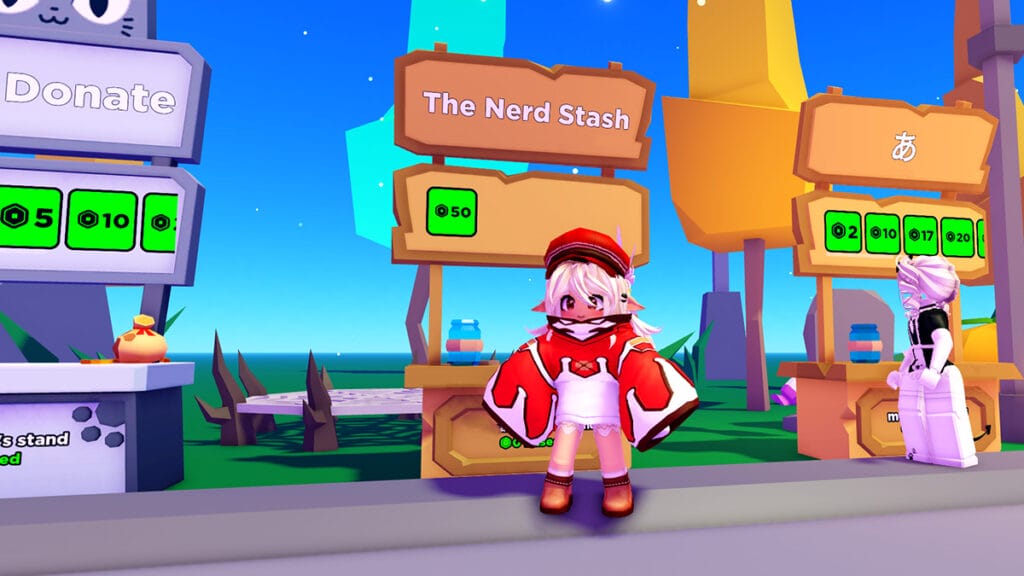
The Nerd Stash Makes a Gamepass in Roblox Pls Donate
Image Source: haz3mn via The Nerd Stash
This article is over 2 years old and may contain outdated information.

If the conventional street beggar life isn’t for you in Pls Donate, consider making your own Roblox gamepass for the game. Referred to as simply “Pass” on the platform, you can add the element as a purchasable item on your claimed Stand. This way, you needn’t beg for donations from every player that loads on the server. Instead, you can have them potentially come to you with their Robux—as long as your stand’s decor and charming disposition can woo them over, that is.

How To Create a Pass in Roblox
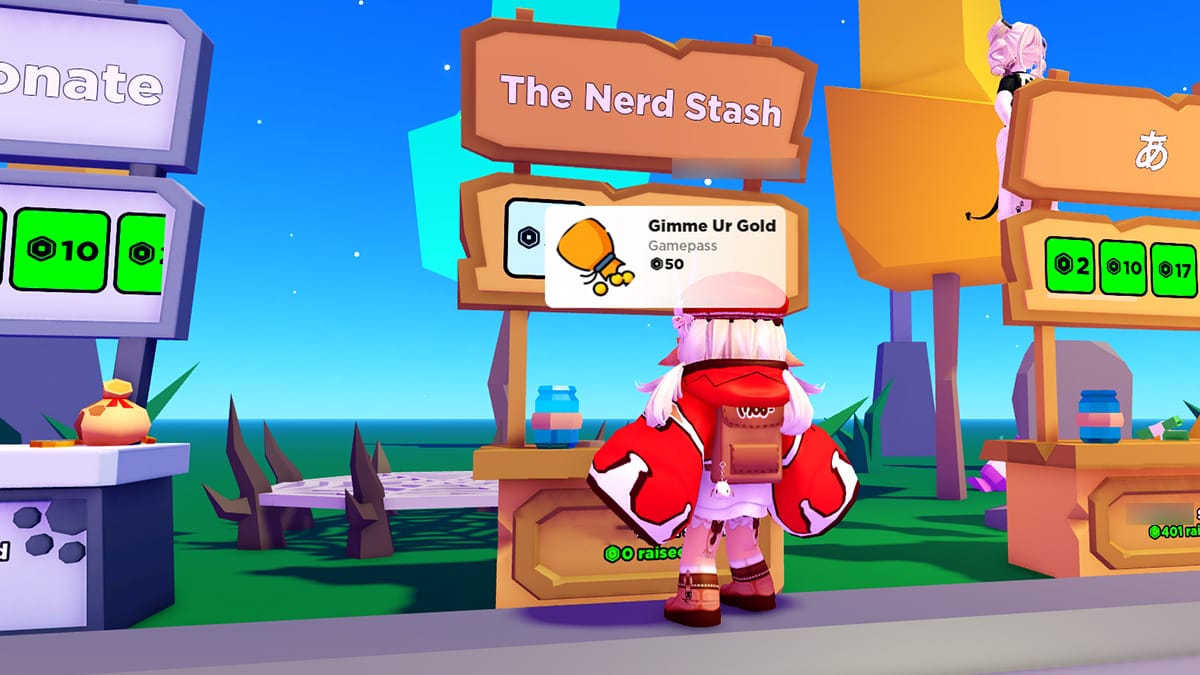
Custom Gamepass in Pls Donate
Image Source: haz3mn via The Nerd Stash

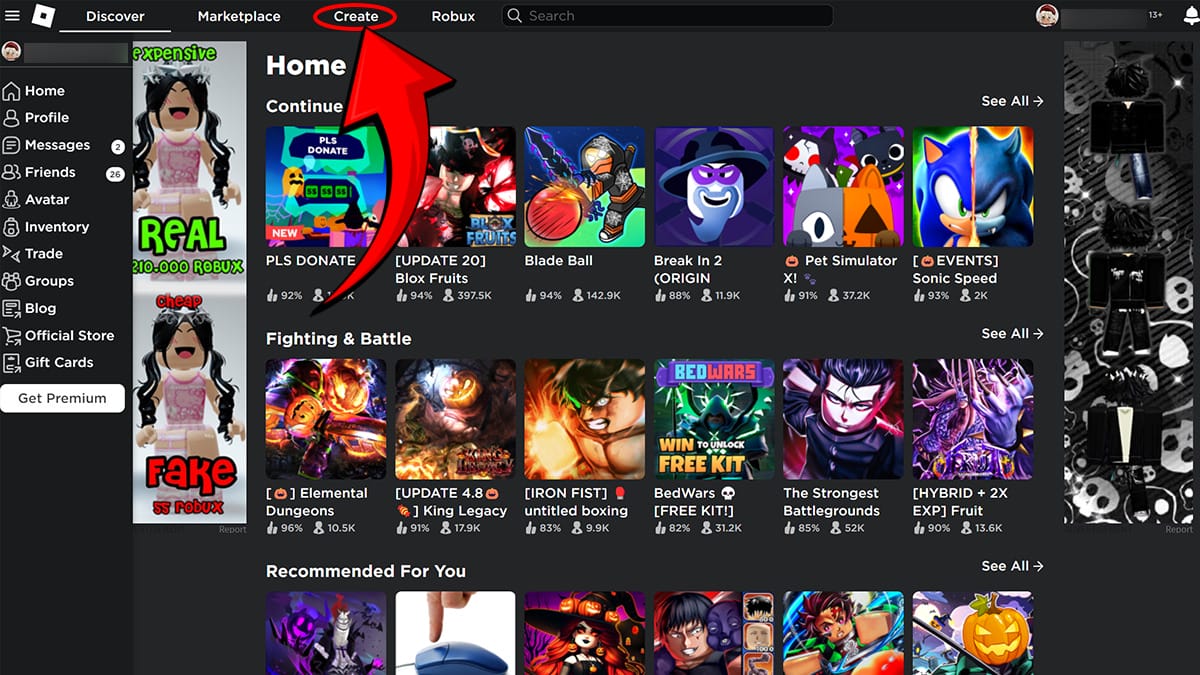
While you can create various elements for Roblox games via the Roblox Studio application, we will focus on Pass creation via browser since it’s the more accessible method. Starting on the platform’s Home Page, you must navigate your way to the Creator Hub. This can be done by selecting the “Create” tab at the top of your browser, between “Marketplace” and “Robux.”
Create Tab Roblox
Image Source: Roblox via The Nerd Stash

Once you’re in your hub, go to Experiences, where you will find your “Place,” which is where you’ll configure everything that has to do with your Roblox game. Obviously, we’re not discussing making a game in Roblox at the moment, but it’s still the page where you need to navigate to make a gamepass in Pls Donate. 
Making a Gamepass in Roblox
Image Source: Roblox via The Nerd Stash

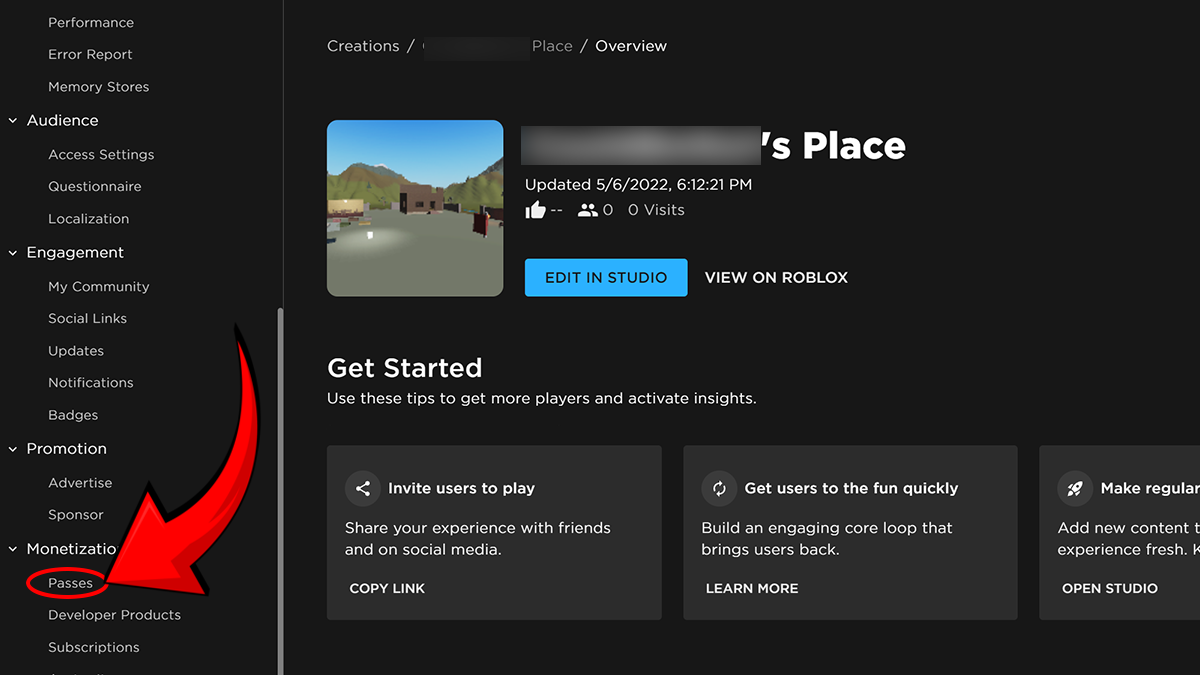
On the left side of your Place in Roblox, examine the long list of items to select from. Scroll down to the bottom, look under the tab for “Monetization Products,” and choose “Passes.” Since this is your first time doing so, the inventory page should be empty. Hit the “Create A Pass” to get started. 
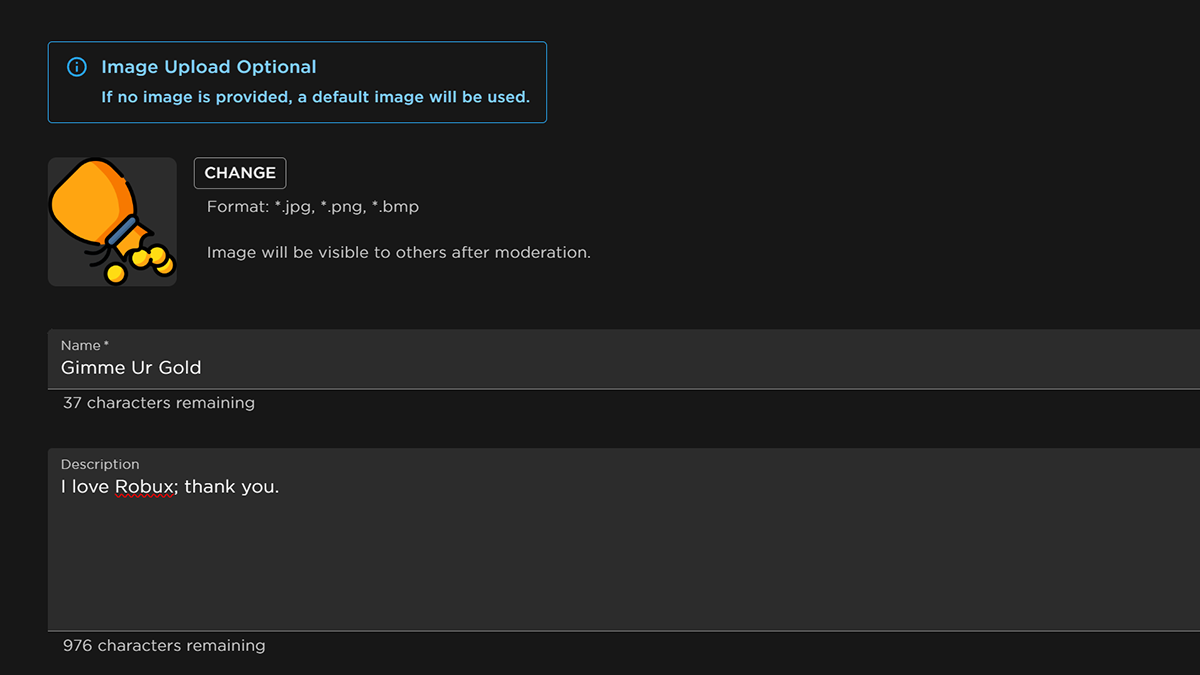
Gimme Ur Gold Gamepass Roblox
Image Source: Roblox via The Nerd Stash

The creation process is extremely simple: Add an image for the Pass, choose a Name, and then fill out the Description. You can put whatever you want, such as “Gimme Your Robux.” That said, you also need to add pricing to your Pls Donate Pass in Roblox. This is done by selecting “Sales” under “Basic Settings” on the left of the Pass’s page and filling in a Robux value. Do note that Roblox, the company, will take 30% of your currency earnings.
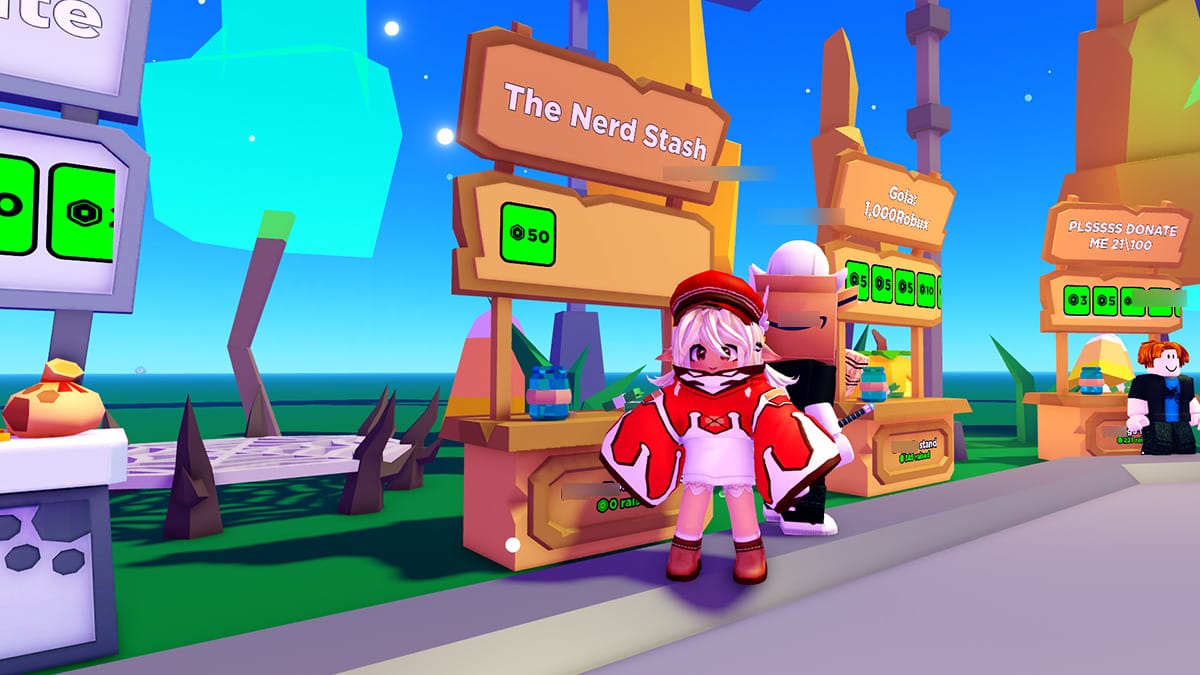
Setting up Stand in Pls Donate
Image Source: haz3mn via The Nerd Stash

Now it’s time to put your Pls Donate gamepass into action by entering the game and claiming a Stand. Edit your Stand and select the Pass you just created, and voilà—your gamepass is good to go! Now, all that’s next to do is patiently wait AFK, dance, or do whatever you do best to acquire those donations.

For clarification’s sake, let’s briefly go over the steps of making a gamepass for Pls Donate: 

  1. Access the Roblox Creator Hub via your browser.

  2. Enter your “Place” and navigate to “Passes.”

  3. Create the gamepass, and don’t forget to add a price.

  4. Launch Pls Donate, claim your Stand, and add the Pass.

Related Topics
Guide Roblox
Share. Facebook Twitter LinkedIn Reddit Email
August

August Webb is a Staff Writer and former Lead Guide Editor of TNS. When not working, she's playing a visual novel, fanning over an indie gem, or lost in the world of VR.

SUGGESTED READS

Sony Just Put Another Nail in Physical Games' Coffin by Repurposing Its Disc Factory: 'A Direct Impact on Production'
Gaming

Sony Just Put Another Nail in Physical Games’ Coffin by Repurposing Its Disc Factory: ‘A Direct Impact on Production’

Star Fox Nintendo Switch 2 Review
9
Gaming

Star Fox Review – The Crew Is Back

PlayStation Physical Discs Gone
Gaming

The End of an Era: PlayStation to End Physical Disc Production in 2028

$99 Price Tag Isn't Scaring Gamers as GTA 6 Preorders Top PlayStation Store Charts Worldwide
Gaming

$99 Price Tag Isn’t Scaring Gamers as GTA 6 Preorders Top PlayStation Store Charts Worldwide

GTA 6 Launch Issues
Gaming

The Launch Of GTA 6 Might Be In Danger as Rockstar Games Could Go On Strike

The Crew Motorfest Season 10 Interview With Julien Hummer
Gaming

The Crew Motorfest Interview With Julien Hummer: The 10-Season Milestone, Long-Format Events, and More

The Nerd Stash
Facebook X (Twitter) Instagram YouTube LinkedIn
  • About Us
  • Join Our Team
  • Meet the Team
  • Privacy Policy
  • DMCA Policy
  • Contact Us
  • Terms of Use
  • Sitemap
  • Editorial Guidelines
  • Advertising Policy
© 2026 The Nerd Stash. All Rights Reserved.

Type above and press Enter to search. Press Esc to cancel.




