
Close Menu
  • Gaming
    • Platforms
      • Nintendo
      • PC
      • PlayStation
      • Xbox
  • Entertainment
    • Movies
    • TV
    • Royals
  • Celebrity
    • Hollywood
  • Human Interest
  • Astrology
  • More
    • Anime
    • Reviews
Facebook X (Twitter) Instagram LinkedIn YouTube
  • About Us
  • Join Our Team
  • Meet the Team
  • Privacy Policy
  • DMCA Policy
  • Contact Us
  • Terms of Use
  • Sitemap
  • Editorial Guidelines
  • Advertising Policy
The Nerd Stash
  • Gaming
  • Celebrity
  • Hollywood
  • Human Interest
The Nerd Stash
Home»Gaming»How to Play Fortnite Project Nova

How to Play Fortnite Project Nova

Do you want to know how to play Fortnite Project Nova? Fortnite is a free-to-play battle royale game and has been one of the most…

Asanga WijeratneBy Asanga WijeratneJanuary 26, 20233 Mins Read
How to Play Fortnite Project Nova?
This article is over 3 years old and may contain outdated information.

Do you want to know how to play Fortnite Project Nova? Fortnite is a free-to-play battle royale game and has been one of the most popular games for the past several years. However, since its launch in July 2017, So many chapters have been added to the game, and some players are missing good old versions of the game. However, they can play these old versions using Project Nova. This guide will tell you how to play Fortnite Project Nova.

What is  Fortnite Project Nova?

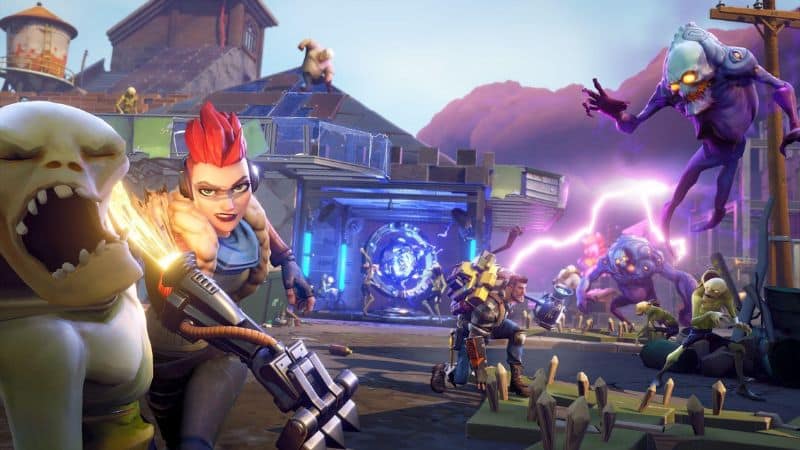
Project Nova is a third-party private multiplayer server, and Fortnite fans can play  OG Fortnite in Chapter 1. It is based on the first version of Fortnite and has no updates or changes from the original game. It has all the original features from the game, including weapons such as the bow and arrow, harvesting tools, and traps.

How to Play Fortnite Project Nova?
How to Play Fortnite Project Nova?

You can play Fortnite Project Nova by creating a Project Nova account on Project Nova Discord Channel and downloading the Project Nova launcher. Here are the steps you need to follow.

  1. Join the Nova discord and go to the bot command channel.
  2. Make an account by typing “/Create.”
  3. Type the details for the account creation and use an appropriate user name.
  4. Send the message, and your account will be created.
  5. Go to the download channel and install “VC_redist.x64”.
  6. Install Nova Launcher.
  7. Put those files on your Desktop.
  8. Make a new folder on the Desktop and put Nova Launcher in the folder.
  9. Right-click on Nova Launcher and click extract all.
  10. Open the Nova Launcher folder.
  11. Open the NovaLauncher.exe
  12. Click more information and then Run anyway on the popup window.
  13. Go to settings and click Easy Installer.
  14. Type 75 and click enter.
  15. Make a new folder on the Desktop and open it.
  16. Click the area to the right of the folder name and copy the text.
  17. Paste it in the easy Installer and click enter.
  18. Wait until it finishes processing.
  19. Once completed, click the button next to the Fortnite path.
  20. Select the folder you installed Fortnite and click ok.
  21. Go to bot command and type”/exchange-code.”
  22. Once you get the exchange code and put it in the launcher, do not share this code with anyone.
  23. Click on a launch to open the game, and the game will be ready to play.

That’s how you can play Fortnite Project Nova easily. Have fun playing the game, and enjoy! Happy gaming

Also, Fortnite is available for PC, PS4, PS5, Xbox One, and Xbox Series X|S.

Sources: HypeCrazed

Related Topics
Fortnite Guide
Share. Facebook Twitter LinkedIn Reddit Email
Asanga Wijeratne
  • Website

SUGGESTED READS

Diablo 4 Season 13 Tier List
Gaming

Class Tier List for Diablo 4 Season 13 (Best Classes for Endgame & Leveling)

Take-Two Boss Finally Explains Why GTA 6 Is Skipping PC at Launch: 'We'll See How It Works Out'
Gaming

Take-Two Boss Finally Explains Why GTA 6 Is Skipping PC at Launch: ‘We’ll See How It Works Out’

Rockstar Employee Review Claims 'Unrealistic' Crunch as GTA 6 Development Intensifies: 'Had to Work Till 3AM'
Gaming

Rockstar Employee Review Claims ‘Unrealistic’ Crunch as GTA 6 Development Intensifies: ‘Had to Work Till 3AM’

All Rewards from Admin Abuse Eggs & Box in Roblox Adopt Me
Gaming

All Rewards from Admin Abuse Eggs & Box in Roblox Adopt Me

Gaming

World Heroes Perfect Reminds Me of the Golden Age of Fighting Games

Fatal Fury City of the Wolves Mr Karate Reveal
Gaming

Fatal Fury: City of the Wolves Unveils Its Next Season 2 Fighter, and It’s a Classic

The Nerd Stash
Facebook X (Twitter) Instagram YouTube LinkedIn
  • About Us
  • Join Our Team
  • Meet the Team
  • Privacy Policy
  • DMCA Policy
  • Contact Us
  • Terms of Use
  • Sitemap
  • Editorial Guidelines
  • Advertising Policy
© 2026 The Nerd Stash. All Rights Reserved.

Type above and press Enter to search. Press Esc to cancel.





