Close Menu
  • Gaming
    • Platforms
      • Nintendo
      • PC
      • PlayStation
      • Xbox
  • Entertainment
    • Movies
    • TV
    • Royals
  • Celebrity
    • Hollywood
  • Human Interest
  • Astrology
  • More
    • Reviews
Facebook X (Twitter) Instagram LinkedIn YouTube
  • About Us
  • Join Our Team
  • Meet the Team
  • Privacy Policy
  • DMCA Policy
  • Contact Us
  • Terms of Use
  • Sitemap
  • Editorial Guidelines
  • Advertising Policy
The Nerd Stash
  • Gaming
  • Celebrity
  • Hollywood
  • Human Interest
The Nerd Stash
Home»Gaming»How to Play Lego Fortnite Multiplayer and Invite Friends

How to Play Lego Fortnite Multiplayer and Invite Friends

Build together.

Masoud KazemiBy Masoud KazemiDecember 7, 20233 Mins Read
Lego Fortnite - How to Invite Friends and Play Multiplayer
Image Source: Epic Games
This article is over 2 years old and may contain outdated information.

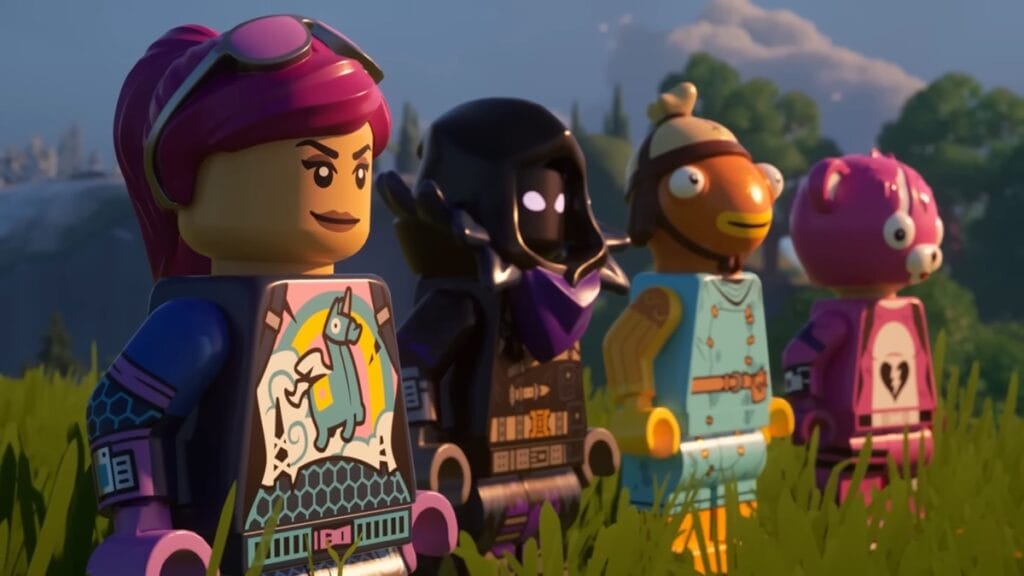
Epic Games has added multiple new modes to Fortnite for players to enjoy, including the Lego Fortnite. Not only do you get to play as a Lego version of avatars in Fortnite, but you also build your village however you like and hang out with your friends. If you don’t know how, then here is how you can play Lego Fortnite multiplayer and invite your friends.

Playing Lego Fortnite Multiplayer

Lego Fortnite - How to Invite Friends and Play Multiplayer
Image Source: Epic Games via ZaFrostPet Screenshot

Lego Fortnite is such a fresh way to let players take a break from killing and destroying each other in intense matches. You get to build your village and your home, sit by the river, and watch the sunset. But that would be pretty lonely without friends right? So why not invite them to join you in your cozy village?

Playing Lego Fortnite multiplayer and inviting friends are exactly the same as Fortnite. Once you’ve selected the Lego mode and entered the lobby, you can see a plus symbol next to your avatar. Press that button and then invite any of your friends that you want to hang out and play.

Don’t worry if you have already gone into the game and your village, you can still invite your friends. Press the button associated with bringing the map and scroll across until you see the Players tab. In this tab, you should be able to see the Invite Players option and pressing it will bring you a list of your friends that you can select to join.You can add up to seven players to join you which makes it a total of 8 players including you. However, if you decide to log out or get out of the game, the rest of the party will be kicked out as well. But there is a cool option that allows your friends to visit and even build stuff for you, even when you are not around. You can do this by giving them an item called World Keys and continue reading to learn how to give them.

How to Give World Keys to Your Friends

Adding Friend to Lego Fortnite
Image Source: Epic Games via ZaFrostPet Screenshot

World Keys are items that allow your friends to visit and build in your village. Same as before, head to the Players tab from the map menu and next to their name you can see the option to give them World Keys. Once you select that option, that player will gain access to your village.

Same as multiplayer, you can only give World Key to seven other players. I also suggest considering who you give those keys to. Since they can build things in your village, they could also destroy them. So, make sure you add close friends that you trust.


Related Topics
Guide Lego Fortnite
Share. Facebook Twitter LinkedIn Reddit Email
Masoud Kazemi
  • Website
  • X (Twitter)

I don't care about the real world. I cared only about the world of fiction. -Woody Allen

SUGGESTED READS

PlayStation Fighting Controller Backlash
Gaming

PlayStation’s Return to Social Media is Met With Backlash and Angry Consumers: ‘I Was Hoping It Was a Digital Controller’

Black Flag Resynced
Gaming

Assassin’s Creed Black Flag Remake Delivers Brutal Skull & Bones Comparison Before Launch

PlayStation Reportedly Didn't Warn Asian Partners, Local Branches Before Physical Disc Shut Down Announcement: 'They Didn't Know Either'
Gaming

PlayStation Reportedly Didn’t Warn Asian Partners, Local Branches Before Physical Disc Shut Down Announcement: ‘They Didn’t Know Either’

XBOX Sells Off Four Studios, Cuts 3,000 Jobs, as Marvel's Blade Reportedly Goes Over Budget
Gaming

Xbox Sells Off Four Studios and Cuts 3,000 Jobs as Marvel’s Blade Reportedly Goes Over Budget

PSN Region Ban Claims Another Victim as Marvel Tokon is Blocked in 132 Countries
Gaming

PSN Region Ban Claims Another Victim as Marvel Tokon is Blocked in 132 Countries

PlayStation PS Plus subscription cancel
Gaming

Angry PlayStation Users Threaten to Cancel PS Plus After Sony Cancels Physical Media: ‘They’re Already on Thin Ice’

The Nerd Stash
Facebook X (Twitter) Instagram YouTube LinkedIn
  • About Us
  • Join Our Team
  • Meet the Team
  • Privacy Policy
  • DMCA Policy
  • Contact Us
  • Terms of Use
  • Sitemap
  • Editorial Guidelines
  • Advertising Policy
© 2026 The Nerd Stash. All Rights Reserved.

Type above and press Enter to search. Press Esc to cancel.